
Introduction
This manual provides comprehensive instructions for the safe and efficient operation of your Sheffield Labs LED Desk Lamp. Please read this manual thoroughly before use and retain it for future reference.
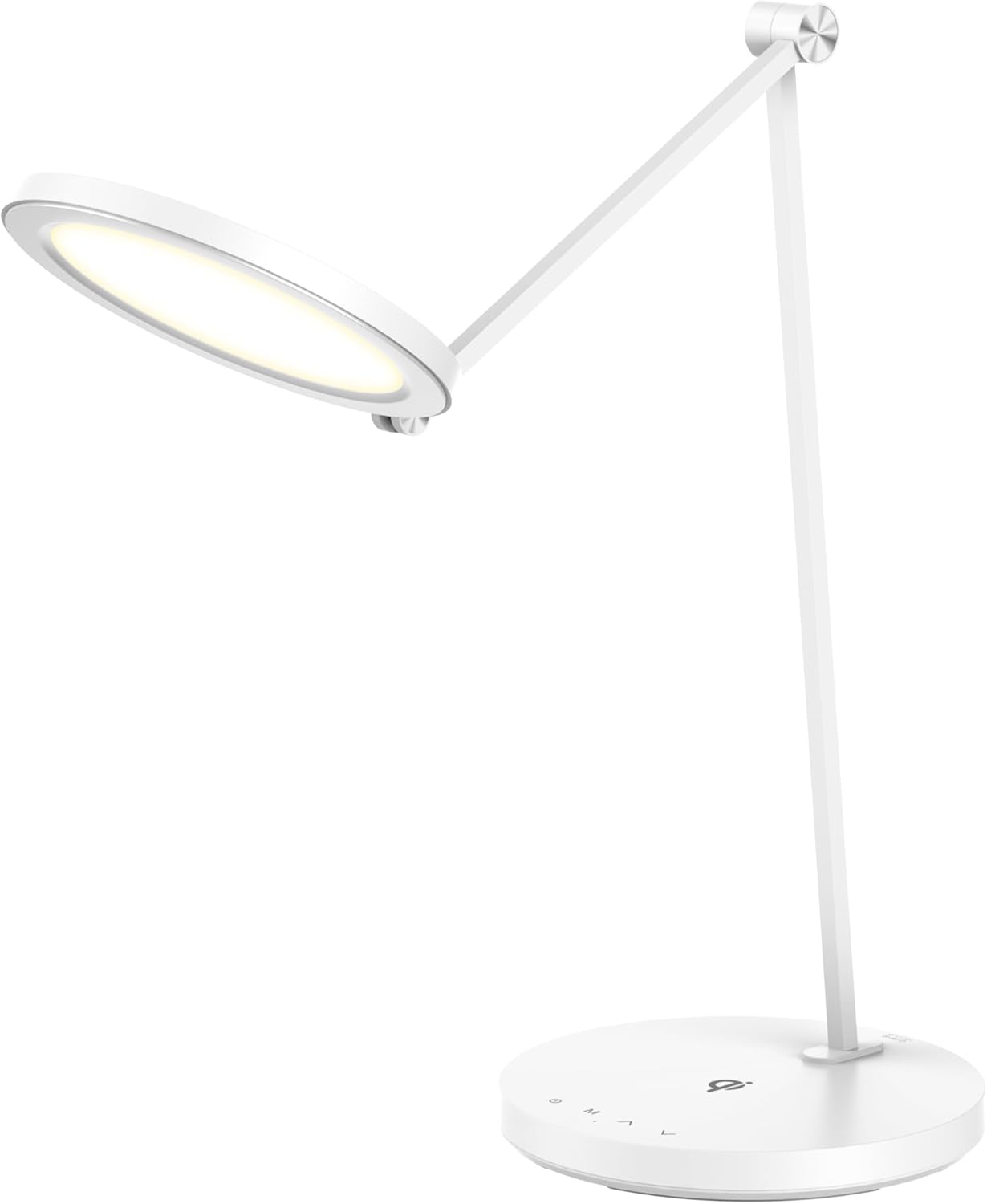
Figure 1: Sheffield Labs LED Desk Lamp. This image shows the lamp with its adjustable arm extended and the light head illuminated, resting on its circular base.
Safety Instructions
- Ensure the power supply voltage matches the lamp's requirements before connecting.
- Do not disassemble or modify the lamp. Refer all servicing to qualified personnel.
- Avoid direct eye exposure to the LED light source for prolonged periods.
- Keep the lamp away from water or other liquids.
- Do not operate the lamp if the power cord or plug is damaged.
- Place the lamp on a stable, flat surface to prevent tipping.
- Unplug the lamp from the power outlet before cleaning or when not in use for extended periods.
Package Contents
Verify that all items are present in the package:
- Sheffield Labs LED Desk Lamp (1 unit)
- Power Adapter (1 unit)
- User Manual (This document)
Product Features
- Adjustable Design: Modern LED desk lamp with flexible arm and rotating head for customizable lighting angles and directions.
- Lighting Modes: Touch-sensitive controls with multiple brightness levels and color temperature settings for optimal illumination.
- Energy Efficient: LED technology provides bright, uniform illumination while consuming minimal power for long-lasting performance.
- Sleek Aesthetics: Minimalist white finish and contemporary styling complements any desk or workspace décor.
- Compact Base: Space-saving circular base with integrated control panel measures approximately 15 cm in diameter.

Figure 2: The desk lamp positioned on a workspace, demonstrating its compact footprint and modern design alongside a laptop and other desk items.
Setup
- Unpack the Lamp: Carefully remove all components from the packaging.
- Position the Lamp: Place the lamp's circular base on a stable, flat surface.
- Connect Power: Insert the power adapter cable into the DC input port located at the rear of the lamp's base.
- Plug into Outlet: Plug the power adapter into a standard electrical outlet.
- Adjust Lamp Position: Gently adjust the lamp arm and head to your desired lighting angle. The lamp features pivot points for smooth positioning.

Figure 3: A close-up view of the lamp's circular base, highlighting the DC power input port and the touch control icons.
Operating Instructions
The lamp is controlled via touch-sensitive buttons located on its base.

Figure 4: The lamp's base showing the touch control icons and a smartphone placed on the wireless charging pad, indicating its functionality.
- Power On/Off: Touch the ⏻ (Power) icon to turn the lamp on or off.
- Adjust Brightness: Use the ⏷ (Brightness Down) and ⏶ (Brightness Up) icons to cycle through different brightness levels.
- Change Color Temperature: Touch the M (Mode) icon to switch between different color temperature modes (e.g., warm white, natural white, cool white).
- Wireless Charging (if applicable): If your model includes wireless charging, place your compatible device on the designated charging area on the base (indicated by the ⏸ symbol). Ensure the device is centered for optimal charging.
Maintenance
- Cleaning: Disconnect the power before cleaning. Use a soft, dry cloth to wipe the lamp. Do not use abrasive cleaners or solvents.
- Storage: If storing the lamp for an extended period, unplug it and store it in a cool, dry place.
- LED Lifespan: The integrated LED light source is designed for long-term use and is not user-replaceable.
Troubleshooting
| Problem | Possible Cause | Solution |
|---|---|---|
| Lamp does not turn on. | Not plugged in; power outlet issue; faulty adapter. | Ensure power adapter is securely plugged into the lamp and a working outlet. Try a different outlet. |
| Light flickers or is dim. | Unstable power supply; lamp not fully powered. | Check power connection. Ensure the lamp is receiving adequate power. |
| Touch controls are unresponsive. | Temporary software glitch; dirty sensor. | Unplug the lamp for 30 seconds, then plug it back in. Clean the touch control area with a soft, dry cloth. |
| Wireless charging not working. | Device not compatible; device not centered; foreign objects on pad. | Ensure your device supports Qi wireless charging. Reposition the device on the charging pad. Remove any metal objects or thick cases. |
Specifications
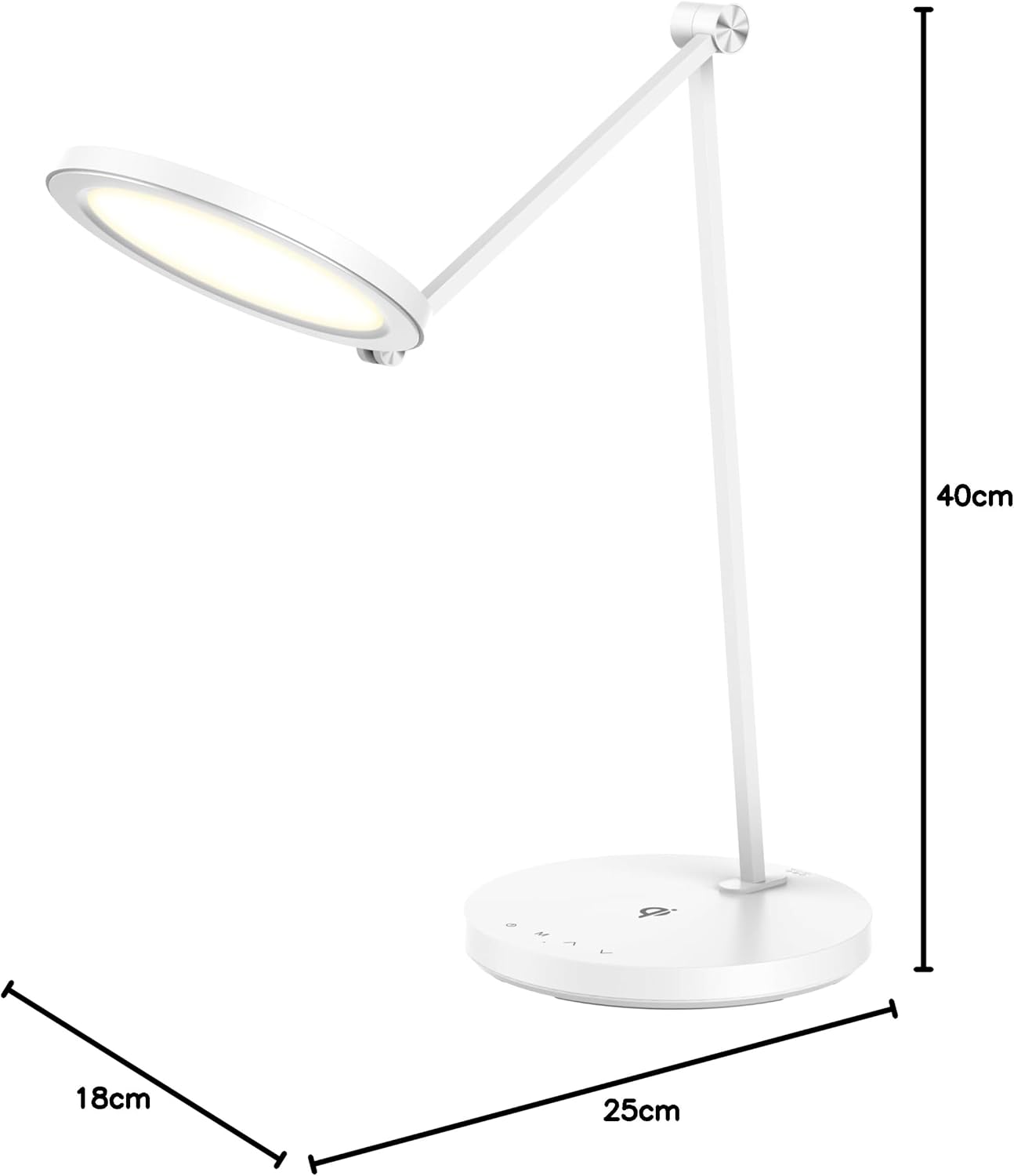
Figure 5: Diagram illustrating the approximate dimensions of the Sheffield Labs LED Desk Lamp: 40cm height, 25cm base width, and 18cm base depth.
- Model Number: TL25911WHT
- Brand: SHEFFIELD LABS
- Manufacturer: E. Living
- Product Dimensions: 18D x 25W x 40H Centimetres (approx. 18 x 25 x 40 cm)
- Item Weight: 0.8 Kilograms (800 g)
- Lamp Type: LED
- Switch Type: Touch Control
- Material: Plastic (Base, Shade)
- Finish Type: Matte
- Shade Color: White
- Country of Origin: China
- Date First Available: Jan. 7 2025
Warranty and Support
For warranty information or technical support, please refer to the contact details provided with your purchase documentation or visit the official SHEFFIELD LABS website. Please have your model number (TL25911WHT) and purchase date available when contacting support.
Environmental Protection and Disposal
This product contains electronic components and should not be disposed of with household waste. Please dispose of the product at an authorized recycling center for electronic waste. Contact your local authorities for information on recycling facilities in your area.