
Introduction
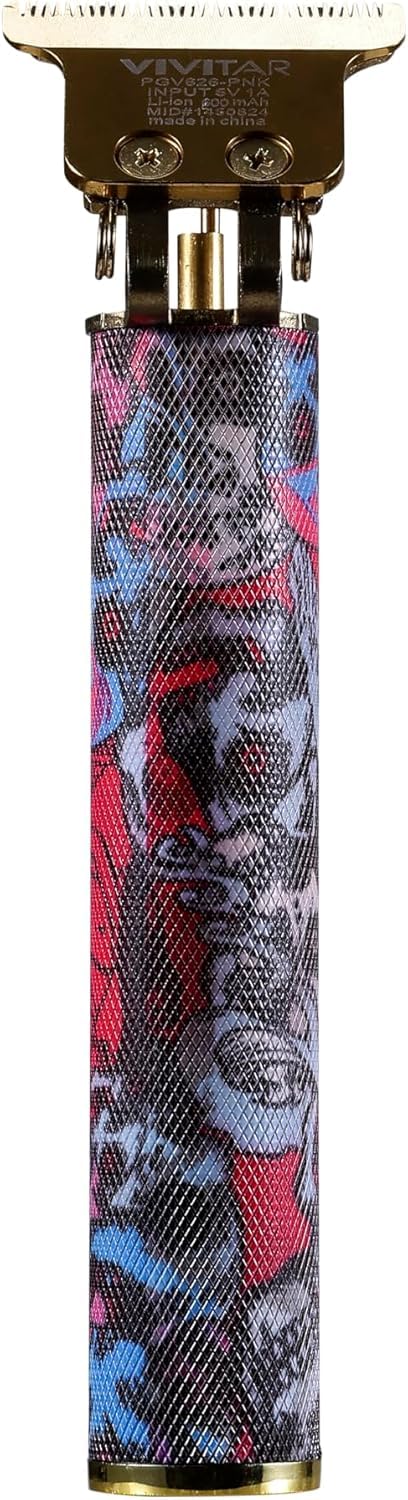
This manual provides essential instructions for the safe and effective use of your Vivitar Cordless Hair Trimmer T-Blade. Please read this manual thoroughly before operating the device and retain it for future reference.
Safety Information
WARNING:
- May cause injury if used improperly.
- Keep away from water. Do not use near bathtubs, showers, basins, or other vessels containing water.
- Do not use on infants.
- Follow recommended cleaning and maintenance procedures.
- Do not overcharge the battery or use damaged charging cables.
- This appliance is intended for household use only.
Product Features
- Precision T-Blade: Designed for clean, sharp lines and detailed trimming, suitable for beards, mustaches, sideburns, and precise grooming.
- Cordless Operation: Offers freedom of movement with a powerful lithium battery.
- Ergonomic Design: Lightweight and easy to handle, ensuring comfortable use during grooming sessions.
- Compact & Travel-Friendly: Ideal for travel and storage in small spaces.
- Durable & Quiet Motor: Ensures smooth operation with minimal noise.
- Rechargeable Convenience: Features a Type-C rechargeable lithium battery.
- High-Performance Stainless Steel Blades: For efficient and precise cutting.
- Up to 60 Minutes Run Time: On a full charge.

Image: Graphic illustrating key features including cordless design, lightweight build, precision T-blade, quiet motor, compact design, and ergonomic design.
Package Contents
Verify that all items are present in the package:
- 1x Vivitar Cordless Hair Trimmer T-Blade
- 4x Guide Combs (various lengths)
- 1x Cleaning Brush
- 1x Lubricating Oil
- 1x USB Type-C Charging Cable
- 1x Instruction Manual
- 1x One Year Warranty Card
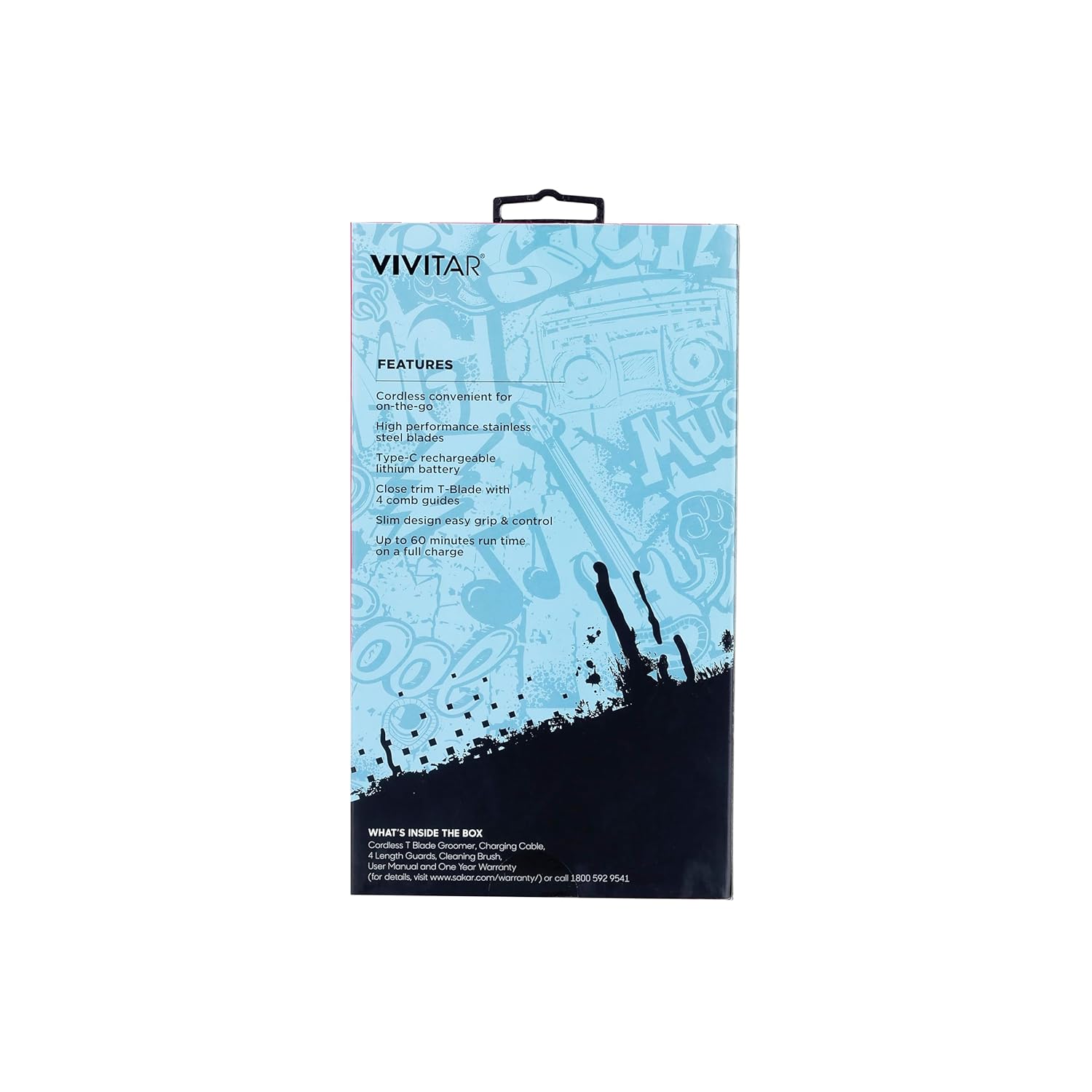
Image: Product packaging displaying the trimmer, guide combs, and other included accessories.
Setup
Charging the Trimmer
- Ensure the trimmer is turned off before charging.
- Connect the USB Type-C charging cable to the charging port on the trimmer.
- Plug the other end of the USB cable into a compatible USB power adapter (not included) or a computer USB port.
- Allow the trimmer to charge fully before first use. A full charge provides up to 60 minutes of run time. Do not overcharge.
Attaching Guide Combs
- Select the desired guide comb for your preferred hair length.
- Align the comb with the trimmer blade and gently push it down until it clicks securely into place.
- To remove, gently lift the comb from the back and slide it off the blade.
Operating Instructions
General Trimming
- Ensure your hair is clean and dry before trimming.
- Attach the appropriate guide comb if you desire a specific length. For closest trim, use without a comb.
- Turn on the trimmer by pressing the power button.
- Hold the trimmer with the blade flat against the skin or at a slight angle, moving against the direction of hair growth.
- Use slow, controlled strokes for an even trim.
Precision Trimming and Edging
- For detailed work, such as outlining beards, mustaches, or sideburns, remove any attached guide comb.
- Hold the trimmer at a 90-degree angle to the skin, using the edge of the T-blade to create sharp lines.
- Use light pressure and short, precise movements.

Image: A person holding the Vivitar Hair Trimmer, demonstrating its ergonomic design during use.
Maintenance
Cleaning the Trimmer
- Turn off the trimmer and disconnect it from the charging cable before cleaning.
- Remove any attached guide comb.
- Use the provided cleaning brush to remove loose hairs from the blade and trimmer body.
- For a more thorough clean, the blade can be carefully detached (refer to specific instructions if provided with your unit for blade removal). Rinse the blade under running water, ensuring the main body of the trimmer does not get wet. Dry thoroughly before reattaching.
- Wipe the trimmer body with a soft, damp cloth. Do not use abrasive cleaners or solvents.
Lubricating the Blades
- After cleaning and drying, apply 1-2 drops of the provided lubricating oil to the blades.
- Turn on the trimmer for a few seconds to allow the oil to distribute evenly.
- Wipe off any excess oil with a clean cloth. Regular oiling helps maintain blade sharpness and prolongs the trimmer's life.
Storage
Store the trimmer in a cool, dry place, away from direct sunlight and moisture. Ensure it is fully charged before storing for extended periods to maintain battery health.
Troubleshooting
| Problem | Possible Cause | Solution |
|---|---|---|
| Trimmer does not turn on. | Battery is depleted. | Charge the trimmer fully. |
| Trimmer runs slowly or pulls hair. | Blades are dirty or not lubricated. Battery is low. | Clean and oil the blades. Charge the trimmer. |
| Trimmer makes unusual noise. | Blades may be misaligned or obstructed. | Turn off and inspect blades for obstructions. Ensure blades are properly seated. |
| Trimmer does not charge. | Charging cable or adapter is faulty. Trimmer charging port is damaged. | Try a different USB Type-C cable and power adapter. If the issue persists, contact customer support. |
Specifications
- Model Number: PGV626-PNK-STK-6
- Power Source: Battery Powered (Lithium-ion)
- Run Time: Up to 60 minutes (on full charge)
- Charging Port: USB Type-C
- Blade Type: T-Blade, Stainless Steel
- Dimensions: Approximately 9.92 x 7.32 x 3.27 inches (Package)
- Item Weight: 0.24 Kilograms (approximately 8.47 ounces)
- Manufacturer: Sakar International
- UPC: 681066129319
Warranty and Support
Warranty Information
This Vivitar product comes with a One Year Warranty from the date of purchase. This warranty covers manufacturing defects and workmanship under normal use. It does not cover damage caused by misuse, accident, unauthorized modification, or failure to follow operating instructions.
Please retain your proof of purchase for warranty claims.
Customer Support
For technical assistance, warranty service, or product inquiries, please contact Vivitar Customer Support:
- Phone: 1-800-592-9541
- Online: Visit the official Vivitar website for support resources and contact forms.