
1. Introduction
This manual provides comprehensive instructions for the setup, operation, and maintenance of your Orium Display Clock, Model 11356. Designed for clarity and functionality, this clock is ideal for various indoor environments, including offices and open spaces, offering a dual 12-hour and 24-hour time display.
2. Product Overview
The Orium Display Clock features a modern design with a clear white background, black 12-hour numbers, and red 24-hour numbers for optimal contrast and readability. Its silent quartz movement ensures a quiet environment.

Figure 1: Front view of the Orium Display Clock, showing the dual 12-hour (black) and 24-hour (red) markings.
Key Features:
- Quartz clock with silent movement for a peaceful environment.
- Excellent readability due to large numbers (3 cm for 12H, 1 cm for 24H).
- Dual 12H and 24H display for versatile timekeeping.
- Designed for professional and indoor spaces.
- Powered by one AA LR06 battery (included).
3. Setup
3.1 Unpacking
- Carefully remove the clock from its packaging.
- Inspect the clock for any signs of damage. If damaged, contact customer support immediately.
- Retain packaging materials for future transport or storage.
3.2 Battery Installation
The Orium Display Clock requires one AA LR06 battery, which is included with your purchase.
- Locate the battery compartment on the back of the clock.
- Open the battery compartment cover.
- Insert one AA LR06 battery, ensuring the positive (+) and negative (-) terminals align correctly with the markings inside the compartment.
- Close the battery compartment cover securely.
3.3 Placement and Mounting
This clock is designed for indoor wall mounting. Choose a location that is easily visible and free from excessive moisture or direct sunlight, which could affect battery life or clock accuracy.
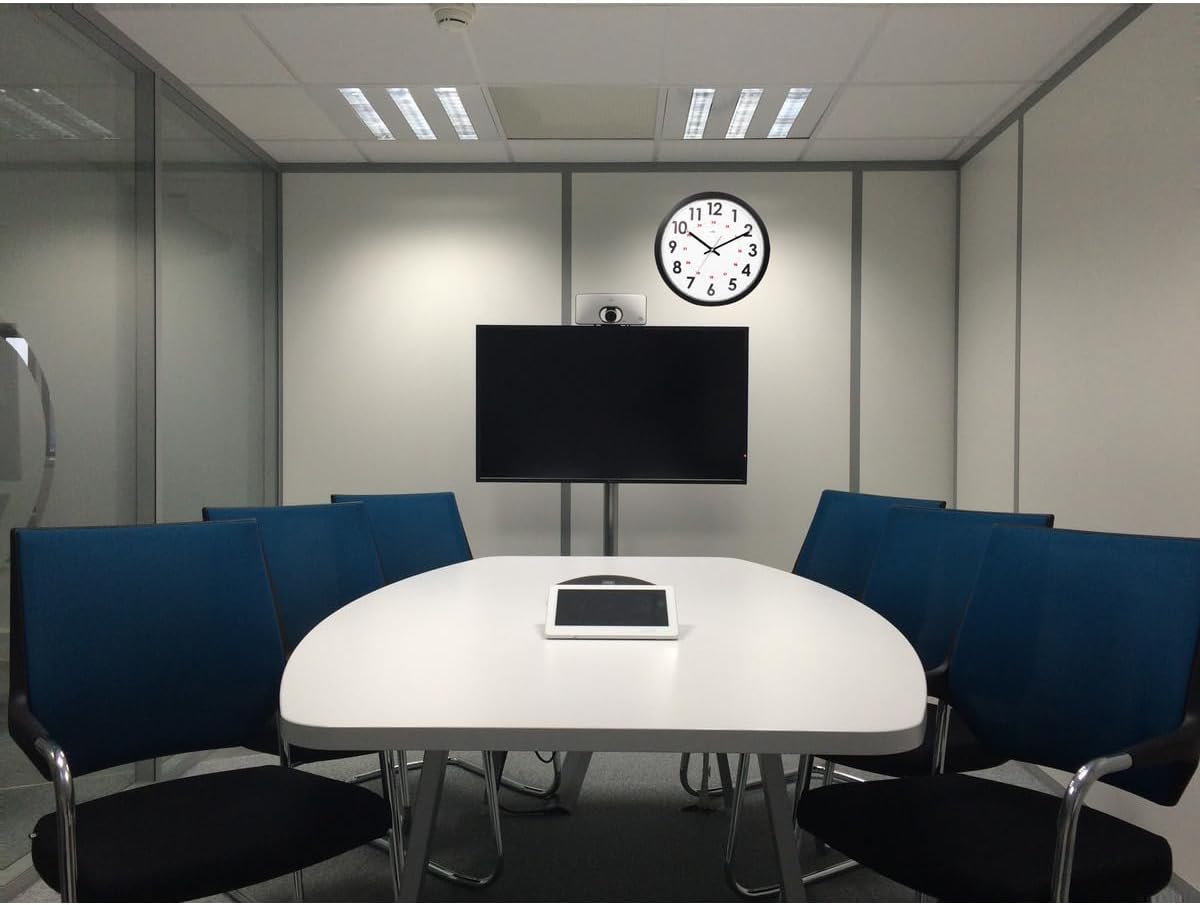
Figure 2: The Orium Display Clock installed on a wall in a meeting room setting.

Figure 3: The Orium Display Clock displayed in an open-plan office, demonstrating its visibility.
- Use a suitable wall anchor and screw (not included) appropriate for your wall type.
- Hang the clock securely using the keyhole slot on the back.
4. Operating Instructions
4.1 Setting the Time
- After installing the battery, the clock hands will begin to move.
- Locate the time setting knob on the back of the clock, usually a small wheel or dial.
- Gently turn the knob in either direction to adjust the hour and minute hands to the correct time.
- Ensure the time is set accurately, considering the 12-hour and 24-hour markings.
4.2 Understanding the Dual Display
The Orium Display Clock features both 12-hour and 24-hour time formats for enhanced utility:
- 12-Hour Display: The larger, black numbers (1-12) indicate the standard 12-hour time format (AM/PM).
- 24-Hour Display: The smaller, red numbers (13-24) located inside the 12-hour markings provide the corresponding 24-hour (military) time.
This dual display ensures clear readability and adaptability to different preferences or professional requirements.
5. Maintenance
5.1 Cleaning
- To clean the clock, gently wipe the surface with a soft, dry, lint-free cloth.
- Do not use abrasive cleaners, solvents, or chemical sprays, as these can damage the clock's finish or internal components.
- Avoid getting moisture into the clock mechanism.
5.2 Battery Replacement
Replace the AA LR06 battery approximately once a year, or when the clock hands begin to slow down or stop. Refer to Section 3.2 for battery installation instructions.
- Always use a fresh, high-quality AA LR06 battery.
- Dispose of used batteries responsibly according to local regulations.
6. Troubleshooting
| Problem | Possible Cause | Solution |
|---|---|---|
| Clock is not running. | Battery is dead or incorrectly installed. | Check battery polarity. Replace with a fresh AA LR06 battery. |
| Clock runs too slow or stops intermittently. | Low battery power. | Replace the battery with a fresh AA LR06 battery. |
| Time is incorrect after setting. | Time setting knob was not fully engaged or moved accidentally. | Re-set the time carefully. Ensure the knob is not obstructed. |
| Clock makes noise. | Not applicable; the clock features a silent movement. | If noise occurs, contact customer support. |
7. Specifications
| Feature | Detail |
|---|---|
| Brand | Orium |
| Model Number | 11356 |
| ASIN | B0DSG41KVF |
| Color | White |
| Style | Classic |
| Special Feature | Dual 12H and 24H display |
| Product Dimensions | 7.87"W x 7.87"H (Approx. Ø30cm) |
| Power Source | 1 x AA LR06 Battery (included) |
| Room Type | Indoor |
| Shape | Round |
| Material | Plastic |
| Item Weight | 1.54 pounds (0.7 Kilograms) |
8. Warranty and Support
Orium products are manufactured to high-quality standards. For specific warranty information, please refer to the documentation included with your purchase or visit the official Orium website. If you encounter any issues or require assistance with your Orium Display Clock, please contact Orium customer support through their official channels.
For general inquiries or to find more information about Orium products, you may visit the Orium brand page on Amazon.