
1. Product Overview
The D'Addario Micro Headstock Rechargeable Tuner is designed for fast and accurate tuning of various stringed instruments. Its compact and discreet design allows it to attach securely to your instrument's headstock, providing clear visual feedback without obstructing your view or instrument aesthetics. This tuner features a vibrant full-color LED display and a long-lasting USB-C rechargeable battery.
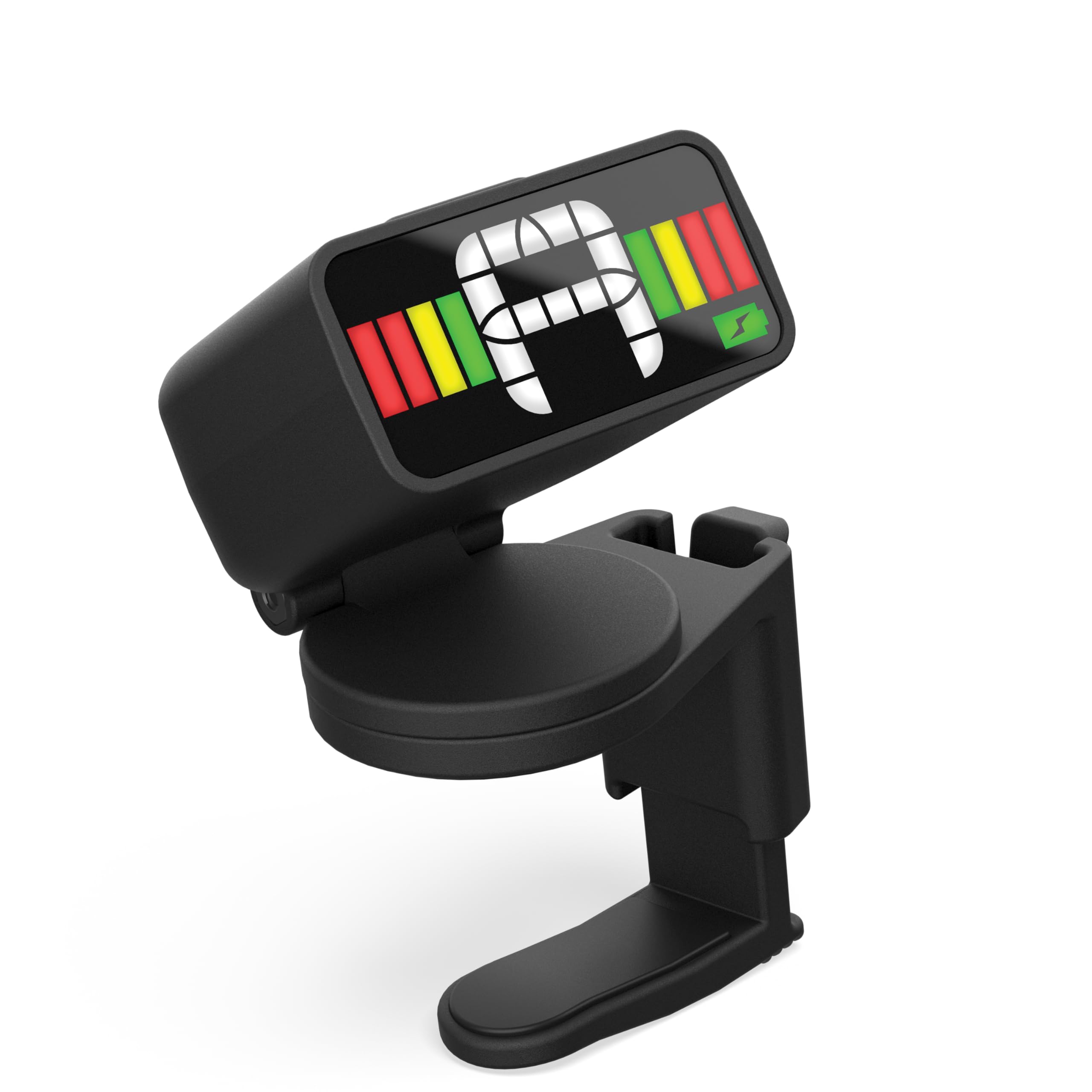
Figure 1: D'Addario Micro Headstock Rechargeable Tuner
2. Setup and Installation
2.1 Charging the Tuner
Before first use, ensure the tuner is fully charged. The tuner comes with a 6-inch USB-C cable. Connect the cable to the tuner's USB-C port and plug the other end into a compatible USB power source. A full charge provides approximately 22 hours of tuning time.

Figure 2: Tuner connected to USB-C charging cable
2.2 Attaching to Instrument Headstock
- Locate a suitable position on your instrument's headstock.
- Gently open the padded clamp of the tuner.
- Securely attach the tuner to the headstock, ensuring a firm grip without damaging the instrument's finish. The tuner's compact design allows it to be discreetly placed behind the headstock.

Figure 3: Tuner discreetly attached to a guitar headstock

Figure 4: Tuner securely clipped to a guitar headstock
2.3 Powering On/Off
Press and hold the power button located on the tuner to turn it on or off. The tuner features an auto-off function to conserve battery life when not in use.
3. Operating Instructions
3.1 Tuning Your Instrument
The D'Addario Micro Headstock Tuner utilizes an accurate piezo transducer to detect vibrations directly from your instrument, making it effective even in loud environments. It is suitable for acoustic guitar, electric guitar, bass guitar, mandolin, ukulele, and violin.
- Once powered on, pluck a single string on your instrument.
- The tuner's ultra-bright, full-color LED display will show the detected note and indicate whether it is sharp, flat, or in tune.
- Adjust the tuning peg of the string until the display indicates the correct note and the indicator is centered and green.
- Repeat for all strings.

Figure 5: Tuner operating in a loud environment
3.2 Adjusting Viewing Angle
The tuner features a 360-degree swivel mechanism, allowing you to adjust the display to your preferred viewing angle for maximum flexibility.

Figure 6: Tuner with adjustable viewing angles
3.3 Calibration
The tuner has a wide calibration range of 410-480Hz, ensuring precise performance for various tuning standards. Refer to the tuner's specific controls for adjusting the calibration frequency if needed.
3.4 Video Demonstration
Video 1: Demonstration of the D'Addario Micro Headstock Tuner's ease of installation and use.
4. Maintenance
4.1 Cleaning
Wipe the tuner with a soft, dry cloth to remove dust or smudges. Avoid using harsh chemicals or abrasive materials.
4.2 Storage
Store the tuner in a cool, dry place away from extreme temperatures and direct sunlight when not in use. Ensure it is powered off to preserve battery life.
5. Troubleshooting
5.1 Tuner Not Responding
- Ensure the tuner is charged. Connect it to the USB-C cable and a power source.
- Press and hold the power button for a few seconds to ensure it is powered on.
5.2 Inaccurate Tuning
- Ensure the tuner is securely attached to the instrument's headstock to properly detect vibrations.
- Check the calibration setting (410-480Hz) to ensure it matches your desired tuning standard.
- Pluck strings clearly and individually, avoiding sympathetic vibrations from other strings.
6. Specifications
| Feature | Detail |
|---|---|
| Model Number | PW-CT-12RC |
| Item Weight | 1.44 ounces |
| Product Dimensions | 5.75 x 3.95 x 1.2 inches |
| Batteries | 1 Lithium Ion battery (included) |
| Battery Type | Lithium Polymer |
| Body Material | Plastic |
| Color Name | Black, Silver |
| Connector Type | USB-C |
| Size | Single Pack |
7. Warranty and Support
For warranty information and customer support, please refer to the official D'Addario website or contact their customer service directly. Keep your proof of purchase for any warranty claims.