
1. Product Overview
The MISECU 2K Solar Camera is a wireless outdoor security solution designed for home surveillance. It features a built-in rechargeable battery and a high-conversion solar panel for continuous operation. This camera provides 2K UHD resolution, offering clear video and image quality. It includes both full-color and infrared night vision modes, PIR motion detection, and AI analysis for distinguishing between people, vehicles, pets, and packages. Two-way audio communication is supported, along with siren and spotlight alarms. Storage options include local Micro SD card support (up to 128GB) and free 3-day loop cloud storage.

Image 1.1: Two MISECU 2K Solar Cameras with solar panels, showcasing their weather-resistant design.
2. What's in the Box
- Solar Powered Security Camera with Solar Panel x 2
- Mounting Kit x 2
- Bracket x 2
- User Manual
3. Setup and Installation
3.1 Physical Installation
The camera and solar panel are designed for wire-free installation. Use the provided mounting brackets and screws to secure the camera and solar panel in your desired outdoor location. Ensure the solar panel receives adequate direct sunlight for optimal charging.
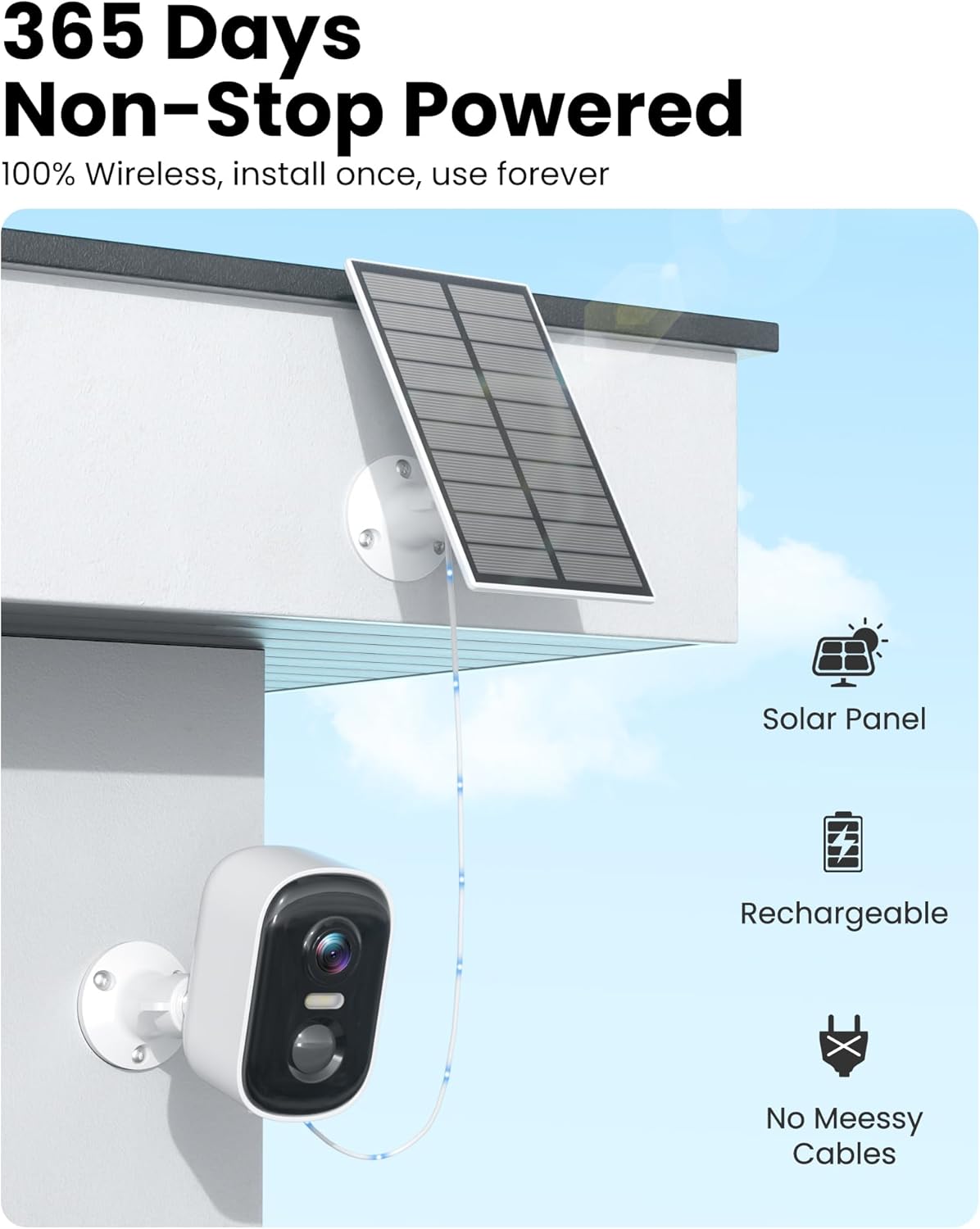
Image 3.1: MISECU solar camera and panel mounted, illustrating continuous power.
3.2 App Download and Account Creation
Download the 'Vicohome' app from your smartphone's app store (iOS or Android). Follow the in-app instructions to create a new account and log in.
3.3 Wi-Fi Connection
The MISECU solar camera supports 2.4GHz Wi-Fi networks only. It does not support 5GHz Wi-Fi. During the app setup process, ensure your smartphone is connected to a 2.4GHz Wi-Fi network and follow the prompts to connect the camera to your home network.
4. Operating Instructions
4.1 2K UHD Resolution
The camera provides 2K Ultra HD resolution for clear and detailed video footage. This enhanced resolution allows for better identification of objects and individuals within the camera's field of view.
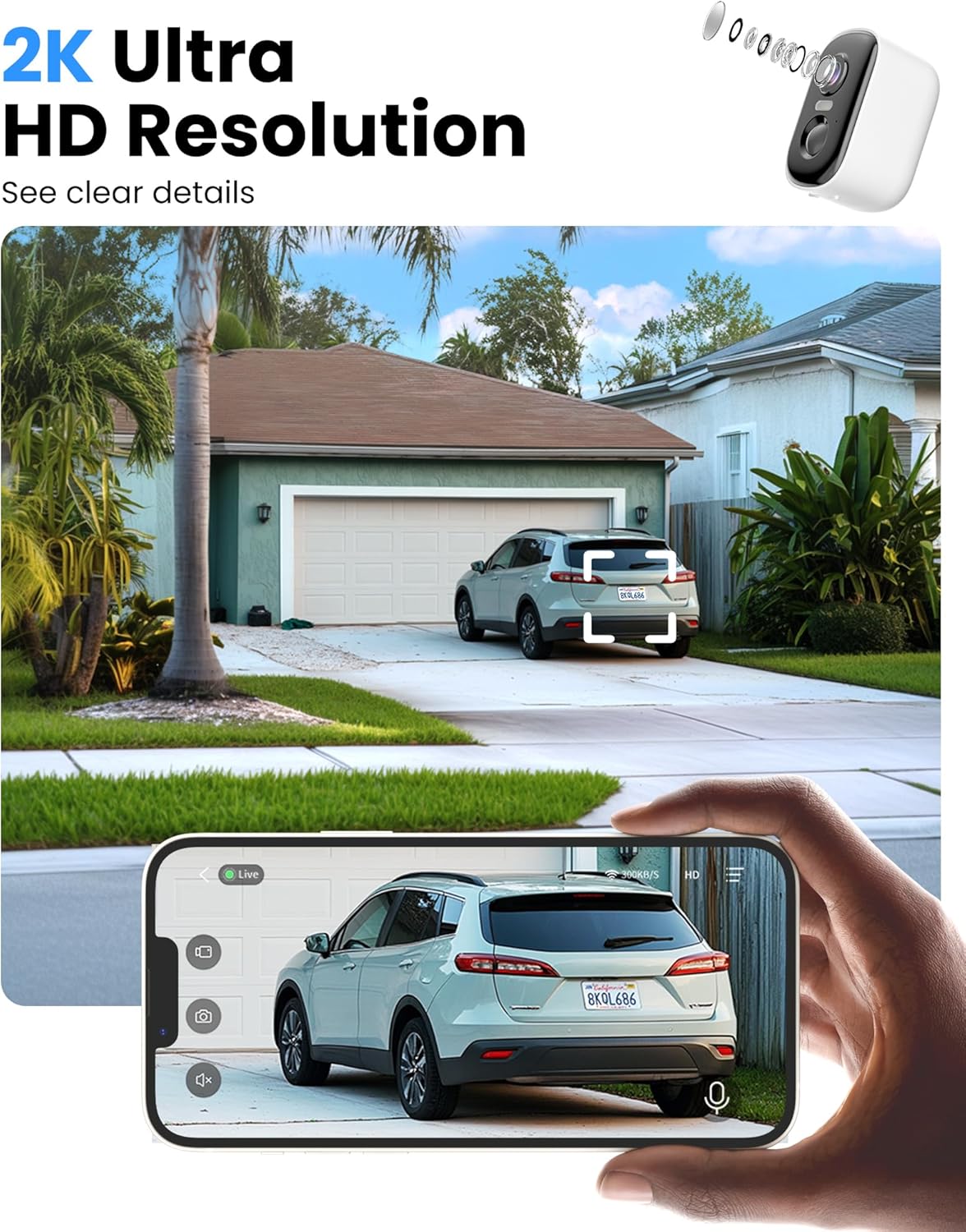
Image 4.1: Live view on a smartphone demonstrating 2K Ultra HD resolution.
4.2 Night Vision Modes
The camera offers two night vision modes:
- Full-Color Night Vision: Utilizes built-in spotlights to provide color video footage in low-light conditions.
- Infrared Night Vision: Provides black and white video footage using infrared LEDs, effective up to 33 feet.
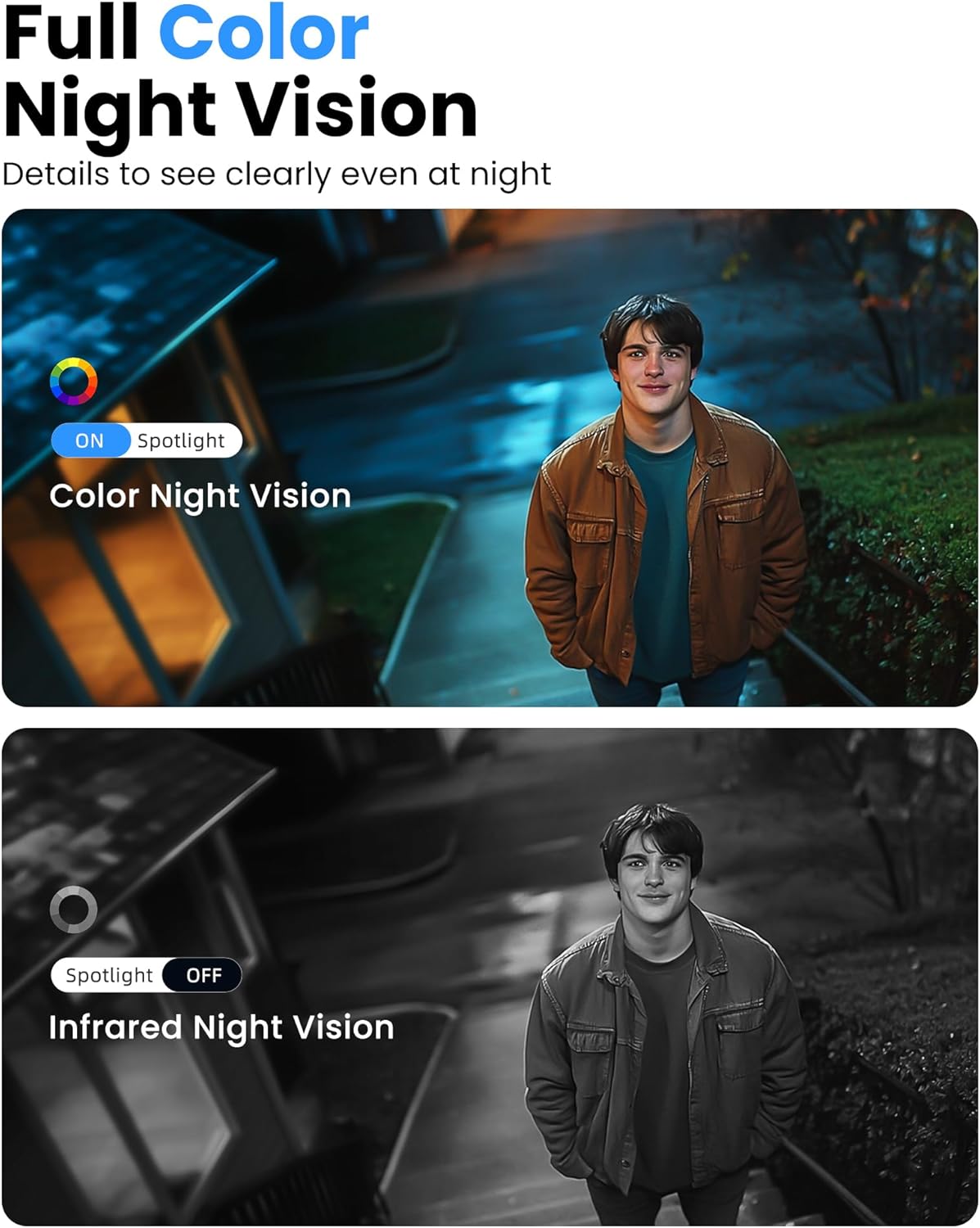
Image 4.2: Comparison of color night vision and infrared night vision.
4.3 PIR Motion Detection & AI Analysis
The camera incorporates Passive Infrared (PIR) motion detection to sense movement. When motion is detected, the camera triggers instant alerts to your phone via the Vicohome app. Advanced AI analysis can differentiate between people, vehicles, pets, and packages, reducing false alarms. The recognition accuracy rate is up to 98%.

Image 4.3: PIR motion detection with AI analysis identifying a person.
4.4 Two-Way Talk & Alarms
A built-in microphone and speaker enable two-way audio communication, allowing you to speak with visitors or deter intruders. Upon motion detection, the camera can activate a siren alarm and flash its white light (this function is disabled by default and can be enabled in the app) to alert and deter.

Image 4.4: Demonstrating the two-way talk feature with a delivery person.
4.5 Storage Options
The camera supports both local and cloud storage:
- Micro SD Card: Supports up to 128GB (not included).
- Cloud Storage: Offers free 3-day loop cloud storage (valid for 2 years) without subscription. A 30-day free trial of advanced features, including upgraded cloud storage and customizable alert zones, is available. Premium features start at $4.49 per month after the trial.

Image 4.5: SD card and cloud storage options for the camera.
4.6 App Settings
Within the Vicohome app, you can customize various settings:
- Adjust detection sensitivity.
- Set recording duration for motion-triggered events.
- Define customizable alert zones (premium feature).
- Schedule 'sleep times' to limit recordings to specific periods.
5. Maintenance
5.1 Solar Panel Care
To ensure optimal charging efficiency, periodically clean the surface of the solar panel to remove dust, dirt, or debris that may obstruct sunlight. Use a soft, damp cloth for cleaning.
5.2 Battery Life
The camera's battery life is influenced by the frequency of motion detection events and live view access. While the solar panel provides continuous charging, prolonged periods of heavy activity or insufficient sunlight may require manual recharging via USB.
6. Troubleshooting
- Camera not connecting to Wi-Fi: Ensure your router is broadcasting a 2.4GHz Wi-Fi signal. Move the camera closer to the router to improve signal strength. Restart both the camera and your router.
- Frequent false alarms: Adjust the motion detection sensitivity in the Vicohome app. Utilize AI analysis features (if subscribed) to filter out non-human movements.
- Battery not charging: Verify the solar panel is positioned to receive direct sunlight for several hours daily. Clean the solar panel surface. Check the connection cable between the camera and the solar panel.
- Poor night vision quality: Ensure the camera lens is clean and free from obstructions. Check if the spotlights or IR LEDs are functioning correctly.
7. Specifications
| Feature | Specification |
|---|---|
| Model Name | CG6DSL |
| Indoor/Outdoor Usage | Outdoor |
| Power Source | Solar Powered |
| Connectivity Protocol | Wi-Fi (2.4GHz only) |
| Controller Type | Vicohome App |
| Mounting Type | Wall Mount |
| Video Capture Resolution | 2K UHD (3 MP Effective Still Resolution) |
| Color | White |
| Included Components | Camera x 2, Solar Panel x 2, Mounting Kit x 2, Bracket x 2, User Manual |
| Viewing Angle | 110 Degrees |
| Night Vision Range | 33 Feet |
| Frame Rate | 15 frames per second |
| Material | Polycarbonate (PC) |
| Water Resistance Level | IP66 |
| Flash Memory Type | Micro SD (up to 128GB) |
| Optical Zoom | 4x |
| Video Encoding | MPEG-4 |
| Alert Type | Audio and Motion |
| Item Weight | 2.09 pounds |
| Date First Available | January 7, 2025 |

Image 7.1: IP66 Weatherproof rating for various environmental conditions.
8. Warranty and Support
MISECU provides the following support for its products:
- Full One-Year Warranty: Covers manufacturing defects and malfunctions for one year from the date of purchase.
- 30-Day Returns: Products can be returned within 30 days of purchase.
- Lifetime Technical Help: Access to technical assistance for the lifespan of the product.
- Reply within 24 Hours: Customer support inquiries are typically addressed within 24 hours.
For further assistance, please visit the MISECU Brand Store or contact customer support through the Vicohome app.