Product Overview
This manual provides detailed instructions for the Anker Power Bank 25K 165W and the Anker Power Station 60,000mAh 87W. These devices are designed to provide reliable portable power for a wide range of electronic devices, from smartphones and tablets to laptops and other high-power gadgets.

Image: The Anker Power Bank (left) and Anker Power Station (right), showcasing their compact designs and power indicators.
Key Features
- Triple 100W USB-C Ports: The Anker Power Bank features three USB-C ports, each capable of delivering up to 100W, enabling simultaneous charging of multiple high-power devices like laptops.
- High Capacity: The Power Bank offers a 25,000mAh capacity, suitable for extended use, while the Power Station boasts a massive 60,000mAh capacity for prolonged power needs.
- Fast Recharging: The 25,000mAh Power Bank can be recharged to 30% in approximately 20 minutes with 100W ultra-fast input.
- Dual Built-In Cables: The Power Bank includes two integrated USB-C cables; one extendable up to 2.3 ft (tested for over 20,000 retractions) and another 0.98 ft cable that doubles as a durable carrying strap (tested for over 20,000 bends).
- Solar Panel Compatibility: The Power Station supports solar panel input for eco-friendly charging in outdoor environments.
- Safety Features: The Power Station includes a built-in retractable light and an SOS button for emergency situations.
- Airline Compliance: The 25,000mAh Power Bank (90Wh) complies with airline carry-on regulations for batteries under 100Wh.
Setup
Initial Charging
Before first use, it is recommended to fully charge your Anker Power Bank or Power Station.
- Connect a compatible USB-C wall charger (not included) to the input port of your device. For optimal charging speed, use a 100W or higher power delivery charger for the Power Bank, and an 87W or higher charger for the Power Station.
- The digital display will show the charging progress. The device is fully charged when the display indicates 100%.
Connecting Devices
To charge your electronic devices:
- For Anker Power Bank: Use the built-in USB-C cables or connect your own USB-C to USB-C cables to the available USB-C output ports.
- For Anker Power Station: Connect your devices using appropriate USB-C or USB-A cables to the respective output ports.

Image: The Anker Power Bank with three USB-C cables connected, demonstrating its multi-device charging capability.
Operating Instructions
Charging Your Devices
Once your device is connected, the power bank/station will typically begin charging automatically. The digital display will show the remaining battery percentage and, for the Power Station, estimated remaining usage time.
- Power Bank (25K 165W): Utilizes PowerIQ 4.0 technology for optimized charging. The built-in retractable cable can be extended up to 2.3 ft. The shorter cable acts as a carrying strap.
- Power Station (60,000mAh 87W): Features a smart display showing battery level, output/input wattage, and estimated runtime.

Image: The Anker Power Bank highlighting its two integrated USB-C cables, one extended for charging and the other serving as a durable carrying strap.
Using the Power Station's Additional Features
- Lighting: Press the dedicated light button to cycle through different brightness levels or turn the light on/off.
- SOS Mode: In an emergency, press and hold the SOS button to activate the flashing SOS signal.
- Solar Charging: Connect a compatible solar panel (not included) to the designated input port on the Power Station. Ensure the panel is placed in direct sunlight for efficient charging. The display will indicate solar input.
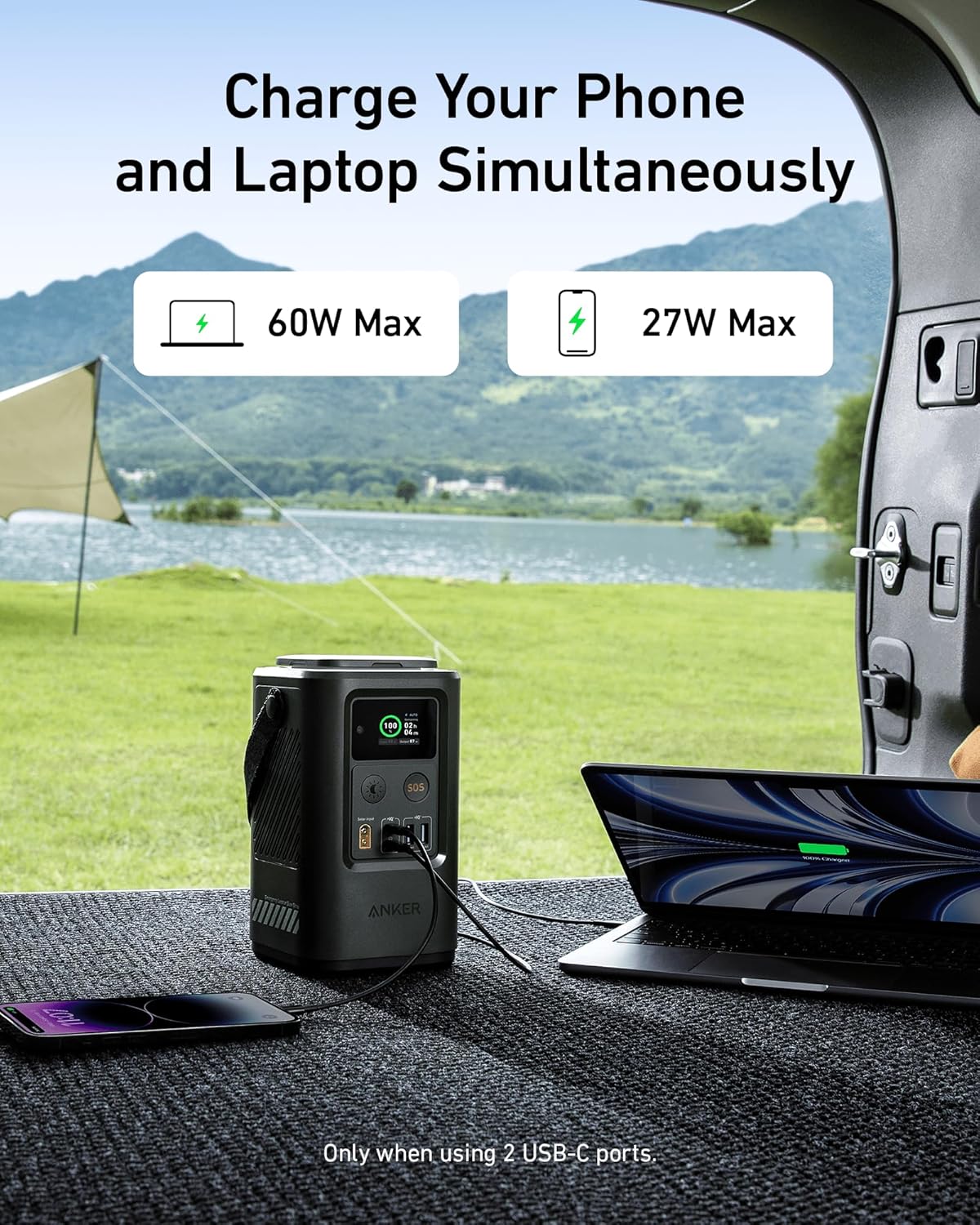
Image: The Anker Power Station in an outdoor setting, simultaneously charging a smartphone and a laptop, demonstrating its versatility.
Maintenance
Cleaning
To maintain the longevity and appearance of your device:
- Wipe the exterior with a soft, dry cloth.
- Do not use abrasive cleaners, solvents, or harsh chemicals.
- Ensure all ports are free of dust and debris. Use a soft brush or compressed air if necessary.
Storage
When storing your power bank/station for extended periods:
- Store in a cool, dry place away from direct sunlight and extreme temperatures.
- For optimal battery health, charge the device to approximately 50-70% before storing.
- Recharge the device every 3-6 months to prevent deep discharge, which can damage the battery.
Troubleshooting
| Problem | Possible Cause | Solution |
|---|---|---|
| Device not charging | Low battery on power bank/station; faulty cable; incompatible charger; device not properly connected. | Recharge the power bank/station. Try a different charging cable. Ensure the charger meets the power requirements. Reconnect the device securely. |
| Slow charging | Cable resistance; device drawing less power; charger output is low. | Use a high-quality, shorter cable. Ensure your device supports faster charging. Use a higher wattage wall charger. |
| Power bank/station not turning on | Battery completely depleted; internal fault. | Attempt to charge the device for several hours. If it still doesn't respond, contact customer support. |
| Display not working (Power Station) | Temporary software glitch; physical damage. | Try restarting the unit (if applicable, by disconnecting all cables and reconnecting). If the issue persists, contact customer support. |
Specifications
| Feature | Anker Power Bank 25K 165W | Anker Power Station 60,000mAh 87W |
|---|---|---|
| Capacity | 25,000mAh (90Wh) | 60,000mAh |
| Max Output | 165W (Triple 100W USB-C Ports) | 87W (USB-C and USB-A ports) |
| Input | USB-C (up to 100W) | USB-C, Solar Panel |
| Built-in Cables | 2 USB-C (1 retractable 2.3ft, 1 fixed 0.98ft strap) | N/A |
| Display | Digital Battery Percentage | Smart Display (Battery, Wattage, Runtime) |
| Additional Features | PowerIQ 4.0, Airline Carry-on Compliant | Built-in Light, SOS Mode, Home Backup Capability |
Note: Specifications are subject to change without notice. Actual performance may vary based on usage conditions.
Warranty and Support
Anker products come with a limited warranty. For detailed warranty information, please refer to the warranty card included with your product or visit the official Anker website.
If you encounter any issues or have questions regarding your Anker Power Bank or Power Station, please contact Anker Customer Support:
- Website: www.anker.com/support
- Email: Refer to your product packaging or website for specific contact email.
- Phone: Refer to your product packaging or website for specific contact number.
Please have your product model number and purchase information ready when contacting support.


