
HomBreez WG-03
HomBreez WG-03 Air Purifier and Humidifier Combo Instruction Manual
Model: WG-03
1. Introduction
Thank you for choosing the HomBreez WG-03 Air Purifier and Humidifier Combo. This device is designed to improve your indoor air quality by purifying, humidifying, and diffusing essential oils, all in one compact unit. It features an H13 True HEPA filter to capture airborne particles and provides a quiet cool mist for optimal comfort. Please read this manual thoroughly before use to ensure safe and efficient operation.

Image: The HomBreez WG-03 unit operating in a living room, illustrating its air purification capabilities.
2. Important Safety Instructions
- Always place the unit on a stable, flat, and water-resistant surface.
- Do not immerse the unit in water or other liquids.
- Unplug the unit before cleaning, refilling, or performing any maintenance.
- Keep out of reach of children and pets.
- Use only the provided power adapter.
- Do not block air inlets or outlets.
- Do not add essential oils directly into the water tank; use the designated aromatherapy compartment.
- Ensure the water tank is properly seated before operating the humidifier function.
3. Package Contents
Please check the box for the following items:
- HomBreez WG-03 Air Purifier and Humidifier Combo Unit
- H13 True HEPA Filter (pre-installed or separate)
- Power Adapter
- User Manual
4. Product Overview
Familiarize yourself with the components of your HomBreez WG-03 unit:

Image: Front view of the HomBreez WG-03 unit, highlighting the control panel and mist outlet.
- Control Panel: Touch-sensitive buttons for power, mode selection, timer, and night light.
- Air Inlet: Located at the bottom for drawing in air.
- Air Outlet: Located at the top for releasing purified air and mist.
- Water Tank: Removable tank for humidification.
- Aromatherapy Compartment: Small tray for essential oils.
- H13 True HEPA Filter: Internal filter for air purification.

Image: Visual representation of the unit's dimensions, measuring 6.7 inches on each side.
5. Setup
5.1 Filter Installation
The H13 True HEPA filter is typically pre-installed. If not, or for replacement:
- Turn the base counterclockwise to unlock and remove the filter cover.
- Insert the new or cleaned filter into the unit.
- Turn the base clockwise to secure it.

Image: Step-by-step instructions showing how to remove the base, insert the filter, and secure the base.
5.2 Water Filling for Humidification
To use the humidification and aromatherapy functions:
- Remove the top cover of the unit.
- Add clean water to the tank, ensuring it does not exceed the maximum water level line.
- For aromatherapy, add 3-5 drops of essential oil into the designated aromatherapy compartment (not directly into the water tank).
- Properly reinstall the top cover.
- Plug in the power adapter to start operation.
- Ensure the unit is placed steadily on a flat table; do not tilt.

Image: Instructions for removing the top cover, filling water, adding essential oils, and ensuring stable placement.
5.3 Power Connection
Connect the provided power adapter to the unit's power port and then plug it into a standard electrical outlet.
Video: An overview of the HomBreez Air Purifier and Humidifier Combo, demonstrating its features including water filling, air purification, humidification, and aromatherapy functions.
6. Operating Instructions
The HomBreez WG-03 features a touch control panel for easy operation. This standard model does not include smart app control.
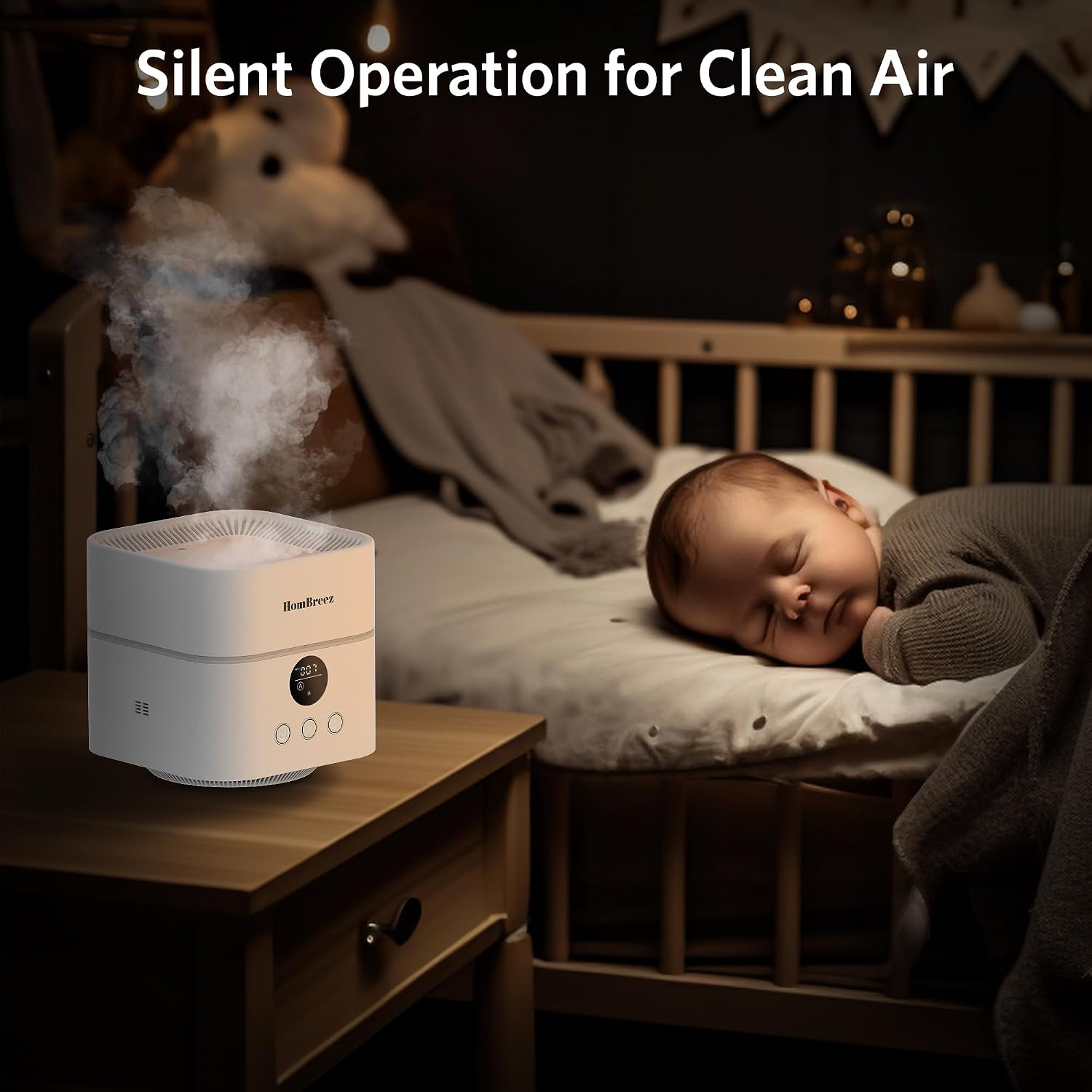
Image: The unit showcasing its 7-color ambient night light feature, providing a calming atmosphere.
6.1 Power On/Off
- Press the Power button (leftmost) once to turn the unit on.
- Press and hold the Power button for 2 seconds to turn the unit off.
6.2 Air Purification Modes
- When powered on, the unit defaults to automatic air purification mode.
- Press the Air Purifier Switch (middle button) to cycle through three fan speeds and a sleep mode.
- The display will show the current PM2.5 level and fan speed.
6.3 Humidification and Aromatherapy
- Ensure the water tank is filled and essential oils are added to the aromatherapy compartment if desired.
- Press the Aromatherapy Switch (rightmost button) to activate the cool mist humidification and aromatherapy.
- Press again to cycle through different mist output levels.

Image: The unit providing quiet humidification and air purification in a baby's room, emphasizing its low-noise operation.
6.4 Night Light Function
- Press the Night Light button (often integrated with the aromatherapy switch or a separate button, refer to unit markings) to turn on the ambient night light.
- Press repeatedly to cycle through 7 different colors or a color-changing mode.
6.5 Timer Settings
- Press the Timer button (often integrated with the air purifier switch or a separate button, refer to unit markings) to set an operating timer.
- Available timer settings are typically 1, 3, or 6 hours. The unit will automatically shut off after the set time.
7. Maintenance
7.1 Filter Replacement
For optimal performance, it is recommended to replace the H13 True HEPA filter every three months. Follow the filter installation steps in Section 5.1.
7.2 Cleaning the Water Tank
- Unplug the unit and remove the top cover.
- Empty any remaining water from the tank.
- Wipe the inside of the water tank with a soft, damp cloth. For stubborn mineral buildup, use a mild descaling solution (e.g., white vinegar diluted with water) and rinse thoroughly.
- Do not use abrasive cleaners or harsh chemicals.
- Ensure all parts are dry before reassembling.
7.3 Cleaning the Aromatherapy Compartment
- Wipe the aromatherapy compartment with a clean cloth after each use to prevent oil residue buildup.
8. Troubleshooting
| Problem | Possible Cause | Solution |
|---|---|---|
| Unit does not turn on | No power; power adapter not connected properly. | Check power connection; ensure outlet is functional. |
| No mist or low mist output | Water tank empty; water level too low; mineral buildup on transducer. | Refill water tank; clean the transducer. |
| Unusual noise | Unit not on a flat surface; foreign object in fan. | Place on a stable surface; check for obstructions. |
| Air purification ineffective | Filter is dirty or needs replacement. | Clean or replace the H13 True HEPA filter. |
9. Specifications
- Brand: HomBreez
- Model Name/Number: WG-03
- Product Dimensions: 6.7 x 6.7 x 6.7 inches
- Item Weight: 2 Pounds
- Color: White
- Material: Plastic
- Filter Type: H13 True HEPA
- Water Tank Capacity: 500 Milliliters
- Floor Area Coverage: Up to 200 Square Feet
- Operation Mode: Automatic
- Control Method: Touch
- Power Source: DC
- Runtime: 16 minutes (Note: This runtime may refer to a specific mode or setting. Actual runtime with full water tank and continuous operation may vary.)
- Room Type: Bedroom, Office
- Smart APP: No (for Standard model)
10. Warranty and Support
For any product quality issues, please contact us via email within 24 hours. We are committed to providing premium after-sales support to ensure a satisfactory purchasing experience.
Please refer to your purchase documentation for specific warranty terms and contact information.