1. Important Safety Information
Please read all safety warnings and instructions carefully before using this product. Failure to follow the warnings and instructions may result in electric shock, fire, and/or serious injury.
- Keep Away from Water: Do not expose the device to rain or wet conditions. Water entering the device will increase the risk of electric shock.
- Proper Ventilation: Ensure the device's air inlets and outlets are not blocked during operation to prevent overheating.
- Battery Safety: Use only the specified charger and battery pack. Do not disassemble, crush, heat above 60°C (140°F), or incinerate the battery.
- Avoid Direct Contact: Do not direct the air stream at eyes, ears, or other sensitive body parts.
- Children and Pets: Keep the device out of reach of children and pets. This is not a toy.
- Flammable Materials: Do not use the duster near flammable liquids, gases, or dust.
- Maintenance: Disconnect the battery before performing any maintenance or cleaning.
2. Product Overview
The Sakerplus Portable Dust Cleaner is a powerful, handheld electric air duster designed for efficient cleaning of various surfaces and objects. It features a high-speed motor and a durable design, making it suitable for cleaning computer keyboards, outdoor equipment, and vehicle interiors.
2.1 Package Contents
- Sakerplus Portable Dust Cleaner Unit
- Rechargeable Li-ion Battery
- Battery Charger
- User Manual
- (Optional) Various Nozzles/Attachments (if included)
2.2 Product Diagram

Figure 2.2.1: Main view of the Sakerplus Portable Dust Cleaner, showing the handle, trigger, and nozzle.

Figure 2.2.2: Illustration of the high-quality ducted motor and balanced fan blades, indicating the internal airflow path.
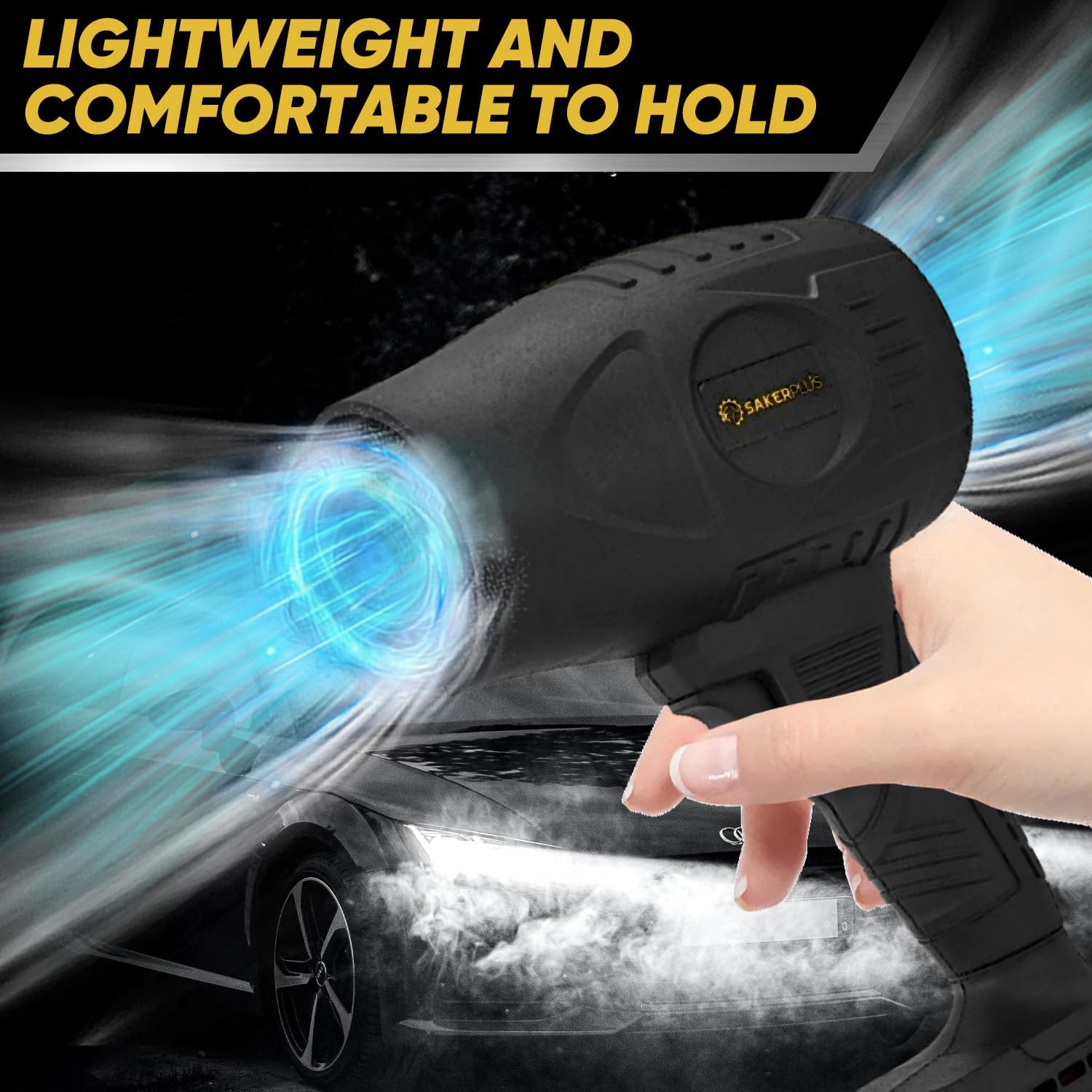
Figure 2.2.3: The device held comfortably in hand, highlighting its lightweight and ergonomic design for ease of use.
3. Setup
3.1 Charging the Battery
- Ensure the device is turned off before charging.
- Connect the charger to a standard electrical outlet.
- Insert the battery pack into the charger. The indicator light on the charger will show the charging status (e.g., red for charging, green for fully charged).
- Allow the battery to fully charge before first use. A full charge typically takes 2-3 hours.
- Once fully charged, disconnect the charger from the battery and the outlet.
3.2 Attaching the Battery
- Align the battery pack with the battery slot at the base of the duster handle.
- Slide the battery into the slot until it clicks securely into place. Ensure it is firmly seated to prevent accidental detachment during operation.
4. Operating Instructions
4.1 Powering On/Off
- To turn on the device, press and hold the power trigger located on the handle. The air duster will begin to operate.
- To turn off the device, release the power trigger.
4.2 General Usage
The Sakerplus Portable Dust Cleaner is versatile and can be used for various cleaning tasks. Hold the device firmly and direct the airflow towards the area to be cleaned. Maintain a safe distance to avoid damaging delicate components.

Figure 4.2.1: Examples of the duster's versatile applications, such as clearing leaves, cleaning indoors, and maintaining outdoor spaces.

Figure 4.2.2: Demonstrating the duster's effectiveness as a car blower for quickly removing snow from vehicle surfaces.

Figure 4.2.3: The high-pressure blower function effectively removing water from car surfaces and reaching tight crevices.
5. Maintenance
5.1 Cleaning the Device
- Always ensure the device is turned off and the battery is removed before cleaning.
- Wipe the exterior of the duster with a soft, damp cloth. Do not use harsh chemicals or abrasive cleaners.
- Ensure the air intake and exhaust vents are free from dust and debris. Use a soft brush or another air duster to clear any blockages.
5.2 Battery Care and Storage
- Store the battery in a cool, dry place away from direct sunlight and extreme temperatures.
- For long-term storage, it is recommended to charge the battery to approximately 50% capacity every 3-6 months to maintain its lifespan.
- Do not store the battery fully discharged or fully charged for extended periods.
5.3 Storage of the Unit
- Store the dust cleaner in a clean, dry environment when not in use.
- Keep it away from moisture, dust, and corrosive materials.
6. Troubleshooting
| Problem | Possible Cause | Solution |
|---|---|---|
| Device does not turn on. | Battery is not charged or not properly inserted. | Ensure battery is fully charged and securely attached. |
| Low airflow. | Air vents are blocked or battery is low. | Clear any obstructions from vents. Recharge the battery. |
| Unusual noise during operation. | Debris inside the fan housing or damaged fan blades. | Turn off and remove battery. Inspect for visible debris. If noise persists, contact customer support. Do not attempt to disassemble. |
| Battery not charging. | Charger not connected properly or faulty charger/battery. | Check charger connection. Try a different outlet. If problem persists, charger or battery may need replacement. |
7. Specifications
- Model: GJ81110-X57294-25
- Brand: RAINPOT (Sakerplus)
- Airflow: 260 CFM (Cubic Feet per Minute)
- Thrust: 600G
- Battery Type: Rechargeable Li-ion (21V MAX, 3.0Ah)
- Dimensions: Approximately 15.15 x 7.08 inches (Product), 11.02 x 7.09 x 3.54 inches (Package)
- Manufacturer: RAINPOT
8. Warranty and Support
This Sakerplus product is covered by a limited warranty against defects in materials and workmanship. Please refer to the warranty card included in your package for specific terms and conditions, or visit the manufacturer's official website for more details.
For technical support, troubleshooting assistance, or warranty claims, please contact RAINPOT customer service. Contact information can typically be found on the product packaging or the manufacturer's website.
Note: Keep your purchase receipt as proof of purchase for warranty purposes.