
Nakamichi My Music Hue - Lavender
Nakamichi My Music Hue - Lavender Wireless Earphones User Manual
Model: My Music Hue - Lavender
Brand: Nakamichi
Introduction
Thank you for choosing Nakamichi My Music Hue - Lavender Wireless Earphones. This manual provides detailed instructions on how to set up, operate, and maintain your earphones to ensure optimal performance and longevity. Please read this manual thoroughly before using the product.
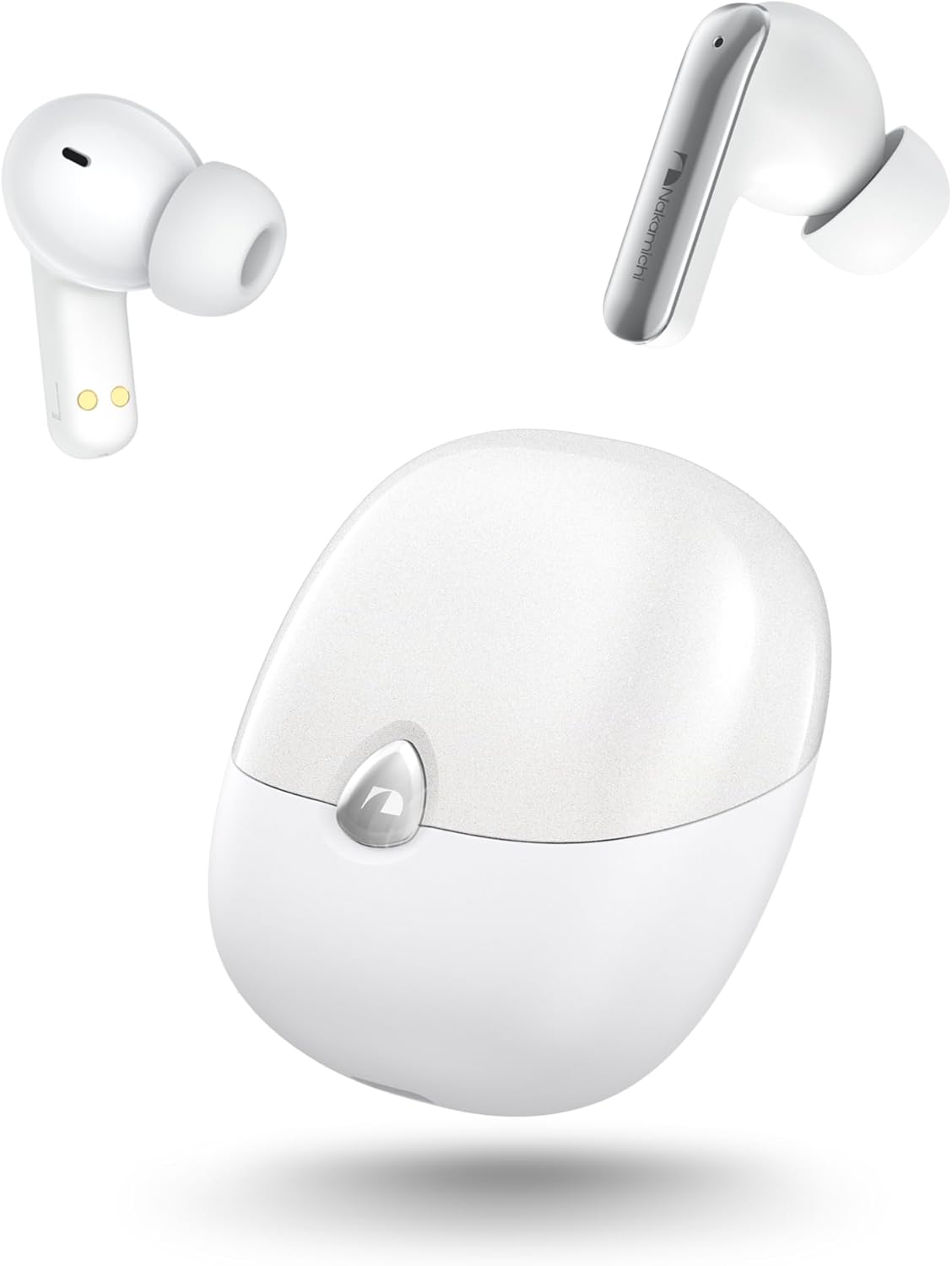
Image: The Nakamichi My Music Hue - Lavender wireless earphones, consisting of two earbuds and their compact charging case, displayed in white.
Package Contents
Please ensure all items are present in the package:
- Nakamichi My Music Hue - Lavender Wireless Earphones (Left and Right)
- Charging Case
- USB Charging Cable (Type-C)
- Eartips (S, M, L sizes)
- User Manual (This document)
Product Overview
Familiarize yourself with the components of your Nakamichi earphones.

Image: The white Nakamichi My Music Hue - Lavender earphones securely placed inside their open charging case, ready for use or charging.
Key Features:
- Bluetooth 5.4: Equipped with the latest Bluetooth 5.4 chip for enhanced transfer speed, connection stability, and audio playback.
- Three EQ Modes: Switch between Spatial Audio (360° immersive sound), Dynamic Audio (balanced sound), and Bass Boost (enhanced low frequencies) to suit your listening preference.
- Superior Sound Quality: Features high-performance 10mm drivers and AAC support for accurate and high-fidelity audio reproduction.
- Clear Hands-Free Calls: Built-in microphones in each earphone suppress environmental noise, ensuring clear voice transmission during calls.
- 360° Spatial Game Mode: Provides an immersive gaming experience by realistically reproducing in-game environmental and sound effects.
- Extended Playback Time: Enjoy up to 5 hours of music on a single charge, and up to 28 hours total with the charging case.
- Lightweight and Comfortable: Each earphone weighs only 3.6g, designed ergonomically for a natural and comfortable fit, even during prolonged use. Includes S/M/L ear tips.
- Versatile Usage: Supports both dual-ear stereo playback and single-ear mono playback.
- Intuitive Touch Controls: Easily manage music playback, calls, and EQ modes with high-sensitivity touch sensors.
Setup
1. Charging the Earphones and Case:
Before first use, fully charge the earphones and the charging case.
- Place both earphones into the charging case.
- Connect the USB charging cable to the charging port on the case and to a power source (e.g., USB wall adapter, computer USB port).
- The indicator lights on the case will show the charging status. Once fully charged, the lights will indicate completion or turn off.

Image: An illustration demonstrating the battery life of the earphones: approximately 5 hours for the earphones alone and up to 28 hours when used with the charging case, which has a 500mAh battery capacity.
2. Pairing with a Device:
The earphones will automatically enter pairing mode when taken out of the case.
- Open the charging case and remove both earphones. They will automatically power on and enter pairing mode.
- On your device (smartphone, tablet, laptop, etc.), enable Bluetooth.
- Search for available Bluetooth devices. Select "Nakamichi My Music Hue - Lavender" from the list.
- Once connected, you will hear a confirmation tone, and the earphone indicator lights will change (e.g., turn off or solid blue).
Your earphones are now ready for use.

Image: A diagram illustrating the wide range of devices compatible with the earphones' Bluetooth 5.4 technology, including smartphones, tablets, laptops, game consoles, and TVs, highlighting stable and fast connections.
Operating Instructions
Touch Controls:
The earphones feature high-sensitivity touch controls on the outer surface of each earbud. Refer to the table below for common operations.

Image: A visual representation of the touch control area on the earphones, indicating where to tap for various functions.
| Function | Action | Earbud (L/R) |
|---|---|---|
| Play/Pause Music | Single Tap | L/R |
| Next Track | Double Tap | Right |
| Previous Track | Double Tap | Left |
| Answer/End Call | Single Tap | L/R |
| Reject Call | Long Press (1 second) | L/R |
| Switch EQ Mode (Spatial/Dynamic/Bass Boost) | Long Press (3 seconds) | L/R |
| Activate Voice Assistant | Triple Tap | Right |
| Switch Playback Mode (Music/360° Spatial Game) | Triple Tap | Left |
Note: Volume control is not available via earphone touch controls. Please adjust volume directly on your connected smartphone or device.
EQ Modes:
Your earphones offer three distinct EQ modes to optimize your audio experience:
- Spatial Audio: Reproduces sound from all directions (360 degrees), ideal for immersive movie watching or gaming.
- Dynamic Audio: Adjusts the overall balance of the sound, providing a clear and natural audio experience across a wide frequency range.
- Bass Boost: Emphasizes powerful low frequencies, suitable for genres like electronic, rock, and hip-hop.

Image: A visual explanation of the three EQ modes: Spatial Audio, Dynamic Audio, and Bass Boost, with corresponding sound wave representations.
Single/Dual Ear Use:
You can use both earphones for stereo sound or a single earphone for mono playback. This is convenient for hands-free calls or when you need to be aware of your surroundings. You can also charge one earphone while using the other.
Maintenance
Cleaning:
- Regularly clean the earphones and charging case with a soft, dry, lint-free cloth.
- Remove ear tips and clean them with mild soap and water if necessary. Ensure they are completely dry before reattaching.
- Gently clean the charging contacts on both the earphones and the case with a dry cotton swab to ensure proper charging.
- Avoid using abrasive cleaners, alcohol, or chemical solvents.
Storage:
- When not in use, always store the earphones in their charging case to protect them and keep them charged.
- Store the product in a cool, dry place, away from extreme temperatures, humidity, and direct sunlight.
Battery Care:
- To prolong battery life, avoid fully discharging the earphones or charging case frequently.
- If storing for an extended period, charge the case and earphones to about 50% every few months.
Troubleshooting
If you encounter any issues, please refer to the following common solutions:
| Problem | Possible Cause | Solution |
|---|---|---|
| Earphones not pairing/connecting. | Bluetooth off on device, earphones not in pairing mode, interference. | Ensure Bluetooth is on. Place earphones back in case, then remove to re-enter pairing mode. Turn off/on device Bluetooth. Move closer to device. |
| Only one earphone working. | One earphone not connected, low battery on one earphone. | Place both earphones in the case, close it, then open and remove them together. Ensure both are charged. |
| No sound or low volume. | Volume too low on device, earphones not connected, incorrect audio output selected. | Increase volume on your device. Reconnect earphones. Check device's audio output settings. |
| Poor call quality. | Microphone obstructed, environmental noise, weak signal. | Ensure microphone area is clear. Move to a quieter environment. Move closer to your device. |
| Touch controls unresponsive. | Earphones frozen, dirty sensor. | Place earphones back in case, close, then remove. Clean the touch sensor area with a dry cloth. |
If the problem persists after trying these solutions, please contact Nakamichi customer support.
Specifications
| Feature | Detail |
|---|---|
| Model Name | My Music Hue - Lavender |
| Brand | Nakamichi |
| Color | White |
| Connectivity Technology | Wireless (Bluetooth 5.4) |
| Ear Placement | In-Ear |
| Headphone Form Factor | In-Ear |
| Sensitivity | 102 dB |
| Impedance | 32 Ohm |
| Control Type | Touch Control |
| Noise Control | None |
| Included Components | Instruction manual, Eartips |
| Compatible Devices | Desktop PC, Tablet, Mobile Phone, Game Console, Laptop |
| Product Dimensions | 6 x 5.4 x 3 cm |
| Item Weight | 90 g |
Warranty and Support
Your Nakamichi My Music Hue - Lavender Wireless Earphones come with a one-year warranty from the date of purchase.
If you encounter any issues or require assistance, please contact Nakamichi customer support through the following methods:
- Navigate to "Account Service" > "Order History" > "Seller" > "Ask a question".
- Alternatively, go to the "Seller Page" and click the "Ask a question" button located at the top right.
Our support team is dedicated to providing sincere assistance for any product-related inquiries or concerns.
Related documentsMy Music Hue - Lavender


Ask a question about this manual
Ask about setup, troubleshooting, compatibility, parts, safety, or missing instructions. Manuals+ will review the question and use this page’s manual context to help answer it.