
NEEWER FL-N26 Neo Metal CPL
Neewer CPL Filter for DJI NEO Drone - Instruction Manual
Model: FL-N26 Neo Metal CPL
1. Product Overview
The Neewer CPL (Circular Polarizer) Filter is designed specifically for the DJI NEO Drone to enhance aerial photography and videography. This ultra-slim, metal-framed filter features multicoated HD optical glass, engineered to reduce glare, eliminate reflections, and improve color saturation and contrast in your drone footage.
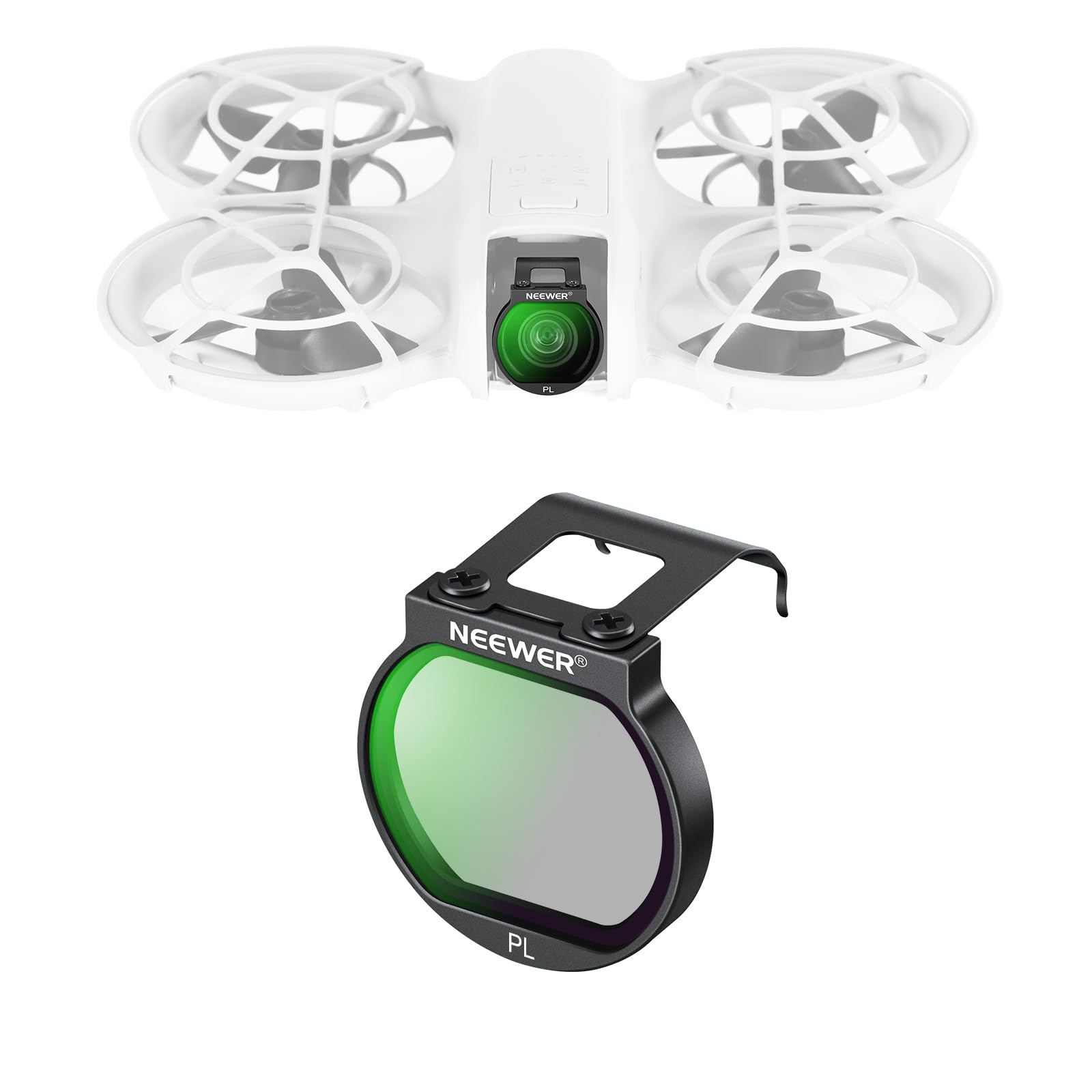
Image 1.1: Neewer CPL Filter for DJI NEO Drone.
Key Features:
- Compatibility: Specifically designed for DJI NEO Drone.
- Reflection Reduction: Effectively eliminates glare and reflections from non-metallic surfaces such as water and glass.
- Color Enhancement: Improves saturation and contrast for more vibrant and detailed images.
- Optical Quality: Features HD optical glass with multiple coatings for high clarity, accurate color, and resistance to water, fingerprints, smudges, and scratches.
- Secure Attachment: Snap-on design with a metal hook ensures firm placement during flight and easy removal.
- Lightweight Design: Ultra-slim profile prevents vignetting and does not interfere with gimbal operation.

Image 1.2: Features of the Neewer CPL Filter on DJI NEO Drone.
2. Package Contents
Verify that all items are present in the package:
- 1 x PL Filter
- 1 x Storage Case
- 1 x Cleaning Cloth

Image 2.1: Contents of the Neewer CPL Filter package.
3. Setup and Installation
Follow these steps to correctly install the Neewer CPL Filter on your DJI NEO Drone:
- Prepare the Drone: Turn the gimbal camera of your DJI NEO Drone face down.
- Position the Filter: Hold the filter and insert its metal hook into the grooves on both sides of the drone's camera housing.
- Secure the Filter: Gently press the filter down until it snaps securely onto the gimbal camera. Ensure it is firmly in place.
- Verify Fit: Confirm that the filter is flush and does not obstruct the gimbal's movement or the camera's view. The slim design is intended to prevent vignetting.

Image 3.1: Step-by-step installation of the CPL Filter.
For a visual guide on installation, please refer to the video below:
Video 3.1: Installation demonstration of the Neewer CPL Filter for DJI NEO Drone.
4. Operating Instructions
The CPL filter is designed to be used in bright conditions to manage light and improve image quality. Once installed, the filter works automatically to polarize light.
Benefits of the CPL Filter:
- Reduce Glare and Reflections: Ideal for shooting near water, glass, or other reflective surfaces. The filter minimizes unwanted glare, allowing for clearer views beneath surfaces or through windows.
- Enhance Color Saturation and Contrast: The filter deepens blue skies, makes clouds stand out, and intensifies foliage colors, resulting in more vibrant and visually appealing footage.

Image 4.1: Effect of CPL filter on reducing reflections.
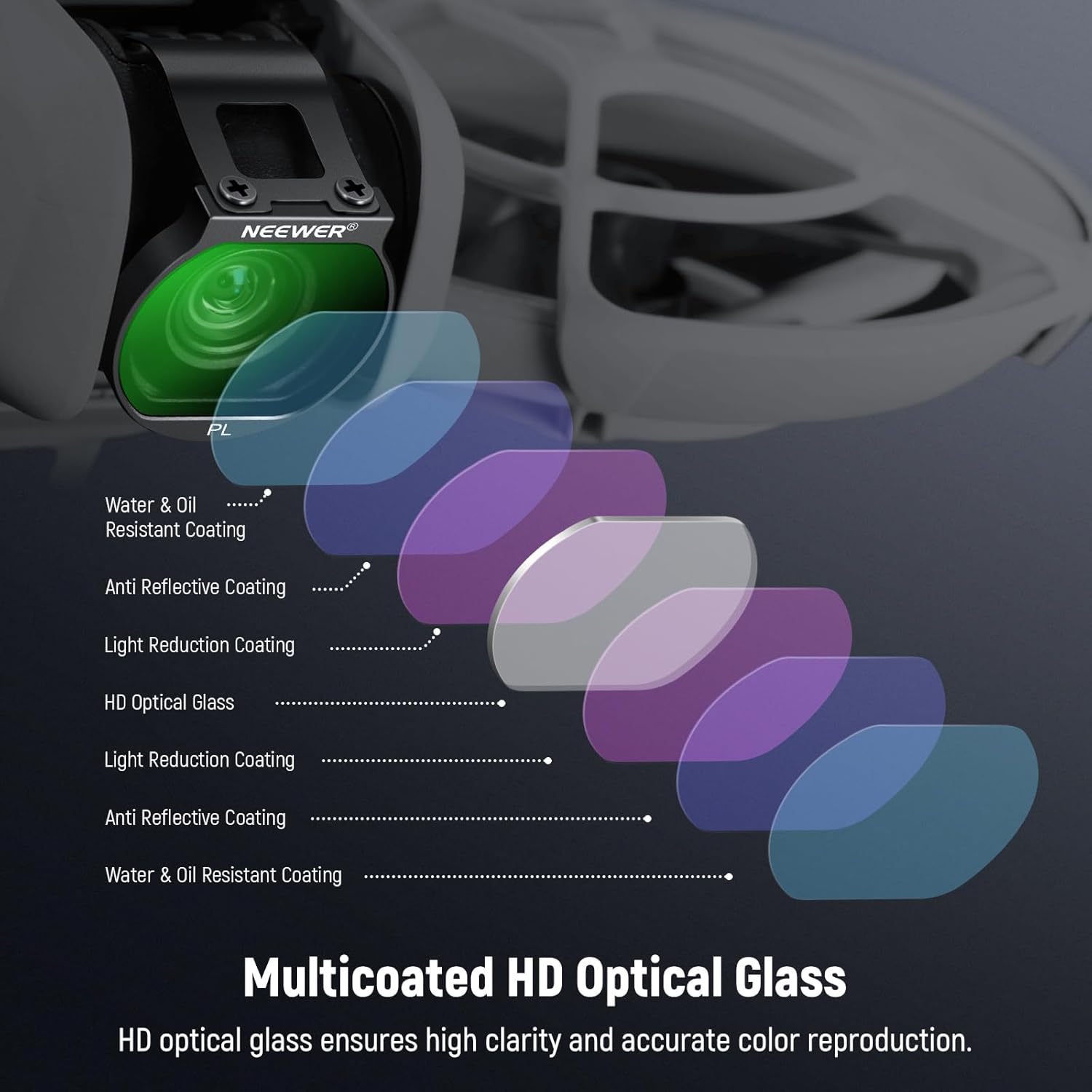
Image 4.2: Effect of CPL filter on enhancing color saturation.
5. Maintenance
Proper care ensures the longevity and performance of your CPL filter:
- Cleaning: Use the provided microfiber cleaning cloth to gently wipe the filter surface. For stubborn smudges or fingerprints, a small amount of lens cleaning solution can be applied to the cloth, not directly to the filter.
- Storage: Always store the filter in its protective case when not in use to prevent scratches and dust accumulation.
- Handling: Avoid touching the glass surface directly with your fingers to prevent oil and smudges. Hold the filter by its metal frame.

Image 5.1: Protective nano coatings for easy maintenance.
6. Troubleshooting
If you encounter any issues with your CPL filter, consider the following:
- Filter Not Attaching Securely: Ensure the gimbal camera is facing down and the metal hooks are correctly aligned with the grooves. Apply gentle, even pressure until it snaps into place. Do not force the filter.
- Vignetting (Dark Corners in Footage): The filter is designed to be ultra-slim to prevent vignetting. If it occurs, double-check that the filter is correctly seated and not misaligned. Ensure no other accessories are interfering.
- Unsatisfactory Polarization Effect: CPL filters work best in bright, sunny conditions. The effect may be less noticeable in overcast weather. Also, ensure the filter is clean, as smudges can reduce its effectiveness.
- Image Quality Issues (Blurriness, Haze): Clean the filter thoroughly with the provided cloth. Ensure there are no scratches or damage to the optical glass.
7. Specifications
| Feature | Detail |
|---|---|
| Brand | NEEWER |
| Model Name | FL-N26 Neo Metal CPL (Filtro CPL para Neo Drone) |
| Material | Optical Glass |
| Coating Description | Multi Coating |
| Photo Filter Effect Type | Polarizer |
| Water Resistance Level | Water Resistant |
| Special Effect | Polarizer |
| Item Weight | 0.02 Kilograms |
| Compatible Devices | DJI NEO Drone |
8. Warranty and Support
This Neewer CPL Filter comes with a 1-Year Manufacturer Warranty. For warranty claims or technical support, please refer to the official NEEWER website or contact their customer service directly. Keep your purchase receipt as proof of purchase.
For additional resources and product information, visit the NEEWER Store on Amazon.