
1. Introduction
Thank you for choosing the Fire-Boltt Rise Luxe Smart Watch. This manual provides essential information for setting up, operating, and maintaining your device. Please read it carefully to ensure optimal performance and longevity of your smartwatch.
The Fire-Boltt Rise Luxe is a feature-rich Bluetooth calling smartwatch designed for both men and women, offering a 1.85-inch HD display, AI voice assistance, and comprehensive health tracking capabilities.
2. What's in the Box
Upon unboxing, please verify that all the following items are present:
- 1 x Fire-Boltt Rise Luxe Smart Watch (Model BSW204)
- 1 x Charging Cable
- 1 x User Manual (this document)
- 1 x Warranty Card
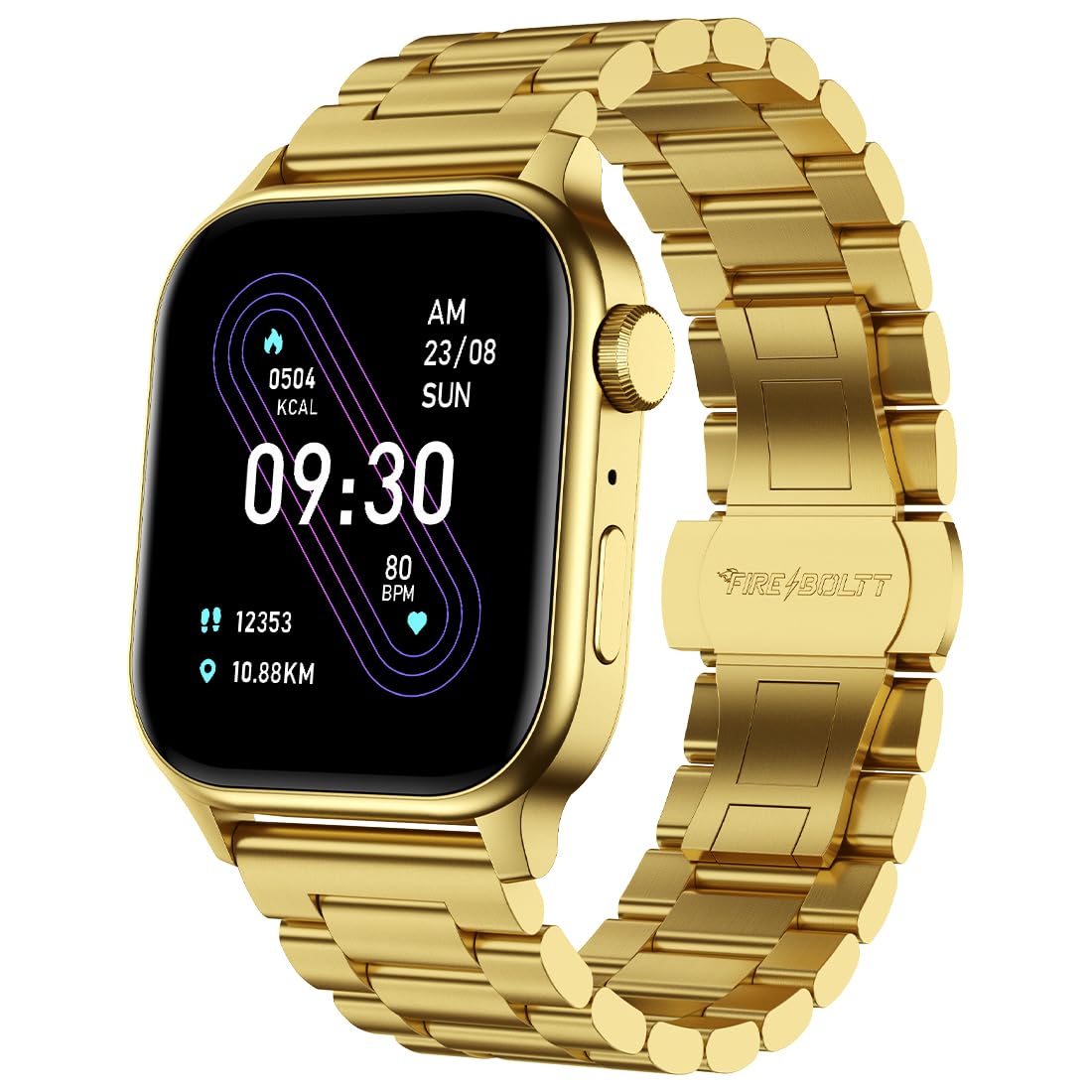
Image: The Fire-Boltt Rise Luxe Smart Watch in Elite Gold, showcasing its design and display.
3. Setup Guide
3.1. Charging the Smart Watch
Before initial use, fully charge your smartwatch. Connect the provided charging cable to the charging port on the back of the watch and plug the USB end into a standard USB power adapter (not included).
- Ensure the charging pins align correctly with the watch's contacts.
- A charging indicator will appear on the screen.
- Charging typically takes approximately 2 hours.
3.2. Power On/Off
- Power On: Press and hold the side button for 3-5 seconds until the Fire-Boltt logo appears.
- Power Off: Press and hold the side button, then select the 'Power Off' option on the screen.
3.3. App Pairing
To unlock all features, pair your smartwatch with the companion app on your smartphone.
- Download the official Fire-Boltt companion app from your smartphone's app store (Google Play Store for Android, Apple App Store for iOS).
- Ensure Bluetooth is enabled on your smartphone.
- Open the app and follow the on-screen instructions to create an account or log in.
- Select 'Add Device' or 'Pair Device' within the app.
- Choose 'Fire-Boltt Rise Luxe' from the list of available devices.
- Confirm the pairing request on both your phone and the smartwatch.

Image: The Fire-Boltt Rise Luxe Smart Watch worn on a wrist, displaying the time and date.
4. Operating Your Smart Watch
4.1. Basic Navigation
The Fire-Boltt Rise Luxe features a 1.85-inch HD touch display and a rotating crown for intuitive navigation.
- Swipe Up/Down: Scroll through menus and notifications.
- Swipe Left/Right: Access quick settings, widgets, and different functions.
- Tap: Select an item or open an application.
- Press Side Button: Return to the home screen or wake the display.
- Rotate Crown: Scroll through lists or adjust settings.

Image: The Fire-Boltt Rise Luxe Smart Watch displaying various UI styles, highlighting customization options.
4.2. Bluetooth Calling
The smartwatch supports seamless Bluetooth calling with its built-in speaker and microphone.
- Ensure your watch is connected to your phone via Bluetooth.
- You can answer incoming calls directly from your watch.
- Dial numbers or access contacts from the watch interface to make outgoing calls.

Image: The Fire-Boltt Rise Luxe Smart Watch showing an incoming call notification, illustrating its Bluetooth calling feature.
4.3. AI Voice Assistant
Activate the AI voice assistant to manage tasks, set alarms, get information, and control your smartwatch using voice commands.
- Access the voice assistant feature from the watch menu.
- Speak clearly into the watch's microphone to issue commands.

Image: The Fire-Boltt Rise Luxe Smart Watch displaying the AI voice assistant interface, ready for voice commands.
4.4. Health Monitoring
The smartwatch provides comprehensive health tracking features:
- SpO2 Monitoring: Measures blood oxygen levels. Access this feature from the health menu.
- Heart Rate Tracking: Continuously monitors your heart rate throughout the day. View real-time data on the watch or in the app.
- Sleep Monitoring: Tracks your sleep patterns, including deep sleep, light sleep, and wake times.
- Activity Tracker: Records steps, distance, and calories burned.
- Sedentary Reminders: Notifies you to move after periods of inactivity.

Image: Multiple Fire-Boltt Rise Luxe Smart Watches displaying SpO2, Heart Rate, and Sleep Monitoring data.
4.5. Sports Modes
With over 120 sports modes, the watch helps you track and analyze your performance for various activities.
- Select your desired sports mode from the activity menu before starting your workout.
- The watch will record relevant metrics such as duration, calories, and heart rate.

Image: The Fire-Boltt Rise Luxe Smart Watch displaying a workout summary, indicating its 123 sports modes feature.
4.6. Smart Features
- Smart Notifications: Receive alerts for calls, messages, and app notifications directly on your wrist.
- Music Control: Control music playback on your smartphone (play, pause, skip tracks).
- Camera Control: Use your watch as a remote shutter for your phone's camera.
- Weather Updates: Get real-time weather forecasts when connected to your phone.
- Inbuilt Calculator: Perform basic calculations directly on your watch.
- Inbuilt Game: Enjoy a pre-installed game for entertainment.

Image: A collage showing various smart features of the Fire-Boltt Rise Luxe, including inbuilt mic/speaker, calculator, weather updates, camera control, and music control.
5. Maintenance
5.1. Cleaning Your Smart Watch
- Wipe the watch screen and body with a soft, lint-free cloth.
- For stubborn dirt, slightly dampen the cloth with water. Avoid using harsh chemicals or abrasive materials.
- Clean the charging contacts regularly to ensure proper charging.
5.2. Water Resistance (IP67)
The Fire-Boltt Rise Luxe Smart Watch is IP67 water-resistant, meaning it is protected against dust and can withstand immersion in water up to 1 meter for 30 minutes.
- It is suitable for daily use, such as hand washing or light rain.
- Avoid prolonged immersion, hot water, or exposure to high-pressure water jets.
- Do not operate the watch buttons underwater.

Image: The Fire-Boltt Rise Luxe Smart Watch being splashed with water, illustrating its IP67 water resistance.
6. Troubleshooting
If you encounter any issues with your Fire-Boltt Rise Luxe Smart Watch, please refer to the following common solutions:
| Problem | Possible Solution |
|---|---|
| Watch not turning on | Ensure the watch is fully charged. Press and hold the side button for 10-15 seconds to force restart. |
| Cannot pair with phone | Ensure Bluetooth is on. Restart both the watch and phone. Clear app cache/data. Try pairing again. |
| Notifications not received | Check app notification permissions on your phone. Ensure the watch is connected via Bluetooth. Disable 'Do Not Disturb' mode on the watch. |
| Inaccurate health data | Ensure the watch is worn snugly on your wrist. Clean the sensor on the back of the watch. Avoid excessive movement during measurements. |
| Bluetooth calling issues | Verify the watch is properly connected for both media and call audio in your phone's Bluetooth settings. Ensure watch volume is up. |
If the problem persists, please contact Fire-Boltt customer support.
7. Specifications
| Feature | Detail |
|---|---|
| Model Name | Rise (BSW204) |
| Display | 1.85-inch HD Display (240*280 Pixels Resolution) |
| Connectivity | Bluetooth |
| Special Features | Bluetooth Calling, AI Voice Assistant, 120+ Sports Modes, SpO2 Monitoring, Heart Rate Tracking, Sleep Monitor, Activity Tracker, Sedentary Reminder, Smart Notifications, Music Player, Camera Control, Weather Updates, Inbuilt Calculator, Games |
| Water Resistance | IP67 (1 Meter for 30 Minutes) |
| Battery Life | Up to 7 Days (typical usage) |
| Band Material | Stainless Steel |
| Case Material | Metal |
| Compatible Devices | iOS and Android smartphones |
| Item Weight | 60 Grams |
8. Warranty and Support
8.1. Warranty Information
Your Fire-Boltt Rise Luxe Smart Watch comes with a 1 Year Brand Warranty from the date of purchase. This warranty covers manufacturing defects. Please retain your purchase receipt and the warranty card for any warranty claims.
The warranty does not cover:
- Damage caused by improper use or negligence.
- Damage caused by unauthorized repair or modification.
- Normal wear and tear.
- Accidental damage (e.g., drops, water damage beyond IP67 rating).
8.2. Customer Support
For any technical assistance, warranty claims, or product-related inquiries, please contact Fire-Boltt customer support through their official website or the contact information provided on your warranty card.