
VENTY Venty Clip Fan Black
VENTY Portable Clip Fan User Manual
Model: Venty Clip Fan Black
Introduction
Thank you for choosing the VENTY Portable Clip Fan. This versatile fan is designed to provide refreshing airflow wherever you need it, featuring a long-lasting rechargeable battery, 360° rotation, LED light, and aromatherapy capabilities. This manual provides detailed instructions for safe operation, setup, maintenance, and troubleshooting to ensure optimal performance and longevity of your device.

Image: The VENTY Portable Clip Fan, showcasing its main design with the fan head and the base featuring a smart touch display and an illuminated ring.
Safety Information
- Do not insert fingers or any objects into the fan grille when the fan is operating.
- Keep the fan away from water and high humidity environments.
- Do not disassemble or attempt to repair the fan yourself. Contact qualified service personnel for repairs.
- Use only the provided USB-C cable for charging.
- Ensure the fan is placed on a stable surface or securely clipped/mounted to prevent falling.
- Keep out of reach of small children and pets.
- Do not expose the battery to extreme temperatures or direct sunlight.
Package Contents
Please check the package for the following items:
- 1 x VENTY Portable Clip Fan
- 1 x USB-C Charging Cable
- 1 x Wall Mount Kit (with 3M adhesive tape and screws)
- 1 x Scent Pad (for aromatherapy)
- 1 x User Manual

Image: A visual representation of the items included in the VENTY Portable Clip Fan package: the fan, gift box, wall mount, scent pad, and USB-C cable.
Product Overview
Familiarize yourself with the main components of your VENTY Portable Clip Fan:
- Fan Head: Houses the fan blades and protective grille.
- Adjustable Neck: Allows for 360° rotation and 90° tilt for directional airflow.
- Smart Touch Display Base: Contains power, speed, LED light, and oscillation controls, along with a battery gauge.
- Integrated Clip: Sturdy aluminum clip with anti-slip padding for secure attachment.
- Aromatherapy Slot: Located on the fan grille for scent pads.
- USB-C Charging Port: For recharging the internal battery.

Image: The VENTY Clip Fan demonstrating its extendable and clip-on design, highlighting its compact size and weight.

Image: The VENTY Clip Fan illustrating its 360-degree head rotation capability, allowing for versatile airflow direction.
Setup
Charging the Fan
Before first use, fully charge the fan. The 5000mAh internal battery provides up to 10 hours of operation on a single charge.
- Connect the USB-C charging cable to the charging port on the fan's base.
- Connect the other end of the cable to a USB power adapter (not included) or a computer USB port.
- The battery indicator on the smart touch display will show charging progress. It will indicate 100% when fully charged.
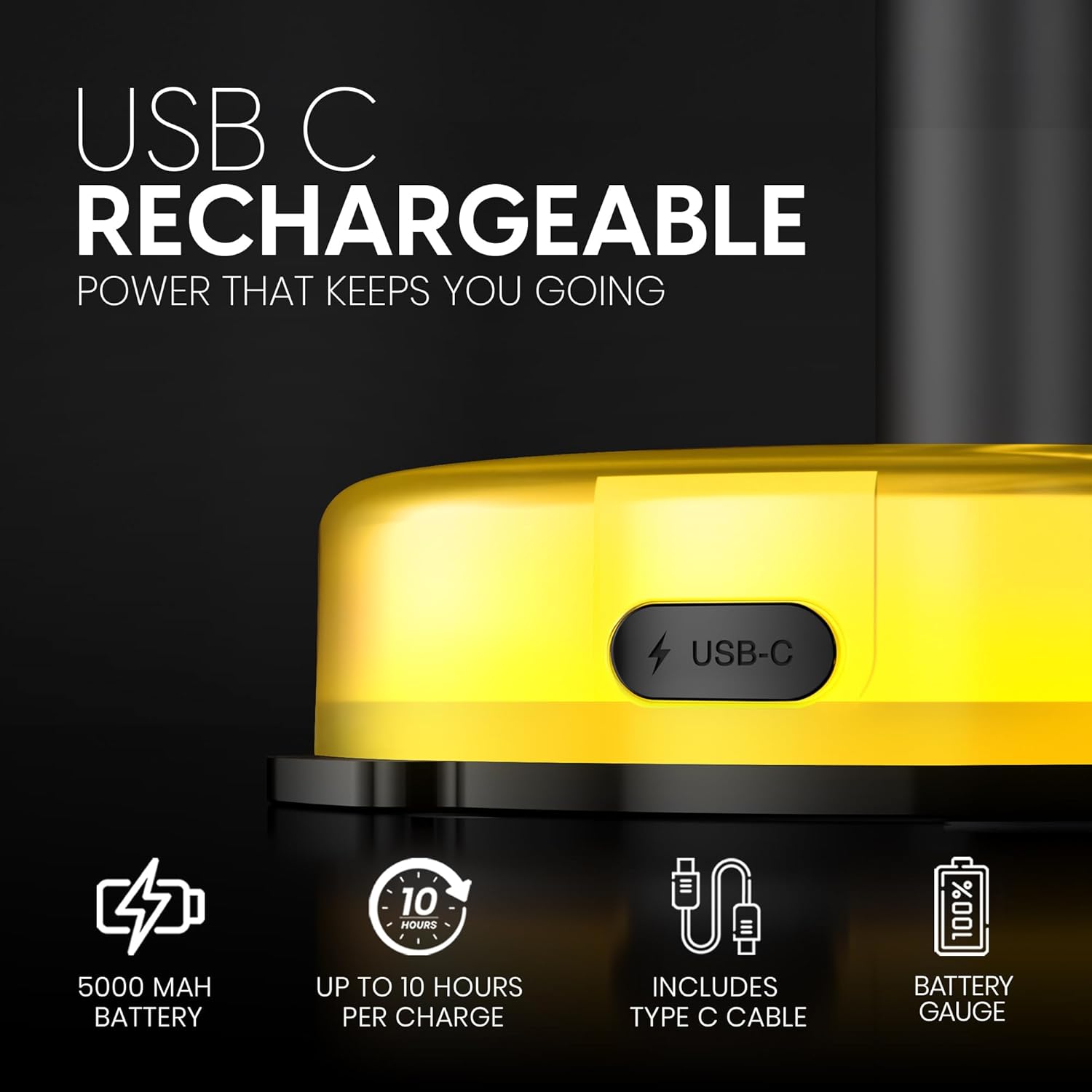
Image: A close-up view of the USB-C charging port on the VENTY Clip Fan, highlighting its rechargeable battery and included Type-C cable.
Placement and Mounting Options
The VENTY Clip Fan offers multiple placement options:
- Desk/Tabletop: Place the fan on any flat, stable surface.
- Clip-on: Use the sturdy aluminum clip to attach the fan to desks, strollers, treadmills, shelves, or other suitable surfaces. Ensure the clip is firmly secured.
- Wall Mount: The included wall mount kit allows for permanent installation.
- Clean the desired mounting surface thoroughly.
- Peel the backing from the 3M adhesive tape on the wall mount and firmly press it onto the surface for 30 seconds. For a more secure installation, use the provided screws.
- Attach the fan to the wall mount.

Image: The VENTY Clip Fan demonstrating its wall-mountable feature, showing the included mount kit with 3M sticky side.

Image: A collage showcasing the VENTY Clip Fan being used in diverse settings, including clipped to a stroller, desk, treadmill, and airplane tray.
Operating Instructions
Your VENTY Clip Fan features a smart touch display for easy control.
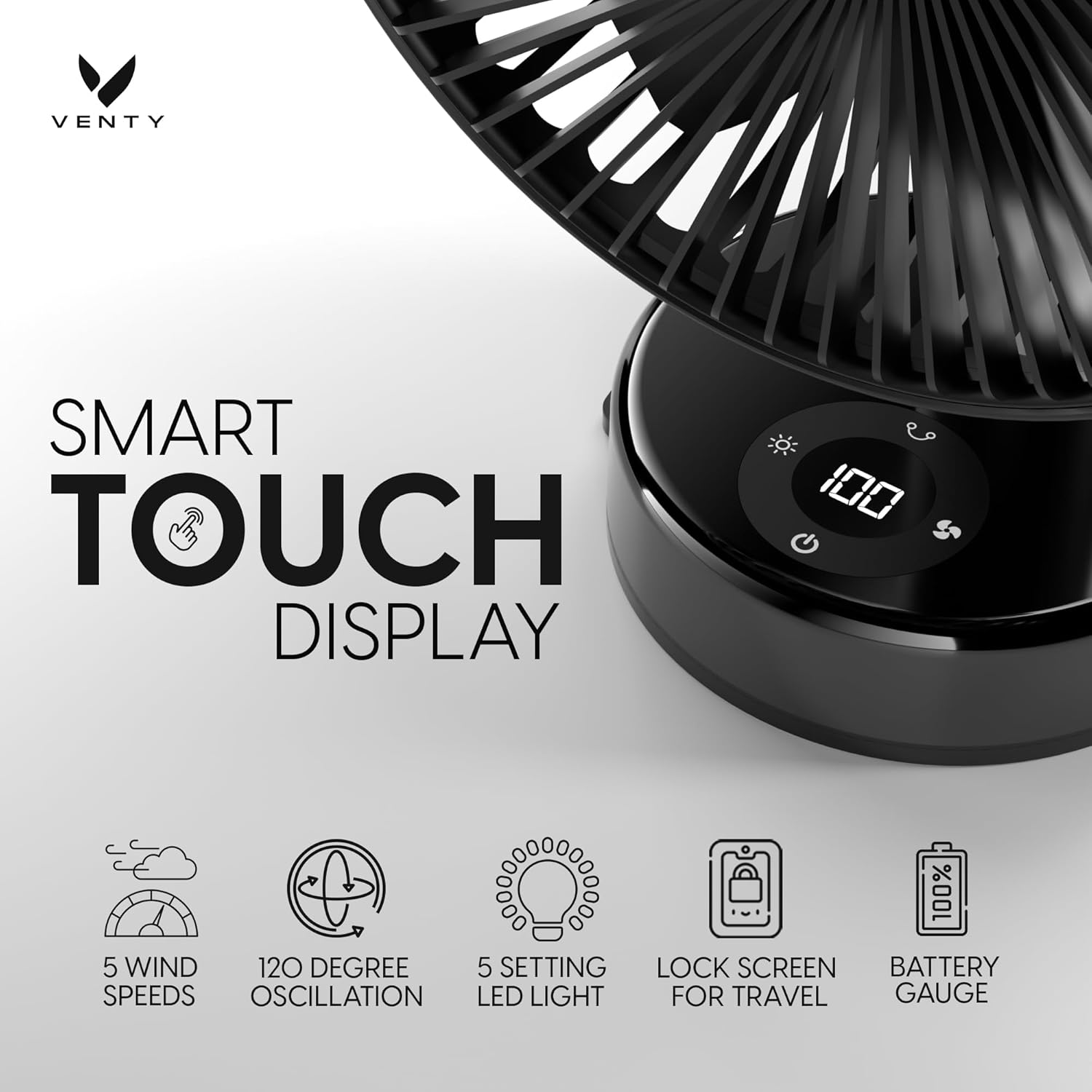
Image: A close-up of the VENTY Clip Fan's smart touch display, indicating controls for 5 wind speeds, 120-degree oscillation, 5-setting LED light, lock screen for travel, and a battery gauge.
Power On/Off and Fan Speed
- Power On/Off: Touch the power icon (⏻) on the display to turn the fan on or off.
- Adjust Fan Speed: Touch the fan icon (⏻) repeatedly to cycle through 5 different fan speeds. The current speed level will be indicated on the display.
LED Light Function
The fan base features an integrated LED light with multiple brightness settings.
- Turn On/Off LED: Touch the light bulb icon (💡) on the display to turn the LED light on or off.
- Adjust Brightness: Touch the light bulb icon repeatedly to cycle through 5 brightness levels.

Image: The VENTY Clip Fan functioning as an LED night light in a bedroom setting, illustrating its five brightness settings.
Aromatherapy Feature
Enhance your environment with aromatherapy by adding scent pads (sold separately).
- Locate the aromatherapy slot on the front grille of the fan.
- Gently insert a VENTY aromatherapy scent pad into the slot.
- As the fan operates, the airflow will diffuse the fragrance.
- To change or remove the scent pad, gently pull it out from the slot.

Image: The VENTY Clip Fan with various colored aromatherapy tabs floating around it, indicating the feature to insert and relax with scents like Freesia, Rose, Cedar, and Sage.
Oscillation and Tilt
- 360° Rotation: Manually rotate the fan head 360 degrees to direct airflow.
- 90° Tilt: Manually tilt the fan head up or down by 90 degrees to adjust vertical airflow.
- Oscillation: If your model supports automatic oscillation (120-degree), touch the oscillation icon (⟳) on the display to activate or deactivate it.
Maintenance
Regular cleaning will help maintain the performance and appearance of your fan.
- Cleaning: Ensure the fan is turned off and unplugged before cleaning. Use a soft, dry cloth to wipe down the exterior surfaces. For stubborn dirt, a slightly damp cloth can be used, followed by a dry cloth.
- Grille Cleaning: Use a soft brush or vacuum cleaner with a brush attachment to remove dust from the fan grille. Do not use water directly on the fan.
- Storage: When not in use for extended periods, store the fan in a cool, dry place, away from direct sunlight and extreme temperatures.
Troubleshooting
| Problem | Possible Cause | Solution |
|---|---|---|
| Fan does not turn on. | Battery is depleted. | Charge the fan using the USB-C cable. |
| Fan does not turn on. | Power button not pressed correctly. | Ensure you firmly touch the power icon on the smart display. |
| Weak airflow. | Fan speed is too low. | Increase the fan speed using the fan icon on the display. |
| Weak airflow. | Grille is obstructed by dust. | Clean the fan grille as described in the Maintenance section. |
| LED light not working. | LED light is turned off. | Touch the light bulb icon on the display to turn it on or adjust brightness. |
| Fan makes unusual noise. | Obstruction in fan blades. | Turn off the fan and carefully check for any obstructions. Remove if safe to do so. |
Specifications
| Feature | Detail |
|---|---|
| Brand | VENTY |
| Model Name | Venty Clip Fan Black |
| Color | Black |
| Power Source | Battery Powered |
| Battery Capacity | 5000mAh (up to 10 hours) |
| Charging Port | USB-C |
| Product Dimensions | 5"D x 6.25"W x 9.5"H |
| Item Weight | 1.59 pounds |
| Noise Level | 30 dB |
| Number of Power Levels | 5 (Fan Speed) |
| Special Features | LED Light (5 settings), Lightweight, Portable, Rechargeable, Aromatherapy, 360° Rotation, 90° Tilt, Wall Mountable |
| Control Method | Touch |
| Indoor/Outdoor Usage | Indoor |
Warranty and Support
For warranty information and customer support, please refer to the official VENTY website or contact their customer service directly. Keep your purchase receipt for warranty claims.
Online Support: Visit the VENTY Store on Amazon
Related documentsVenty Clip Fan Black

Ask a question about this manual
Ask about setup, troubleshooting, compatibility, parts, safety, or missing instructions. Manuals+ will review the question and use this page’s manual context to help answer it.