
USKEYVISION UTK-01
USKEYVISION UTK-01 70-inch Auto Face Tracking Tripod Instruction Manual
Model: UTK-01
1. Introduction
This manual provides detailed instructions for the safe and effective use of your USKEYVISION UTK-01 Auto Face Tracking Tripod. Please read this manual thoroughly before operating the device and retain it for future reference.

Image 1: USKEYVISION UTK-01 Auto Face Tracking Tripod in various configurations, including selfie stick and tripod modes, with a remote control shown separately.
2. What's in the Box
Verify that all items are present upon unpacking:
- 1x USKEYVISION UTK-01 Cell Phone Tripod
- 1x Charging Cable
- 1x Detachable Remote Control
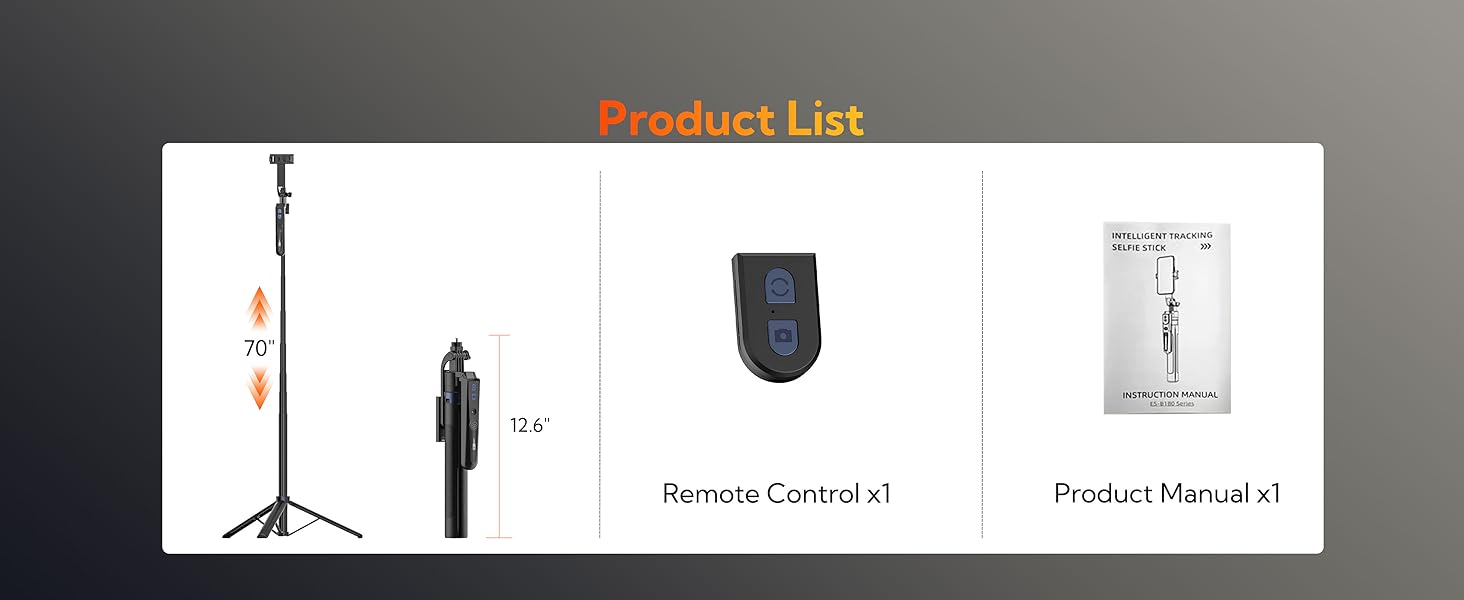
Image 2: Visual representation of the product contents, including the tripod and remote control.
3. Setup Guide
- Unfold the Tripod Legs: Gently separate the three legs at the base of the tripod until they are fully extended and stable.
- Extend the Pole: Pull the telescopic pole upwards to your desired height. The UTK-01 features an 8-section retractable aluminum pole, extending up to 70 inches (177cm).
- Mount Your Device:
- Smartphone: Open the phone clip and securely place your smartphone (compatible with devices 2.56-3.86 inches wide). Ensure the phone is balanced.
- Other Devices (e.g., Camera, Fill Light, Sports Camera): The tripod includes a 1/4-inch screw adapter. Remove the phone clip if necessary and attach your compatible device to the 1/4-inch thread.
- Power On: Locate the power button on the main body of the tripod and press it to turn on the device. A green indicator light will illuminate.
- Pair Remote Control (Optional): The remote control is detachable. To pair, ensure the remote is powered on and connect it via Bluetooth to your smartphone.
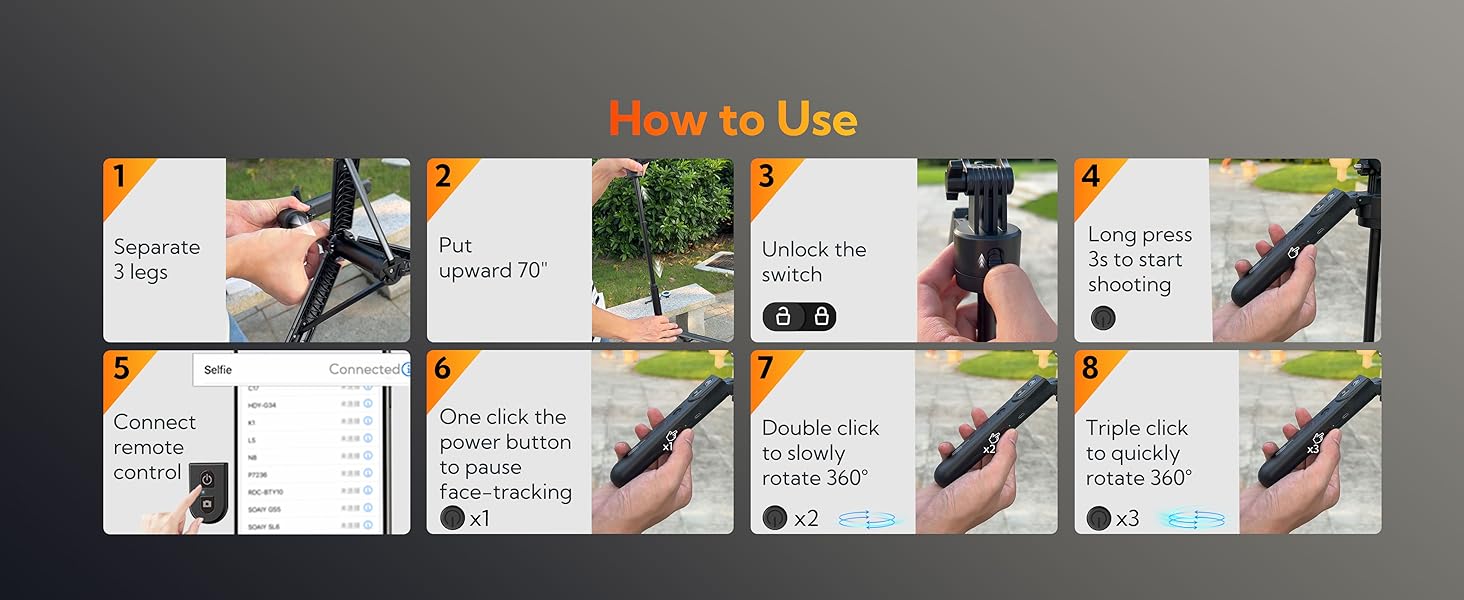
Image 3: Visual guide illustrating the 8 steps for setting up and using the tripod, including unfolding, extending, unlocking, powering on, connecting the remote, and gesture controls.
Video 1: Demonstration of the tripod's setup, extension, and face-tracking capabilities, highlighting its ease of use for content creation.
4. Operating Instructions
4.1. Face Tracking Function
The UTK-01 features smart AI face tracking that does not require a dedicated app. It uses gesture control for activation.
- Start Tracking: Make an "OK" gesture with your hand in front of the tripod's camera. The device will begin tracking your face.
- Pause Tracking: Make a "Palm" gesture (open hand) in front of the tripod's camera to pause face tracking.

Image 4: Illustration of the "OK" gesture to start face tracking and the "Palm" gesture to stop face tracking.
Video 2: A user demonstrating the auto face tracking feature, showing how the tripod rotates to follow movement.
4.2. Remote Control Operation
The detachable remote control allows for convenient hands-free operation up to 33 feet (10 meters).
- Capture Photos/Start Recording: Press the camera button on the remote control.
- Stop Recording: Press the camera button again to stop recording.

Image 5: The detachable remote control shown with the tripod, illustrating its wireless range for capturing photos and videos.
4.3. Adjusting Angle and Height
- Height Adjustment: Extend or retract the 8-section aluminum pole to achieve heights between 12.6 inches (minimum) and 70 inches (maximum).
- Pitching Angle: Adjust the knobs on the tripod head to change the pitching angle for various shooting perspectives.
- Rotation: The device supports 360-degree rotation for comprehensive coverage.
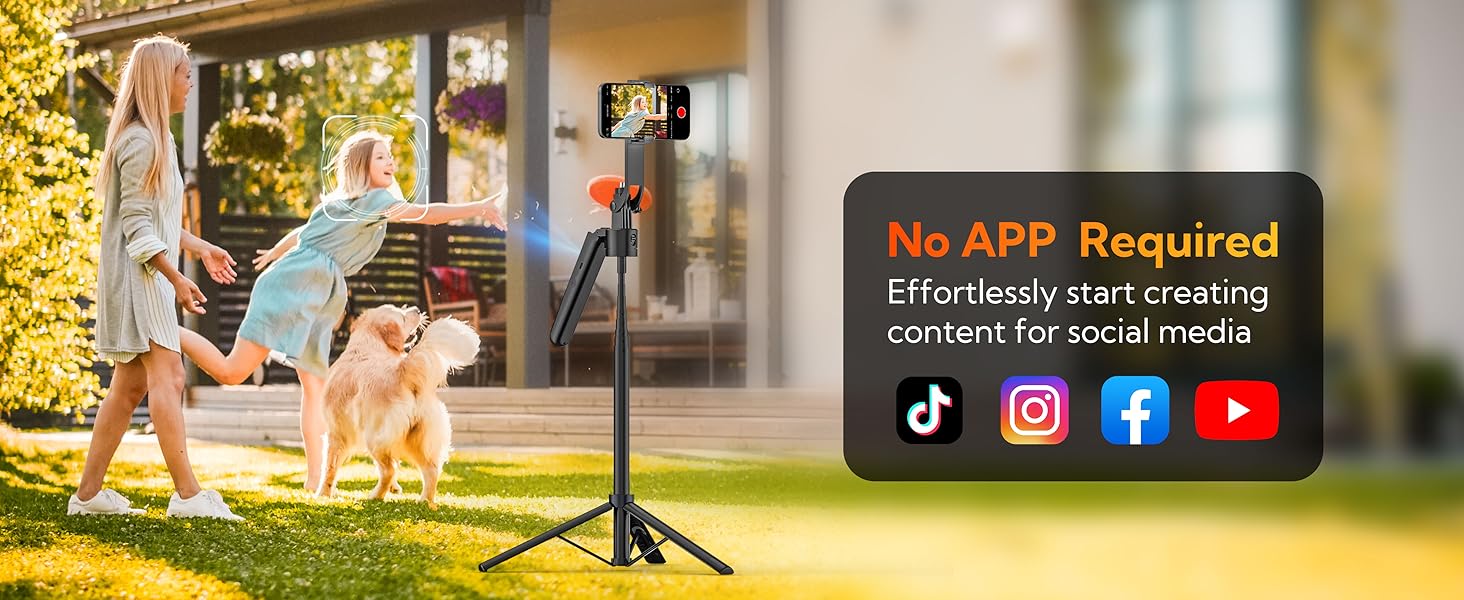
Image 6: Visualizing the tripod's adjustable features, including 270-degree angle adjustment, 360-degree rotation, and 70-inch height expansion.
5. Maintenance
- Cleaning: Wipe the tripod with a soft, dry cloth. Avoid using harsh chemicals or abrasive materials.
- Storage: When not in use, fold the tripod to its compact size and store it in a dry, cool place away from direct sunlight.
- Battery: The device uses a Lithium Ion battery. Charge it regularly using the provided charging cable to maintain battery health.
6. Troubleshooting
| Problem | Possible Cause | Solution |
|---|---|---|
| Device does not power on. | Low battery or incorrect charging cable. | Charge the device using the provided charging cable. Ensure the charger has sufficient power output. |
| Face tracking is not working. | Incorrect gesture, poor lighting, or obstruction. | Ensure you are using the correct "OK" gesture to start tracking. Verify adequate lighting and clear any obstructions in front of the device's camera. |
| Remote control not connecting. | Remote not powered on or not paired. | Ensure the remote control is powered on. Re-pair the remote via Bluetooth to your smartphone if necessary. |
| Tripod feels unstable when fully extended. | Maximum extension or uneven surface. | Ensure the tripod is placed on a flat, stable surface. Avoid extending to maximum height in windy conditions or with heavy devices. |
7. Specifications
- Model Name: UTK-01
- Brand: USKEYVISION
- Material: Aluminum
- Item Weight: 1.19 pounds (approx. 0.54 kg)
- Minimum Height: 12.6 Inches (approx. 32 cm)
- Maximum Height: 70 Inches (approx. 177 cm)
- Tripod Head Type: Gimbal Heads
- Batteries: 1 Lithium Ion battery (included)
- Compatible Devices: Camera, Smartphone (Note: Not recommended for foldable phones)
- Special Features: Rotatable, Adjustable, Telescopic, Auto Face Tracking, Detachable Remote Control
- Package Dimensions: 13.23 x 3.66 x 1.89 inches
8. Warranty and Support
For warranty information or technical support, please contact USKEYVISION customer service through the platform where the product was purchased. Please refer to your purchase documentation for specific warranty terms and conditions.
If you encounter any problems, please message us on Amazon.
Ask a question about this manual
Ask about setup, troubleshooting, compatibility, parts, safety, or missing instructions. Manuals+ will review the question and use this page’s manual context to help answer it.