
Introduction
Thank you for choosing the diujzld AI TWS Language Translation Earphone. This device is designed to facilitate seamless communication across language barriers, offering real-time translation, high-definition audio for calls and music, and a comfortable, portable design. This manual provides detailed instructions on how to set up, operate, and maintain your new translation earbuds to ensure optimal performance.

Image: The diujzld AI TWS Language Translation Earphone, showcasing the earbuds nestled within their transparent charging case, with a digital display indicating battery level.
Product Features
- Real-time Translation: Supports up to 144 languages for instant two-way communication.
- High Accuracy: Achieves approximately 98% translation accuracy with a rapid response time of 0.5 seconds.
- 3-in-1 Functionality: Seamlessly integrates translation, phone call capabilities, and music playback.
- HD Sound Quality: Delivers clear and crisp audio for an enhanced listening experience.
- Long Battery Life: Extended usage time, ideal for travel and business.
- Bluetooth 5.4 Connectivity: Ensures stable and fast wireless transmission.
- Multiple Translation Modes: Includes Free-Speech, Offline, Touch, and Speaker modes for various scenarios.

Image: The earbuds and charging case with text highlighting "Natural and Instant Translation," "145 Languages," "98% Accuracy," and "0.5s Responds Time."

Image: A detailed graphic illustrating the Bluetooth 5.4 wireless chip, emphasizing fast transmission and improved music quality.
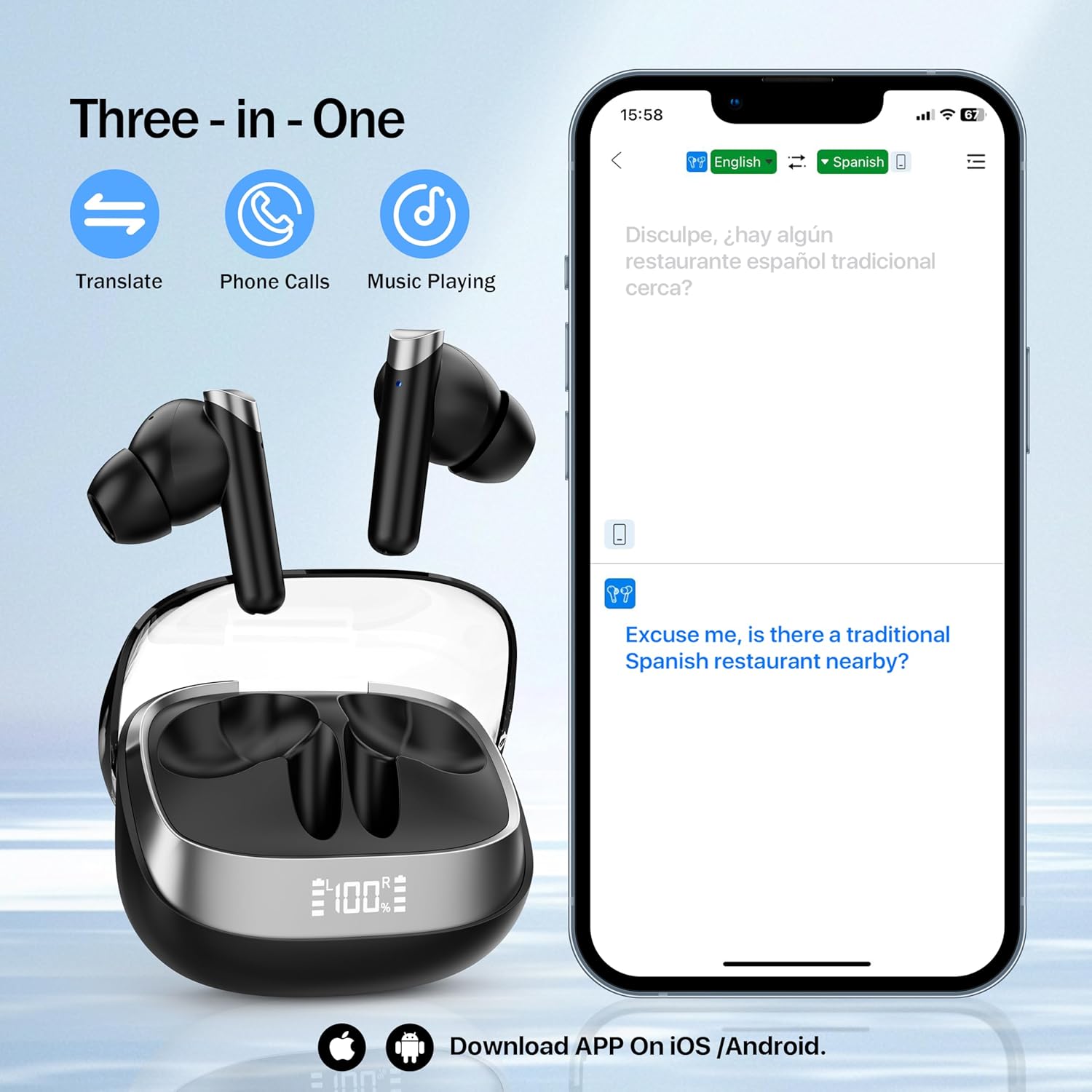
Image: The earbuds and charging case next to a smartphone displaying the translation app, highlighting the "Three-in-One" functions: Translate, Phone Calls, and Music Playing.
Setup
1. Charging the Earbuds and Case
Before first use, ensure both the earbuds and the charging case are fully charged.
- Place the earbuds into the charging case.
- Connect the charging case to a power source using the provided USB cable.
- The digital display on the case will indicate the charging status. A full charge typically takes about 1.5 hours for the case.
2. Downloading the Companion App
The full functionality of the translation earbuds requires the dedicated companion application.
- Scan the QR code provided in the physical user manual (not included here) or search for the "diujzld Translator" app on the Google Play Store (for Android devices) or Apple App Store (for iOS devices).
- Download and install the application on your smartphone.

Image: A graphic showing icons for Google Play Store and Apple App Store, with text instructing users to scan a QR code in the user manual to download the app for iOS/Android.
3. Pairing with Your Device
Follow these steps to pair your earbuds with your smartphone via Bluetooth:
- Open the charging case. The earbuds will automatically enter pairing mode.
- On your smartphone, go to Settings > Bluetooth.
- Turn on Bluetooth and search for available devices.
- Select "diujzld Earbuds" (or similar name) from the list of devices.
- Once connected, you will hear a confirmation tone, and the earbuds will be ready for use.
Operating Modes
The diujzld AI TWS Language Translation Earphone offers multiple modes to suit various communication needs. These modes are primarily controlled through the companion application.

Image: A collage illustrating four different usage scenarios for the earbuds, labeled "free-speech mode," "offline mode," "touch mode," and "speaker mode."
1. Free-Speech Mode (Real-time Translation)
This mode is ideal for natural, continuous conversations. Both parties can speak freely, and the earbuds will translate in real-time.
- Ensure both earbuds are worn.
- Open the app and select "Free-Speech Mode."
- Choose the source and target languages.
- Speak naturally; the translation will be delivered through the earbuds and displayed on the app.

Image: A smartphone screen displaying the real-time translation interface, showing a conversation being translated from Spanish to English, with text indicating support for 74 languages and 70 accents.
2. Offline Mode
For situations without internet access, the earbuds support offline translation for selected languages.
- Before going offline, download the required language packs within the app. Note that some offline language packages may require an in-app purchase.
- Select "Offline Mode" in the app.
- Choose your downloaded language pairs and proceed with translation.

Image: A smartphone screen showing the "Redeem Download" section of the app, listing various languages available for offline download, including Chinese, English, Japanese, Korean, Russian, German, French, and Spanish.
3. Touch Mode
In Touch Mode, you tap the earbud to initiate speaking, and release to translate. This is useful for controlled, turn-based conversations.
- Select "Touch Mode" in the app.
- Tap and hold the touch sensor on the earbud to speak.
- Release the touch sensor to hear the translation.
4. Speaker Mode
Speaker Mode allows one person to wear the earbud while the translation is played aloud through the smartphone's speaker, making it suitable for interacting with a group or when only one earbud is used.
- Select "Speaker Mode" in the app.
- Speak into the earbud; the translation will be broadcast through your phone's speaker.
Usage Scenarios
The diujzld AI TWS Language Translation Earphone is versatile and can be used in various settings to overcome language barriers.
Learning & Training
During classroom learning or training sessions, the M83 earbuds can provide instant language translation to help learners better understand the content, facilitating a more inclusive educational environment.

Image: Students in a classroom setting, with one student wearing an earbud, illustrating the use of the device for learning and training purposes.
International Travel
When traveling abroad, the M83 earbuds can help you communicate easily, whether it's at a hotel, restaurant, or local attraction, enhancing your travel experience.

Image: A couple enjoying their international travel, with one person wearing an earbud, demonstrating seamless communication in foreign environments.
Business Meetings
In international business meetings, the M83 earbuds can translate multiple languages in real-time, helping participants from different language backgrounds to better understand and communicate, fostering effective collaboration.

Image: Business professionals in a meeting setting, with one individual wearing an earbud, illustrating the use of the device for real-time translation in a corporate environment.
Battery and Charging
The diujzld AI TWS Language Translation Earphone is designed for extended use with its efficient battery system.
- Earbud Battery Life: Provides several hours of continuous translation or audio playback on a single charge.
- Charging Case: The portable charging case extends the total usage time significantly, offering up to 60 hours of additional battery life.
- Charging Time: The charging case can be fully charged in approximately 1.5 hours.

Image: A graphic illustrating the ultra-long battery life, showing the earbuds in their charging case with indicators for "60 Hours with charging case" and "1.5 Hours Charge Time."
Specifications
| Feature | Detail |
|---|---|
| Brand | diujzld |
| Model Number | 001 |
| Item Weight | 3.2 ounces |
| Package Dimensions | 4.53 x 3.66 x 1.54 inches |
| Batteries | 1 A battery required (included) |
| Connectivity | Bluetooth 5.4 |
| Translation Languages | Up to 144 languages (online), 8 offline languages (with potential in-app purchase) |
| Response Time | Approximately 0.5 seconds |
| First Available Date | March 3, 2025 |
Maintenance
Proper care and maintenance will extend the lifespan of your diujzld AI TWS Language Translation Earphone.
- Cleaning: Use a soft, dry, lint-free cloth to clean the earbuds and charging case. Do not use abrasive cleaners, alcohol, or chemical solvents.
- Storage: When not in use, store the earbuds in their charging case to protect them from dust and damage. Store in a cool, dry place away from direct sunlight and extreme temperatures.
- Water Resistance: The earbuds are not waterproof. Avoid exposure to water, rain, or excessive moisture.
- Charging Port: Keep the charging port free of dust and debris.
Troubleshooting
If you encounter issues with your earbuds, refer to the following common problems and solutions:
| Problem | Solution |
|---|---|
| Earbuds not pairing |
|
| No sound or poor sound quality |
|
| Translation not working or inaccurate |
|
| Charging issues |
|
Warranty and Support
For warranty information or technical support, please refer to the documentation included with your purchase or contact diujzld customer service directly.
You can often find support contact details on the manufacturer's official website or through the retailer where you purchased the product.