
NEW'C BH12
NEW'C BH12 Wireless Bluetooth 5.3 Open Ear Headphones User Manual
Model: BH12
1. Introduction
Thank you for choosing the NEW'C BH12 Wireless Bluetooth 5.3 Open Ear Headphones. These headphones are designed for comfort and safety, allowing you to enjoy high-quality audio while remaining aware of your surroundings. This manual provides detailed instructions for setup, operation, maintenance, and troubleshooting to ensure you get the best experience from your device.

Image 1.1: The NEW'C BH12 Open Ear Headphones in their charging case, displaying the digital battery indicator.
2. Product Features
- Clip-Ear Design: Newly developed clip-on ear design for a stylish appearance and open-ear listening, ensuring awareness of external environment sounds for improved personal safety.
- Bluetooth V5.3 & One-Step Pairing: Utilizes advanced Bluetooth 5.3 technology for stable connection and seamless music experience. Automatic reconnection to previously paired devices.
- Extremely Lightweight & Secure Fit: Weighing only 0.18 oz, made of high-quality soft silicone material with a multi-point support system for even weight distribution and secure fit during various activities.
- IPX7 Waterproof & Button Control: Designed to withstand splashes, sweat, and rain. Multifunction buttons allow easy control of music playback (play/pause, change songs, volume +/-), Siri activation, and call management (answer/hang up/reject).
3. Package Contents
Please check the package for the following items:
- NEW'C BH12 Open Ear Headphones (Left and Right)
- Wireless Charging Case
- USB Charging Cable (not explicitly mentioned in input, but standard for such devices)
- User Manual
4. Product Overview
4.1 Ergonomic Design and Fit

Image 4.1: The ergonomic clip-on design ensures a stable and comfortable fit, reducing pressure and allowing for slight adjustments to optimize sound.
4.2 Microphone Placement

Image 4.2: The earbud features a front microphone to pick up external noise and a rear microphone to reduce ear canal noise, optimizing call clarity.
4.3 Multifunction Button (MFB)
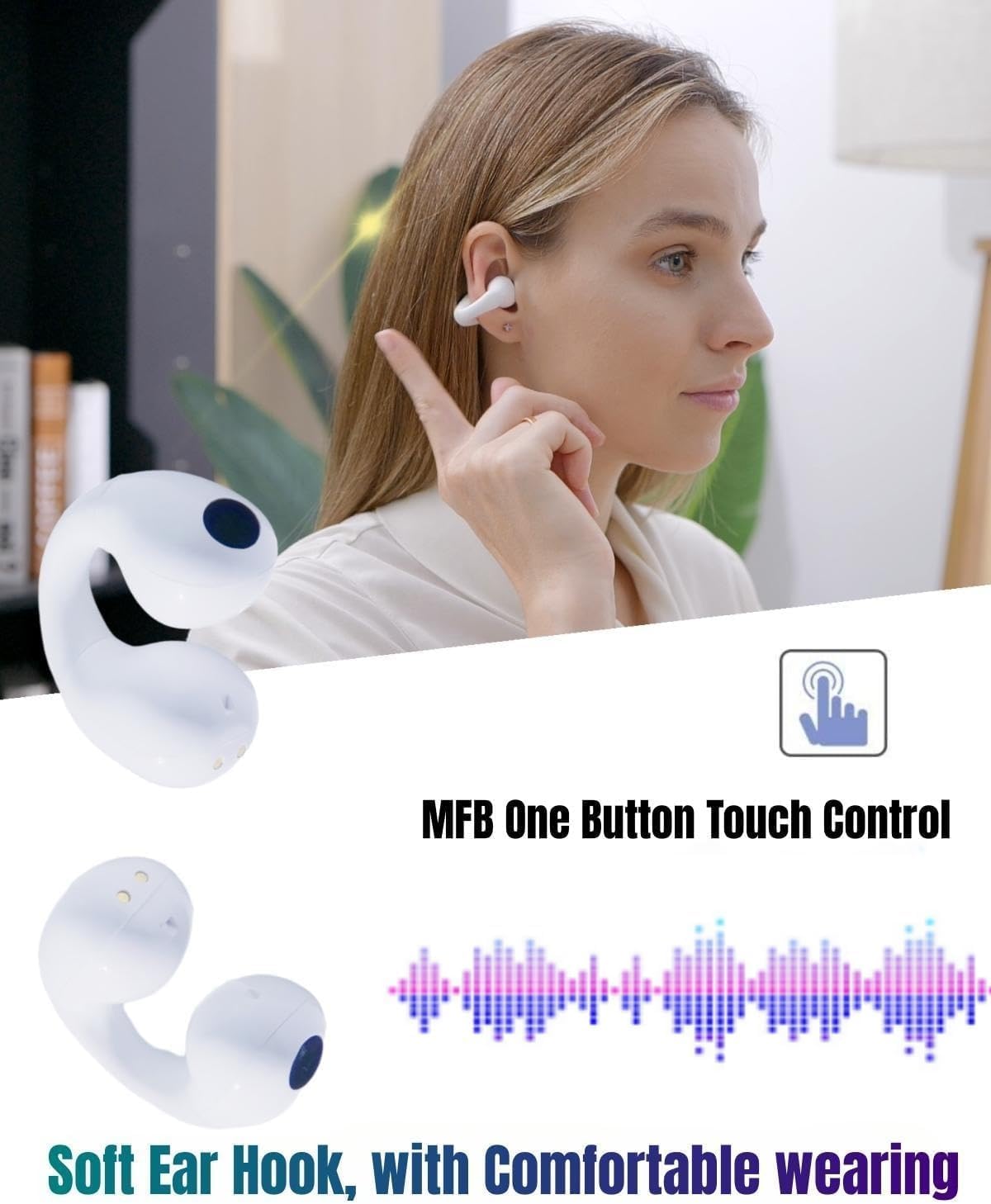
Image 4.3: The multifunction button (MFB) on the earbud allows for easy control of various functions with a single touch.
5. Setup
5.1 Initial Charging
Before first use, fully charge the charging case and earbuds. Place the earbuds into the charging case. Connect the charging case to a power source using a compatible USB cable. The digital display on the charging case will indicate the battery level.
5.2 Pairing with Your Device
- Ensure both earbuds are in the charging case.
- Open the charging case. The earbuds will automatically enter pairing mode.
- On your mobile phone or Bluetooth-enabled device, turn on Bluetooth.
- Search for Bluetooth devices and select "Q80" from the list.
- Once connected, you will hear a confirmation tone, and the earbuds will be ready for use.
5.3 Wide Compatibility

Image 5.3: The BH12 headphones are compatible with most Bluetooth-enabled devices, including smartphones, tablets, laptops, and other portable media players.
6. Operating Instructions
6.1 Basic Controls (Multifunction Button)
The multifunction buttons on the earbuds allow for easy control:
- Play/Pause Music: Single press the MFB on either earbud.
- Next Song: Double press the MFB on the right earbud.
- Previous Song: Double press the MFB on the left earbud.
- Volume Up: Triple press the MFB on the right earbud.
- Volume Down: Triple press the MFB on the left earbud.
- Answer/End Call: Single press the MFB on either earbud during an incoming call.
- Reject Call: Long press the MFB on either earbud during an incoming call.
- Activate Voice Assistant (Siri/Google Assistant): Long press the MFB on either earbud when not on a call.
7. Troubleshooting
7.1 How to Reset the Earbuds
If you experience pairing issues or other anomalies, you can reset the earbuds:
- Empty the Bluetooth list on your mobile phone and turn off your phone's Bluetooth. If connecting to a new device, perform this step on the old device first.
- Place both earbuds into the charging case.
- Take out one earbud from the charging case. Long press its multifunction button for 4 seconds. You will hear a long beep sound, followed by a "power off" voice prompt. This clears the previous pairing memory for that earbud.
- Repeat the previous step for the other earbud.
- Place both earbuds back into the charging case.
- After approximately 10 seconds, take both earbuds out of the case simultaneously. Observe the LED indicators. After a short while, if one earbud's LED flashes white slowly and the other's LED turns off, it indicates successful pairing between the two earbuds.
- Turn on Bluetooth on your mobile phone and search for "Q80" to connect.
7.2 Charging Case Issues
Charging Case Not Showing LED Light Immediately:
- If the charging case has been over-discharged (power over-release), the LED light may not show immediately when you plug in the charging cable. Please wait for approximately 15 minutes; the LED light should then appear.
- It is recommended to charge the charging case at least once every week to prevent deep discharge.
7.3 Earbud Not Charging or Turning On
If an earbud does not charge or turn on after a period of use, it might be due to oxidized magnet connectors:
- Use an alcohol rag to gently clean the magnet connectors on both the earbuds and inside the charging case. Ensure they are dry before placing the earbuds back into the case.
8. Maintenance
To ensure the longevity and optimal performance of your NEW'C BH12 headphones:
- Regularly clean the earbuds and charging case with a soft, dry cloth.
- For magnet connectors, use an alcohol wipe as described in the troubleshooting section.
- Avoid exposing the headphones to extreme temperatures, humidity, or corrosive substances.
- Store the headphones in their charging case when not in use to protect them and keep them charged.
9. Specifications
| Model Name | BH12 |
| Connectivity Technology | Wireless (Bluetooth 5.3) |
| Included Components | Wireless Charging Case |
| Material | Silicone |
| Specific Uses | Music, Travel, Sport |
| Compatible Devices | Cellphones, Tablets, Laptops |
| Water Resistance Level | IPX7 Waterproof |
| Frequency Range | 20 Hz - 20,000 Hz |
| Unit Count | 2 Count (Earbuds) |
| Colour | White Headphones |
| Ear Placement | Open Ear |
| Special Features | Microphone, Lightweight, Phone Control, Volume Control, Built-In Voice Assistant, Semi-in-ear, True Wireless, Immersive Sound, Clear Call |
10. Warranty and Support
All NEW'C wireless Bluetooth headsets undergo rigorous factory testing to ensure perfect quality. If you have any questions or require assistance with your NEW'C BH12 headphones, please contact our customer service team via Amazon:
- Go to Your Account on Amazon.
- Select Contact Seller.
- Choose An Order I Placed.
- Select the relevant order and then choose a subject.
- Write your message detailing your inquiry.
Our friendly sales team will provide a specialized and satisfactory solution.
Related documentsBH12


Ask a question about this manual
Ask about setup, troubleshooting, compatibility, parts, safety, or missing instructions. Manuals+ will review the question and use this page’s manual context to help answer it.