Product Overview
This BENSN Charger Stand is designed to provide a convenient and efficient charging solution for various Philips Norelco Shaver models, particularly those in the i9000 Series. It includes both a charging stand and a USB charging cable, offering flexibility for your charging needs.

Image: The BENSN Charger Stand (black, circular base) and its accompanying USB charging cable. The stand features a proprietary connector for the shaver, and the cable has a standard USB-A connector on one end and the proprietary shaver connector on the other.
What's in the Box
- 1 x 3ft Charger Cord
- 1 x Charger Stand
- User Guide
The package includes the charger stand, a 3-foot charging cable, and a user guide. Please verify all components upon unboxing.
Compatibility
This charger stand is specifically designed for a range of Philips Norelco Shavers. Please ensure your shaver model is listed below for proper compatibility.

Image: A visual chart displaying various Philips Norelco Shaver models compatible with the BENSN Charger Stand, including S3341/92, S7887/82, S3242/90, S7885/85, S3243/91, S5880/81, S7886/84, S9606/80, S7882/54, S5881/10, S5882/50, and S5898/25.
Compatible Models:
- Philips Norelco Shaver i9000 Series
- S3341/92 (3900)
- S3243/91 (3600)
- S7887/82
- S5880/81
- S3242/90
- S7885/85
- S7886/84
- S9606/80
- S7882/54
- S7887/92
- S5881/10
- S5882/50
- S5898/25
- X3001/90 (2400)
- X5006/85
- MG9520/50
- MG7910/49
- MG9510/60
- MG5910/49
- QP2724/90
- QP2834/70
- QP1924/70
- QP6531/70
Important Note: This charger stand is NOT compatible with Philips QP2520, QP2630, HQ8505, HQ850, HQ840, QP6510, or QP6520 models. Please verify your shaver model carefully before purchase.
Setup and Operation
1. Initial Setup
- Unpack Components: Carefully remove the charger stand and USB charging cable from the packaging.
- Connect Power: Insert the USB-A end of the charging cable into a compatible USB power adapter (not included) or a USB port on a computer.
- Connect to Stand: Insert the proprietary connector end of the charging cable into the port located on the underside or rear of the charger stand. Ensure a secure connection.
- Place Stand: Position the charger stand on a stable, flat, and dry surface, away from direct moisture.
2. Charging Your Shaver
- Place Shaver: Gently place your compatible Philips Norelco Shaver onto the charger stand. Ensure the shaver's charging port aligns correctly with the stand's connector pins.
- Verify Connection: The shaver should sit securely on the stand. Most shavers will indicate charging status via an LED light or display.
- Charging Time: Allow the shaver to charge fully. Refer to your shaver's original manual for specific charging times.
- Remove Shaver: Once charging is complete, carefully lift the shaver from the stand.
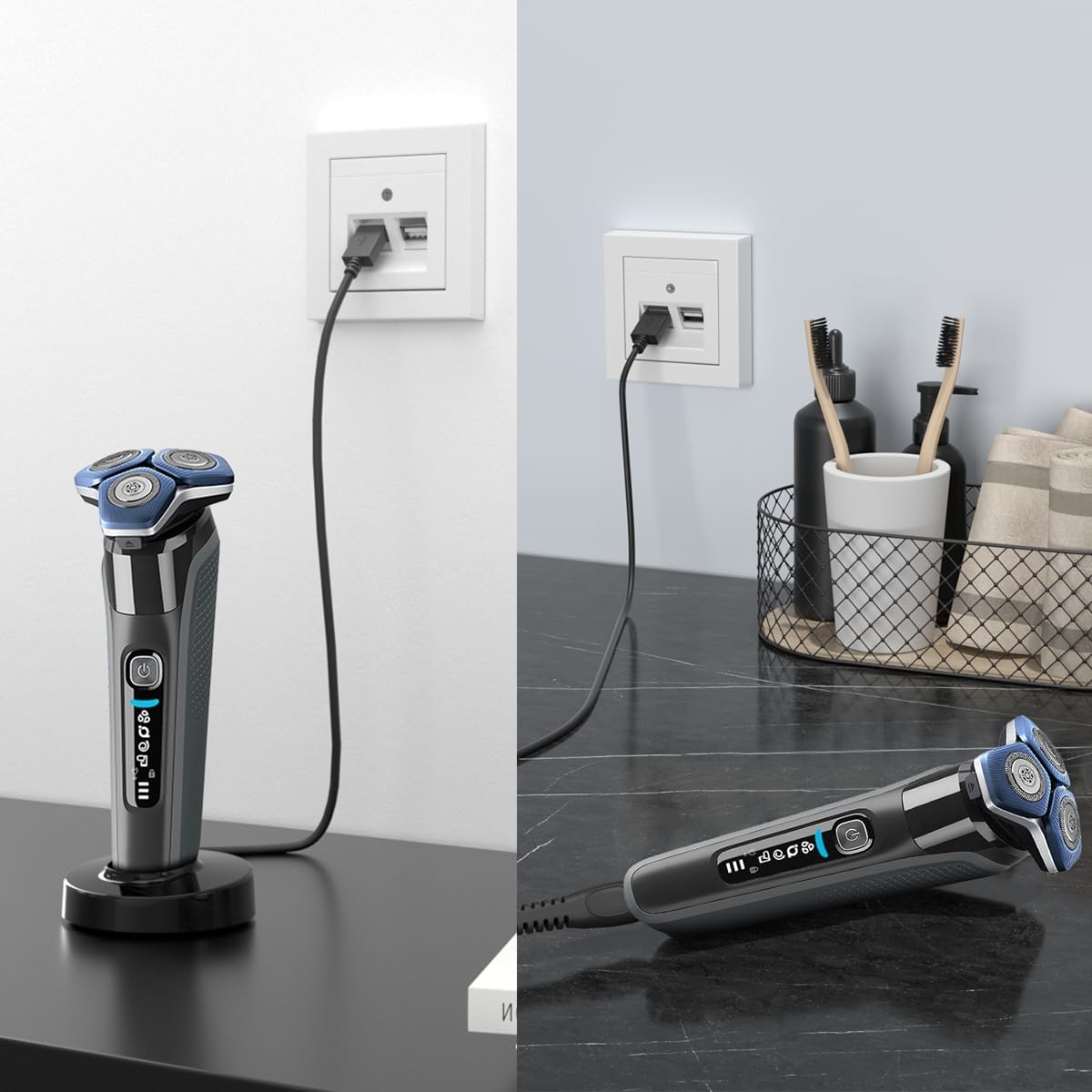
Image: A Philips Norelco Shaver placed upright on the BENSN Charger Stand, connected to a wall outlet via the USB cable, illustrating the charging process.
Maintenance
To ensure the longevity and optimal performance of your BENSN Charger Stand, follow these maintenance guidelines:
- Cleaning: Wipe the stand and cable with a soft, dry cloth. Do not use abrasive cleaners or immerse the stand in water.
- Water Leakage Port: The stand features a water leakage port designed to discharge residual moisture from the shaver, enhancing charging safety. Ensure this port remains clear of debris.

Image: A close-up view of the BENSN Charger Stand's base, highlighting the water leakage port designed to drain moisture and improve charging safety.
Troubleshooting
| Problem | Possible Cause | Solution |
|---|---|---|
| Shaver not charging. |
|
|
| Stand feels unstable. |
|
|
Specifications
- Input: AC 110-240V, 50-60Hz
- Output: DC 5V 1000mA (1A)
- Cable Length: 3 feet (approx. 0.91 meters)
- Color: Black
- Item Weight: 4.2 ounces (approx. 119 grams)
- Package Dimensions: 4.25 x 4.17 x 1.38 inches (approx. 10.8 x 10.6 x 3.5 cm)
- Connector Type: Proprietary
- Durability: Cable designed for 30,000+ bend lifespan and plug lifespan.
Note: The output is 5V, which is not suitable for shavers requiring 15V. Please check your shaver's power requirements.


Image: Left: Illustration of the cable's ultra-durability with 30,000+ bend lifespan, highlighting military-grade materials and PVC material. Right: Diagram showing the efficient protection features of the charger, including over voltage, over charge, over temperature, short circuit, over power, and over current protection.
Safety Information
Please observe the following safety precautions:
- Keep the charger stand and cable away from moisture and liquids.
- Do not disassemble or attempt to repair the device.
- Use only with compatible Philips Norelco Shavers as listed.
- Ensure the power source matches the input specifications (AC 110-240V).
- Do not use if the cable or stand appears damaged.
- Keep out of reach of children.
Warranty and Support
For product support, warranty information, or to contact the manufacturer, please visit the official BENSN store or contact their customer service.
- Manufacturer: BENSN
- BENSN Store Link: Visit BENSN Store on Amazon
- Seller Support: For inquiries regarding your purchase, you may contact the seller, BENSN, directly through the Amazon platform.