
1. Introduction
Welcome to the XIEFEI R02 Smart Ring User Manual. This guide provides detailed instructions on how to set up, operate, and maintain your smart ring to get the most out of its advanced health and fitness tracking capabilities. The R02 Smart Ring is designed to seamlessly integrate into your daily life, offering insights into your blood oxygen, heart rate, sleep patterns, and exercise performance.
2. Safety Information
Please read all safety information before using your XIEFEI R02 Smart Ring to ensure proper operation and to prevent damage or injury.
- Water Resistance: The R02 Smart Ring is waterproof. However, avoid prolonged exposure to hot water, steam, or high-pressure water jets, which may compromise its water resistance over time.
- Battery Safety: The device contains a non-replaceable lithium-polymer battery. Do not attempt to open, disassemble, or service the battery yourself. Do not expose the device to extreme temperatures or direct sunlight.
- Medical Disclaimer: The XIEFEI R02 Smart Ring is not a medical device and is not intended to diagnose, treat, cure, or prevent any disease. Consult a healthcare professional for any health-related concerns.
- Choking Hazard: Keep the ring and its accessories out of reach of small children and pets.
3. What's in the Box
Upon opening your XIEFEI R02 Smart Ring package, you should find the following items:
- XIEFEI R02 Smart Ring
- Charging Cable
- User Manual (this document)

Image: The XIEFEI R02 Smart Ring is available in multiple finishes, including gold and black, designed for comfort and elegance.
4. Product Overview
The XIEFEI R02 Smart Ring is a compact and sophisticated wearable device designed for continuous health monitoring. It features advanced sensors for tracking vital signs and activity levels.

Image: A detailed view of the XIEFEI R02 Smart Ring, highlighting its sleek design and integrated sensor technology.
Key Features:
- Comprehensive Health Monitoring: Tracks blood oxygen saturation (SpO2) and heart rate.
- Sleep Tracking: Analyzes sleep stages (REM, light, deep) and provides insights into sleep quality.
- Multi-Exercise Mode: Supports tracking for various physical activities.
- Waterproof Design: Suitable for daily wear, including during workouts and showering.
- Lightweight and Comfortable: Designed for effortless wear throughout the day and night.

Image: The R02 Smart Ring combines elegance with advanced features, offering long battery life and a lightweight design for comfortable wear.
5. Setup
5.1 Charging the Smart Ring
Before first use, fully charge your XIEFEI R02 Smart Ring. A full charge typically takes approximately 1 hour.
- Connect the charging cable to a USB power adapter (not included) or a computer's USB port.
- Align the charging cable's magnetic connector with the charging contacts on the inside of your smart ring. The ring will snap into place magnetically.
- The ring's indicator light will show charging status (refer to the app for detailed battery level).
Note: Please clean the charging port regularly to prevent charging issues caused by dirt or debris.

Image: The smart ring charging port, designed for easy and secure connection with the provided charging cable. A full charge takes about 1 hour.
5.2 App Installation and Pairing
To access all features and data from your smart ring, you need to install the companion app on your smartphone.
- Download the App: Search for the official XIEFEI Smart Ring app in your device's app store (Google Play Store for Android, Apple App Store for iOS). The app is compatible with Android 5.1 (including) or above, and iOS 8.0 or above.
- Create an Account: Open the app and follow the on-screen instructions to create a new user account or log in if you already have one.
- Pair the Ring: Ensure your phone's Bluetooth is enabled. In the app, navigate to the device pairing section and select your R02 Smart Ring from the list of available devices. Follow any prompts to complete the pairing process.
- Profile Setup: Enter your personal information (e.g., age, gender, height, weight) in the app to ensure accurate data tracking.
6. Operating the Smart Ring
Once set up, your XIEFEI R02 Smart Ring will automatically begin tracking various health metrics.
6.1 Health Monitoring (Heart Rate & Blood Oxygen)
The R02 Smart Ring continuously monitors your heart rate and blood oxygen levels throughout the day and night. You can view real-time data and historical trends within the companion app.
- Heart Rate: Provides beats per minute (bpm) data, including resting heart rate and heart rate during activity.
- Blood Oxygen (SpO2): Measures the oxygen saturation in your blood, an important indicator of respiratory health.

Image: The R02 Smart Ring tracks your heart rate during activities, providing valuable data for optimizing your workouts.
6.2 Sleep Tracking
Wear your smart ring to bed to automatically track your sleep patterns. The app provides a detailed breakdown of your sleep stages and overall sleep quality.
- Sleep Stages: Identifies periods of REM, light, and deep sleep.
- Sleep Score: Provides an overall assessment of your night's sleep.
- Sleep Trends: View your sleep data over days, weeks, and months to identify patterns and make improvements.

Image: The app's sleep state analysis feature helps you understand your sleep cycles and improve your overall health habits.
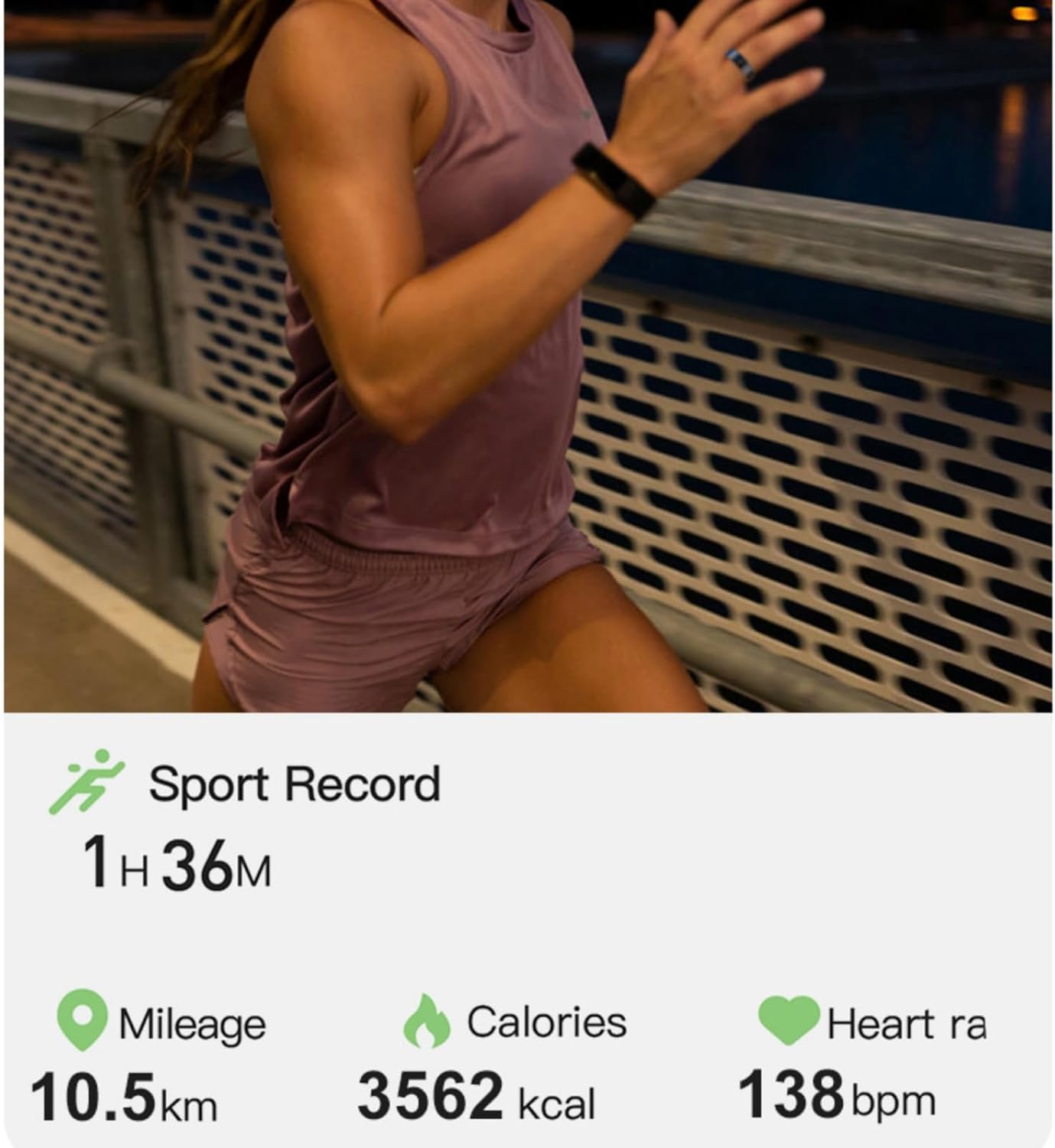
Image: The R02 Smart Ring provides a detailed breakdown of your sleep, including total sleep duration and time spent in different sleep stages.
6.3 Multi-Exercise Mode
The smart ring supports various exercise modes to accurately track your performance during physical activities.
- Activity Tracking: Records duration, calories burned, and distance (when paired with phone GPS).
- Sport Record: View detailed summaries of your workouts in the app.

Image: The R02 Smart Ring tracks your exercise performance, providing data such as mileage, calories burned, and heart rate during your activities.
6.4 Notifications and Other Features
- Notifications: Receive subtle alerts for incoming calls, messages, and app notifications (requires app setup).
- Gesture Control: The ring may support certain gesture controls for app interaction (refer to app settings for available gestures).
- Lightweight Design: Weighing only 4.49g, the R02 Smart Ring is designed for maximum comfort, making it easy to wear continuously.

Image: The XIEFEI R02 Smart Ring is exceptionally lightweight at 4.49g, ensuring comfortable wear throughout the day and night.
7. Maintenance
Proper care and maintenance will extend the life of your XIEFEI R02 Smart Ring.
- Cleaning: Regularly wipe the ring with a soft, damp cloth. For the charging contacts and sensors, use a dry cotton swab to gently remove any dirt or debris. Avoid using harsh chemicals or abrasive materials.
- Water Exposure: While waterproof, it is recommended to dry the ring thoroughly after exposure to water to prevent skin irritation and maintain its appearance.
- Battery Care: To preserve battery health, avoid fully discharging the battery frequently. Charge the ring when the battery level is low. If storing the ring for an extended period, charge it to about 50% and store it in a cool, dry place.
- Storage: Store the ring in a safe place away from extreme temperatures, direct sunlight, and sharp objects.
8. Troubleshooting
If you encounter issues with your XIEFEI R02 Smart Ring, try the following troubleshooting steps:
| Problem | Possible Solution |
|---|---|
| Ring not charging |
|
| Cannot pair with phone |
|
| Inaccurate data readings |
|
| App not syncing data |
|
9. Specifications
| Feature | Detail |
|---|---|
| Model | R02 |
| Brand | XIEFEI |
| Connectivity | Bluetooth |
| Operating System Compatibility | Android 5.1+ / iOS 8.0+ |
| Battery Type | Lithium Polymer |
| Battery Capacity | 17 Milliamp Hours |
| Memory Storage Capacity | 64 MB |
| RAM Memory Installed Size | 0.5 MB |
| Item Weight | 3.53 ounces (approx. 4.49g for the ring itself) |
| Special Features | Gesture Control, Lightweight, Multisport Tracker, Notifications |
| GPS | No GPS (relies on phone's GPS for location data) |
| Manufacturer | MIGOU |
| Date First Available | January 5, 2025 |
10. Warranty and Support
The XIEFEI R02 Smart Ring comes with a limited manufacturer's warranty. Please refer to the warranty card included in your product packaging for specific terms and conditions.
For technical support, troubleshooting assistance, or warranty claims, please contact XIEFEI customer service through the contact information provided on the official XIEFEI website or within the companion app.