
1. Introduction
Welcome to the world of effortless gourmet mushroom cultivation with your new Shrooly Smart Mushroom Growing Device. This device is designed to simplify the process of growing various mushroom species at home, providing optimal conditions through smart technology. Please read this manual thoroughly before operating your device to ensure safe and efficient use.
2. Safety Information
- Always place the device on a stable, level surface away from direct sunlight and heat sources.
- Ensure the power cord is not pinched or damaged. Use only the provided power adapter.
- Do not immerse the device in water or expose it to excessive moisture.
- Keep out of reach of children and pets.
- Unplug the device before cleaning or performing any maintenance.
- Do not attempt to open or repair the device yourself. Contact customer support for assistance.
- Use only Shrooly-approved mushroom pods and accessories.
3. Package Contents
Verify that all items are present in your package:
- Shrooly Smart Mushroom Growing Device (Model Shrooly001)
- Power Adapter
- 2 x Anymush Mushroom Growing Pods
- User Manual (this document)
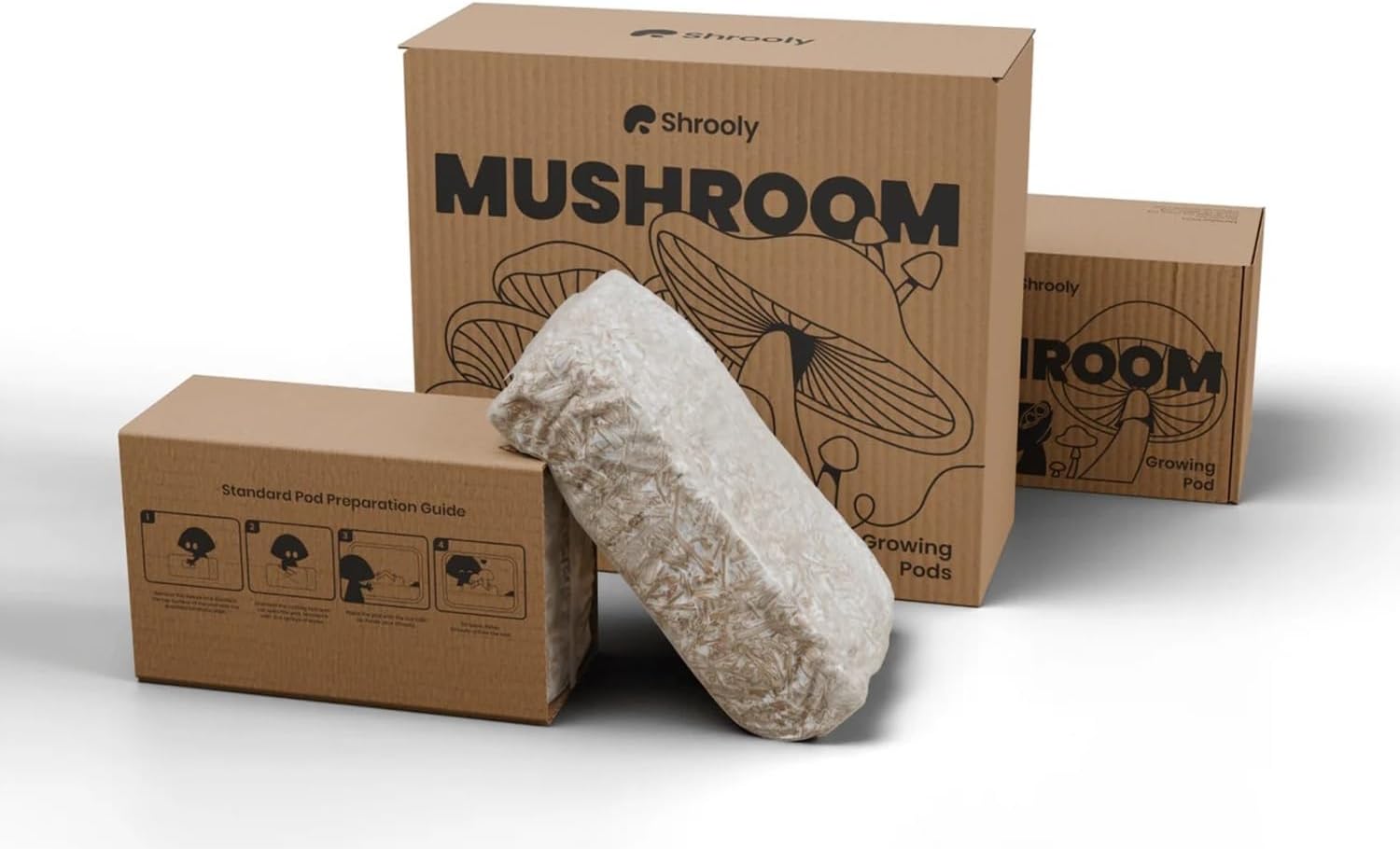
Image: Shrooly Smart Mushroom Growing Device packaging and an included mushroom pod.

Image: Two Shrooly Anymush mushroom growing pods, ready for use.
4. Product Overview
Familiarize yourself with the components of your Shrooly device:

Image: Diagram showing the Shrooly device with key components labeled: E-paper Display, RGB Light, Air Exchange System, Filter, Humidifier, and Water Level Sensor.
- E-paper Display: Shows current environmental conditions and device status.
- RGB Light: Provides optimal light spectrum for mushroom growth.
- Air Exchange System: Ensures proper air circulation and CO2 removal.
- Filter: Maintains air quality within the growing chamber.
- Humidifier: Regulates humidity levels crucial for mushroom development.
- Water Level Sensor: Monitors water reservoir levels and alerts for refills.

RGB Light

Filter System

Air Exchange Fan

Humidifier & Water Reservoir
5. Setup
Follow these steps for the initial setup of your Shrooly device:
- Unpack the Device: Carefully remove all components from the packaging. Retain packaging for future storage or transport.
- Choose a Location: Place the Shrooly device on a flat, stable surface indoors, away from direct sunlight, drafts, and extreme temperatures. Ensure there is adequate space around the device for air circulation.
- Fill the Water Reservoir: Locate the water reservoir (refer to Product Overview). Fill it with clean, distilled or filtered water up to the 'MAX' line. Avoid overfilling.
- Prepare the Anymush Pod: Open one of the included Anymush mushroom growing pods according to the instructions provided on the pod packaging. This usually involves making a cut or opening a specific area on the pod to expose the mycelium.
- Insert the Pod: Carefully place the prepared Anymush pod into the designated growing area inside the Shrooly device. Ensure it sits securely.
- Connect Power: Plug the power adapter into the device and then into a standard electrical outlet. The device will power on automatically.
- Initial Settings: The E-paper display will guide you through initial setup, including Wi-Fi connection (if applicable) and mushroom species selection. Follow the on-screen prompts.

Image: A Shrooly Anymush mushroom growing pod held in a hand, illustrating its size and preparation for placement.

Image: A hand carefully placing a mushroom growing pod into the Shrooly device's growing chamber.
6. Operating Instructions
Once set up, the Shrooly device largely operates autonomously. Here's what you need to know:
6.1 Monitoring Growth
The device's smart sensors continuously monitor temperature, humidity, and light. The E-paper display provides real-time updates on these conditions and the estimated growth progress. You can observe the mushrooms growing through the transparent cover.

Image: Gourmet mushrooms in various stages of growth inside the Shrooly device.
6.2 Water Refill Alerts
The water level sensor will alert you via the E-paper display when the reservoir needs refilling. Promptly add clean, distilled or filtered water to maintain optimal humidity.
6.3 Harvesting Mushrooms
Mushrooms are typically ready for harvest when their caps are fully developed but before they begin to flatten or release spores. The device may provide an estimated harvest window. To harvest, gently twist and pull the mushrooms from the pod at their base. Avoid leaving stubs, as this can hinder subsequent flushes.

Image: A cluster of Lion's Mane mushrooms growing healthily within the Shrooly device.
7. Maintenance
Regular maintenance ensures the longevity and optimal performance of your Shrooly device.
7.1 Cleaning the Device
- Unplug the device before cleaning.
- Wipe the exterior with a soft, damp cloth. Do not use abrasive cleaners or solvents.
- Clean the interior growing chamber and water reservoir with a mild, food-safe disinfectant solution and rinse thoroughly. Ensure all parts are dry before reassembly.
7.2 Filter Replacement
The air filter should be replaced every 1-3 months, depending on usage and environmental conditions. Refer to the Product Overview for the filter location. Replacement filters can be purchased from authorized Shrooly retailers.
7.3 Water Reservoir Cleaning
Periodically clean the water reservoir to prevent algae or bacterial growth. Remove the reservoir, empty any remaining water, and clean with a brush and mild soap. Rinse thoroughly and refill with fresh water.
8. Troubleshooting
If you encounter issues with your Shrooly device, refer to the table below:
| Problem | Possible Cause | Solution |
|---|---|---|
| Device not powering on | Power adapter not connected; power outlet issue | Ensure power adapter is securely plugged in. Try a different outlet. |
| Low humidity warning | Water reservoir empty or low | Refill the water reservoir with clean water. |
| No mushroom growth | Pod not prepared correctly; incorrect species selected; environmental factors | Ensure the pod is opened as instructed. Verify species selection on the device. Check room temperature and humidity. |
| Unusual odors | Contamination; old water | Clean the device thoroughly. Replace water. Ensure proper air circulation. Discard contaminated pods. |
If the problem persists, please contact Shrooly customer support.
9. Specifications
| Feature | Detail |
|---|---|
| Model Number | Shrooly001 |
| Manufacturer | T.A.L Enterprises LTD. |
| Product Dimensions | 36 x 27 x 26 cm |
| ASIN | B0DS9SD1YS |
| First Available Date | January 5, 2025 |
| Software Updates Guaranteed Until | Unknown |
10. Warranty and Support
For warranty information and customer support, please refer to the warranty card included with your product or visit the official Shrooly website. You can also contact T.A.L Enterprises LTD. directly for assistance with your Shrooly Smart Mushroom Growing Device.