X1Pro Three-Defense Smartwatch User Manual
Model: X1Pro | Brand: XIEFEI
1. Introduction
Thank you for choosing the XIEFEI X1Pro Three-Defense Smartwatch. This device is engineered for durability and advanced functionality, featuring a vibrant AMOLED display, comprehensive health tracking, navigation tools, and robust water resistance. This manual provides essential information for setting up, operating, maintaining, and troubleshooting your smartwatch to ensure optimal performance and longevity.
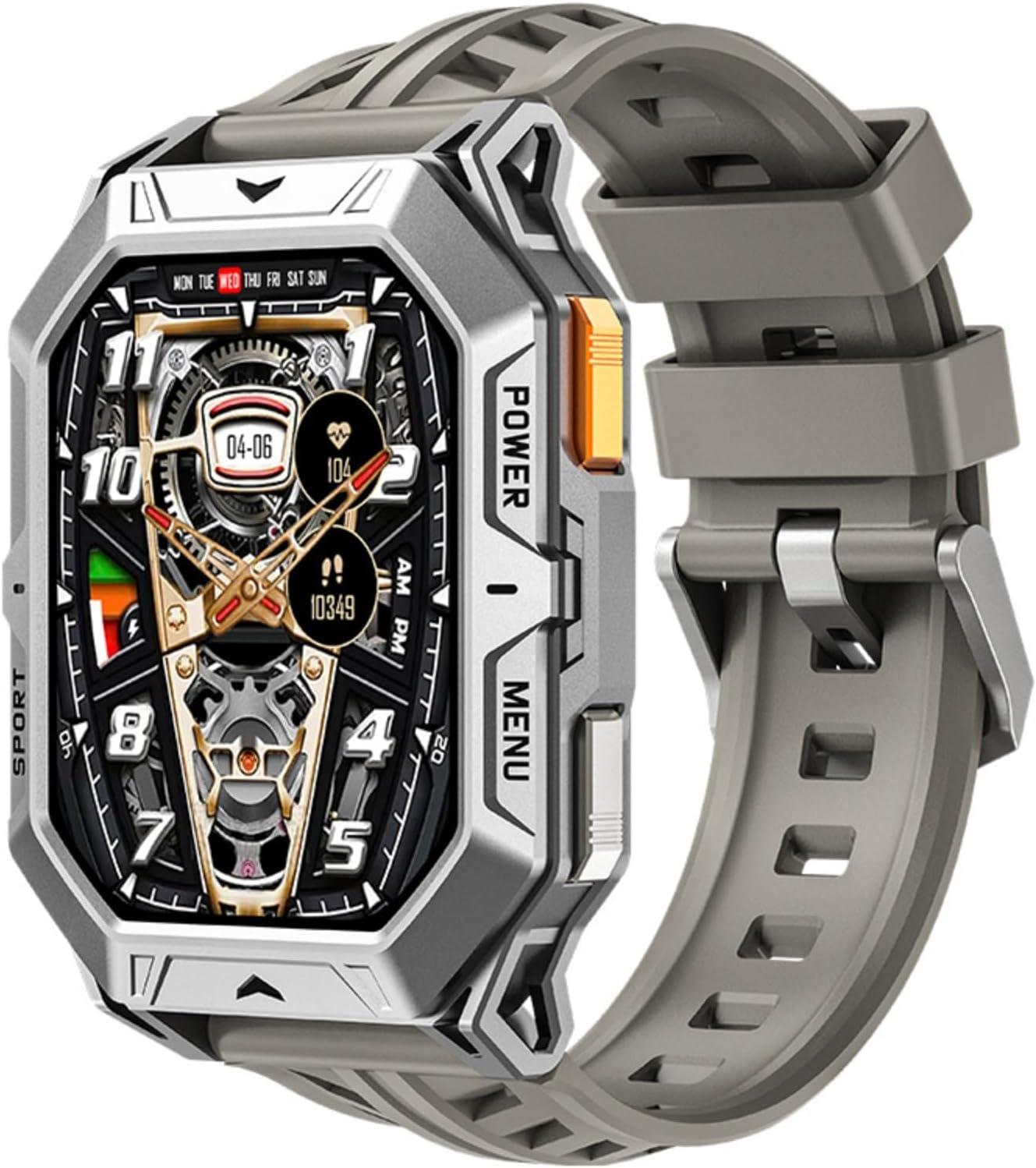
Image: Front view of the X1Pro Three-Defense Smartwatch in gray, showcasing its rugged design and digital watch face.
2. What's in the Box
Please verify that all items are present in your package:
- X1Pro Three-Defense Smartwatch (Gray)
- Charging Cable
- User Manual (this document)
- Watch Band
3. Setup
3.1 Initial Charging
Before first use, fully charge your X1Pro Smartwatch. Connect the provided charging cable to the magnetic charging contacts on the back of the watch and to a standard USB power adapter (not included). The screen will indicate charging status. A full charge typically takes approximately 2 hours.
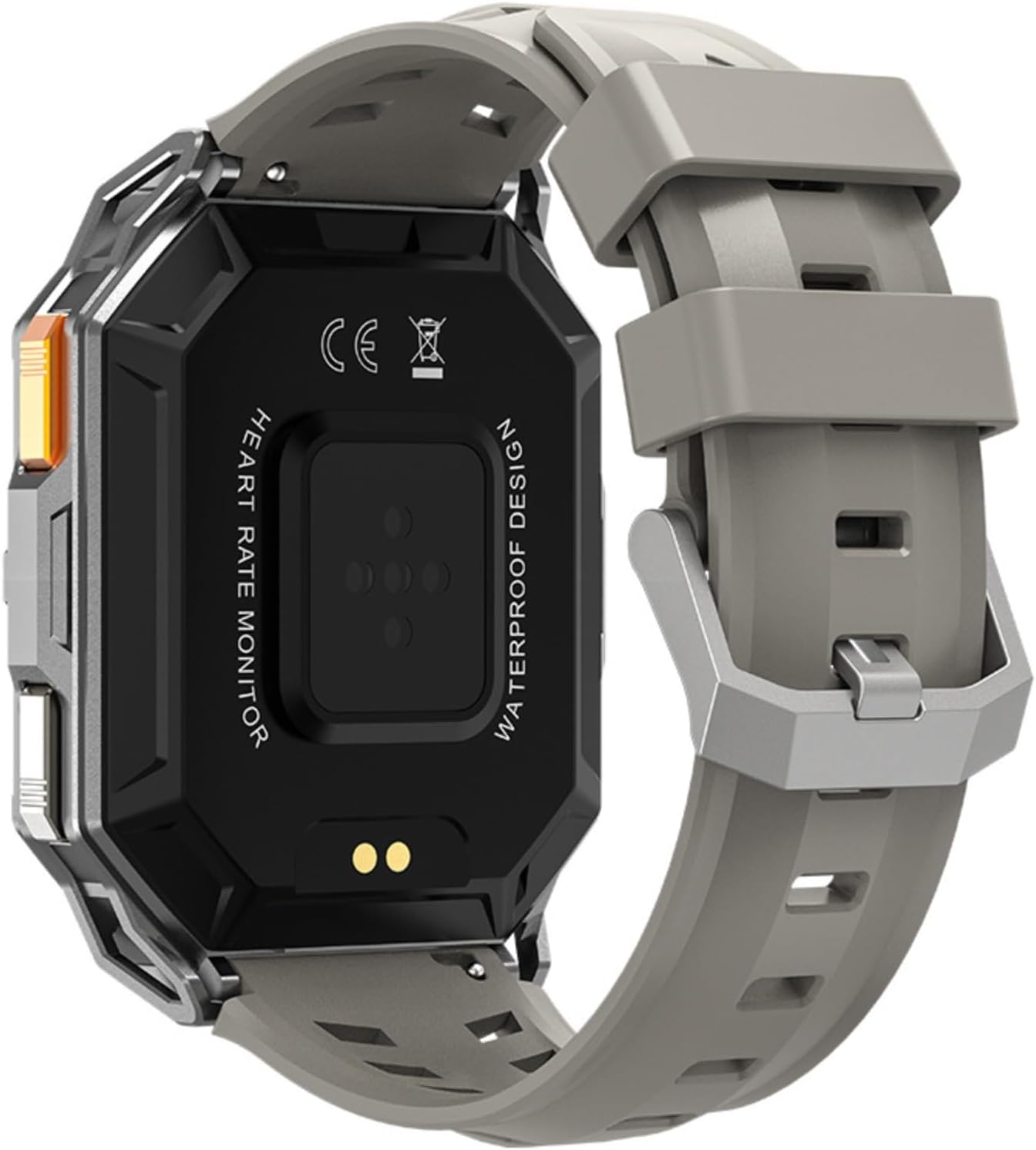
Image: Rear view of the X1Pro Smartwatch, highlighting the heart rate monitor and magnetic charging contacts.
3.2 Powering On/Off
- To Power On: Press and hold the 'POWER' button located on the side of the watch until the screen illuminates.
- To Power Off: Press and hold the 'POWER' button, then select 'Power Off' on the screen.
3.3 App Installation and Bluetooth Pairing
To unlock the full potential of your X1Pro Smartwatch, download the companion application on your smartphone. Refer to the quick start guide or on-screen prompts for the specific app name and QR code.
- Download and install the official XIEFEI smartwatch app from your smartphone's app store (Android or iOS).
- Ensure Bluetooth is enabled on your smartphone.
- Open the XIEFEI app and follow the on-screen instructions to search for and pair with your X1Pro Smartwatch.
- Confirm the pairing request on both your smartphone and smartwatch.
Once paired, the watch will synchronize time, date, and allow access to advanced features like call notifications, health data, and GPS via smartphone.
4. Operating Instructions
4.1 Navigating the 2.73" AMOLED Display
The X1Pro features a responsive 2.73-inch AMOLED touchscreen. Swipe left/right, up/down to navigate through menus, notifications, and widgets. Tap to select items. The 'MENU' button provides quick access to the main application list.

Image: Infographic detailing key features of the X1Pro Smartwatch, including AMOLED display, 1ATM water resistance, 100-day standby, call support, health monitoring, compass, barometer, and customizable dials.
4.2 Core Functions
- Time and Date: Automatically synchronized with your paired smartphone.
- Notifications: Receive call, message, and app notifications directly on your wrist after pairing with the app.
- Custom Watch Faces: Personalize your watch face through the companion app.
4.3 Advanced Features
- Altitude Compass: Utilize the built-in compass for navigation. Access this feature from the main menu. It provides direction and can be used as a waypoint tool for outdoor activities.
- Bluetooth Call: The X1Pro supports Bluetooth calls. Ensure your watch is connected to your phone via Bluetooth. You can answer or make calls directly from your wrist. The watch incorporates a call noise reduction algorithm for clear communication.
- Health Monitoring: Access various health metrics through the watch and the companion app.
- Blood Pressure & Blood Oxygen Detection: Follow on-screen instructions for accurate readings. Ensure the watch is snug on your wrist.
- Sleep Mode: The watch automatically tracks your sleep patterns (light sleep, deep sleep). View sleep history for the last seven days in the app.
- Women's Health: Provides scientific record and prediction for physiological periods and pregnancy preparation.
- Activity Tracker: Records steps, distance, calories burned, and active minutes. Supports over 100 movement patterns.
- Waterproof (10 Meters): The X1Pro is rated for 10-meter water resistance (1ATM), suitable for washing hands, bathing, ice swimming, diving, and other water-related activities. Avoid hot water or steam.
- GPS (via Smartphone): The watch utilizes your smartphone's GPS for location tracking during outdoor activities.
- Music Player & Contactless Payments: These features are accessible through the watch interface, typically requiring connection to your smartphone or specific app setup.
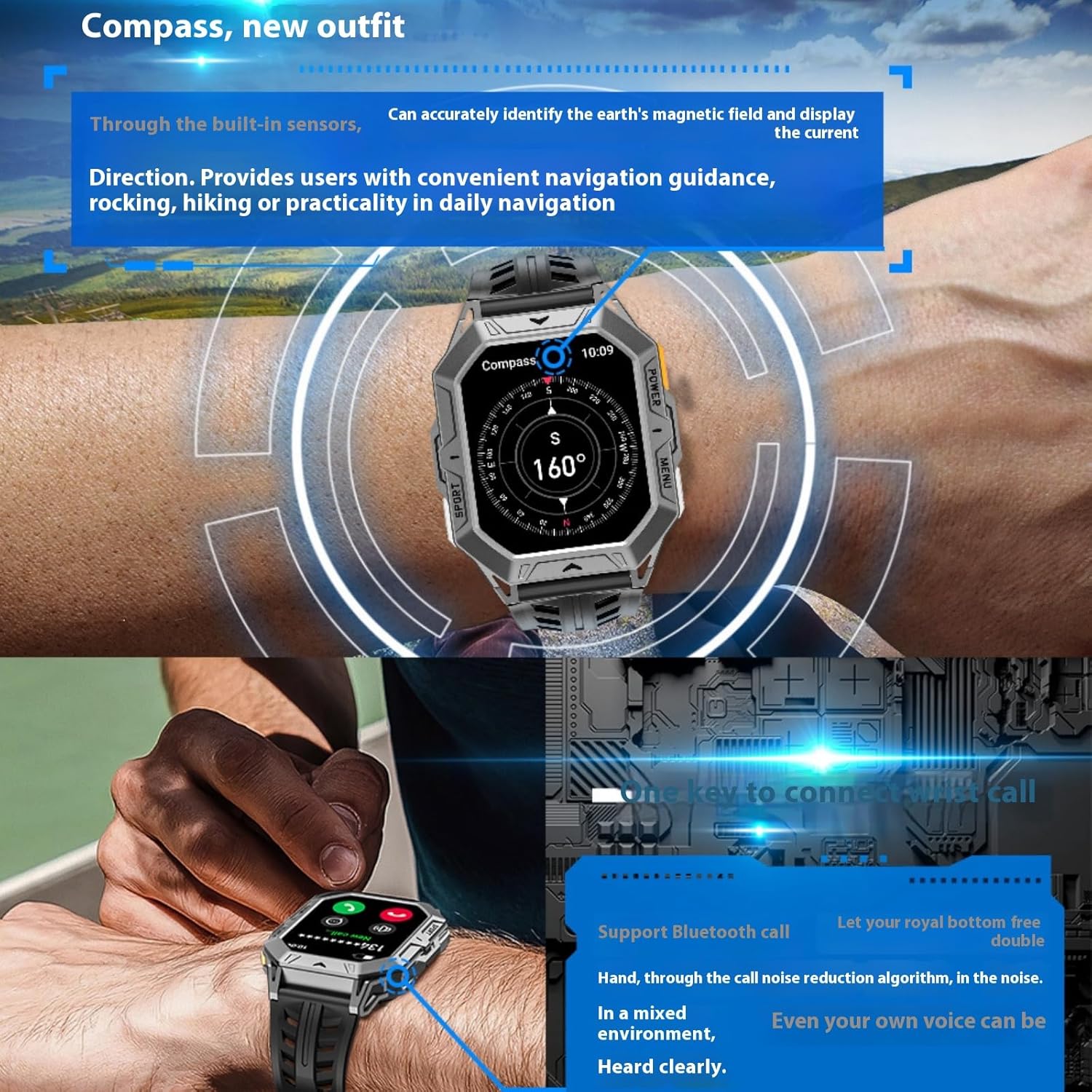
Image: Depicts the X1Pro Smartwatch displaying its compass function and illustrating its Bluetooth call capability.

Image: Screenshots from the X1Pro Smartwatch interface showing sleep tracking data and the women's health feature for ovulation period tracking.
5. Maintenance
5.1 Cleaning Your Smartwatch
Regularly clean your smartwatch to maintain its appearance and functionality. Use a soft, lint-free cloth. If necessary, slightly dampen the cloth with water. Avoid using harsh chemicals, abrasive materials, or compressed air.
5.2 Water Resistance Care
While the X1Pro is waterproof up to 10 meters, it is important to follow these guidelines:
- Do not press buttons underwater.
- Avoid exposure to hot water, steam, or sudden temperature changes, which can compromise the seals.
- After exposure to saltwater, rinse the watch with fresh water and dry it thoroughly.
5.3 Battery Care
To maximize battery life and longevity:
- Charge the watch using only the provided charging cable.
- Avoid extreme temperatures during charging and storage.
- For long-term storage, charge the battery to about 50% and store in a cool, dry place.
6. Troubleshooting
If you encounter issues with your X1Pro Smartwatch, refer to the following common solutions:
| Problem | Possible Solution |
|---|---|
| Watch does not power on. | Ensure the watch is fully charged. Connect to charger for at least 30 minutes. |
| Cannot pair with smartphone. | Ensure Bluetooth is enabled on both devices. Restart both the watch and phone. Clear Bluetooth cache on phone. Ensure the app is updated. |
| Inaccurate health readings. | Ensure the watch is worn snugly on the wrist, not too tight or too loose. Clean the sensor on the back of the watch. Remain still during measurements. |
| Short battery life. | Reduce screen brightness. Turn off unnecessary notifications. Limit continuous heart rate monitoring. Ensure no background apps are draining power. |
| Screen is unresponsive. | Restart the watch by holding the 'POWER' button. If unresponsive, allow battery to drain completely then recharge. |
If the issue persists after trying these steps, please contact customer support.
7. Specifications
Key technical specifications for the XIEFEI X1Pro Smartwatch:
- Model: X1Pro
- Display: 2.73-inch AMOLED Full Touch Screen
- Water Resistance: 10 Meters (1ATM)
- Battery Capacity: 1000 Milliamp Hours (mAh)
- Battery Life: Up to 100 days standby; 20-30 days daily use
- Connectivity: Bluetooth
- Operating System: Android Wear 2.9
- Memory Storage: 128 MB
- RAM: 0.5 MB
- Special Features: Activity Tracker, Alarm Clock, Daily Workout Memory, Camera Control, GPS (via Smartphone), Phone Call, Contactless Payments, Music Player, Altitude Compass, Barometer, Heart Rate Monitor, Blood Pressure, Blood Oxygen, Sleep Tracking, Women's Health.
- Dimensions (Package): 6.5 x 2.8 x 1.14 inches
- Item Weight: 6.7 ounces
- Manufacturer: migou
- First Available: January 5, 2025

Image: Illustrates the 'Solid Peak' and 'With Stunt' design of the X1Pro Smartwatch, highlighting its enhanced corrosion resistance and durable construction layers.
8. Warranty and Support
8.1 Warranty Information
The X1Pro Smartwatch comes with a standard manufacturer's warranty. Please refer to the warranty card included in your product packaging or visit the official XIEFEI website for detailed warranty terms and conditions. This warranty typically covers manufacturing defects but does not cover damage caused by misuse, accidents, or unauthorized modifications.
8.2 Customer Support
For technical assistance, troubleshooting beyond this manual, or warranty claims, please contact XIEFEI customer support. Contact information can typically be found on the product packaging, the official XIEFEI website, or through the companion application.