
XIEFEI K55 Smart Watch
K55 Smart Watch
User Manual
1. Introduction
Thank you for choosing the K55 Smart Watch. This device is designed to be your ultimate outdoor companion, offering a blend of advanced health monitoring, communication features, and robust design. This manual will guide you through the setup, operation, and maintenance of your new smartwatch, ensuring you get the most out of its capabilities.
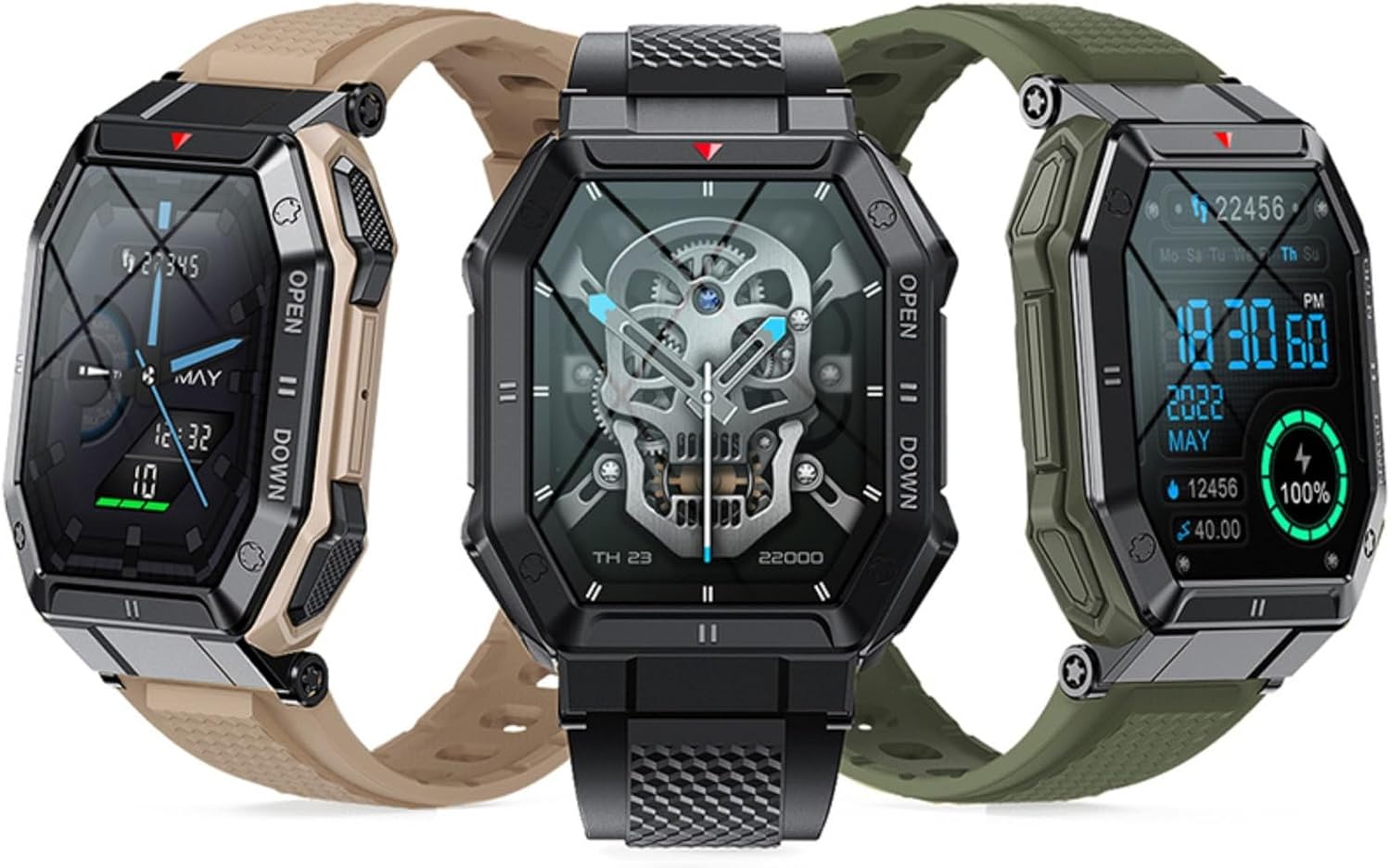
Image: The K55 Smart Watch available in multiple color options, highlighting its versatile design.
2. What's in the Box
Please check the package contents to ensure all items are present:
- K55 Smart Watch (with pre-installed watch band)
- Charging Cable
- User Manual (this document)
3. Getting Started
3.1. Charging the Device
Before first use, fully charge your K55 Smart Watch. Connect the magnetic charging cable to the charging contacts on the back of the watch and plug the USB end into a standard USB power adapter (not included) or a computer USB port. The watch display will indicate charging status.
3.2. Downloading the App
To unlock the full potential of your K55 Smart Watch, download the companion application on your smartphone. Scan the QR code provided in the quick start guide or search for the app name (usually mentioned on the watch packaging or initial setup screen) in your smartphone's app store (Google Play Store for Android, Apple App Store for iOS).
3.3. Pairing with Your Smartphone
- Ensure Bluetooth is enabled on your smartphone.
- Open the downloaded companion app and follow the on-screen instructions to create an account or log in.
- In the app, navigate to the device pairing section.
- Turn on your K55 Smart Watch. It should automatically enter pairing mode or you may need to select 'Pair New Device' from the watch's settings.
- Select 'K55' or the corresponding device name from the list of available Bluetooth devices in the app.
- Confirm the pairing request on both your watch and smartphone if prompted.
4. Operating Instructions
4.1. Bluetooth Calling
The K55 Smart Watch allows you to make and receive calls directly from your wrist when connected to your smartphone via Bluetooth. Access the 'Phone' or 'Call' function on your watch to view recent calls, dial numbers, or access contacts. The built-in speaker and microphone ensure clear communication.

Image: The K55 Smart Watch interface demonstrating its Bluetooth calling capabilities, including dial pad and contact list.
4.2. Health Monitoring
The K55 Smart Watch provides comprehensive health insights through its advanced sensors:
- Heart Rate Monitoring: Continuously tracks your heart rate throughout the day. Access the heart rate interface on the watch or in the app for real-time readings and historical data.
- Blood Pressure Monitoring: Provides estimates of your blood pressure. For accurate medical readings, consult a professional medical device.
- Blood Oxygen (SpO2) Monitoring: Measures your blood oxygen saturation levels, an important indicator of respiratory health.

Image: The K55 Smart Watch displaying a heart rate measurement, indicating its health monitoring capabilities.
4.3. Activity Tracking and Sports Modes
Track your daily activities and optimize your workouts with various sports modes:
- Step Counter: Records your daily steps, distance, and calories burned.
- Sports Modes: Select from multiple sport modes (e.g., running, cycling, strength training) to get specific metrics for your activity. The watch can intelligently identify movement patterns and sync data to the app.
- Sleep Monitoring: Analyzes your sleep patterns, including deep sleep, light sleep, and awake times.

Image: The K55 Smart Watch tracking strength training and displaying daily step counts, alongside a smartphone app showing detailed activity data.
4.4. Music Control
Control music playback on your smartphone directly from your K55 Smart Watch. Play, pause, skip tracks, and adjust volume without needing to take out your phone.
4.5. Other Features
- Stopwatch: Use the built-in stopwatch for timing activities.
- Alarm Clock: Set alarms directly on your watch.
- Notifications: Receive call, SMS, and app message reminders from your smartphone.
- Remote Camera Control: Use your watch as a remote shutter for your smartphone's camera.
- Find Phone: Locate your misplaced smartphone by making it ring.
- Weather Report: Get real-time weather updates.
- GPS via Smartphone: Utilizes your smartphone's GPS for tracking routes during outdoor activities.
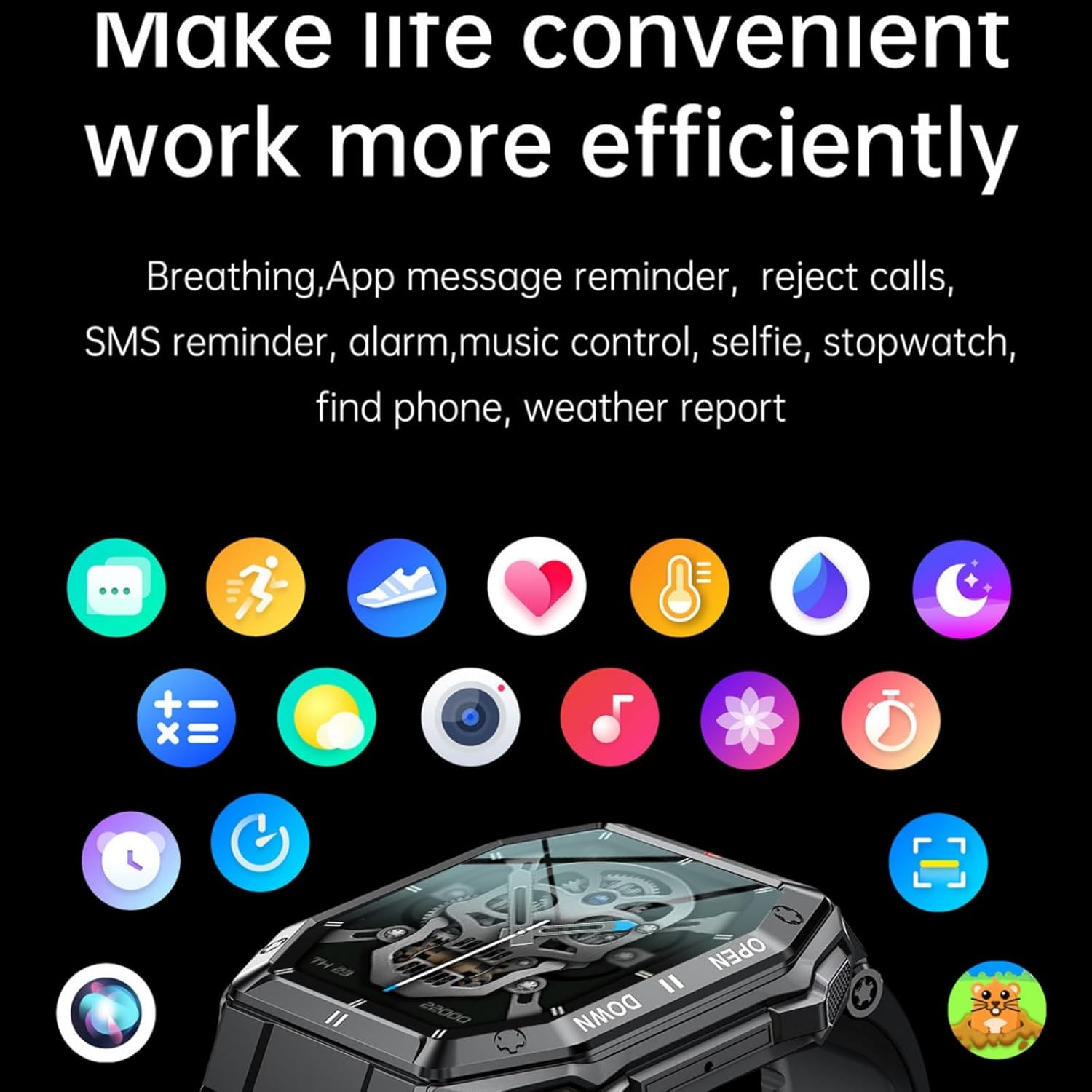
Image: The K55 Smart Watch interface showcasing a variety of smart features and app integrations for daily convenience.
5. Maintenance and Care
To ensure the longevity and optimal performance of your K55 Smart Watch, follow these care guidelines:
- Cleaning: Regularly wipe the watch and band with a soft, dry cloth. For stubborn dirt, use a slightly damp cloth and then dry thoroughly. Avoid harsh chemicals or abrasive cleaners.
- Water Resistance: The K55 Smart Watch is designed to meet certain water resistance standards (e.g., for splashes, rain, or shallow swimming). Refer to the specifications for exact ratings. Do not use in hot water, saunas, or steam rooms, as this can compromise the seals.
- Temperature: Avoid exposing the watch to extreme temperatures (very hot or very cold) for extended periods.
- Impact: While built to military standards for durability, avoid dropping the watch or subjecting it to severe impacts.

Image: The K55 Smart Watch worn during cycling, illustrating its robust build quality and suitability for demanding outdoor environments.
6. Troubleshooting
If you encounter issues with your K55 Smart Watch, try the following solutions:
- Watch won't turn on: Ensure the watch is fully charged. Connect it to the charging cable and a power source for at least 30 minutes.
- Cannot pair with smartphone:
- Ensure Bluetooth is enabled on your phone and the watch is in pairing mode.
- Restart both your watch and smartphone.
- Clear the Bluetooth cache on your phone (if applicable).
- Try pairing in a different location to avoid interference.
- Inaccurate health readings:
- Ensure the watch is worn snugly on your wrist, not too tight or too loose.
- Clean the sensor on the back of the watch.
- Remain still during measurements.
- Notifications not received:
- Check if the watch is properly connected to the app.
- Ensure notification permissions are granted to the app on your smartphone.
- Verify that 'Do Not Disturb' mode is not active on either the watch or phone.
- Short battery life:
- Reduce screen brightness.
- Disable continuous heart rate monitoring if not needed.
- Limit the number of apps sending notifications to the watch.
If problems persist, please contact customer support.
7. Specifications
| Feature | Detail |
|---|---|
| Brand | XIEFEI |
| Model | K55 |
| Screen Size | 1.85 inches |
| Battery Capacity | 350 Milliamp Hours |
| Battery Type | Lithium Polymer |
| Connectivity Technology | Bluetooth |
| Operating System | Android Wear 2.9 (compatible) |
| Memory Storage Capacity | 64 MB |
| RAM Memory Installed Size | 0.5 MB |
| Item Weight | 6.7 ounces |
| Package Dimensions | 6.5 x 2.8 x 1.14 inches |
8. Warranty and Support
Specific warranty information for the K55 Smart Watch is not provided within this manual. For details regarding warranty coverage, returns, or technical support, please refer to the product listing on the retailer's website or contact the manufacturer, XIEFEI, directly through their official support channels. Keep your proof of purchase for any warranty claims.