
1. Introduction
Thank you for choosing the Soobaby Baby Swing. This manual provides essential information for the safe and effective use of your new baby swing. Please read it thoroughly before assembly and operation, and retain it for future reference.
2. Important Safety Guidelines
Always prioritize your child's safety. Failure to follow these instructions could result in serious injury.
- Maximum Weight: Do not use this product for infants weighing more than 20 pounds (approximately 9 kg).
- Age Recommendation: Suitable for infants up to 6 months of age.
- Harness Use: Always secure your infant with the 5-point harness provided. Ensure it is snug but not too tight.
- Supervision: Never leave your child unattended in the swing.
- Placement: Place the swing on a flat, level surface away from stairs, heat sources, and electrical cords.
- Mosquito Net: The included mosquito net is designed to protect your baby from insects. Ensure it is properly secured when in use.
- Inspection: Regularly check the swing for loose parts, damaged components, or sharp edges. Discontinue use if any damage is found.
3. Setup and Assembly
The Soobaby Baby Swing is designed for quick and easy assembly, typically taking one person approximately five minutes. It is also easy to disassemble for storage or transport.
3.1 Components Overview
Familiarize yourself with all components before beginning assembly.

Image 3.1: All parts of the Soobaby Baby Swing laid out, including the base, seat, canopy, and plush inserts, ready for assembly.
3.2 Assembly Steps
- Connect the seat unit to the base until it clicks securely into place.
- Attach the canopy to the designated slots on the seat frame.
- Insert the plush seat cushion and head support into the seat.
- Ensure the 5-point harness straps are correctly threaded through the cushion.
- Plug the power adapter into the swing and a suitable electrical outlet.
4. Operating Instructions
The Soobaby Baby Swing offers multiple features for your infant's comfort and entertainment, controllable via the touch panel or remote control.
4.1 Control Panel and Remote Control
The swing can be operated using the integrated touch panel on the base or the included remote control. Both offer identical functionalities.

Image 4.1: The Soobaby Baby Swing's touch control panel on the base and the remote control, illustrating the dual control options.
4.2 Sway Speeds and Timer Settings
- Sway Speeds: Choose from 5 different sway speeds to find the perfect motion for your baby.
- Timer Settings: Select an auto-off timer for 8, 15, or 30 minutes.
4.3 Music and Bluetooth Connectivity
The swing features 10 preset lullabies. Additionally, you can connect your smartphone via Bluetooth or USB to play your preferred soothing sounds or children's stories.

Image 4.2: A user demonstrating Bluetooth connectivity, playing music from a smartphone through the Soobaby Baby Swing.
4.4 Motion Lock
To prevent the swing from rocking, engage the motion lock mechanism located on the base. This allows the seat to remain stationary.
5. Care and Maintenance
Regular cleaning and maintenance ensure the longevity and hygiene of your Soobaby Baby Swing.
5.1 Cleaning the Seat Cushion
The seat cushion is detachable and machine washable. Remove the cushion from the swing and follow the washing instructions on the care label to maintain hygiene.
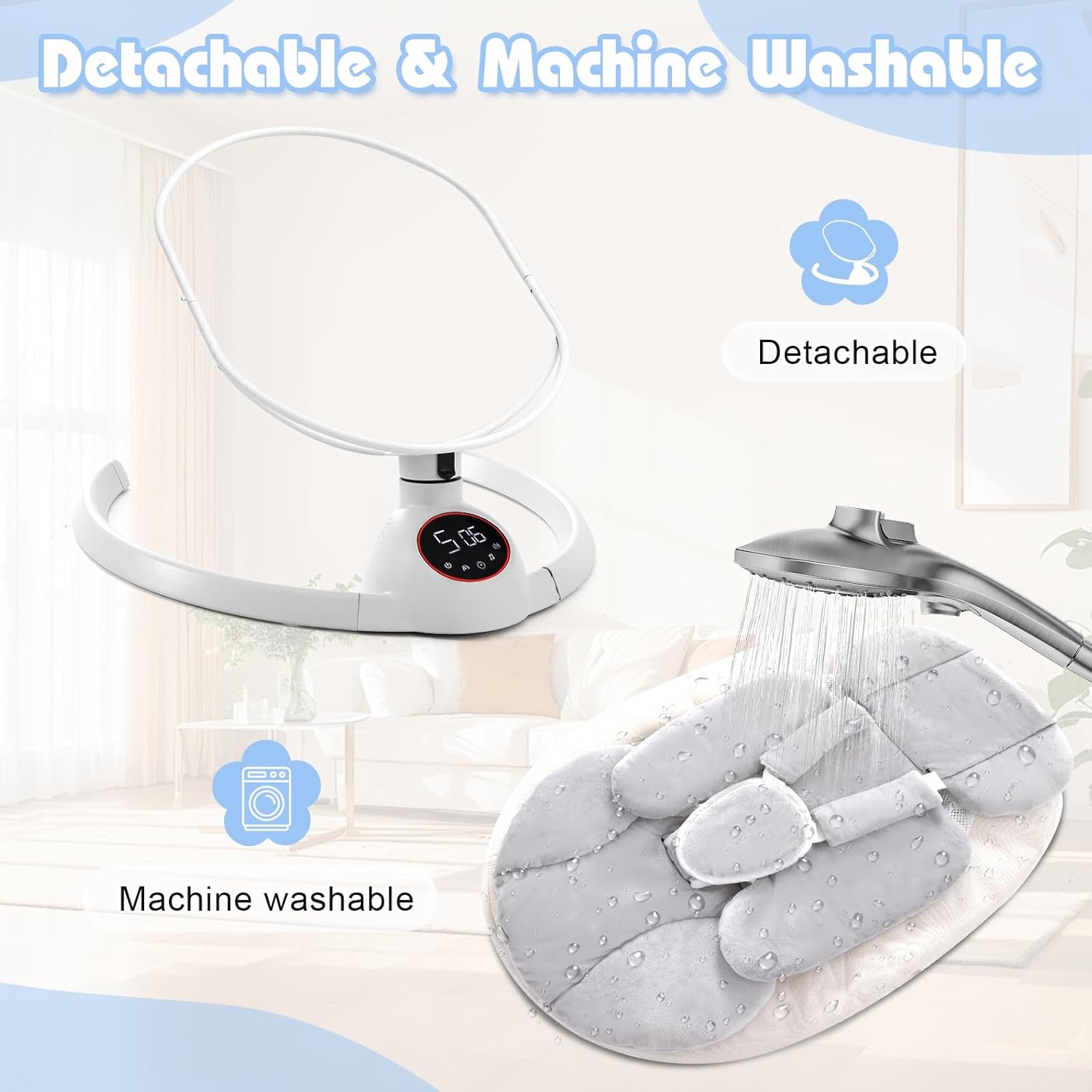
Image 5.1: The detachable seat cushion of the Soobaby Baby Swing shown being removed and washed, emphasizing its machine-washable feature.
5.2 General Cleaning
Wipe down the plastic and metal parts of the swing with a damp cloth and mild soap. Do not use abrasive cleaners.
6. Product Specifications
| Feature | Specification |
|---|---|
| Product Dimensions | 45 x 13 x 42 inches (114.3 x 33 x 106.7 cm) |
| Item Weight | 8.78 pounds (3.99 kg) |
| Maximum Weight Recommendation | 20 Pounds (9 kg) |
| Material Type | Metal, Polypropylene |
| Batteries Required | No |
| Portability | Yes |
| Color | Bright Gray |
| Sway Speeds | 5 |
| Timer Settings | 8, 15, 30 minutes |
| Music | 10 Preset Lullabies |
| Connectivity | Bluetooth, USB |

Image 6.1: Visual representation of the Soobaby Baby Swing with key dimensions and weight indicated.
7. Troubleshooting
If you encounter any issues with your Soobaby Baby Swing, please refer to the following common solutions:
- Swing Not Operating: Ensure the power adapter is securely plugged into both the swing and a working electrical outlet. Check if the power button on the touch panel or remote is activated.
- No Music/Bluetooth Connection: Verify that your device's Bluetooth is enabled and correctly paired with the swing. For USB, ensure the cable is properly connected and the audio source is selected.
- Unusual Noises: Check for any obstructions around the swing mechanism. Ensure all assembly connections are tight.
- Swing Motion Irregular: Confirm the swing is placed on a completely flat and stable surface.
If problems persist after attempting these solutions, please contact customer support.
8. Warranty and Support
For warranty information, product registration, or technical assistance, please refer to the contact details provided on the product packaging or visit the official Soobaby website. Keep your purchase receipt as proof of purchase.