
Introduction
Thank you for choosing the XYIANG Ergonomic Heated Computer Desk Chair. This manual provides detailed instructions for assembly, operation, and maintenance to ensure optimal performance and longevity of your chair. Please read this manual thoroughly before use and retain it for future reference.
Important Safety Instructions
- Read all instructions before assembly and use.
- Do not stand on the chair.
- Ensure all bolts and screws are securely tightened before use.
- Keep children away from moving parts.
- Use only on a flat, stable surface.
- Do not exceed the maximum weight capacity of 330 lbs (150 kg).
- Disconnect power to the massage and heating functions before cleaning or if not in use for extended periods.
Package Contents
Your package includes all necessary hardware and tools for assembly. Please verify all components are present before beginning.
- Chair Backrest
- Chair Seat
- Armrests (2)
- Gas Lift Cylinder
- Chair Base
- Casters (5)
- Footrest Assembly
- Massage Remote Control
- Hardware Kit (screws, washers, Allen wrench)
- Instruction Manual
Assembly Instructions
Assembly typically takes 10-15 minutes. Follow these steps carefully:
- Attach the five casters to the chair base by pushing them firmly into the holes.
- Insert the gas lift cylinder into the center hole of the chair base.
- Attach the armrests to the chair seat using the provided screws and Allen wrench. Ensure they are securely fastened.
- Connect the backrest to the seat assembly, aligning the holes and securing with screws.
- Carefully place the assembled seat and backrest onto the gas lift cylinder.
- Install the footrest assembly according to the diagram in the hardware kit.
- Connect the power cable for the massage and heating functions to a suitable power source.
 Image: A diagram illustrating the various components of the chair and their assembly points.
Operating Instructions
Recline and Tilt Adjustment
The chair features an intelligent one-touch adjustment function, allowing you to recline the backrest to any angle between 90° (upright) and 135° (relaxed position) for office work or leisure. Use the lever located under the seat to lock and unlock your desired recline angle.
 Image: A person demonstrating the chair's recline function while seated at a desk.
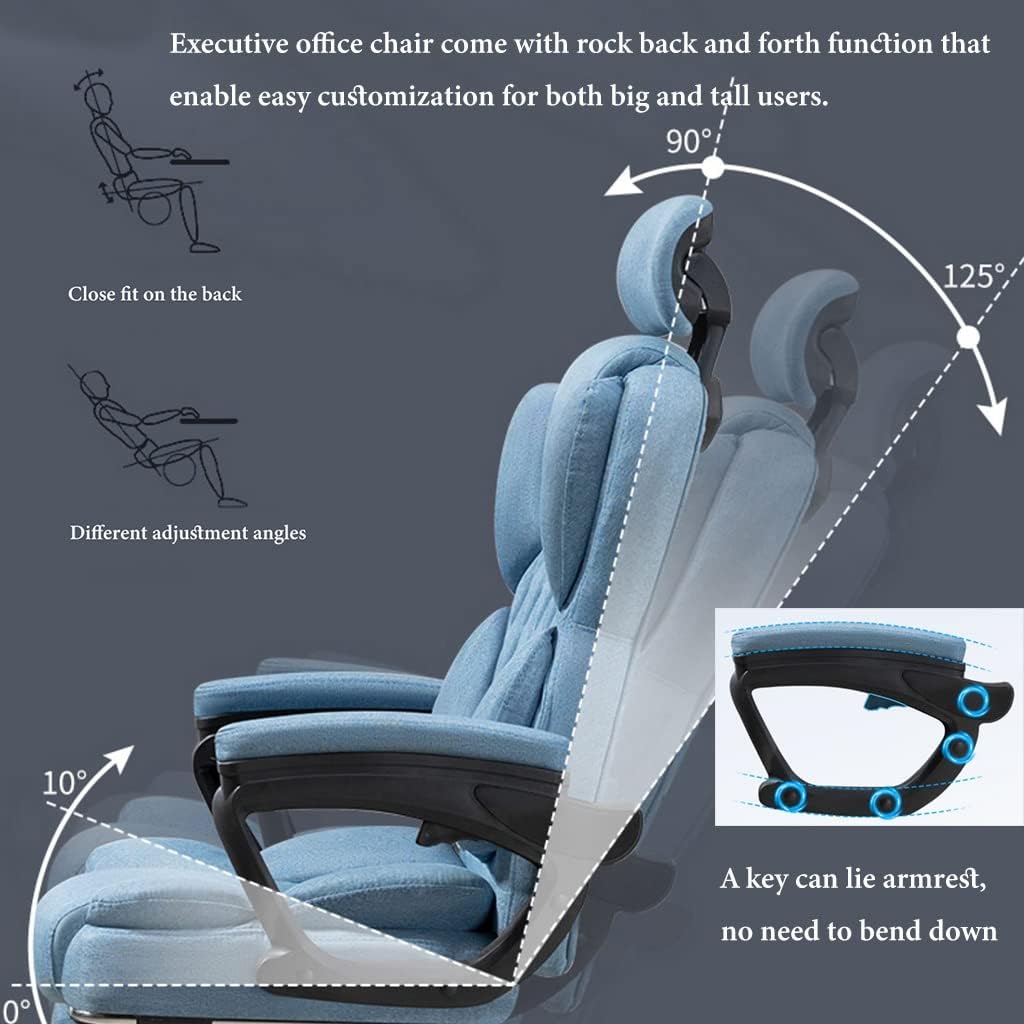 Image: A diagram illustrating the chair's recline angles (90 to 125 degrees) and the mechanism for armrest adjustment.
7-Point Massage and Heating Function
The chair is equipped with a 7-point massage system strategically placed in the head, waist, and cushion areas to help relieve pain and fatigue from long hours of sitting. Use the included remote control to select different massage modes, intensity levels, and activate the heating function for added comfort.
 Image: A close-up view of the chair, indicating the seven massage points with glowing circles, alongside the massage remote control.
3D Adjustable Headrest
The headrest can be adjusted in three dimensions (height, angle, and depth) to provide optimal neck support and relaxation, adapting to various user preferences.
 Image: The chair demonstrating the 3D adjustable headrest, 360-degree swivel rotation, and an 8cm height lift function.
Retractable Footrest
For enhanced comfort during breaks or napping, simply pull out the integrated footrest from beneath the seat. Push it back in when not in use.
Height Adjustment and Swivel
Use the lever located under the seat on the right side to adjust the chair's height. Pull the lever up to raise the seat, or pull it up while seated to lower the seat. The chair also features 360° swivel rotation for easy movement and access within your workspace.
Maintenance
Care and Cleaning
- Cleaning: Wipe surfaces with a soft, damp cloth. For the Linen fabric, use a mild upholstery cleaner if necessary. Avoid harsh chemicals or abrasive cleaners.
- Inspection: Periodically check all screws and bolts to ensure they remain tight. Re-tighten as needed to maintain stability and safety.
- Storage: If storing the chair for an extended period, disconnect the power supply for the massage and heating functions. Store in a cool, dry place.
Troubleshooting
Common Issues
- Chair not adjusting height: Ensure the gas lift lever is fully engaged. Check for any obstructions under the seat or around the gas lift cylinder.
- Massage function not working: Verify the power cable is securely connected to both the chair and the power outlet. Check if the remote control batteries (if applicable) are functional and correctly inserted.
- Chair squeaks: Check and tighten all assembly screws, particularly those connecting the seat, backrest, and armrests. A small amount of silicone-based lubricant can be applied to moving metal parts if necessary.
Specifications
| Feature | Detail |
|---|---|
| Model | B0DS5WK8XF |
| Brand | XYIANG |
| Material | Linen fabric, Cotton padding, High elasticity sponge |
| Max Load Capacity | 330 lbs (150 kg) |
| Height Range (Ground to Seat) | 18.5 - 22.4 inches (47 - 57 cm) |
| Recline Angle | 90° - 135° |
| Headrest | 3D Adjustable |
| Massage Points | 7-point (Head, Waist, Cushion) |
| Swivel | 360° |
| Footrest | Retractable |
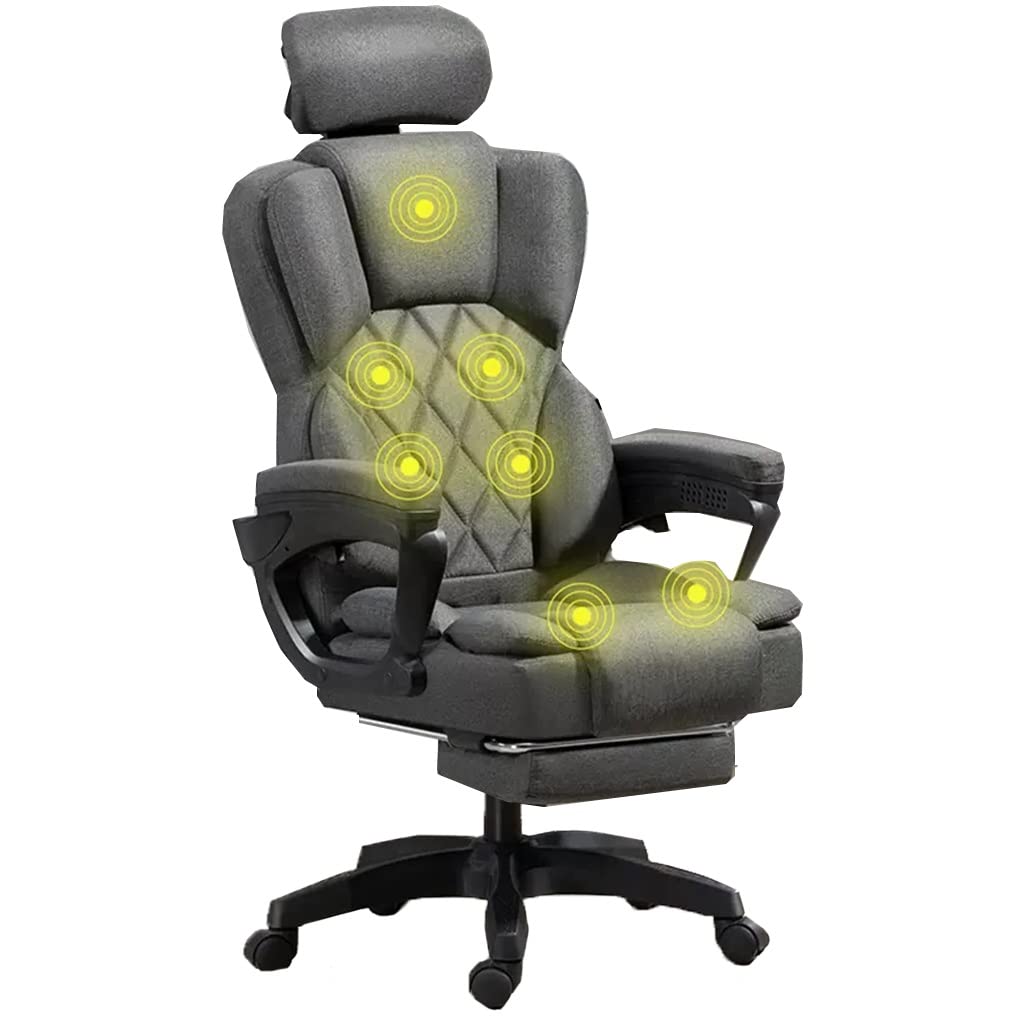 Image: A technical drawing displaying the full dimensions of the chair, including height, width, and depth measurements in both centimeters and inches.
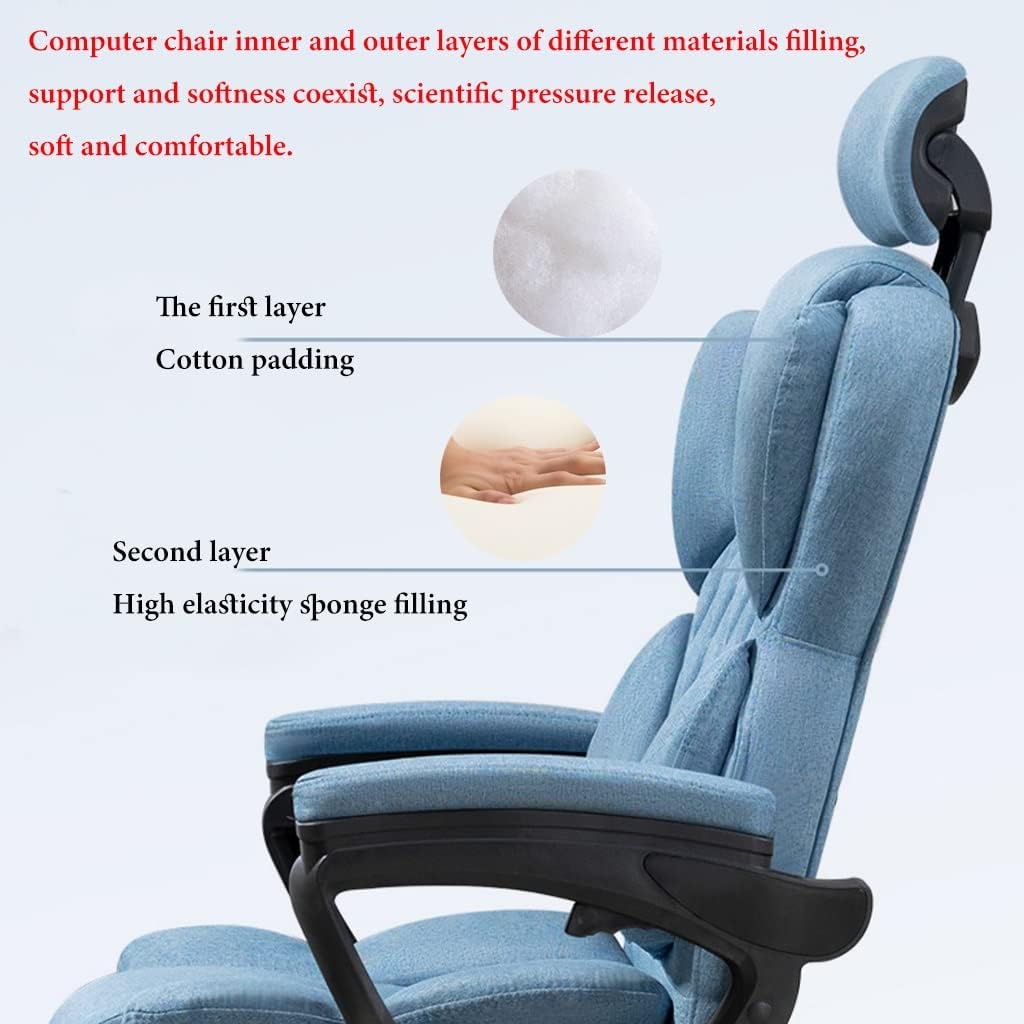 Image: A cutaway view illustrating the dual-layer filling of the chair's seat, consisting of an upper layer of cotton padding and a lower layer of high elasticity sponge.
Warranty Information and Customer Support
This product comes with a standard manufacturer's warranty. For specific warranty details, technical support, or replacement parts, please contact XYIANG customer service. Refer to your purchase documentation or the official XYIANG website for contact information.