
1. Product Overview
The QIRANUI 5-8 Rifle Gun Safe is designed for secure storage of firearms and valuables. Constructed from high-strength cold-rolled steel with robust locking bolts, it offers enhanced protection against unauthorized access. Key features include an upgraded digital keypad with tactile silicone buttons, an internal LED light for visibility, and a versatile interior with removable shelves and gun racks.
This safe is suitable for various indoor environments such as homes, garages, and study rooms, providing a secure solution to prevent access by children or unauthorized personnel.

Image: Front view of the QIRANUI 5-8 Rifle Gun Safe, highlighting its dimensions (57.09"H x 13.78"W x 11.81"D).

Image: Interior view of the safe showing rifles, handguns, ammunition, and other valuables stored on shelves and racks.
2. Setup and Installation
2.1 Unboxing and Assembly
Carefully unbox the safe and identify all components. The safe is designed for straightforward assembly. Follow the provided instructions to connect the panels and secure them using the included hardware. Ensure all screws are tightened for structural integrity.
Video: An unboxing and product introduction video demonstrating the initial setup and features of the safe.
Video: A detailed unboxing video showing the assembly process of the safe.
2.2 Mounting the Safe
For maximum security and to prevent tipping, it is crucial to properly mount the safe to a wall or floor using the included expansion bolts. Select a secure location and follow the instructions for anchoring the safe. Always use caution when handling heavy objects during installation.

Image: Illustration demonstrating how to secure the gun safe to a wall using expansion bolts to prevent tipping and ensure child safety.
2.3 Interior Configuration
The safe features adjustable and removable shelves, allowing you to customize the interior layout to accommodate various firearm sizes and accessories. The magnetic gun holder can be positioned as needed. Install the shelves by placing the support clips into the desired slots on the interior walls.

Image: Visual guide illustrating different configurations for removable shelves and rifle racks within the safe.
3. Operating Instructions
3.1 Unlocking Methods
The QIRANUI gun safe offers multiple ways to unlock:
- Digital Keypad: Enter your programmed 3-8 digit password followed by the '#' key. The green light will flash, and you can then turn the handle to open the door.
- Emergency Key: In case of battery failure or forgotten password, insert the emergency key into the hidden keyhole, turn it, and then turn the handle to open the door.
- External Battery Box: If the internal batteries are depleted, connect the external battery box to the USB-C port on the keypad. This will power the keypad, allowing you to enter your digital password.
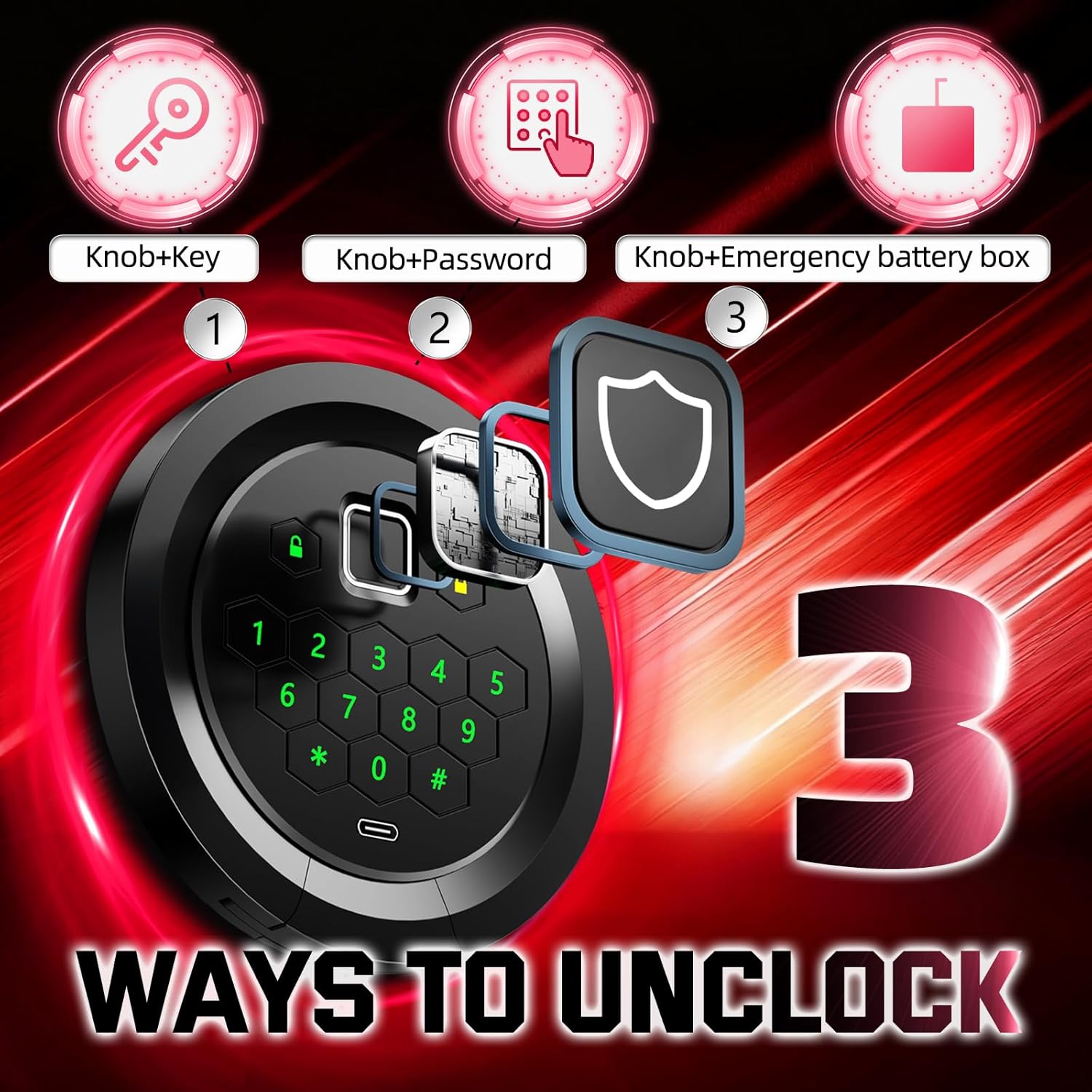
Image: Diagram showing the three unlocking methods: Knob+Key, Knob+Password, and Knob+Emergency battery box.
3.2 Setting User and Master Passwords
To set or change your user or master password, locate the 'SET' button inside the safe (usually on the back of the door or near the battery compartment). Press the 'SET' button, then follow the prompts on the digital keypad to enter your desired 3-8 digit password. Press '#' to confirm. A 'beep' and flashing green light indicate successful programming.
Video: Instructions on how to set the user password for the safe.
3.3 Alarm Function and Mute Mode
The safe is equipped with a smart alarm system and a mute mode:
- Alarm Mode: The alarm activates after 3 incorrect password entries. A vibration alarm is also triggered by shaking, tapping, or violent unlocking attempts. The alarm sounds for 60 seconds and can be canceled by entering the correct password.
- Mute Mode: To operate the safe quietly, activate mute mode. Refer to your full manual for specific instructions on how to enable/disable mute mode (often by pressing a specific key combination like '11#').

Image: Visual explanation of the dual alarm system (error and vibration) and the mute mode feature.
4. Maintenance
To ensure optimal performance and longevity of your QIRANUI gun safe, follow these maintenance guidelines:
- Cleaning: Wipe the exterior and interior surfaces with a soft, damp cloth. Avoid abrasive cleaners or solvents that could damage the finish.
- Battery Replacement: The digital keypad is powered by batteries located inside the door. Replace batteries when the low battery indicator appears or if the keypad becomes unresponsive. Use high-quality alkaline batteries.
- Lock Mechanism: Periodically check the locking bolts and hinges for any signs of wear or obstruction. Do not lubricate the lock mechanism unless specifically instructed by the manufacturer.
5. Troubleshooting
If you encounter issues with your safe, refer to the following common troubleshooting tips:
- Keypad Not Responding: Check the internal batteries. If they are depleted, use the external battery box or the emergency key to open the safe.
- Alarm Sounds Unexpectedly: Ensure no unauthorized attempts have been made to open the safe. If the vibration alarm is sensitive, check for external impacts or movement. Enter the correct password to silence the alarm.
- Door Not Opening After Correct Code: Ensure the handle is turned fully after entering the code. If the issue persists, try using the emergency key.
- Difficulty Closing Door: Check for any obstructions inside the safe or around the door frame that might prevent it from closing properly. Ensure the locking bolts retract fully when the door is open.
6. Specifications
| Feature | Detail |
|---|---|
| Brand | QIRANUI |
| Model Number | DX145-04 |
| Product Dimensions (D x W x H) | 11.81"D x 13.78"W x 57.09"H |
| Lock Type | Electronic Combination Lock |
| Color | Black |
| Capacity | 0.25 Cubic Meters |
| Material | Metal |
| Special Features | Adjustable Shelf, Alarm System, Anti-Theft, Heavy Duty, Removable Shelf |
| Mounting Type | Floor Mount |
7. Warranty and Support
QIRANUI products are manufactured to high-quality standards. For warranty information, product support, or any inquiries, please refer to the contact details provided with your purchase documentation or visit the official QIRANUI store page on Amazon. Customer support is available to assist with any issues you may encounter.
Important Safety Note: Always store the emergency keys in a secure location away from the safe and out of reach of children or unauthorized individuals.


