
Eastfatkun VD02-128GB
Eastfatkun Mini Body Camera VD02-128GB User Manual
Model: VD02-128GB
Introduction
This manual provides detailed instructions for the safe and effective use of your Eastfatkun Mini Body Camera VD02-128GB. Please read this manual thoroughly before operating the device and retain it for future reference.
Package Contents
Verify that all items listed below are included in your package:
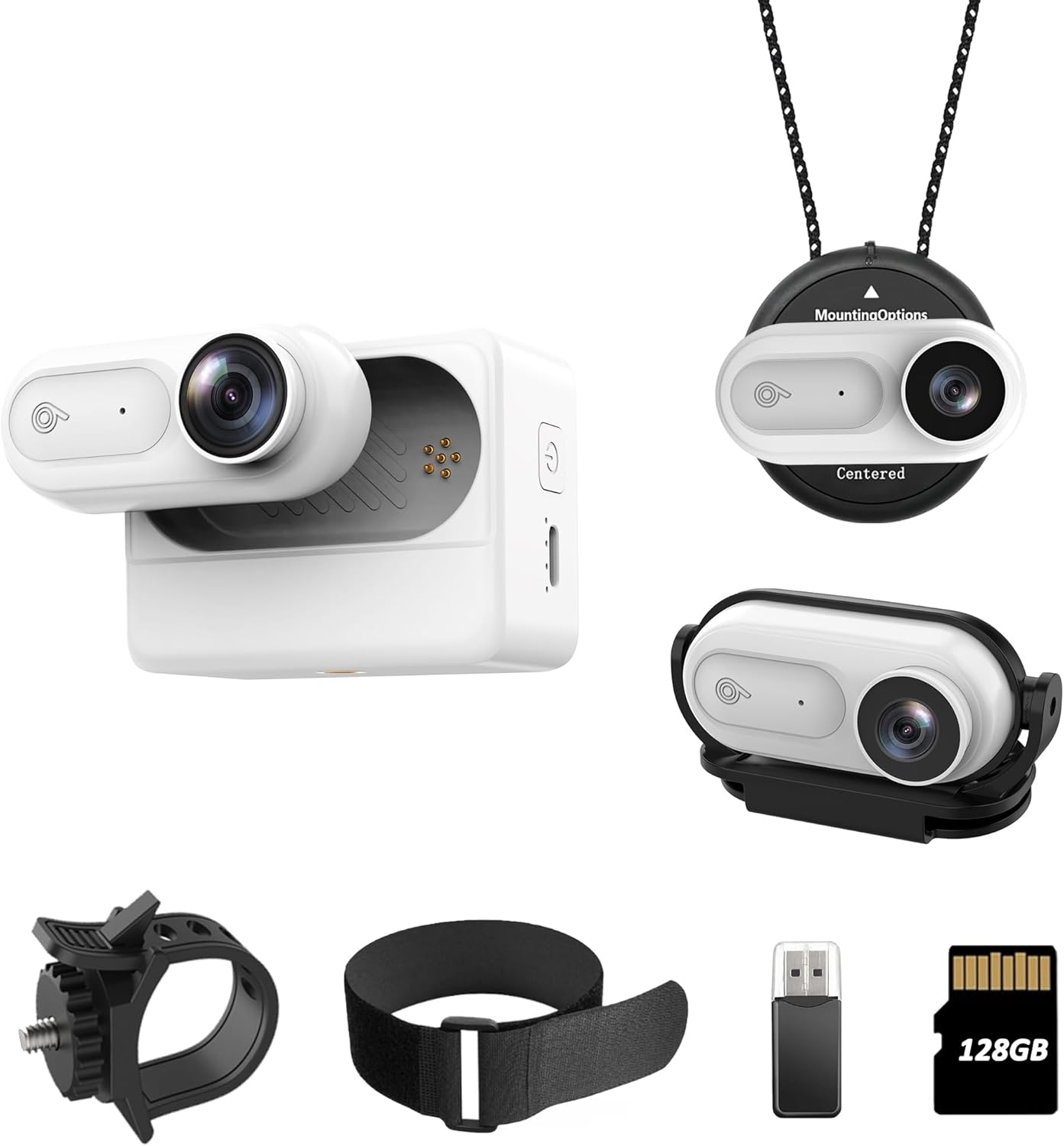
- Mini body camera with 128GB Card x 1
- 2500mAh Cam Charger Case x 1
- 180° Hat Clip x 1
- Magnetic Lanyard x 1
- Bicycle Mount x 1
- Data Cable x 1
- Pet elastic strap x 1
- Reset Pin x 1
- User Manual x 1

Product Overview
The Eastfatkun Mini Body Camera is a compact, portable device designed for capturing Full HD 1080P video. It features 128GB of built-in storage, IPX7 waterproofing for underwater use, and various mounting options for versatile recording.
Key Features:
- Full HD 1080P Video Quality: Records clear and vibrant video.
- 128GB Built-in Storage: Ample space for extended recording with auto loop recording.
- IPX7 Waterproof: Submersible up to 2 meters for water sports and outdoor activities. (Note: Charging case is not waterproof).
- Versatile Mounting Options: Includes Magnetic Lanyard, 180° Rotatable Clip, and Pet Elastic Strap.
- 2500mAh Charging Case: Provides extended battery life and convenient on-the-go charging for the 400mAh camera.
- Compact and Lightweight: Designed for easy portability and discreet use.
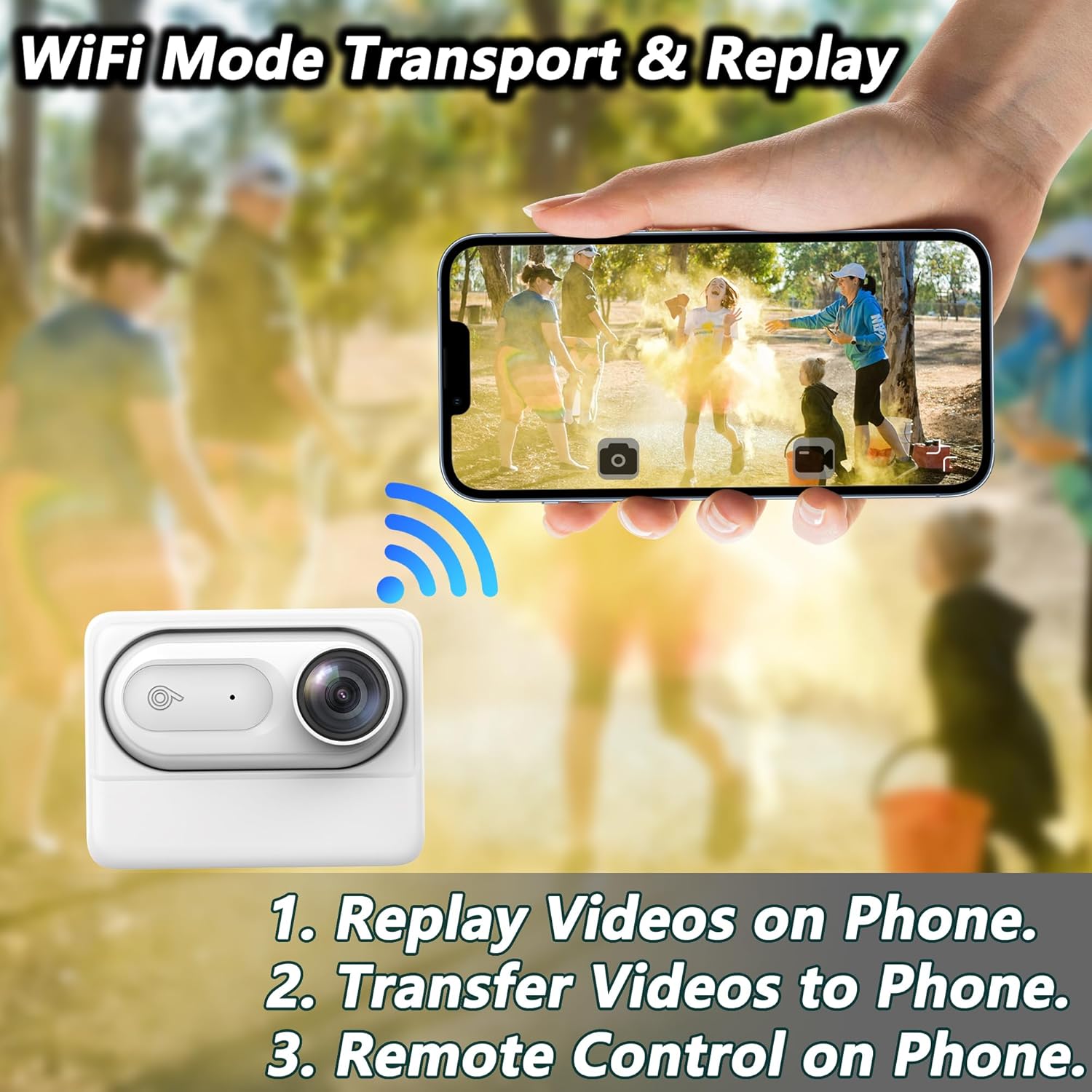
- WiFi Connectivity: For mobile phone interconnection, video replay, transfer, and remote control.

Setup
1. Charging the Device
Before first use, fully charge both the mini body camera and its charging case.
- Connect the charging case to a power source using the provided Data Cable.
- Place the mini body camera into the charging case. The camera will charge from the case.
- Indicator lights will show charging status. Refer to the device for specific light patterns.

2. Mounting Options
The camera offers several ways to be worn or mounted:
- Magnetic Lanyard: Wear around your neck for hands-free, first-person perspective recording. Ensure the camera is centered for optimal footage.
- 180° Rotatable Clip: Attach to clothing, hats, or visors. The 180° rotation allows for horizontal filming.
- Pet Elastic Strap: Secure the camera to pets for unique animal perspectives.
- Bicycle Mount: Use the included mount to attach the camera to bicycle handlebars or other compatible surfaces.

Operating Instructions
1. Power On/Off
- Power On: Press and hold the power button until the indicator light illuminates.
- Power Off: Press and hold the power button until the indicator light turns off.
2. Video Recording
- Once powered on, the camera typically begins recording automatically or with a single press of the record button (refer to specific button layout on device).
- The camera records in Full HD 1080P resolution.
- Loop Recording: The camera supports automatic loop recording, overwriting the oldest files when the 128GB storage is full to ensure continuous operation.
3. Waterproof Usage (IPX7)
The camera itself is IPX7 waterproof, allowing submersion up to 2 meters (6.6 feet). It is suitable for water sports and underwater filming.
Important Note: The 2500mAh charging case is NOT waterproof. Do not expose the charging case to water.


4. Connecting to Mobile Phone (WiFi Mode)
The camera can connect to your smartphone via WiFi for enhanced functionality:
- Download the dedicated application (refer to product packaging or manufacturer website for app name).
- Enable WiFi on your camera and smartphone.
- Connect your phone to the camera's WiFi network.
- Through the app, you can:
- Replay recorded videos.
- Transfer videos to your phone.
- Remotely control camera functions.
5. Connecting to Computer
To transfer files or charge the camera via a computer:
- Connect the camera to your computer using the provided Data Cable.
- The camera should appear as a removable storage device.
- You can then access and transfer video files.
Maintenance
- Cleaning: Use a soft, dry cloth to clean the camera body. For the lens, use a specialized lens cleaning cloth and solution. Do not use harsh chemicals.
- Storage: Store the camera and accessories in a cool, dry place away from direct sunlight and extreme temperatures.
- Battery Care: For optimal battery life, avoid fully discharging the battery frequently. Charge the camera regularly, even if not in use for extended periods.
Troubleshooting
| Problem | Possible Cause | Solution |
|---|---|---|
| Camera does not power on. | Low battery. | Charge the camera and charging case fully. |
| Recording stops unexpectedly. | Storage full (though loop recording should prevent this). Low battery. WiFi disconnection (if recording via app). | Ensure sufficient battery. Check WiFi connection stability if using the app. |
| Cannot connect to phone via WiFi. | Incorrect WiFi password. App not installed or updated. Camera WiFi not enabled. | Verify WiFi password. Ensure the correct app is installed and updated. Activate camera WiFi. |
| Indicator light is hard to see in bright sunlight. | Environmental lighting conditions. | Shield the indicator light with your hand or move to a shaded area to confirm status. |
| Cannot connect to computer. | Faulty USB cable. Driver issue. Camera not in data transfer mode. | Try a different USB cable. Ensure the camera is powered on and connected correctly. Restart computer and camera. |
Specifications
| Feature | Detail |
|---|---|
| Brand | Eastfatkun |
| Model Number | VD02-128GB |
| Video Capture Resolution | 1080p |
| Photo Sensor Technology | CMOS |
| Flash Memory Type | Internal flash memory (128GB) |
| Video Capture Format | MOV |
| Supported Audio Format | AAC, MP3 |
| Connectivity Technology | USB, WiFi |
| Waterproof Rating | IPX7 (camera only) |
| Camera Battery | 400mAh (internal) |
| Charging Case Battery | 2500mAh |
| Item Weight | 9.1 ounces (total package weight) |
| Product Dimensions | 1.8 x 0.47 x 0.59 inches (camera) |
| Special Features | Lightweight, compact, loop recording, magnetic attraction |
Warranty and Support
For warranty information and customer support, please refer to the contact details provided on the product packaging or visit the official Eastfatkun website.
You can also visit the Eastfatkun Store on Amazon for additional product information and support resources.
Ask a question about this manual
Ask about setup, troubleshooting, compatibility, parts, safety, or missing instructions. Manuals+ will review the question and use this page’s manual context to help answer it.