
Introduction
Thank you for choosing the aopiata AP09 Bluetooth Wireless Earphones. This manual provides detailed instructions on how to set up, operate, maintain, and troubleshoot your new earphones. Please read this manual carefully before use to ensure optimal performance and longevity of your device.
Package Contents
Please check the package for the following items:
- aopiata AP09 Wireless Earphones (Left and Right)
- Charging Case
- User Manual
- Charging Cable (Type-C)
Product Overview & Features
The aopiata AP09 earphones are designed for a superior audio experience with advanced features:
- Advanced Bluetooth 5.4 + EDR: Ensures stable, high-quality audio connection within 10 meters (32.8 ft) with no skipping or sound interruptions.
- CVC 8.0 Noise Canceling: Reduces ambient noise for clearer calls and immersive listening.
- Ergonomic Design: Lightweight at only 3.8g per earbud, designed for a comfortable and secure fit, preventing discomfort during extended use or movement.
- IPX7 Waterproof Rating: Protects earphones from sweat, splashes, and rain, making them ideal for sports and active lifestyles. Note: The charging case is not waterproof.
- Extended Battery Life: Up to 6 hours of music playback on a single charge for the earphones, with the charging case providing multiple additional charges for a total of up to 36 hours of playback.
- Automatic Pairing & Memory Function: Earphones automatically enter pairing mode when removed from the case and connect instantly to previously paired devices.

Image: A woman wearing the aopiata AP09 earphones, highlighting their ergonomic design for a comfortable and secure fit. Each earphone weighs only 3.8g.
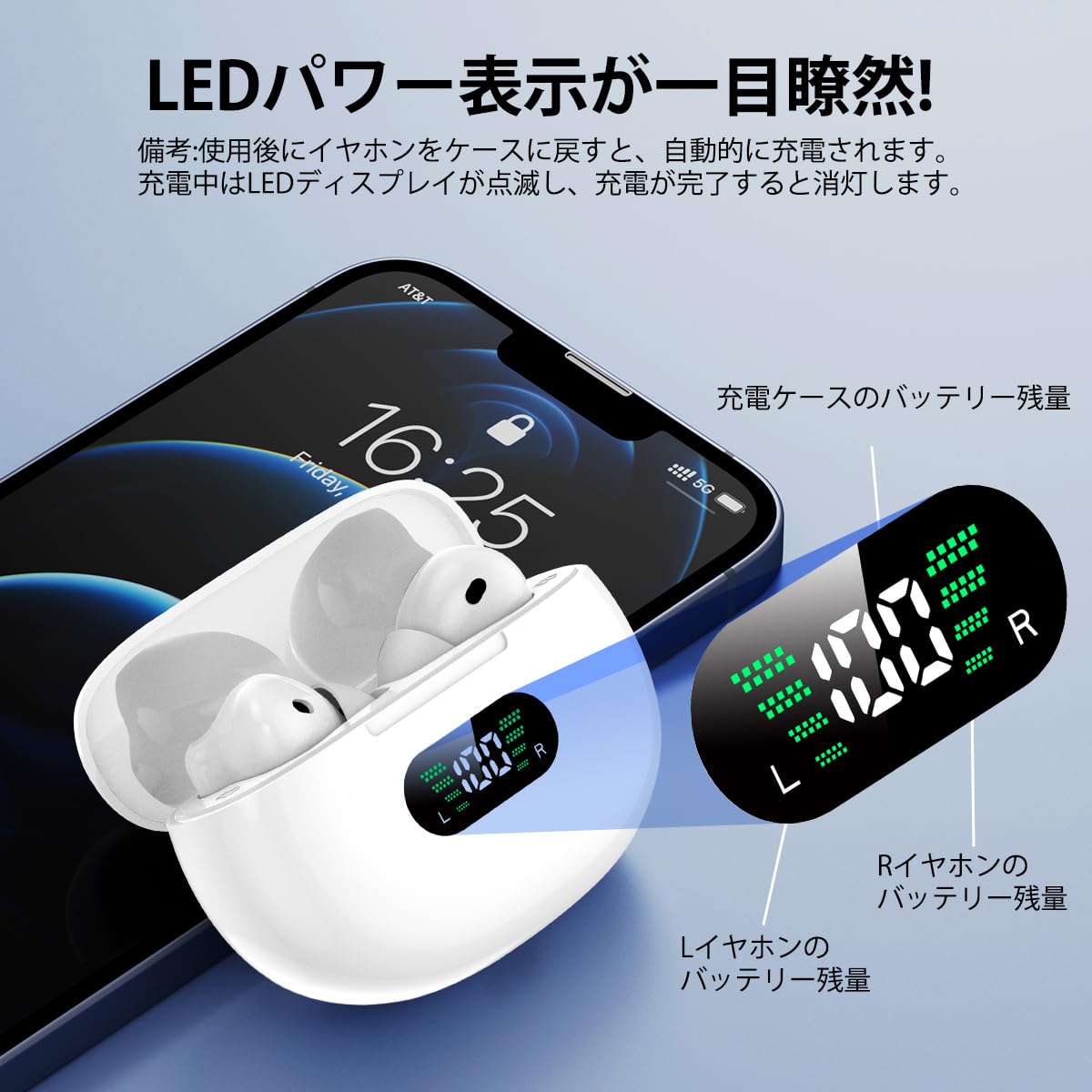
Image: The earphones are shown with water splashes, demonstrating their IPX7 waterproof capability, making them suitable for various activities like washing face, gym, and running. Note: The charging case is not waterproof.
Setup
Initial Charging
Before first use, fully charge the earphones and the charging case.
- Place both earphones into the charging case.
- Connect the Type-C charging cable to the charging port on the case and a power source.
- The LED display on the charging case will show the charging status. A full charge for the case takes approximately 1.5 hours.
Automatic Pairing
The earphones feature automatic pairing for quick and easy connection.
- Ensure the earphones are charged.
- Open the charging case lid. The earphones will automatically power on and enter pairing mode.
- On your device (smartphone, tablet, etc.), enable Bluetooth.
- Search for Bluetooth devices and select "AP09" from the list.
- Once connected, the earphones will automatically pair with this device in the future when removed from the case.
Note: For the first connection, manual selection of "AP09" from your device's Bluetooth settings is required.

Image: This image demonstrates the quick pairing process: 1. Take out earphones, 2. Turn on Bluetooth, 3. Automatic pairing (Headphone name: AP09).
Operating Instructions
Power On/Off
- Power On: Open the charging case lid, and the earphones will automatically power on. Alternatively, if the earphones are off and not in the case, press and hold the multi-function button on each earphone for approximately 3 seconds until you hear a power-on prompt.
- Power Off: Place the earphones back into the charging case and close the lid; they will automatically power off and begin charging. Alternatively, if the earphones are on and not connected to a device, they will automatically power off after 3 minutes. To manually power off, press and hold the multi-function button on each earphone for about 6 seconds until you hear a power-off prompt.
Touch Controls
The earphones feature touch-sensitive controls for various functions. Refer to the quick start guide or product packaging for specific touch gestures for:
- Play/Pause music
- Next/Previous track
- Volume up/down
- Answer/End calls
- Reject calls
- Activate voice assistant
Hands-free Calling
With the built-in microphone, you can make and receive calls hands-free once connected to your smartphone. Use the touch controls to manage calls.
Charging
The aopiata AP09 earphones and charging case provide extended listening time.
- Earphone Playback Time: Up to 6 hours on a full charge.
- Total Playback Time (with charging case): Up to 36 hours.
- Charging Case Input: Type-C.

Image: This diagram highlights the extended playback time of 36 hours. A single earphone charge provides 6 hours of playback, and the charging case offers 1.5 hours for a full charge via Type-C.
LED Power Display
The charging case features an LED display that shows the battery percentage of the case and the individual charge status of the left (L) and right (R) earphones.
- When earphones are placed in the case, the LED display will light up, indicating their charging status.
- During charging, the LED display will flash. It will turn off once charging is complete.
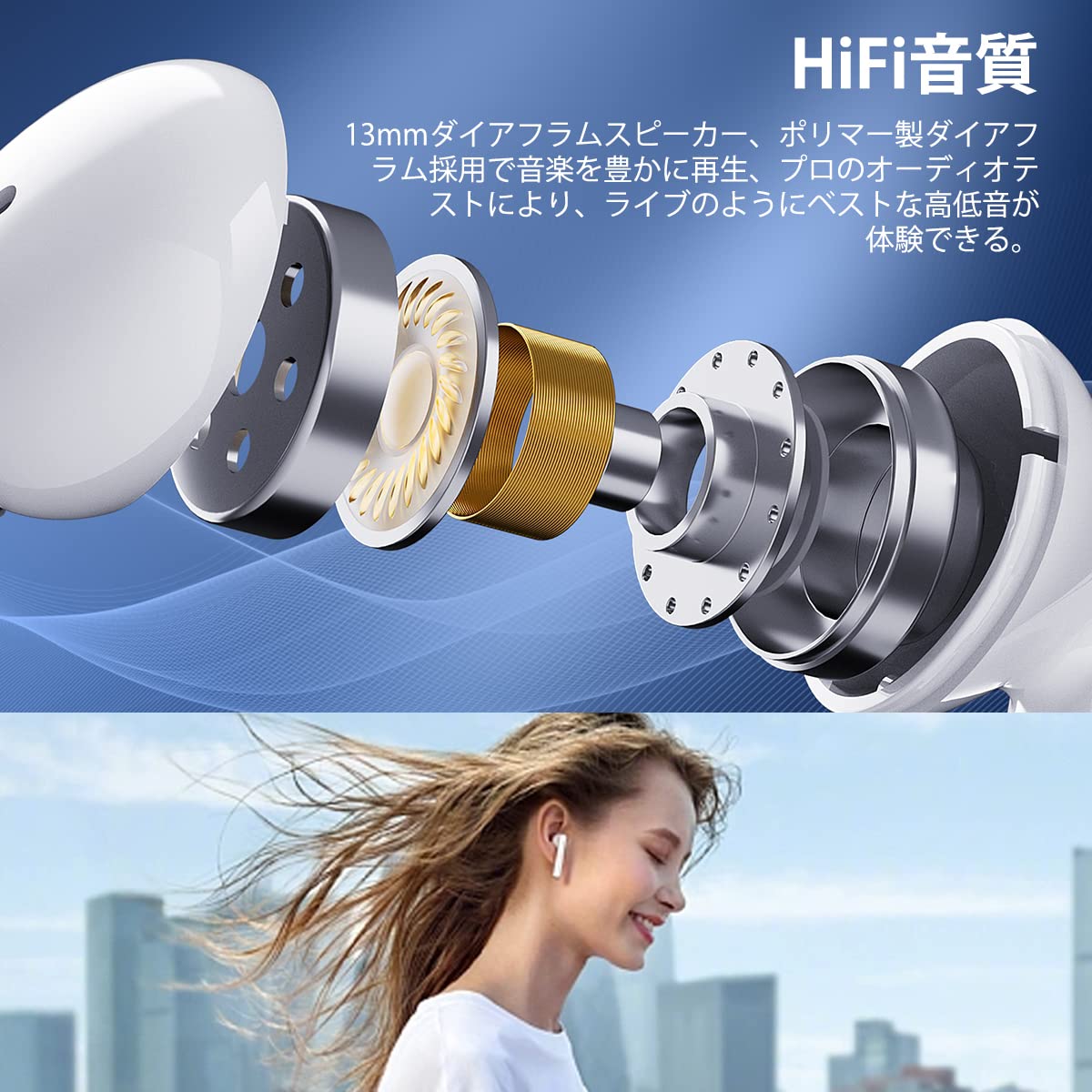
Image: This image displays the LED power indicator on the charging case, showing the remaining battery percentage for the left (L) and right (R) earphones, as well as the charging case's battery level.
Maintenance
To ensure the longevity and optimal performance of your earphones, follow these maintenance tips:
- Cleaning: Regularly clean the earphones and charging case with a soft, dry, lint-free cloth. Do not use harsh chemicals or abrasive materials.
- Storage: Store the earphones in their charging case when not in use to protect them from dust and damage.
- Avoid Extreme Conditions: Do not expose the earphones or charging case to extreme temperatures, humidity, or direct sunlight.
- Water Exposure: While the earphones are IPX7 waterproof, avoid prolonged submersion. Ensure the charging contacts are dry before placing them in the charging case. The charging case is NOT waterproof.
Troubleshooting
If you encounter any issues with your aopiata AP09 earphones, refer to the following common solutions:
| Problem | Solution |
|---|---|
| Earphones not pairing |
|
| No sound from one earphone |
|
| Earphones not charging |
|
| Poor sound quality |
|
Specifications
| Brand | aopiata |
| Model Name | AP09 |
| Connectivity Technology | Wireless (Bluetooth 5.4 + EDR) |
| Form Factor | True Wireless In-Ear |
| Waterproof Rating | IPX7 (Earphones only) |
| Earphone Weight | Approx. 3.8g per earbud |
| Total Item Weight | 70 g |
| Playback Time (Earphones) | Up to 6 hours |
| Total Playback Time (with Case) | Up to 36 hours |
| Charging Port | Type-C |
| Included Components | Earphones, Charging Case, User Manual, Charging Cable |
Warranty and Support
aopiata products are designed for reliability and performance. For warranty information and customer support, please refer to the warranty card included in your package or visit the official aopiata website. If you experience any issues not covered in this manual, please contact our customer service team for assistance.