
1. Introduction
Thank you for choosing the HopeFlex M9 Wireless Security Camera. This manual provides detailed instructions for setting up, operating, and maintaining your security camera. The HopeFlex M9 is designed for both indoor and outdoor surveillance, featuring 1080p video, AI human detection, color night vision, two-way audio, and cloud storage capabilities to enhance your home security.
Please read this manual thoroughly before using the product to ensure correct operation and to maximize its lifespan.
2. Package Contents
Verify that all components are present in your package:
- HopeFlex M9 Wireless Security Camera (1 unit)
- Mounting Bracket
- Mounting Screws and Wall Anchors
- USB Charging Cable
- User Manual
3. Product Overview
The HopeFlex M9 camera is equipped with advanced features for comprehensive surveillance.
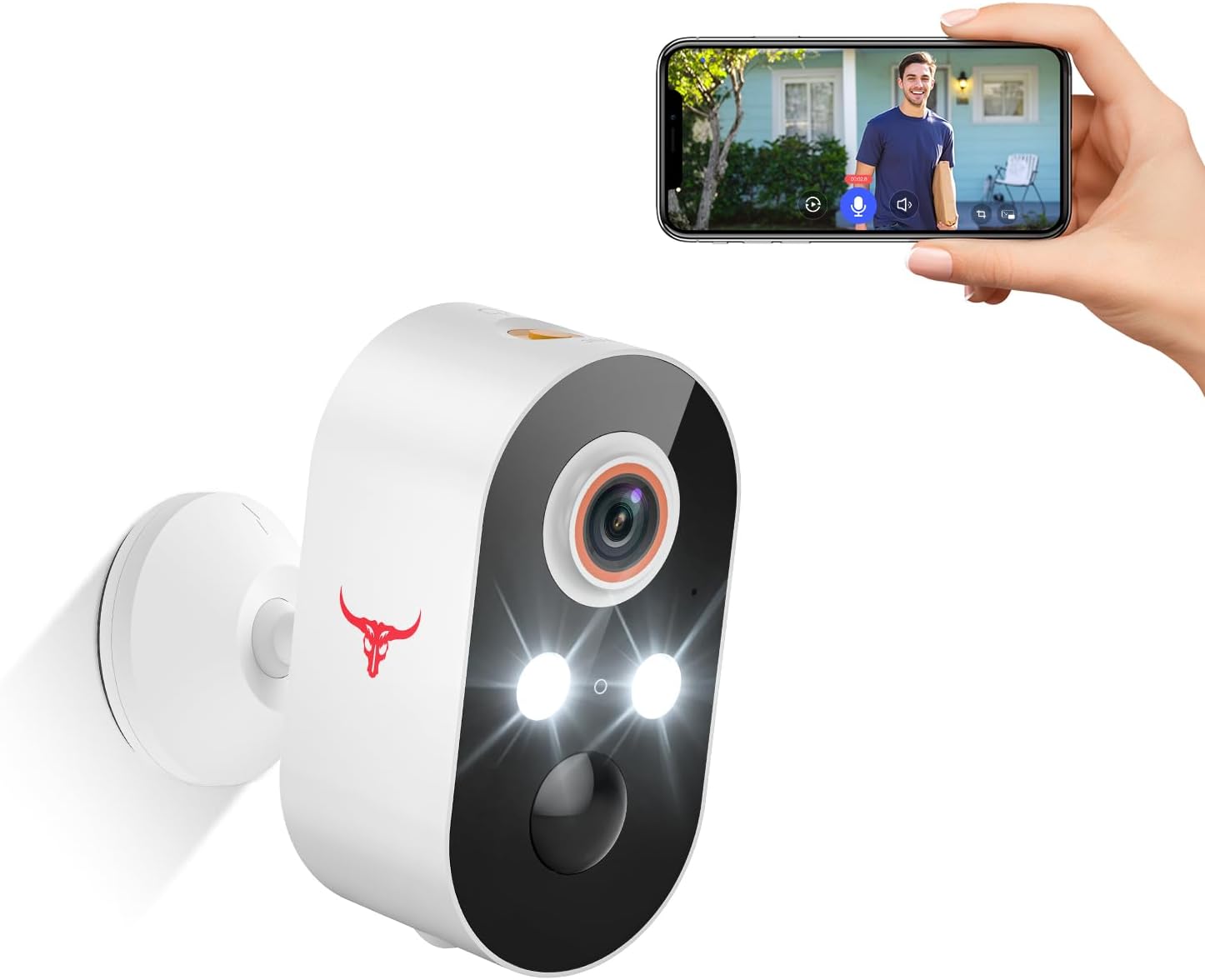
Image 3.1: HopeFlex M9 Wireless Security Camera. This image shows the white camera unit with two spotlights, a lens, and a red bull logo. A hand holds a smartphone displaying a live feed from the camera, showing a person at a doorstep.
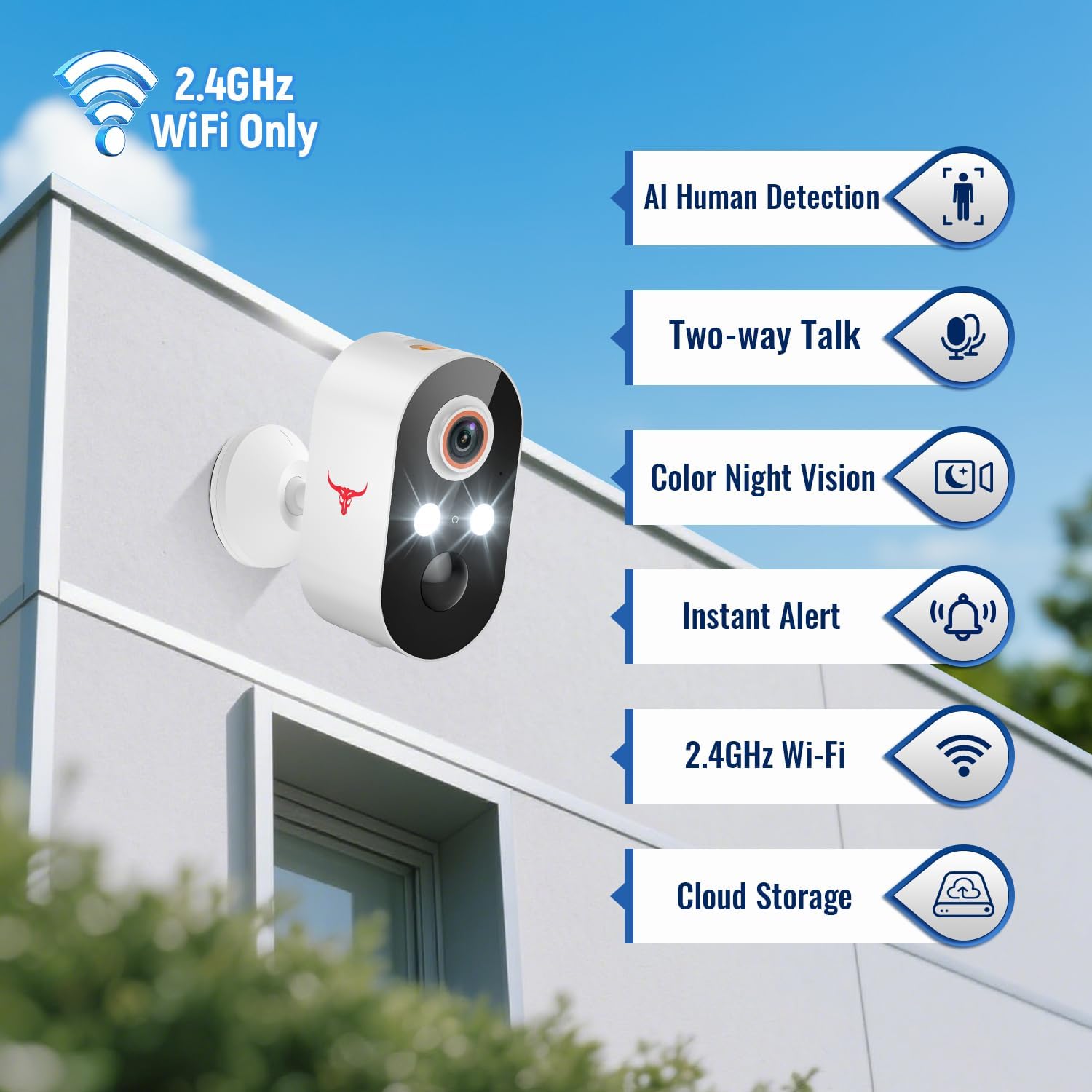
Image 3.2: Key features of the HopeFlex M9 camera. The camera is mounted on a wall, and a list of features is displayed next to it: AI Human Detection, Two-way Talk, Color Night Vision, Instant Alert, 2.4GHz Wi-Fi, and Cloud Storage.
Key Features:
- 1080p Full HD Video: Provides clear and detailed video footage.
- AI Human Detection: Intelligently distinguishes human shapes from other moving objects, reducing false alarms.
- Color Night Vision: Offers full-color video even in low-light conditions, enhancing visibility at night.
- Two-Way Audio: Allows for real-time communication through the camera's built-in microphone and speaker.
- 2.4GHz Wi-Fi Connectivity: Ensures stable wireless connection (5GHz Wi-Fi is not supported).
- Cloud Storage: Securely save video recordings with an optional subscription plan.
- Weather Resistance (IP65): Designed to withstand various outdoor conditions (14°F/-10°C to 140°F/60°C).
- Battery Powered: Offers flexible placement without the need for constant power connection.
4. Safety Information
Please observe the following safety guidelines:
- Do not expose the camera to extreme temperatures outside its operating range (14°F/-10°C to 140°F/60°C).
- Use only the provided charging cable or a certified equivalent.
- Keep the camera away from strong magnetic fields.
- Do not attempt to disassemble or modify the camera. This will void the warranty.
- Ensure the camera is securely mounted to prevent accidental falls.
- Keep out of reach of children.
5. Setup Guide
5.1 Charging the Camera
Before initial use, fully charge the camera's built-in battery. Connect the USB charging cable to the camera's charging port and to a standard USB power adapter (not included). The charging indicator light will show the charging status.
5.2 App Download and Installation
Download the official HopeFlex app from your smartphone's app store (iOS App Store or Google Play Store). Search for "HopeFlex" and install the application.
5.3 Pairing the Camera with the App
- Ensure your smartphone is connected to a 2.4GHz Wi-Fi network. The camera does not support 5GHz Wi-Fi.
- Open the HopeFlex app and create an account or log in.
- Tap the "+" icon to add a new device.
- Follow the on-screen instructions to power on the camera and enter pairing mode.
- Select your 2.4GHz Wi-Fi network and enter the password.
- The app will generate a QR code. Hold your phone with the QR code in front of the camera lens at a distance of 4-8 inches (10-20 cm) until you hear a confirmation sound from the camera.
- Once paired, you can name your camera and begin live viewing.
5.4 Mounting the Camera
The HopeFlex M9 camera is designed for wall mounting. Choose a location that provides the desired viewing angle and is within range of your 2.4GHz Wi-Fi network.
- Position the mounting bracket on the desired surface and mark the screw holes.
- Drill pilot holes if necessary and insert wall anchors.
- Secure the mounting bracket to the wall using the provided screws.
- Attach the camera to the mounting bracket and adjust the angle as needed.

Image 5.1: The HopeFlex M9 camera mounted on an exterior wall, demonstrating its weather resistance in rainy conditions. The image highlights its ability to operate in shine, rain, and snow.
6. Operating Instructions
6.1 Live View
Open the HopeFlex app and select your camera to access the live video feed. You can monitor your property in real-time from anywhere.
6.2 Two-Way Audio
While in live view, tap the microphone icon in the app to speak through the camera's speaker. Tap the speaker icon to hear audio from the camera's microphone. This feature allows you to communicate with visitors or deter intruders.

Image 6.1: Demonstration of the two-way talk feature. A person is at a doorstep, and speech bubbles show communication between the person and the camera user via the app.
6.3 AI Human Detection and Notifications
The camera's AI human detection system focuses on human shapes, minimizing alerts from pets or other non-human movements. When a human is detected, you will receive instant notifications on your smartphone.

Image 6.2: Illustration of AI Human Detection. A person walking is highlighted as detected, while a dog lying nearby is ignored, demonstrating the system's ability to filter out irrelevant motion.
6.4 Color Night Vision
The HopeFlex M9 provides clear, full-color video footage even in low-light conditions, allowing for better identification of details at night compared to traditional black-and-white infrared night vision.
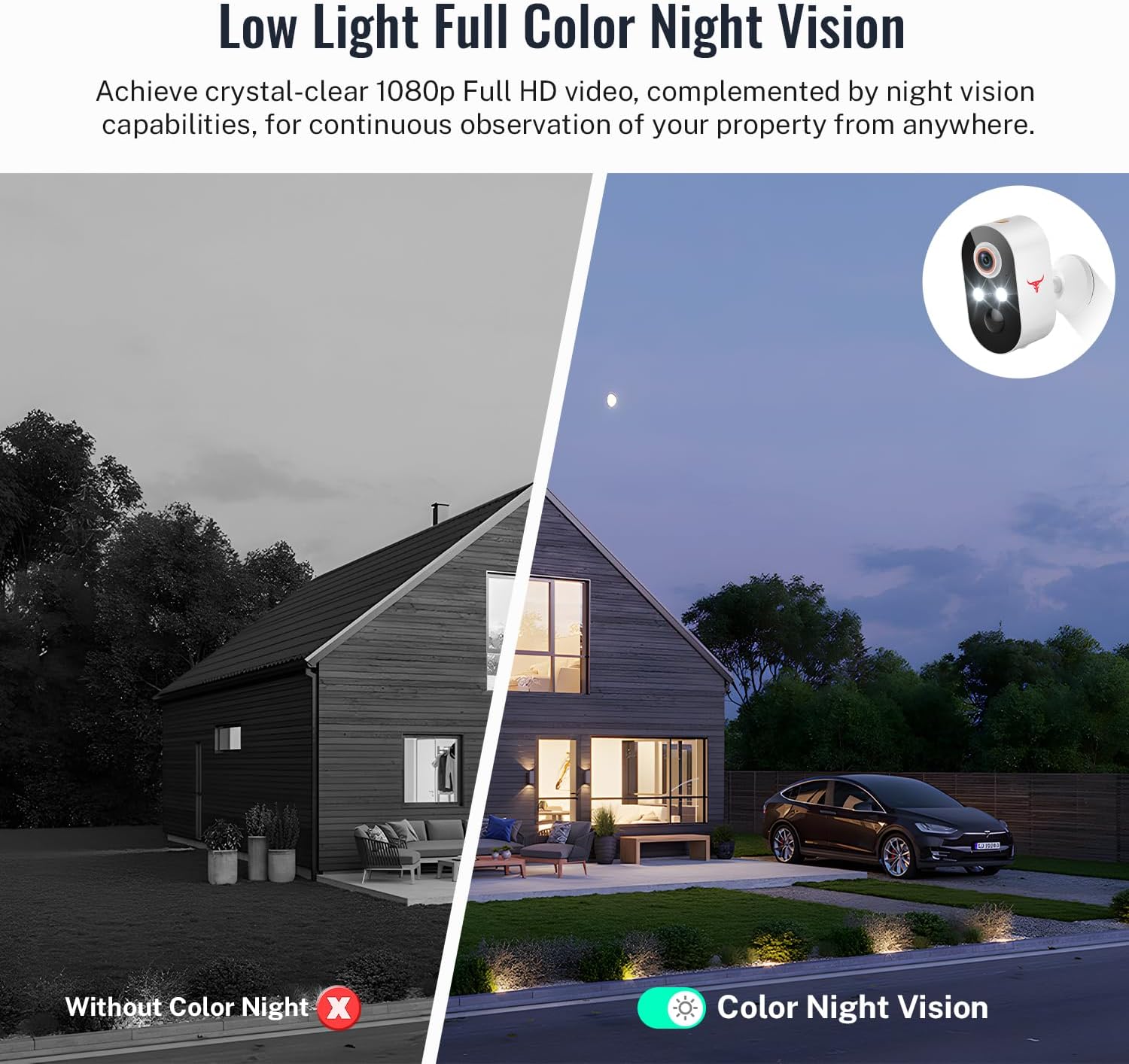
Image 6.3: Comparison of night vision modes. One side shows a scene in traditional black and white (without color night vision), while the other side shows the same scene in full color (with color night vision), highlighting the enhanced detail.
6.5 Cloud Storage
The camera supports cloud storage for securely saving your video recordings. This is an optional service and requires a separate subscription. Refer to the HopeFlex app for details on available plans.
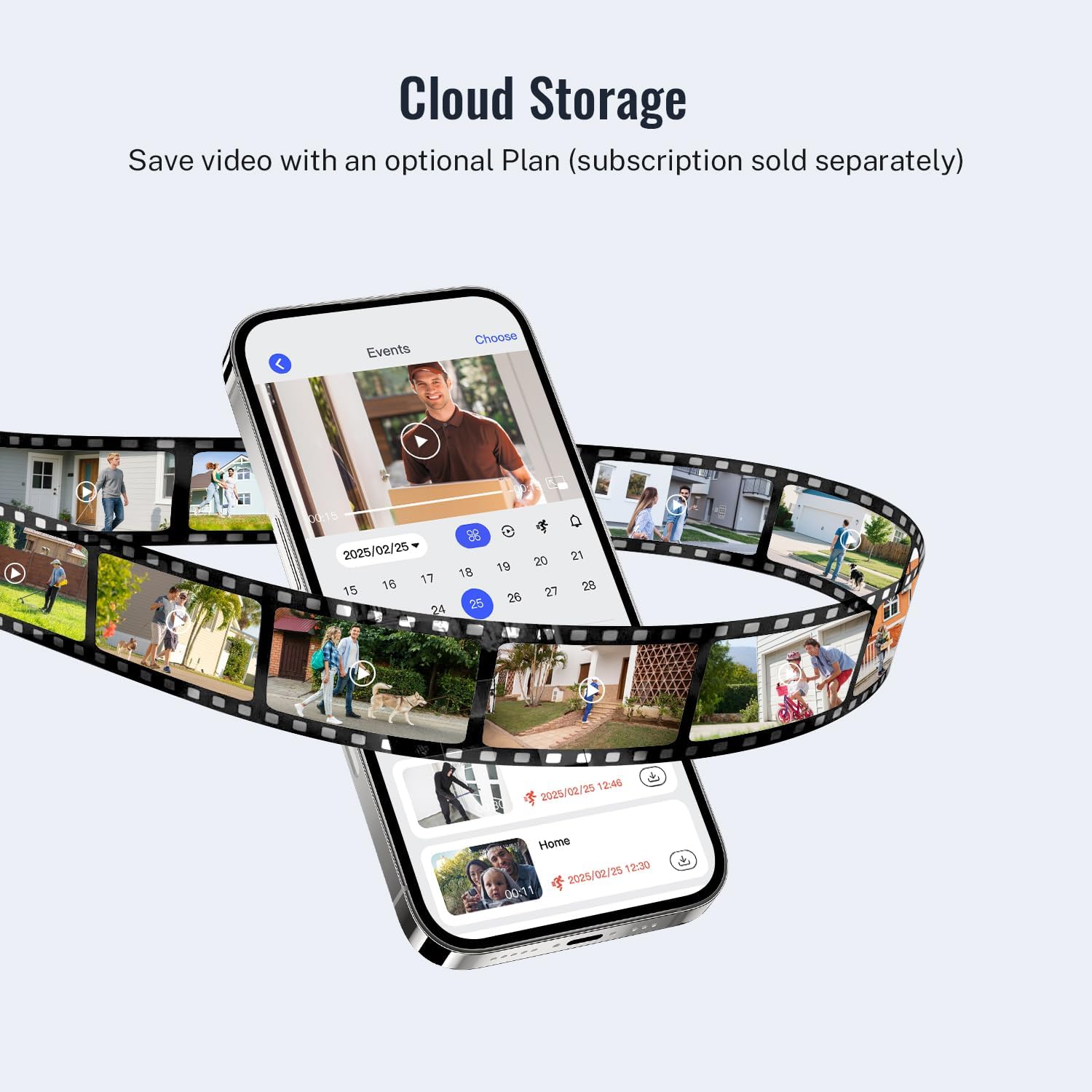
Image 6.4: Illustration of cloud storage. A smartphone displays a timeline of recorded events, with various video clips shown as if stored in a film reel, emphasizing the ability to save and review footage.
6.6 Official Product Video
Video 6.1: An official product video demonstrating the features of the HopeFlex M9 Wireless Security Camera, including 1080p video, human detection, two-way audio, color night vision, and cloud storage. This video provides a visual overview of the camera's capabilities and how it can be used for home security.
7. Maintenance
7.1 Battery Charging
The camera is battery-powered. When the battery level is low, you will receive a notification via the app. Recharge the camera using the provided USB cable. Battery life varies based on usage and environmental factors.
7.2 Cleaning
To maintain optimal performance, periodically clean the camera lens and housing with a soft, dry cloth. Avoid using harsh chemicals or abrasive materials that could damage the camera.
7.3 Weather Protection
While the camera is IP65 weather-resistant, prolonged exposure to extreme weather conditions (e.g., direct heavy rain, snow accumulation, or intense sunlight) may affect its performance and lifespan. Ensure proper placement to minimize direct exposure where possible.
8. Troubleshooting
- Camera not connecting to Wi-Fi:
- Ensure your Wi-Fi network is 2.4GHz. The camera does not support 5GHz.
- Check your Wi-Fi password for accuracy.
- Move the camera closer to your Wi-Fi router to improve signal strength.
- Restart your router and the camera, then attempt pairing again.
- Frequent false alerts:
- Adjust the sensitivity settings for human detection in the app.
- Ensure the camera's field of view is not obstructed by moving branches or objects that could trigger motion.
- Poor video quality:
- Check your Wi-Fi signal strength. A weak signal can affect video streaming quality.
- Clean the camera lens to remove any dirt or smudges.
- Battery drains quickly:
- High motion detection frequency and frequent live view access can consume more battery. Adjust settings in the app.
- Ensure the camera is fully charged.
- Extreme cold temperatures can reduce battery performance.
9. Specifications

Image 9.1: Dimensions of the HopeFlex M9 Wireless Security Camera. The image shows the camera with measurements: 3.54 inches (9 cm) in height, 1.87 inches (4.76 cm) in width, and 1.89 inches (4.8 cm) in depth.
| Feature | Detail |
|---|---|
| Model Number | M9 |
| Video Capture Resolution | 1080p |
| Connectivity Technology | Wireless (2.4GHz Wi-Fi) |
| Power Source | Battery Powered (2 A batteries included) |
| Indoor/Outdoor Usage | Indoor, Outdoor |
| Special Feature | Night Vision (Color Night Vision) |
| Human Detection | AI Human Detection |
| Two-Way Audio | Yes |
| Weather Resistance | IP65 |
| Operating Temperature | 14°F/-10°C to 140°F/60°C |
| Mounting Type | Wall Mount |
| Product Dimensions | 1.7 x 2.87 x 3.4 inches (4.3 x 7.3 x 8.6 cm) |
| Item Weight | 5.9 ounces (0.17 kg) |
| Manufacturer | Shenzhen Puge Electronics Co. Ltd. |
10. Warranty and Support
HopeFlex products are designed for reliability and performance. For warranty information, technical support, or customer service inquiries, please refer to the contact information provided in the product packaging or visit the official HopeFlex website. Please retain your proof of purchase for warranty claims.