
HopeFlex T50
HopeFlex T50 1080P Smart Wireless Video Doorbell Camera User Manual
Model: T50 | Brand: HopeFlex
Introduction
This manual provides detailed instructions for the installation, operation, and maintenance of your HopeFlex T50 1080P Smart Wireless Video Doorbell Camera. Please read this manual thoroughly before use to ensure proper functionality and safety.
What's in the Box
- Video doorbell
- Doorbell receiver
- Batteries (2 A batteries)
- Mounting hardware (screws, anchors)
- User Manual (this document)

Image: HopeFlex T50 Video Doorbell and its accompanying receiver.
Setup and Installation
1. Charging and Battery Installation
The HopeFlex T50 is battery-powered and comes with two A batteries. Ensure the batteries are fully charged before installation for optimal performance. Insert the batteries into the doorbell unit according to the polarity indicators.
2. Doorbell Mounting
The doorbell supports screw-in installation. Choose a suitable location near your door, ensuring a clear view and good Wi-Fi signal. Mark the drilling points, drill holes, insert anchors, and secure the mounting bracket with screws. Attach the doorbell unit to the bracket.

Image: The HopeFlex T50 doorbell mounted on a wall next to a door, with the receiver plugged into an indoor electrical outlet.
3. Doorbell Receiver Setup
Plug the included doorbell receiver into a standard electrical outlet in any room where you wish to hear the chime. The receiver will automatically pair with your doorbell unit. You can adjust the volume and chime melodies on the receiver.
4. App Connection and Wi-Fi Pairing
- Download the companion app to your smartphone (compatible with Android devices).
- Create an account and follow the in-app instructions to add your HopeFlex T50 doorbell.
- Ensure your Wi-Fi network is 2.4Ghz, as the doorbell supports 2.4G WiFi connectivity.
- Complete the pairing process as guided by the app.
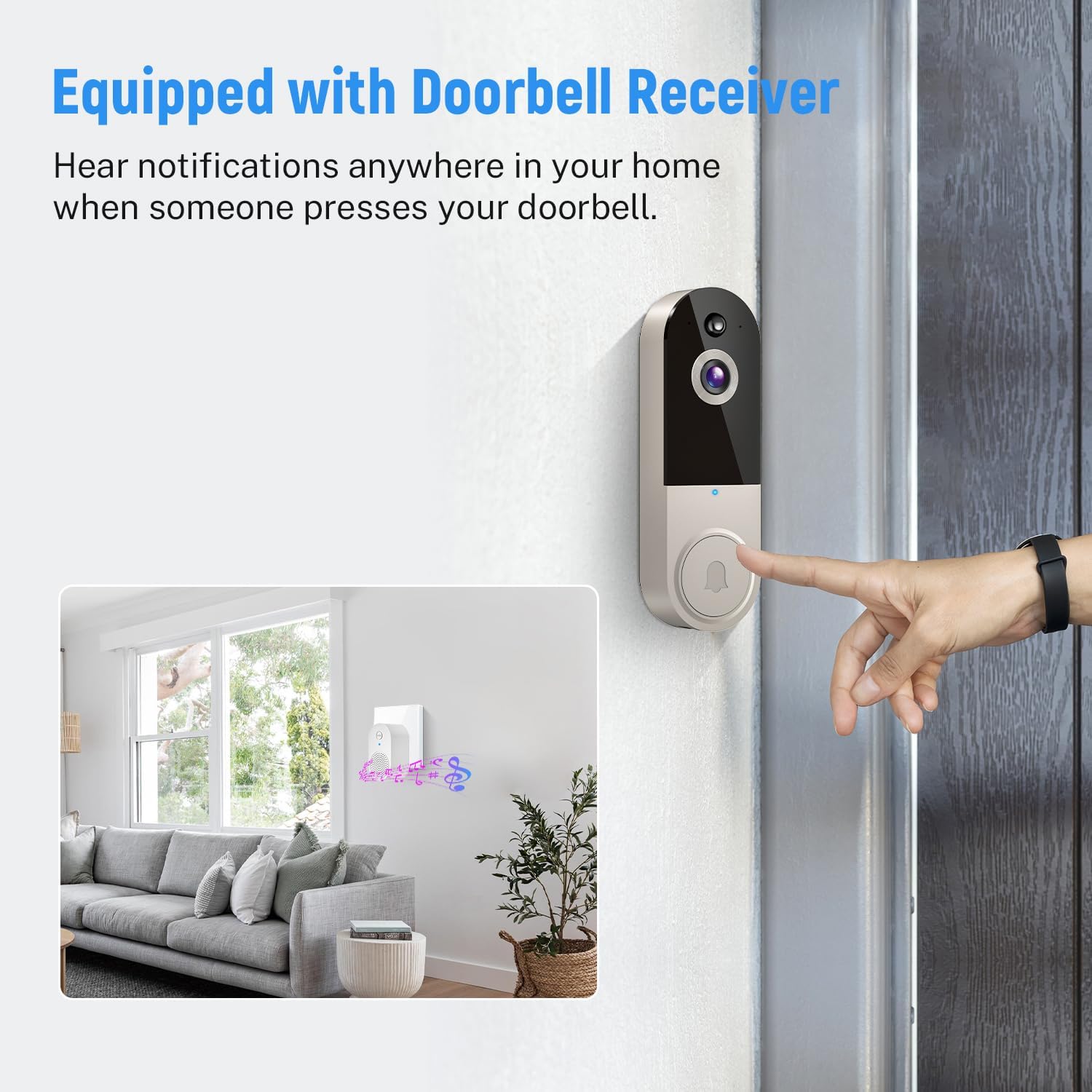
Image: A smartphone screen showing the live view and controls of the doorbell camera within the mobile application.
Operating Instructions
AI Human Detection
The doorbell features advanced AI Human Detection, which intelligently distinguishes human figures from other moving objects like pets or vehicles. This reduces false alerts, ensuring you only receive notifications for relevant activity at your door.

Image: An illustration demonstrating the AI Human Detection feature, highlighting a person as a detected event while ignoring an animal.
Two-Way Talk
Utilize the two-way talk feature to communicate with visitors at your door from anywhere using your smartphone. This allows you to greet guests, instruct delivery personnel, or deter unwanted visitors in real-time.

Image: A user communicating with a delivery driver via the doorbell's two-way audio feature, displayed on a smartphone.
Real-Time Alerts
Receive instant notifications on your phone for every button press and motion event detected by the doorbell. This ensures you are always aware of activity at your front door.
Night Vision
The doorbell is equipped with IR Night Vision, allowing for clear visibility and recording even in low-light conditions or complete darkness, up to a range of 33 feet.

Image: A split image showing the difference between day vision (color) and night vision (infrared, black and white) captured by the doorbell camera.
Cloud Storage
An optional cloud storage plan is available (in-app purchase) to record and store all your videos. This allows you to review missed content and share important footage with others.

Image: An illustration depicting the cloud storage feature, showing the doorbell connecting to a cloud icon and a smartphone accessing stored videos.
Family Access
Share access to your doorbell camera with family members through the app, enabling shared security and monitoring capabilities.
Official Product Video
Video: An overview of the HopeFlex T50 Smart Wireless Video Doorbell Camera's key features, including human detection, two-way audio, night vision, and cloud storage.
Maintenance
Weather Resistance
The HopeFlex T50 doorbell is designed with IP65 weather resistance, making it suitable for both indoor and outdoor use. It can withstand various weather conditions, including sun, rain, and snow, within an operating temperature range of 14°F to 140°F (-10°C to 60°C).

Image: An illustration highlighting the IP65 weather resistance of the doorbell, showing its ability to function in various outdoor conditions.
Battery Care
To maintain optimal battery life, ensure the doorbell is fully charged before initial use. Recharge the batteries as needed. Battery life can vary based on usage frequency and environmental factors. If the battery drains quickly, consider reducing motion detection sensitivity or event recording duration.
Cleaning
Gently wipe the camera lens and doorbell surface with a soft, damp cloth to remove dust and debris. Avoid using harsh chemicals or abrasive materials that could damage the device.
Troubleshooting
- No Picture/Video:
Ensure the doorbell is powered on and connected to Wi-Fi. Check the app for connection status. If the issue persists, try restarting the doorbell and your Wi-Fi router.
- Frequent Disconnections from Wi-Fi:
Verify that your Wi-Fi network is 2.4Ghz. Ensure the doorbell is within range of your Wi-Fi router. Obstructions like thick walls can interfere with the signal. Consider relocating the router or using a Wi-Fi extender.
- Short Battery Life:
High motion detection sensitivity or frequent live view access can consume battery faster. Adjust motion detection settings in the app to reduce unnecessary recordings. Ensure the batteries are fully charged.
- False Alerts:
Adjust the AI Human Detection sensitivity settings in the app. Ensure the detection zone is configured to avoid areas with frequent non-human movement (e.g., busy streets, trees swaying in the wind).
- Doorbell Not Ringing Receiver:
Ensure the receiver is plugged in and powered on. Check if the receiver is paired with the doorbell. If not, refer to the setup section for pairing instructions.
Specifications
| Feature | Detail |
|---|---|
| Model Name | T50 |
| Brand | HopeFlex |
| Video Resolution | 1080p |
| Connectivity | 2.4G Wi-Fi |
| Power Source | Battery Powered (2 A batteries included) |
| Special Features | AI Human Detection, Two-Way Talk, Night Vision, Real-Time Alerts, Weather-Resistant (IP65) |
| Night Vision Range | 33 Feet |
| Indoor/Outdoor Usage | Indoor, Outdoor |
| Compatible Devices | Smartphone (Android) |
| Mounting Type | Wall Mount (Screw In) |
| Product Dimensions | 1.77 x 1.34 x 5.4 inches |
| Item Weight | 9.9 ounces |
| Manufacturer | Shenzhen Puge Electronics Co. Ltd. |
Warranty and Support
For specific warranty information, please refer to the documentation included with your product or contact the seller, ModeJump, directly. Technical support may also be available through the manufacturer, Shenzhen Puge Electronics Co. Ltd.
For further assistance, please visit the official HopeFlex website or contact their customer service.
Related Documents - T50
 |
T50 True Wireless Earbuds User Manual Comprehensive user manual for the T50 True Wireless Earbuds, covering easy pairing, operation guide, charging instructions, product specifications, and FAQ. |
 |
T50 Handheld Ice Pack High-Speed Fan - User Manual and Specifications Comprehensive user manual and product specifications for the T50 handheld ice pack high-speed fan, detailing its features, operation, and warranty information. |
 |
Smart Wi-Fi Doorbell Camera User Manual User manual for the Seeing Smart Wi-Fi Doorbell Camera (Model T50, DBCAM2) by CONVERGE BEAUTY LIMITED. Covers features, setup, installation, charging, app integration, troubleshooting, FAQs, and FCC compliance. |
 |
DJI Agras T50 Quick Start Guide Quick start guide for the DJI Agras T55 drone, covering aircraft features, preparation, takeoff, landing, and basic operations. |
 |
Motorola TLKR T50 Owner's Manual: Features, Operation, and Specifications Comprehensive user guide for the Motorola TLKR T50 two-way radio, covering features, setup, operation, specifications, and warranty information. |
 |
TRANSFORMERS TF-T50 True Wireless Earbuds User Manual Comprehensive user manual for TRANSFORMERS TF-T50 True Wireless Earbuds, covering specifications, operation, charging, safety, and warranty information. |