
1. Introduction
Welcome to the user manual for your new DAMCROP 62.4 Inch Mid Century Modern TV Stand. This manual provides essential information for the safe assembly, operation, maintenance, and troubleshooting of your entertainment center. Please read it thoroughly before beginning assembly or use to ensure proper functionality and longevity of your product.

Figure 1.1: DAMCROP 62.4 Inch Mid Century Modern TV Stand
This image shows the assembled TV stand in a living room, featuring its dark wood finish, fluted tambour doors, and open shelving, with a television placed on its spacious top surface.
2. Safety Information
WARNING: This product may tip over if not properly assembled and secured to the wall. Always follow the manufacturer's instructions for assembly and installation. Use the anti-tip device provided with this product to prevent tip-overs, especially in households with children or pets.
Ensure all screws and fasteners are tightened securely before use. Do not overload the shelves or tabletop beyond the specified weight capacities. Keep small parts and packaging materials away from children during assembly.

Figure 2.1: Anti-Tip Device Installation
This image illustrates the anti-tip device, a strap that secures the TV stand to the wall, preventing accidental tipping.
3. Product Overview
The DAMCROP TV Stand is a versatile and stylish media console designed to enhance your living space. It features a mid-century modern aesthetic with practical storage solutions.
Key Features:
- Fluted TV Stand: Distinctive wave-like fluted panel and curved profile design.
- Media TV Console: Features tambour sliding doors for space-saving accessibility.
- Versatile Storage: Includes 5 storage shelves, 2 drawers, and a spacious tabletop.
- Durable Construction: Made of premium engineered wood with 5 solid wood legs for stability.
- Dimensions: 62.4" (W) x 15.6" (D) x 23.01" (H), suitable for TVs up to 70 inches.
- Weight Capacity: Tabletop supports up to 163 lbs.

Figure 3.1: Product Dimensions and Capacities
This diagram provides detailed measurements of the TV stand, including width, depth, and height, along with indicated weight capacities for the top surface and internal shelves.

Figure 3.2: Feature Overview
This image highlights various features such as ample bottom space for cleaning robots, a spacious tabletop, and the configuration of the 5 storage shelves and 2 storage drawers.
4. Setup and Assembly
Assembly of your DAMCROP TV Stand is required. While the instructions are designed to be clear, some users have noted that the process can be intricate due to the number of parts and specific alignment requirements. Please allocate sufficient time (approximately 3+ hours for one person) and follow these general guidelines:
- Unpack and Verify: Carefully unpack all components and compare them against the parts list provided in your assembly manual to ensure nothing is missing or damaged.
- Organize Parts: Lay out all hardware and panels, grouping similar items. This will help streamline the assembly process.
- Follow Step-by-Step Instructions: Adhere strictly to the numbered steps in the included assembly manual. Pay close attention to diagrams and part orientations.
- Drawer Sliders: Special attention is required when mounting drawer sliders. Ensure they are perfectly aligned to allow smooth operation of the drawers. Misalignment can cause drawers to stick or not close properly.
- Tool Recommendation: While a screwdriver is provided, using a power drill with appropriate bits can significantly speed up the assembly process. Exercise caution to avoid overtightening screws.
- Anti-Tip Device: As detailed in the Safety Information section, securely install the anti-tip device to a wall stud or appropriate anchor point immediately after assembly is complete.
If you encounter any difficulties or have missing parts, refer to the 'Warranty & Support' section for assistance.
5. Operating Instructions
Your TV stand is designed for ease of use and efficient organization of your media components.
5.1 Tambour Sliding Doors
The unique tambour doors slide smoothly along a track to reveal or conceal the side storage compartments. To open, gently push the door along its curved track. To close, pull the door back until it fully covers the opening. Avoid forcing the doors if they feel stiff; ensure the tracks are clear of obstructions.
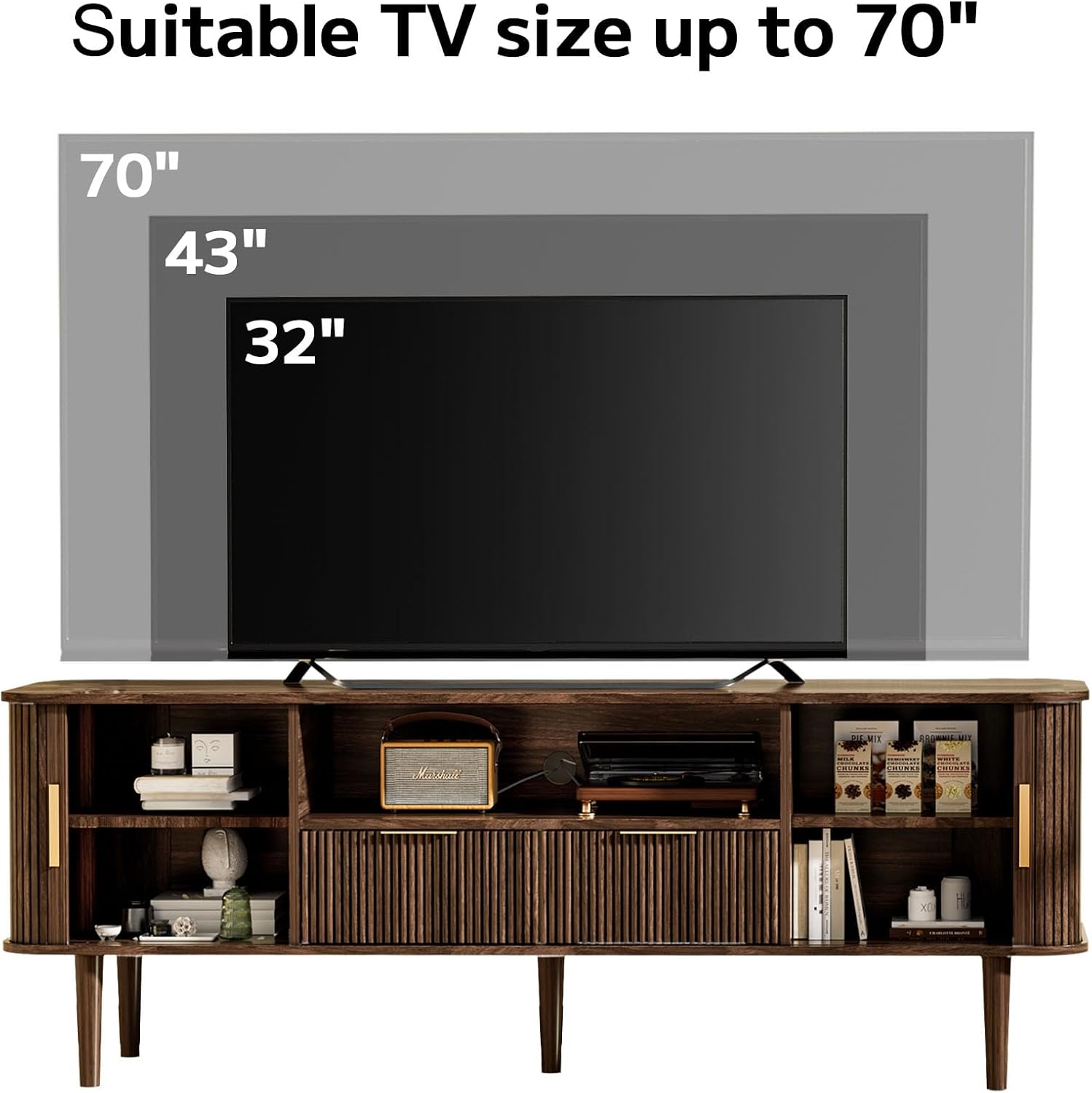
Figure 5.1: Tambour Sliding Door Detail
This image provides a detailed view of the fluted tambour sliding door, highlighting its smooth round edge and the sturdy solid wood legs.
5.2 Storage Drawers
The two central drawers provide concealed storage for smaller items. Pull the brass-colored handles to open the drawers. Push them firmly to close. If a drawer is difficult to open or close, refer to the 'Troubleshooting' section.
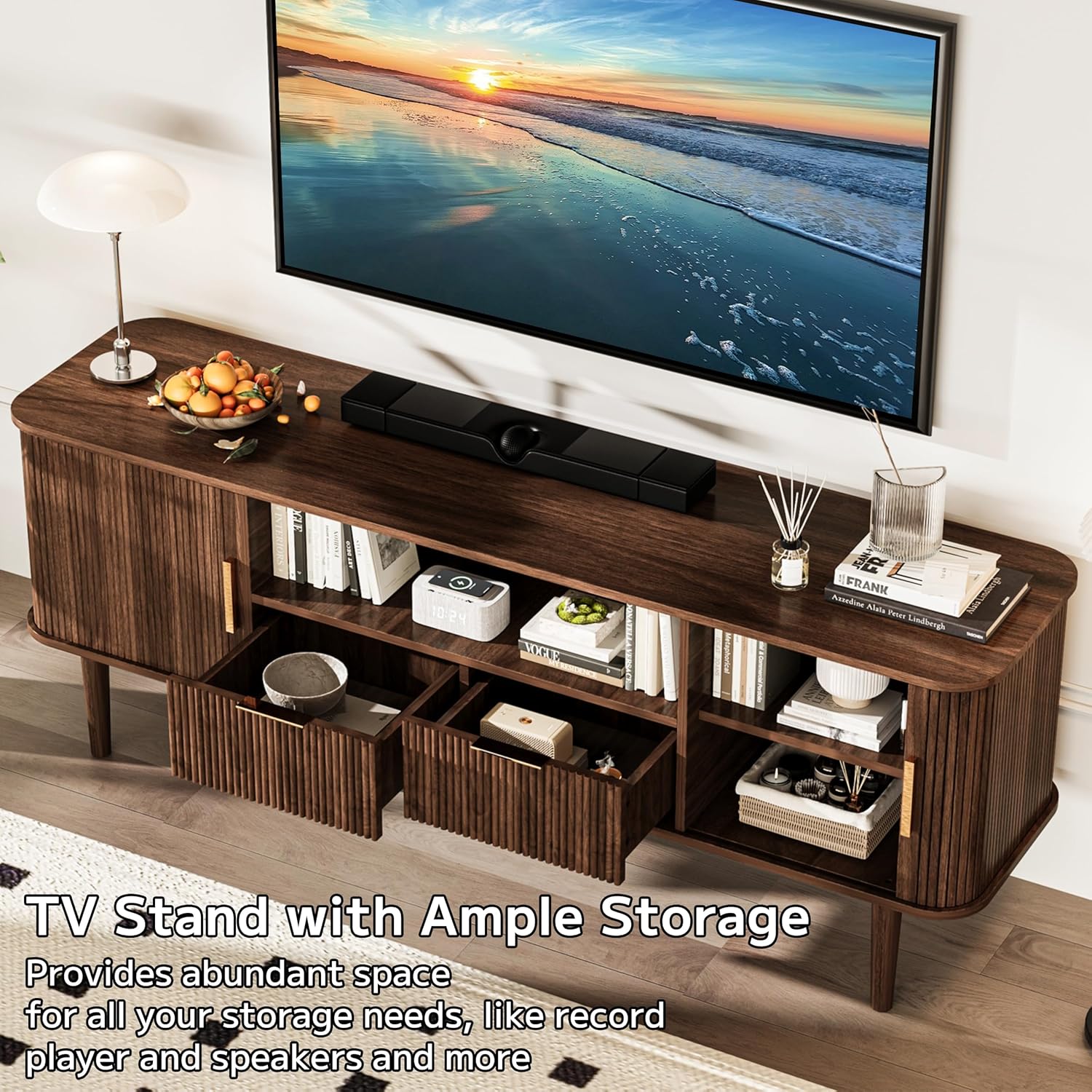
Figure 5.2: Open Storage Drawers
This image shows the two central drawers of the TV stand pulled open, demonstrating the ample storage capacity for various media accessories or personal items.
5.3 Cable Management Hole
A dedicated cable management hole is located at the back of the central open shelf. Use this opening to route power cords and audio/video cables neatly, keeping them organized and out of sight.

Figure 5.3: Cable Management Hole
This image provides a close-up view of the circular cable management hole located on the back panel of the TV stand, designed for organizing electronic wires.
6. Maintenance
Proper care will help maintain the appearance and extend the life of your TV stand.
- Cleaning: Wipe surfaces with a soft, damp cloth. Avoid using harsh chemicals, abrasive cleaners, or polishes that may damage the finish.
- Spills: Immediately wipe up any spills to prevent moisture damage to the engineered wood.
- Sunlight Exposure: Avoid prolonged direct sunlight exposure, which can cause fading or discoloration of the wood finish.
- Stability Check: Periodically check all screws and fasteners to ensure they remain tight. Re-tighten if necessary to maintain stability.
- Floor Protection: The product includes non-slip pads underneath the legs. Ensure these are in place to protect your flooring.
7. Troubleshooting
If you encounter issues with your TV stand, refer to the common problems and solutions below:
| Problem | Possible Cause | Solution |
|---|---|---|
| Tambour doors do not slide smoothly or get stuck. | Obstruction in the track; misaligned panels; loose components. | Check the track for debris. Ensure all assembly screws for the door mechanism are tight. Verify panels are correctly inserted into the grooves. |
| Drawers are difficult to open or close. | Drawer sliders are misaligned or incorrectly installed. | Re-check the installation of the drawer sliders on both the drawer and the cabinet. Ensure they are level and parallel. Lubricate sliders if necessary. |
| TV stand wobbles or is unstable. | Uneven floor; loose connections; anti-tip device not installed. | Ensure the TV stand is on a level surface. If floors are uneven, use shims under the legs. Tighten all assembly screws. Verify the anti-tip device is securely installed. |
| Missing or damaged parts upon arrival. | Shipping damage or packaging error. | Do not proceed with assembly. Contact customer support immediately with your order details and a description of the issue. |
8. Specifications
| Attribute | Detail |
|---|---|
| Item Dimensions (L x W x H) | 15.6 x 62.4 x 23.01 inches |
| Material | Engineered Wood, Metal, Solid Wood Legs |
| Number of Drawers | 2 |
| Number of Shelves | 5 |
| Item Weight | 80 pounds |
| Max TV Size Supported | Up to 70 inches |
| Weight Capacity (Tabletop) | 163 lbs |
| Assembly Required | Yes |
| Color | Dark Wood |
9. Official Product Video
Video 9.1: Damcrop 62.4 Inch TV Stand Media Console Table Overview
This video provides a brief visual overview of the DAMCROP 62.4 Inch TV Stand, showcasing its design, features, and functionality in a dynamic presentation.
10. Warranty & Support
While specific warranty details are not provided in this manual, DAMCROP is committed to customer satisfaction. For any issues regarding missing parts, damaged components, or assembly difficulties, please contact the seller, TengXin Store, directly through your purchase platform.
Additionally, consider purchasing an extended protection plan for your product. Options such as 2-Year or 3-Year Protection Plans are often available at the time of purchase to provide extended coverage beyond the standard return period.
For general inquiries or further assistance, please refer to the contact information provided with your purchase documentation.