1. Introduction
Thank you for choosing the EXZHIG J11 Wireless Earbuds. This manual provides detailed instructions for setting up, operating, and maintaining your earbuds to ensure optimal performance and longevity. The J11 earbuds feature Bluetooth 5.4 connectivity, 6-microphone Environmental Noise Cancellation (ENC) for clear calls, HiFi stereo sound, and IPX7 waterproof rating.
2. Package Contents
Please verify that all items are present in your package:
- Wireless Earbuds (Left & Right) x1 pair
- Charging Case with LED Display x1
- USB-C Charging Cable (11.8 inch) x1
- User Manual x1 (English, Spanish)

Image: Contents of the EXZHIG J11 Earbuds package, including earbuds, charging case, USB-C cable, and user manual, with product dimensions.
3. Product Overview
The EXZHIG J11 Wireless Earbuds are designed for comfort and high-quality audio. The charging case features an LED display to show battery levels.

Image: The EXZHIG J11 Wireless Earbuds resting in their charging case, which features a digital LED display indicating battery percentage and individual earbud charge status.

Image: Diagram illustrating the semi-in-ear design of the earbuds, highlighting how they fit comfortably and securely without causing pressure or irritation, compared to traditional in-ear designs.
4. Setup
4.1 Charging the Earbuds and Case
Before first use, fully charge the earbuds and charging case. Connect the provided USB-C cable to the charging port on the case and to a USB power source.
- The LED display on the charging case will show the battery percentage.
- Individual earbud charge indicators (L/R) will illuminate during charging.
- A full charge takes approximately 1.5 hours.
- The earbuds provide up to 5 hours of playback on a single charge, with the charging case extending total playtime to 35 hours.

Image: The EXZHIG J11 charging case connected via USB-C, displaying battery levels for the case and individual earbuds (L/R) on its LED screen, indicating charging status and total battery life.
4.2 Pairing with Your Device
The earbuds utilize Bluetooth 5.4 for fast and stable connections.
- Open the charging case. The earbuds will automatically power on and enter pairing mode.
- On your device (smartphone, tablet, PC, etc.), enable Bluetooth.
- Search for available Bluetooth devices and select "J11" from the list.
- Once paired, the earbuds will automatically reconnect to your device when you open the case, provided Bluetooth is enabled on your device.

Image: Diagram illustrating the advanced Bluetooth 5.4 chip within the earbud, emphasizing stable connection, faster speed, lower power consumption, and wider range for seamless connectivity.

Image: Illustration showing the EXZHIG J11 Earbuds connecting to a smartphone, laptop, desktop, and television, demonstrating broad compatibility with iOS and Android devices.
5. Operating Instructions
5.1 Touch Controls
The EXZHIG J11 earbuds feature intuitive touch controls on each earbud. Refer to the diagram below for specific functions:

Image: Diagram detailing the touch control functions for the EXZHIG J11 earbuds, including play/pause, answer/hang up calls, previous/next track, volume up/down, and voice assistant activation.
- Play/Pause: Single tap on either L/R earbud.
- Answer/Hang Up Call: Single tap on either L/R earbud.
- Next Track: Triple tap on the Left earbud.
- Previous Track: Triple tap on the Right earbud.
- Volume Up: Double tap on the Left earbud.
- Volume Down: Double tap on the Right earbud.
- Activate Voice Assistant: Long press the Left earbud for 3 seconds.
- Power On: Long press L or R earbud for 5 seconds.
- Power Off: Long press L or R earbud for 5 seconds (both earbuds power off together).
5.2 Call Management
The earbuds feature 6 microphones and Environmental Noise Cancellation (ENC) for clear communication.

Image: Diagram illustrating the 6-microphone ENC technology in the EXZHIG J11 earbuds, showing how it reduces environmental noise by 90% for crystal-clear calls, with feedback, feedforward, and talk mics.
- Answering/Ending Calls: Use the single tap touch control as described above.
- Rejecting Calls: Long press either earbud for 2 seconds.
- The ENC technology actively reduces background noise, ensuring your voice is transmitted clearly even in noisy environments.
5.3 Audio Playback
Experience immersive HiFi stereo sound with 13mm dynamic drivers.
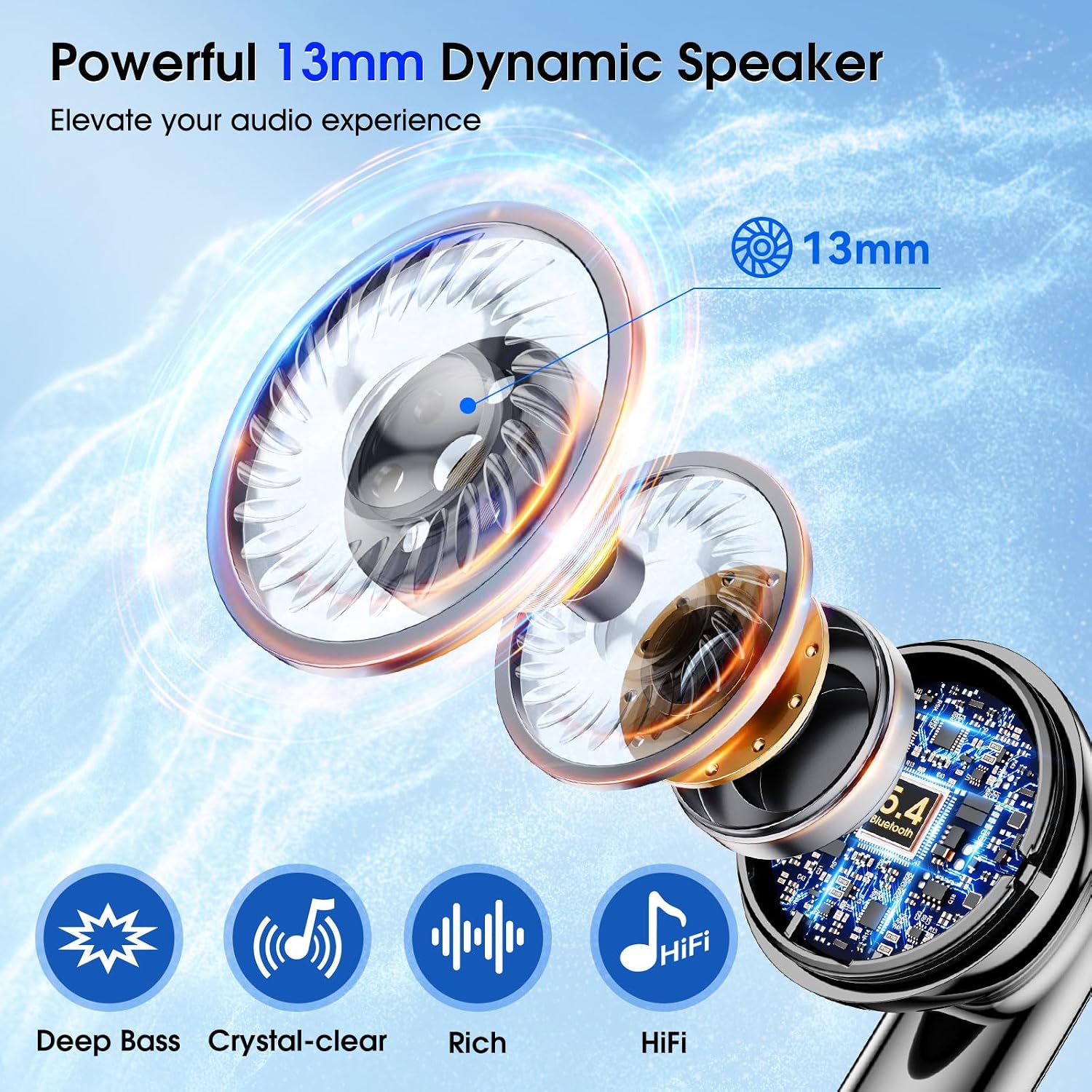
Image: Close-up diagram of the 13mm dynamic speaker within the EXZHIG J11 earbud, highlighting its components and the resulting deep bass, crystal-clear, rich, and HiFi stereo sound quality.
- Music Control: Use the touch controls for play/pause, next/previous track, and volume adjustment.
- The 13mm dynamic drivers deliver deep bass, clear highs, and a rich audio experience for music, podcasts, and videos.
6. Maintenance
6.1 Cleaning
- Regularly clean the earbuds and charging case with a soft, dry, lint-free cloth.
- Do not use abrasive cleaners, solvents, or aerosol sprays.
- Ensure charging contacts on both earbuds and case are clean and dry.
6.2 Water Resistance
The earbuds are IPX7 waterproof, meaning they can withstand sweat, rain, and splashes. They are not designed for swimming or prolonged submersion.
- Do not charge the earbuds or case if they are wet.
- Dry thoroughly before placing back in the charging case or connecting to power.
6.3 Storage
- Store the earbuds in their charging case when not in use to protect them and keep them charged.
- Avoid extreme temperatures and direct sunlight.
7. Troubleshooting
If you encounter issues with your EXZHIG J11 earbuds, please refer to the following common solutions:
| Problem | Possible Solution |
|---|---|
| Earbuds not pairing |
|
| Only one earbud working |
|
| Low volume or poor sound quality |
|
| Charging issues |
|
8. Specifications
| Feature | Detail |
|---|---|
| Model Name | J11 |
| Bluetooth Version | 5.4 |
| Connectivity Technology | Wireless |
| Audio Driver Type | Dynamic Driver |
| Audio Driver Size | 13 mm |
| Noise Control | Environmental Noise Cancellation (ENC) |
| Microphones | 6 (for clear calls) |
| Battery Life (Earbuds) | 5 hours (single charge) |
| Total Playtime (with Case) | Up to 35 hours |
| Charging Time | 1.5 hours |
| Charging Port | USB-C |
| Water Resistance Level | IPX7 |
| Control Type | Touch Control |
| Earbud Weight | 3.4 grams (each) |
| Bluetooth Range | 10 meters |
| Compatible Devices | Cellphones, Desktops, Laptops, Tablets, Television |
9. Safety Information
- Do not disassemble or modify the product.
- Keep away from extreme temperatures, direct sunlight, and open flames.
- Avoid prolonged listening at high volumes to prevent hearing damage.
- Keep out of reach of children and pets.
- Dispose of the product and batteries responsibly according to local regulations.
10. Warranty and Support
EXZHIG products come with a standard manufacturer's warranty. For warranty claims, technical support, or any questions regarding your EXZHIG J11 Wireless Earbuds, please contact EXZHIG customer service through the retailer where the product was purchased or visit the official EXZHIG brand store online.
Note: Video content for this product was not available in the provided data. Therefore, no videos could be embedded in this manual.