
1. Product Overview
The TAZATA FUN 300 is a portable Bluetooth speaker designed for versatile outdoor and indoor use. It features 30W RMS / 45W Peak stereo sound with 360° surround audio, IPX7 waterproof rating, and multiple connectivity options.
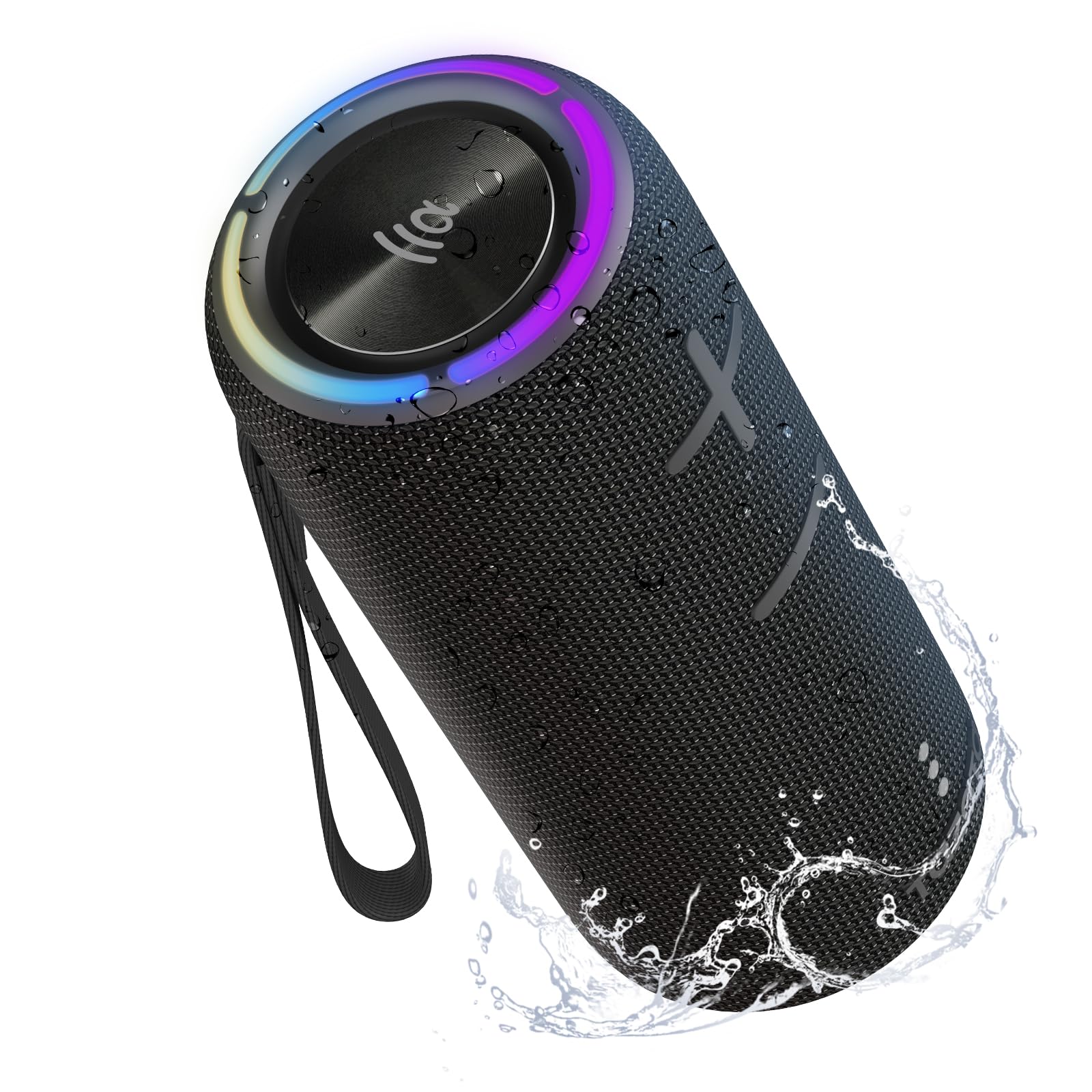
Image: TAZATA FUN 300 Portable Bluetooth Speaker in black.
Key Features:
- Powerful 30W Stereo Sound: Dual drivers with advanced bass boost for crisp, room-filling audio.
- 360° Surround Sound: Delivers immersive audio from all directions.
- IPX7 Waterproof & Floating Design: Protected against water immersion up to 1 meter for 30 minutes, ideal for pool or beach use.
- Bluetooth 5.3: Stable and skip-free audio connection up to 100ft.
- Multiple EQ Modes: Switch between Standard, 3D Surround, and Bass Boost.
- Long Playtime: Up to 8 hours of music playback at 60% volume with a built-in 2500mAh battery.
- Versatile Connectivity: Supports Bluetooth, TF/Micro SD card, and AUX/Type-C inputs.
- Built-in Microphone: For hands-free calls.
- RGB Mood Lighting: Enhances the listening experience.
- Portable Design: Includes a portable strap for easy carrying and mounting.
2. What's in the Box
- 1 x TAZATA Wireless Speaker (FUN 300)
- 1 x Type-C Charging Cable (charger head not included)
- 1 x Portable Strap
- 1 x Quick Start Guide

Image: Diagram showing the TAZATA FUN 300 speaker, Type-C charging cable, portable strap, and user manual included in the package.
3. Setup
3.1 Charging the Speaker
- Locate the rubber flap on the side of the speaker.
- Gently open the flap to reveal the charging port (Type-C).
- Connect the provided Type-C charging cable to the speaker and a compatible USB power adapter (not included).
- The charging indicator lights will illuminate. A full charge takes approximately 2 hours.
- Once fully charged, ensure the rubber flap is securely closed to maintain the IPX7 waterproof rating.

Image: Close-up of the speaker's connectivity ports (Type-C, Micro SD, AUX) protected by a rubber cover.
3.2 Bluetooth Pairing
- Press and hold the Power button () on the speaker to turn it on. The Bluetooth indicator light will flash, indicating it's in pairing mode.
- On your device (smartphone, tablet, computer), enable Bluetooth and search for available devices.
- Select "TAZATA FUN 300" from the list of devices.
- Once connected, the Bluetooth indicator light will remain solid.
3.3 TWS (True Wireless Stereo) Pairing
To achieve a more immersive stereo sound experience, you can pair two TAZATA FUN 300 speakers together:
- Ensure both speakers are powered on and not connected to any other Bluetooth device.
- On one speaker (this will be your primary speaker), press the TWS button (). It will search for another speaker.
- On the second speaker, press the TWS button. The speakers will automatically connect to each other.
- Once paired, the primary speaker's Bluetooth indicator will flash, and the secondary speaker's indicator will be solid.
- Now, connect your device to the primary speaker via Bluetooth as described in section 3.2.

Image: Two TAZATA FUN 300 speakers demonstrating TWS stereo pairing for enhanced sound.
4. Operating Instructions
4.1 Button Functions
Image: Detailed diagram illustrating the location and function of each button on the TAZATA FUN 300 speaker.
| Button | Function |
|---|---|
| Power Button () | Long press: Turn on/off. Short press: Switch 3 modes of RGB light and turn off. |
| Play/Pause Button () | Short press: Play and pause. Double press: Answer and hang up calls. |
| Volume Up (+) | Short press: Increase volume. Long press: Next song. |
| Volume Down (-) | Short press: Decrease volume. Long press: Previous song. |
| Bluetooth Button () | Short press: Switch input mode (Bluetooth, AUX, Micro SD). Double press: Switch EQ mode (Bass, 3D, Standard). Long press: Disconnect/reconnect Bluetooth. |
4.2 Connectivity Modes
- Bluetooth Mode: Connect wirelessly to your device (see Section 3.2).
- Micro SD Card Mode: Insert a Micro SD card with audio files into the dedicated slot (under the rubber flap). The speaker will automatically switch to Micro SD mode and begin playback.
- AUX Mode: Connect an audio device using a 3.5mm AUX cable to the AUX port (under the rubber flap). The speaker will automatically switch to AUX mode.
4.3 EQ Modes
Double press the Bluetooth button to cycle through the following EQ modes:
- Standard Mode: Balanced audio profile.
- 3D Surround Mode: Enhanced spatial audio experience.
- Bass Boost Mode: Emphasizes low frequencies for deeper bass.
4.4 RGB Lighting
Short press the Power button to cycle through different RGB light modes or turn the lights off.
5. Maintenance
The TAZATA FUN 300 speaker is designed for durability and outdoor use. To ensure its longevity:
- Waterproof Protection: Always ensure the rubber flap covering the charging and input ports is securely closed when not in use, especially near water. This maintains the IPX7 waterproof rating.
- Cleaning: Use a soft, damp cloth to clean the speaker. Avoid using harsh chemicals or abrasive materials.
- Storage: Store the speaker in a cool, dry place away from direct sunlight and extreme temperatures.
- Battery Care: For optimal battery life, avoid fully discharging the speaker frequently. Charge it regularly, even if not in constant use.

Image: A person holding the TAZATA FUN 300 speaker partially submerged in water, highlighting its IPX7 waterproof capability.
6. Troubleshooting
- No Power: Ensure the speaker is fully charged. Connect it to a power source using the Type-C cable.
- Cannot Pair via Bluetooth:
- Make sure the speaker is in pairing mode (flashing Bluetooth indicator).
- Ensure your device's Bluetooth is enabled and within range (up to 10 meters).
- Forget "TAZATA FUN 300" from your device's Bluetooth list and try pairing again.
- If TWS mode was previously used, ensure both speakers are disconnected from each other before attempting to pair a single speaker to your device.
- No Sound:
- Check the volume level on both the speaker and your connected device.
- Ensure the correct input mode (Bluetooth, AUX, Micro SD) is selected.
- If using AUX or Micro SD, ensure the cables are properly connected or the card is inserted correctly.
- Poor Sound Quality:
- Move the speaker closer to your Bluetooth device to reduce interference.
- Try switching between different EQ modes.
- Ensure the speaker is placed on a stable surface for optimal bass response.
7. Specifications
| Feature | Detail |
|---|---|
| Brand | TAZATA |
| Model Name | FUN 300 |
| Speaker Maximum Output Power | 30 Watts (RMS) / 45 Watts (Peak) |
| Frequency Response | 20 KHz |
| Connectivity Technology | Auxiliary, Bluetooth |
| Audio Output Mode | Stereo |
| Mounting Type | Tabletop Mount |
| Enclosure Material | Plastic, Thermoplastic Polyurethane (TPU) |
| Additional Features | Bass Boost, 360° Surround Sound, LED Light, Built-in Mic, TWS Pairing |
| Subwoofer Diameter | 3 Inches |
| Tweeter Diameter | 48 Millimeters |
| Controller Type | Button |
| Color | Black |
| Battery Average Life | 8 Hours (at 60% volume) |
| Is Waterproof | YES (IPX7) |
| Maximum Bluetooth Range | 10 Meters / 100ft |
| Number of Microphones | 1 |
| Power Source | Battery Powered |
| Battery Capacity | 2500 Amp Hours |
| Battery Charge Time | 2 Hours |
| Item Dimensions (D x W x H) | 8.94"D x 3.76"W x 3.7"H |

Image: Exploded view of the speaker's internal components, detailing the woofer and tweeter for 45W peak stereo sound.

Image: The TAZATA FUN 300 speaker highlighting its 8-hour playtime and 2500mAh built-in battery.
8. Warranty and Support
The TAZATA FUN 300 Portable Bluetooth Speaker comes with a Limited Warranty. For specific details regarding warranty coverage, duration, and how to claim support, please refer to the official TAZATA website or contact customer service directly.
For further assistance, technical support, or inquiries, please visit the TAZATA Store on Amazon or consult the contact information provided in your Quick Start Guide.
9. Official Product Video
Video: Official TAZATA video showcasing the 30W Surround Sound Wireless Portable Bluetooth Speaker, demonstrating its features and waterproof capabilities.
