
1. Product Overview
The YATINEY SF03UBR Overbed Table is a versatile and mobile solution designed for use with beds, recliners, and sofas. It features a spacious desktop, an adjustable tilting panel, a built-in charging station, and convenient side storage. Its smooth-rolling wheels allow for easy repositioning, making it suitable for various environments such as bedrooms, dormitories, and living spaces.

Image 1.1: The YATINEY SF03UBR Overbed Table in a living room setting, showcasing its design and functionality.
2. Safety Information
Please read and understand all safety instructions before assembly and use. Failure to follow these instructions may result in injury or damage to the product.
- Use caution when moving the table to prevent accidents.
- Keep fingers away from the adjustable panel to avoid pinch points during adjustment.
- Always ensure the table is stable and properly anchored before use to prevent tipping or collapse.
- Do not overload the table. Refer to specifications for weight limits.
- Ensure all screws and fasteners are securely tightened during assembly and periodically check for looseness.
3. Package Contents
Verify that all components are present before beginning assembly:
- 1 x Overbed Table (disassembled components)
- 1 x Power Outlet (integrated charging station)
- 1 x Accessory Package (screws, bolts, etc.)
- 1 x Assembly Guide
- Installation Tool (Allen Key)
Note: A screwdriver is recommended for assembly but not included.
4. Setup and Assembly
Assembly typically takes approximately 10-30 minutes. While it can be done by one person, having two people may simplify certain steps. Follow the included assembly guide for detailed, step-by-step instructions.
4.1 Unpacking and Preparation
- Carefully unpack all components and lay them out on a clean, soft surface to prevent scratches.
- Identify all parts against the package contents list.
- Ensure you have the provided Allen Key and a screwdriver (not included).
4.2 Assembly Steps
Refer to the detailed diagrams and instructions in the included Assembly Guide. Key steps generally involve:
- Attaching the frame components using the provided screws and Allen Key.
- Securing the tabletop panels to the frame.
- Installing the adjustable tilt mechanism for the laptop section.
- Mounting the power outlet unit.
- Attaching the four caster wheels to the base. Ensure two wheels are lockable for stability.
- Attaching the side storage pocket.

Image 4.1: Product dimensions: 43.3'' (length) × 12.6'' (width) × 35.4'' (height). The adjustable panel measures 15.7'' and tilts from 0-60 degrees.
4.3 Important Considerations
- The table's height is fixed at 35.4 inches. It is designed for use with seating surfaces (beds, recliners, sofas) that have a seat height of over 17 inches for optimal clearance and comfort.
- Ensure all connections are tight before using the table.

Image 4.2: The table is suitable for recliners and sofas with a seat height over 17 inches, as indicated by the checkmarks. It is not suitable for lower seating options.
5. Operating Instructions
5.1 Adjustable Desktop Panel
The central section of the desktop can be tilted from a flat position up to 60 degrees. This feature is ideal for holding laptops, tablets, or books at an ergonomic angle, reducing strain on your neck and eyes.
- To adjust, lift the panel to your desired angle. The mechanism will lock into place.
- To lower, lift the panel slightly to disengage the lock, then gently push it down.
- A guardrail is included to prevent items from sliding off the tilted surface.
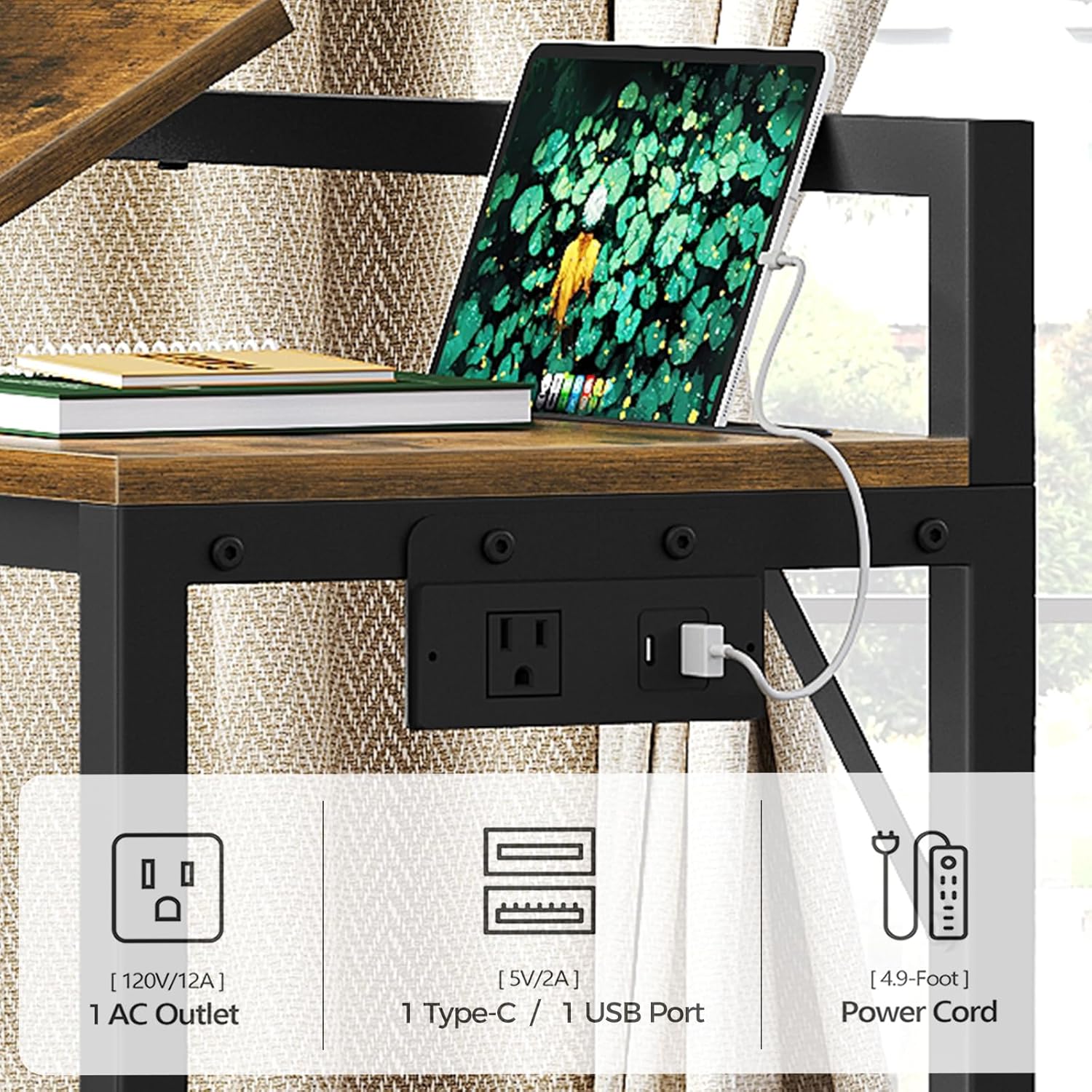
Image 5.1: The tilt-adjustable design allows for multiple viewing angles for laptops and books, improving ergonomics.
5.2 Built-in Charging Station
The table includes an integrated power outlet for convenient charging of your electronic devices.
- It features one (1) AC outlet (120V/12A), one (1) USB port (5V/2A), and one (1) Type-C port (5V/2A).
- The power cord is approximately 4.9 feet long.
- Plug the table's power cord into a standard wall outlet to activate the charging station.
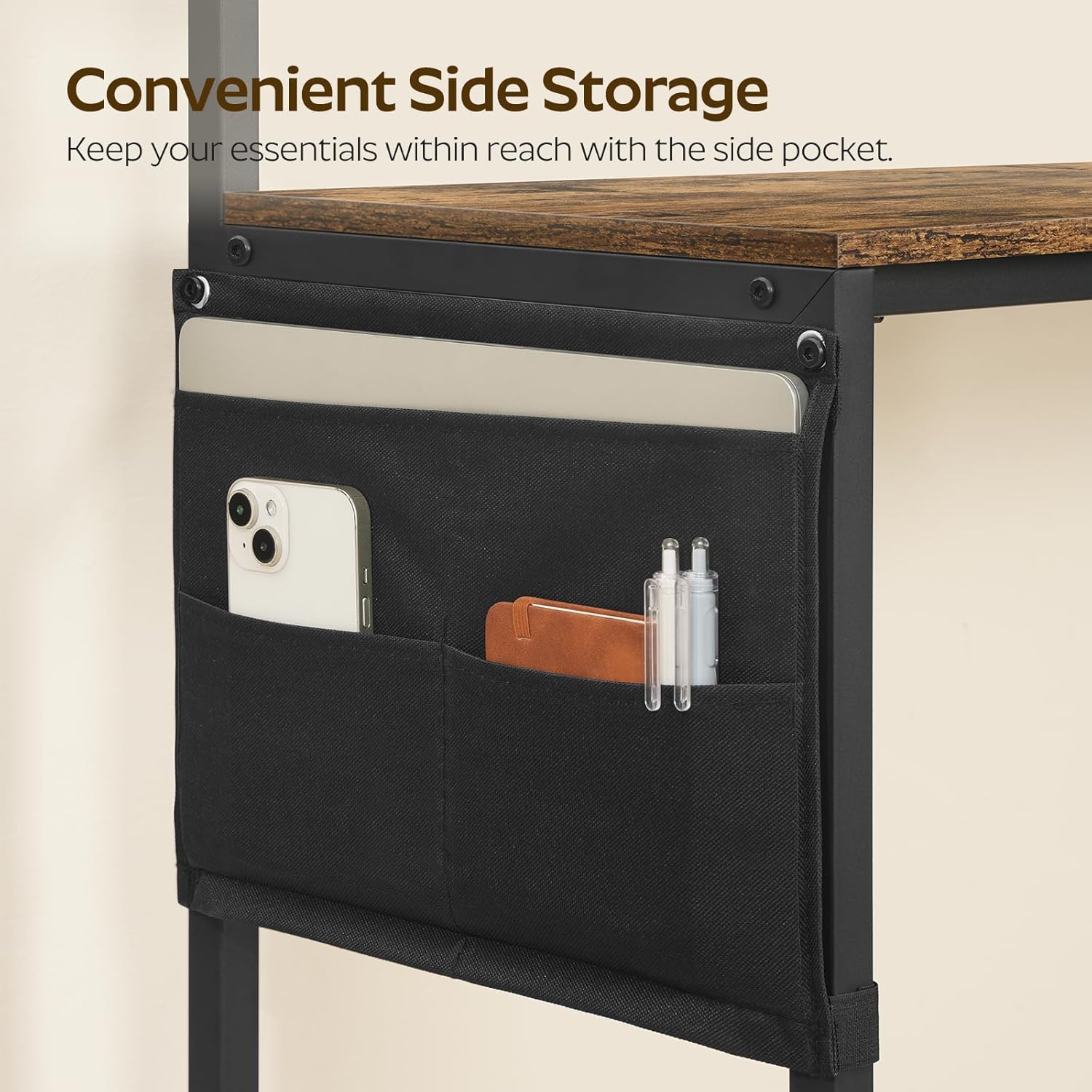
Image 5.2: The integrated charging station provides easy access to power for various devices.
5.3 Mobile Functionality
The table is equipped with four smooth-rolling caster wheels, two of which are lockable, allowing for easy movement and secure positioning.
- To move the table, unlock the two lockable wheels.
- To secure the table in place, engage the locks on the two wheels.

Image 5.3: The 360-degree smooth-rolling wheels allow for effortless repositioning, with two lockable wheels for stability.
5.4 Side Storage Pocket
A 2-tier side storage pocket is included to keep small items organized and within reach.
- Ideal for storing smartphones, notebooks, remote controls, reading glasses, or other small essentials.
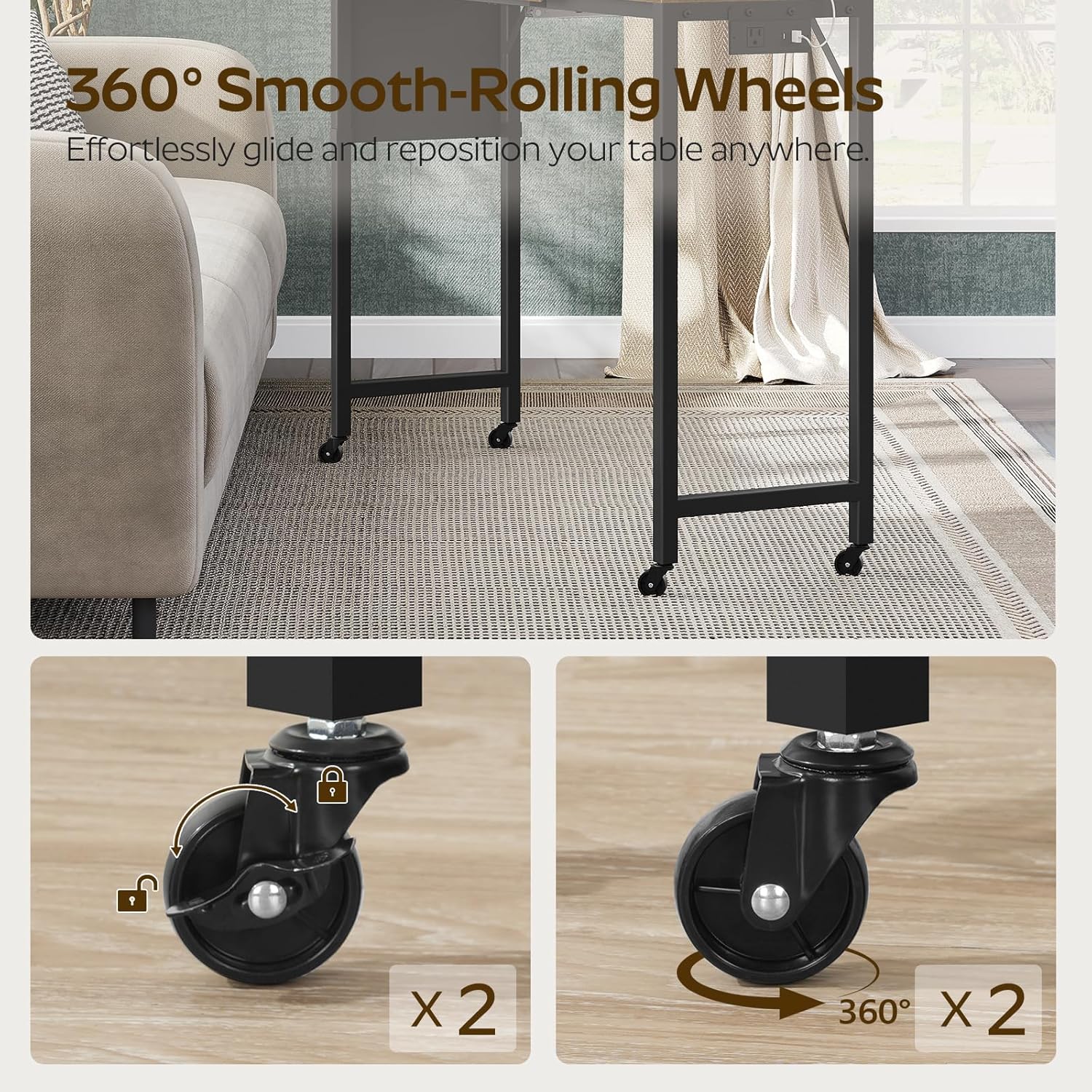
Image 5.4: The side storage pocket helps keep your essentials organized and easily accessible.
5.5 Usage Scenarios
This overbed table is designed for various uses:
- Laptop Table: Use the adjustable panel for comfortable laptop use.
- Sofa Table: Position over your sofa for working, studying, or dining.
- Dining Table: Enjoy meals comfortably while in bed or on a recliner.
- Study/Work Desk: Provides a stable surface for drafting, gaming, or general work.
Video 5.5: An official YATINEY video demonstrating the versatility of the Overbed Table, Recliner Table, and Laptop Table in various settings.
6. Maintenance
Proper care will extend the life of your overbed table.
- Cleaning: Wipe the surfaces with a damp cloth, then dry with a clean, dry cloth. Avoid harsh chemicals or abrasive cleaners.
- Inspection: Periodically check all screws and fasteners to ensure they remain tight. Re-tighten if necessary.
- Spills: The tabletop is stain-resistant. Wipe up spills immediately to prevent potential damage.
7. Troubleshooting
7.1 Table is Wobbly
- Ensure all assembly screws are securely tightened.
- Check that the caster wheels are properly installed and tightened.
- Verify the table is on a flat, even surface.
7.2 Adjustable Panel Not Holding Position
- Ensure the tilt mechanism is fully engaged at the desired angle.
- Avoid placing excessive weight on the tilted panel.
7.3 Charging Station Not Working
- Check that the table's power cord is securely plugged into a functional wall outlet.
- Ensure the power outlet unit is correctly installed and connected within the table frame.
- Test with different devices and cables to rule out device-specific issues.
8. Specifications
| Brand | YATINEY |
| Model Number | SF03UBR |
| Dimensions (L x W x H) | 43.3'' × 12.6'' × 35.4'' |
| Item Weight | 8.17 Kilograms |
| Frame Material | Metal |
| Top Material Type | Wood (Engineered Wood) |
| Color | Rustic Brown + Black |
| Base Type | Casters (Wheels) |
| Tilting Feature | Yes (0-60 degrees) |
| Power Outlet | 1 AC Outlet (120V/12A), 1 USB Port (5V/2A), 1 Type-C Port (5V/2A) |
| Power Cord Length | Approx. 4.9 feet |
| Recommended Uses | Drafting, Gaming, Studying, Working, Writing |
9. Warranty and Support
For warranty information and customer support, please contact YATINEY directly through their official channels or the retailer where the product was purchased. Specific warranty details may vary by region and retailer.
Please retain your proof of purchase for any warranty claims.