
Introduction
This manual provides essential instructions for setting up, operating, and maintaining your RUSHAR A140 14-inch Android 14 Tablet. Please read this guide thoroughly to ensure proper use and to maximize the performance and longevity of your device.

Image: The RUSHAR A140 tablet displayed with its various accessories, including a protective case, stylus, charger, USB cables, and headphones.
Setup
1. Unboxing and Included Components
Carefully remove all items from the packaging. Verify that the following components are present:
- RUSHAR A140 Tablet
- Protective Case
- Stylus
- Headphones
- Charger (18W fast charger)
- USB Cable
- SIM Ejector Tool
- Wireless Mouse (requires 2 AAA batteries, not included)
- Bluetooth Keyboard (with USB-C charging cable)
- USB Adapter
2. Charging the Tablet
Before first use, fully charge the tablet. Connect the provided charger to the tablet's USB-C port and plug it into a power outlet. The 11580 mAh battery supports 18W fast charging.
3. Power On/Off
- To Power On: Press and hold the Power button until the RUSHAR logo appears on the screen.
- To Power Off: Press and hold the Power button, then select 'Power Off' from the options displayed.
4. Initial Configuration
Upon first power-on, the tablet will guide you through the initial setup process. This includes selecting your language, connecting to a Wi-Fi network, and signing in with your Google account. The tablet runs on Android 14 and is GMS certified.
5. SIM Card Installation (Optional)
The tablet supports 4G LTE connectivity. To install a SIM card:
- Locate the SIM card tray on the side of the tablet.
- Insert the SIM ejector tool into the small hole next to the tray and press gently until the tray pops out.
- Place your Nano-SIM card(s) into the designated slots on the tray.
- Carefully reinsert the tray into the tablet.
6. Storage Expansion
The tablet supports storage expansion up to 1TB using a TF (microSD) card. Insert the TF card into the dedicated slot on the SIM card tray.
Operating the Tablet
1. Display
The RUSHAR A140 features a 14-inch 2.5K HD INCELL display with a resolution of 2240 x 1400. It is TUV Full View certified and supports Widevine L3 for enhanced visual experiences.
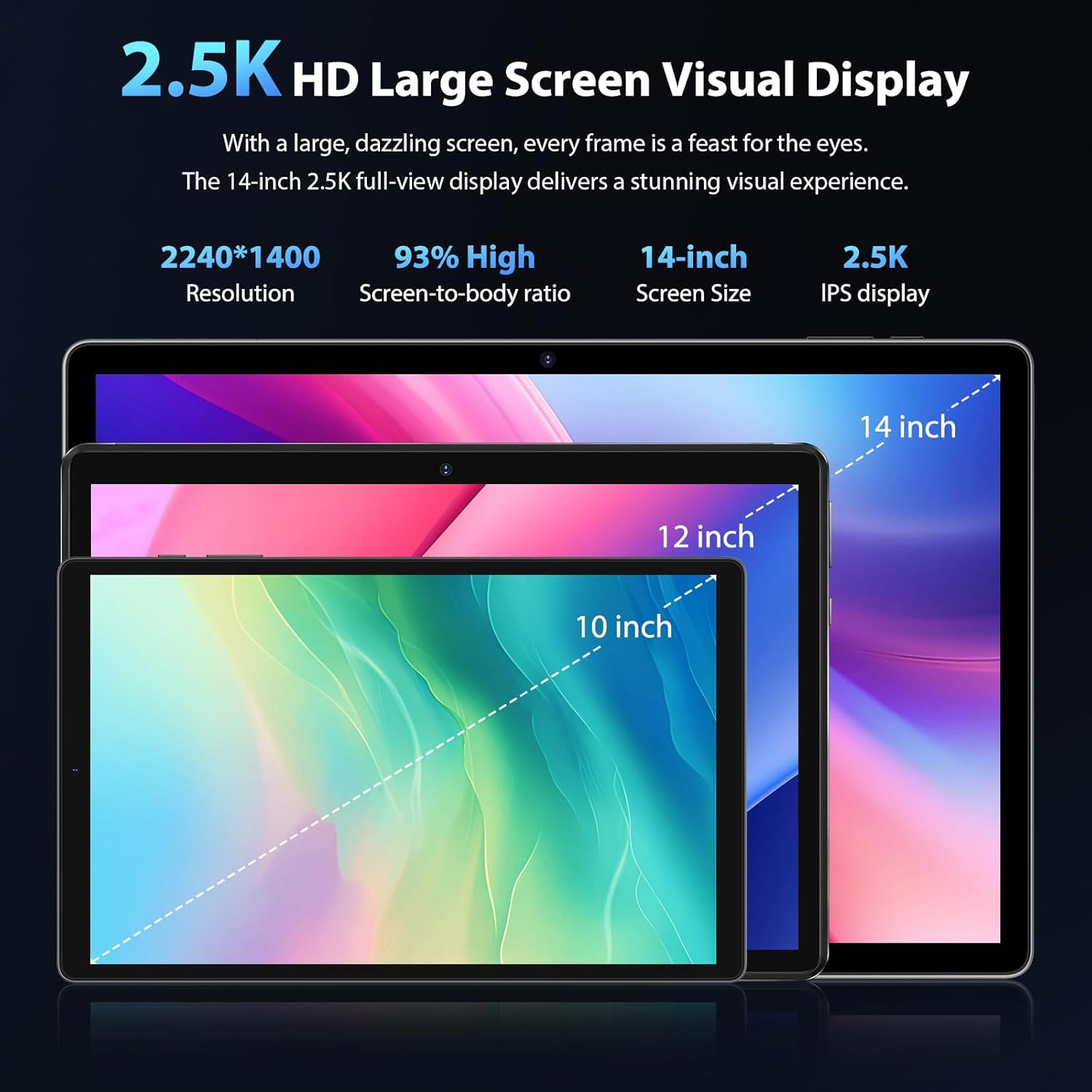
Image: A visual representation highlighting the 14-inch 2.5K HD display with 2240x1400 resolution and a 93% screen-to-body ratio.
2. Performance
Equipped with an Octa-Core processor operating at up to 2.0 GHz and 36GB of RAM (12GB physical + 24GB virtual), the tablet provides efficient performance for multitasking and applications.

Image: Diagram illustrating the Octa-Core processor architecture and the large 11580mAh battery capacity with 18W fast charging capability.
3. Connectivity
- 4G LTE: Supports 4G LTE calls and data for mobile connectivity.
- 5G WiFi: Integrated dual-band 2.4G+5G WiFi chip for stable and fast internet access.
- Bluetooth 5.0: For connecting wireless accessories such as headphones, keyboards, and mice.

Image: A user making a video call on the tablet, demonstrating its dual 4G LTE and dual-band 5G WiFi capabilities for high-speed communication.
4. Camera
The tablet features a 13MP rear camera and an 8MP front camera, suitable for capturing photos, video calls, and face unlocking.

Image: Illustrations of the tablet's 8MP front camera and 13MP main camera, showing use cases like face unlocking, video calls, and taking pictures.
5. Audio
The tablet is equipped with 4 speakers for immersive audio. It also includes a 3.5mm headset interface, dual microphones, and AI noise cancellation for clear voice pickup during calls and recordings.
6. Navigation
Integrated GPS, A-GPS, and 4-mode satellite positioning provide accurate location services for navigation and mapping applications.
7. Security
The tablet supports Face ID for convenient and secure unlocking.

Image: Visuals demonstrating the tablet's 4 speakers, 3.5mm headset interface, 4-mode satellite positioning (GPS), dual mics with AI noise cancellation, and Face Unlocking feature.
Maintenance
1. Battery Care
- Avoid exposing the tablet to extreme temperatures.
- Do not allow the battery to fully discharge frequently.
- Use only the provided charger or a certified compatible charger.
2. Software Updates
Regularly check for and install system updates to ensure optimal performance, security, and access to new features. Updates can typically be found in the tablet's Settings menu under 'System' or 'About tablet'.
3. Cleaning
Use a soft, lint-free cloth to clean the screen and body of the tablet. Avoid using harsh chemicals or abrasive materials that could damage the surfaces.
Troubleshooting
If you encounter issues with your RUSHAR A140 tablet, consider the following common solutions:
- Tablet not turning on: Ensure the battery is charged. Connect the charger and wait a few minutes before attempting to power on again.
- Slow performance: Close unnecessary applications running in the background. Clear cache data for apps. Consider restarting the tablet.
- Wi-Fi or 4G LTE connectivity issues: Toggle Wi-Fi/Mobile Data off and on. Restart your router (for Wi-Fi). Ensure your SIM card is correctly inserted and active.
- Screen unresponsive: Perform a forced restart by holding the Power button for approximately 10-15 seconds.
- Apps crashing: Ensure apps are updated to their latest versions. Clear the app's cache or data in Settings. Reinstall the app if the issue persists.
For persistent issues, refer to the support section or contact customer service.
Specifications

Image: An overview of the RUSHAR A140 tablet's key specifications including Bluetooth 5.0, 11580mAh battery, 8MP+13MP cameras, Android 14, 36GB RAM, 256GB ROM, Octa-Core processor, 5G WiFi, and 4G LTE.
| Feature | Specification |
|---|---|
| Brand | RUSHAR |
| Model Name | A140 |
| Operating System | Android 14 |
| Processor Brand | Unisoc (Octa-Core 2.0 GHz) |
| Screen Size | 14 Inches |
| Display Resolution | 2240 x 1400 (2.5K HD) |
| RAM Size | 36 GB (12GB physical + 24GB virtual) |
| Storage Capacity | 256 GB (Expandable up to 1TB via TF card) |
| Battery Capacity | 11580 mAh |
| Wireless Communication | Bluetooth 5.0, 4G LTE, 5G WiFi (Dual-band) |
| Front Camera | 8 MP |
| Rear Camera | 13 MP |
| Color | Grey |
| Connectivity Type | Bluetooth |
| Graphic Card Description | Integrated |
| Included Components | Protective Case, Stylus, Headphones, Charger, USB Cable, SIM Ejector Tool, Wireless Mouse, Bluetooth Keyboard, USB Adapter |
Warranty and Support
RUSHAR offers a warranty for this product. For any questions, technical assistance, or warranty claims, please utilize our 24-hour online customer service. Long-term technical support is also available to assist you with any issues you may encounter.
Please refer to your purchase documentation for specific warranty terms and contact information.