
Introduction
This manual provides detailed instructions for the installation, operation, and maintenance of your STARLEAD USM3303 32x20 inch Arched LED Bathroom Mirror. Please read this manual thoroughly before installation and use to ensure proper function and safety. Keep this manual for future reference.
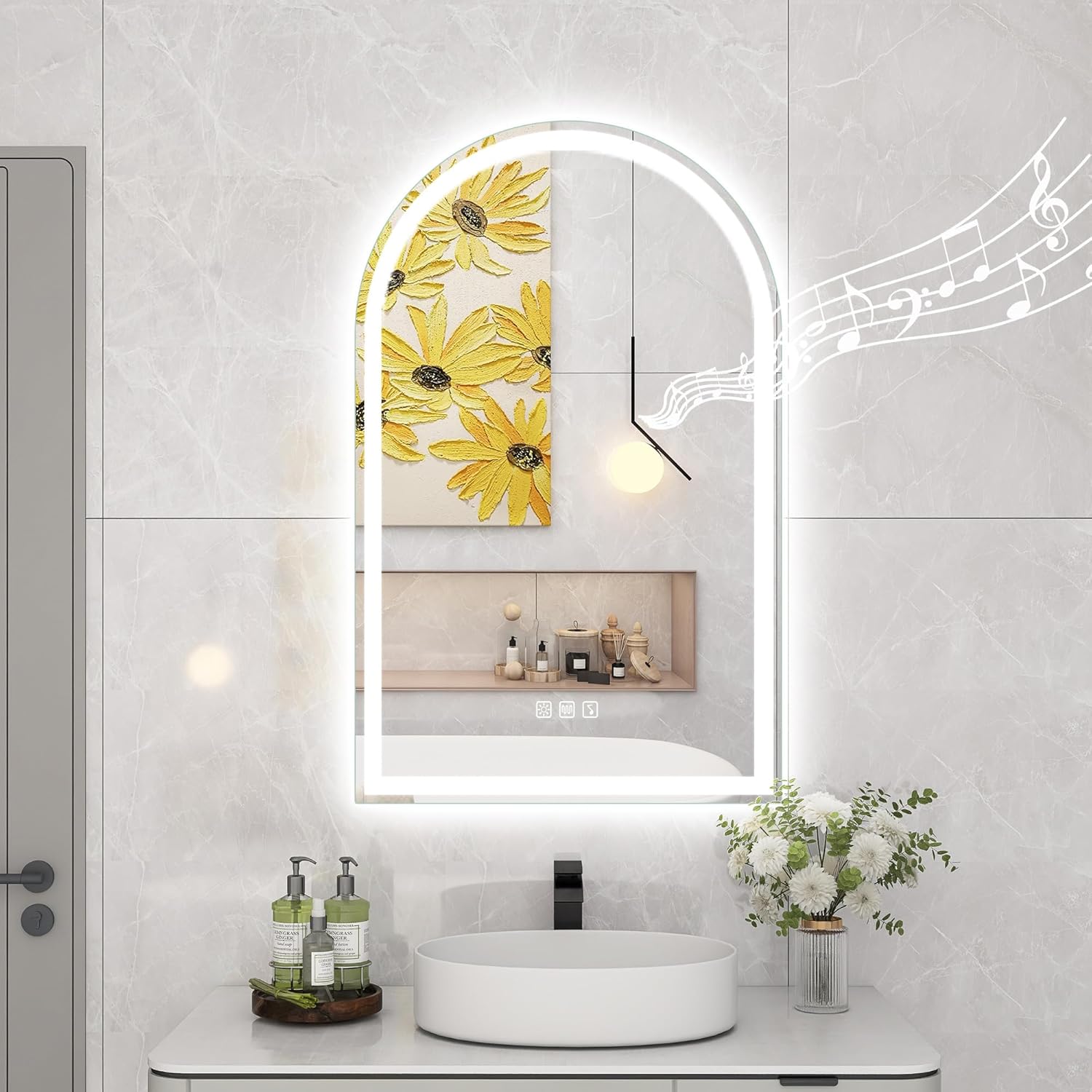
Figure 1: Overview of the STARLEAD USM3303 Arched LED Bathroom Mirror.
Important Safety Information
WARNING:
- This product should be installed by a professional electrician.
- A minimum of two people is needed for installation.
- The product is wall mounted only and has a hard wire connection, posing potential electrical hazards if not installed correctly.
- Always follow the manufacturer's instructions for safe installation and use.
Product Features
- Explosion-Proof Design: Made of toughened glass; sturdy and impact-resistant for enhanced safety.
- Built-in Dual Bluetooth Speakers: Delivers 360-degree surround sound; easily pair with your phone for audio playback.
- Anti-Fog Function: Features innovative anti-fog film; activates with a button press to keep the mirror clear.
- Customized Lighting: Offers three color temperatures: 3000K warm light, 4000K natural light, 6500K cool light.
- Adjustable Brightness: Long-press the touch sensor for stepless dimming from 5% to 100%.
- Intelligent Memory Function: Remembers preferred light brightness and color temperature settings after shutdown and restart.
- Flexible Installation Options: Choose between hardwiring or plug-in connection.

Figure 2: Key features of the STARLEAD USM3303 mirror.
Setup & Installation
Professional installation is recommended. Ensure power is off before beginning installation.
1. Preparation
- Measure your space to ensure the mirror fits without crowding.
- Allow 10-15 cm (4-6 inches) clearance between the mirror's bottom and the countertop for easy cleaning.

Figure 3: Measuring the installation area.
2. Mounting the Mirror
- Mark the desired position for the mounting bracket on the wall.
- Drill holes at the marked positions and insert wall anchors if necessary.
- Secure the mounting bracket to the wall using screws.

Figure 4: Drilling pilot holes for the mounting bracket.
3. Electrical Connection
The mirror supports both plug-in and hardwired connections. For hardwiring, consult a professional electrician.
- Plug-in: Simply plug the mirror's power cord into a standard electrical outlet.
- Hardwired: Connect the mirror's wires to your home's electrical wiring according to local electrical codes. Ensure proper grounding.

Figure 5: Preparing wires for hardwired connection.

Figure 6: Securing electrical connections with wire nuts.
4. Hanging the Mirror
Carefully lift the mirror and align it with the wall bracket. Ensure it is securely seated.

Figure 7: Mounting the mirror onto the wall bracket.
Installation Video
Video 1: Step-by-step installation guide for the STARLEAD Bathroom Mirror.
Operating Instructions
The mirror features intuitive touch controls integrated into the mirror surface.

Figure 8: Touch sensor controls and optional wall switch connection.
1. Power On/Off & Brightness Adjustment
- Tap the power icon to turn the lights on or off.
- Long-press the power icon to adjust the brightness from 5% to 100%.

Figure 9: Stepless dimming from 5% to 100% brightness.
2. Color Temperature Selection
- Tap the color temperature icon to cycle through 3000K (warm light), 4000K (natural light), and 6500K (cool light).

Figure 10: Three color temperature options for varied ambiance.
3. Anti-Fog Function
- Tap the anti-fog icon to activate the demister. The mirror surface will clear within 3-5 minutes.
- Tap again to turn off the anti-fog function.

Figure 11: Anti-fog function in action, clearing the mirror surface.
4. Bluetooth Speaker Operation
- Tap the Bluetooth icon to activate pairing mode.
- On your mobile device, search for "mirror multimedia" or similar in your Bluetooth settings and pair.
- Once paired, you can play audio through the mirror's built-in speakers.
Video 2: Demonstration of Bluetooth speaker pairing and functionality.
Video 3: Overview of the STARLEAD 3303 Bluetooth bathroom mirror features.
5. Memory Function
- The mirror automatically saves your last used brightness and color temperature settings.
- When the mirror is turned on again, it will resume these saved settings.

Figure 12: The mirror's intelligent memory function.
Maintenance
- Clean the mirror surface with a soft, damp cloth and a mild glass cleaner. Avoid abrasive cleaners or harsh chemicals.
- Ensure the mirror is dry after cleaning to prevent water spots.
- Do not spray cleaning solution directly onto the mirror's edges or electrical components.
Troubleshooting
| Problem | Possible Cause | Solution |
|---|---|---|
| Lights not turning on | No power supply; loose connection; faulty switch. | Check power outlet/circuit breaker. Ensure all electrical connections are secure. Test the touch switch. |
| Anti-fog not working | Function not activated; heater element issue. | Ensure the anti-fog button is pressed. Allow 3-5 minutes for the function to take effect. |
| Bluetooth not connecting | Mirror not in pairing mode; device too far; interference. | Ensure Bluetooth is activated on the mirror and your device. Keep devices within range. Restart both devices. |
| Inconsistent brightness/color | Incorrect setting; power fluctuation. | Adjust brightness/color temperature using the touch controls. Ensure stable power supply. |
Specifications
| Feature | Detail |
|---|---|
| Brand | STARLEAD |
| Model Number | USM3303 |
| Product Dimensions | 32"L x 20"W |
| Shape | Arched |
| Frame Material | Tempered Glass |
| Mounting Type | Wall Mount |
| Special Features | 3 Color Temperatures, Bluetooth, Anti-Fog, Stepless Dimmable |
| Waterproof Rating | IP65 |
| Item Weight | 13.42 pounds |
Warranty and Support
For warranty information or technical support, please refer to the product packaging or contact STARLEAD customer service directly. Specific warranty details may vary.


