
1. Introduction
This manual provides essential information for the safe and effective use of the KACOME JK-B1A8S10P Active Balancer Battery Management System (BMS). The JK-B1A8S10P is designed to manage and protect Lifepo4, Li-Ion, and LTO battery packs ranging from 4S to 8S configurations, ensuring optimal performance, longevity, and safety. Please read this manual thoroughly before installation and operation.
2. Product Features
- Active Balancing: Features a 1A active balancing current to equalize cell voltages, extending battery life and improving overall pack performance.
- Wide Battery Compatibility: Supports 4S to 8S configurations for Lifepo4, Li-Ion, and LTO battery types.
- High Current Capability: Supports a continuous charge and discharge current of 100A, with a maximum discharge current of 200A.
- Robust Design: Engineered for durability and stable operation in various industrial environments.
- Easy Installation: Designed for straightforward setup and maintenance.
- Comprehensive Protection: Includes over-charge, over-discharge, over-current, and short-circuit protection.
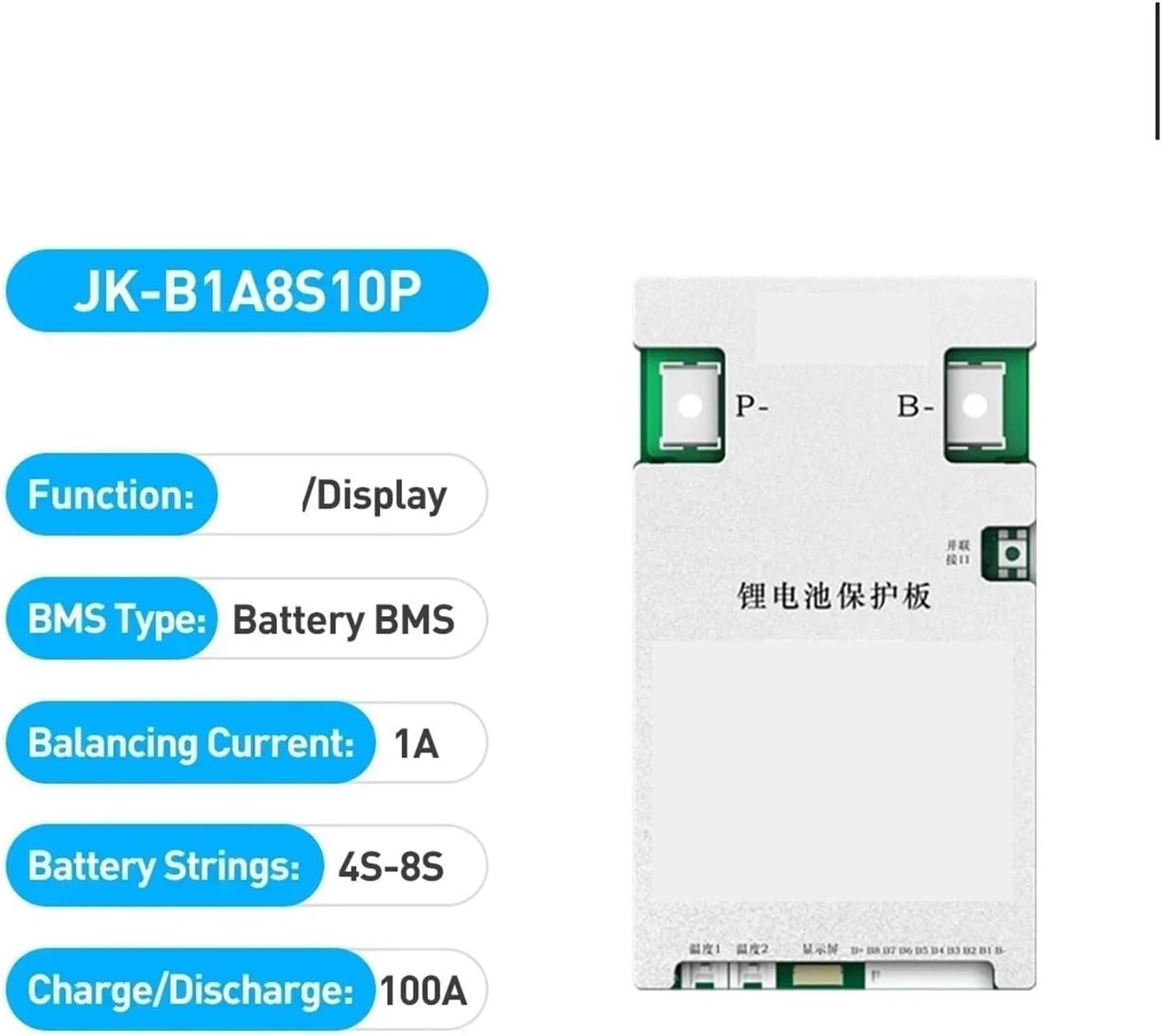
Figure 1: The JK-B1A8S10P BMS board highlighting key features such as 1A balancing current, support for 4S-8S battery strings, and 100A charge/discharge capability. The board includes P- and B- terminals for connection.
3. Specifications
The following table details the technical specifications for the JK-B1A8S10P BMS:

Figure 2: Product Parameters table for JK-BMS models, including detailed specifications for the JK-B1A8S10P.
Key Specifications for JK-B1A8S10P:
- Number of Battery Strings (Li-ion/Lifepo4/LTO): 4S-8S
- Balance Method: Active Balance (Full State On)
- Balance Current: 1A
- Continuous Charge Current: 100A
- Continuous Discharge Current: 100A
- Maximum Discharge Current (Max 2min): 200A
- Over Charge Protection Voltage: 1.2-4.35V Adjustable
- Over Discharge Protection Voltage: 1.2-4.35V Adjustable
- Interfaces: RS485, CANBUS HEAT (Customized)
- Short Circuit Protection: Yes
- Coulomb Counter: Yes
- Package Dimensions: 1.18 x 0.79 x 0.39 inches
- Item Weight: 1.1 pounds
4. Setup
Proper setup is crucial for the safe and efficient operation of your BMS. Always ensure the battery pack is disconnected before beginning installation.
4.1 Pre-installation Checks
- Verify that your battery pack voltage and cell count (4S-8S) are compatible with the JK-B1A8S10P BMS.
- Inspect the BMS for any visible damage.
- Ensure all necessary wiring (balance wires, main charge/discharge wires) are available and correctly sized for 100A current.
4.2 Wiring Instructions
- Connect the B- terminal of the BMS to the negative terminal of your battery pack.
- Connect the P- terminal of the BMS to the negative terminal of your load/charger.
- Carefully connect the balance wires from your battery cells to the corresponding balance ports on the BMS, starting from B1 (positive of the first cell) up to B8 (positive of the last cell). Ensure the order is correct to prevent damage.
- Double-check all connections for polarity and secure fit. Loose connections can cause overheating or malfunction.
Warning: Incorrect wiring can cause severe damage to the BMS, battery pack, and connected equipment, and poses a fire hazard. If unsure, seek professional assistance.
5. Operating Instructions
Once installed, the BMS will automatically begin monitoring and balancing your battery pack.
5.1 Initial Power-Up
- After all wiring is complete, connect your charger or load.
- Observe the BMS for any indicator lights or display (if applicable) to confirm proper operation.
- Monitor initial cell voltages to ensure they are within a healthy range and that balancing is occurring if needed.
5.2 Balancing Function
The active balancing feature works continuously to equalize the voltage of individual cells within the battery pack. This process helps prevent overcharging or over-discharging of individual cells, which can degrade battery performance and lifespan.
5.3 Protection Features
The BMS is equipped with several protection mechanisms:
- Over-Charge Protection: Disconnects charging if any cell voltage exceeds the set limit.
- Over-Discharge Protection: Disconnects discharge if any cell voltage drops below the set limit.
- Over-Current Protection: Disconnects discharge if the current exceeds the safe limit.
- Short-Circuit Protection: Immediately cuts off current in case of a short circuit.
When a protection event occurs, the BMS will typically cut off the current path. To reset, remove the load/charger and allow the battery to return to a safe state, or cycle the power if applicable.
6. Maintenance
The JK-B1A8S10P BMS is designed for low maintenance. However, periodic checks can help ensure its long-term reliability.
- Visual Inspection: Periodically check the BMS and wiring for any signs of wear, corrosion, or damage.
- Connection Integrity: Ensure all connections remain tight and secure.
- Environmental Conditions: Operate the BMS within its specified temperature and humidity ranges. Avoid exposure to moisture or extreme temperatures.
- Cleaning: If necessary, gently clean the BMS with a dry, soft cloth. Do not use liquids or solvents.
7. Troubleshooting
If you encounter issues with your JK-B1A8S10P BMS, refer to the following common troubleshooting steps:
7.1 No Power Output/Input
- Check Connections: Verify all main power and balance wire connections are secure and correctly wired.
- Battery Voltage: Ensure the overall battery pack voltage and individual cell voltages are within the operational range.
- Protection Triggered: The BMS may have entered a protection state (e.g., over-discharge, over-current). Remove the load/charger and allow the battery to recover.
- Fuse Check: If applicable, check any external fuses in your system.
7.2 Imbalanced Cells
- Allow Time: Active balancing takes time, especially for large imbalances. Allow the BMS to operate for several charge/discharge cycles.
- Check Balance Wires: Ensure all balance wires are correctly connected and not damaged.
- Cell Health: Severely degraded cells may not balance effectively. Consider testing individual cell capacities.
7.3 BMS Overheating
- Current Load: Ensure the continuous charge/discharge current does not exceed the BMS's rated capacity (100A).
- Ventilation: Ensure adequate airflow around the BMS.
- Connections: Loose connections can cause resistance and heat. Check all terminals.
If problems persist after following these steps, contact customer support.
8. Warranty and Support
KACOME products are manufactured to high-quality standards. For warranty information, please refer to the product packaging or the retailer's website where the product was purchased. Keep your proof of purchase for warranty claims.
For technical support or further assistance, please contact KACOME customer service through the official channels provided by your retailer or on the KACOME website.