
1. Introduction
The KGKGK VAC8810F is a multi-functional wireless battery tester designed for accurate monitoring of various battery parameters. Utilizing 2.4G wireless data transmission technology, this instrument provides real-time display of voltage, current, power, capacity, energy, temperature, and running time. It features comprehensive protection functions and a user-friendly interface, making it an essential tool for battery management.
2. Product Features
- Real-time Parameter Display: Simultaneously shows voltage, current, power, temperature, capacity, percentage of remaining capacity, and running time on a 2.4-inch color LCD screen.
- Wireless Data Transmission: Employs 2.4G wireless technology to avoid complex wiring and interference between the display and detection module.
- Comprehensive Protection Functions: Includes charging over-voltage, discharging under-voltage, charging over-current, discharging over-current, over-temperature, and low-temperature protection.
- Buzzer Alarm: Integrated buzzer for audible alerts during protection events.
- Relay Control: Features reserve charging and discharging dual relay interfaces with 5 working modes for automatic disconnection and closing.
- Power-off Memory: Retains data (AH and WH) before power-off, ensuring continuity of measurements.
- Dynamic Charging Display: Percentage progress bar switches to a color running light display with a breathing light flashing effect during charging.
- Waveform Curve Display: Provides voltage, current, and temperature waveform curve display functions.
- Non-contact Current Detection: Utilizes a Hall sensor for safe, reliable, and convenient non-contact current measurement without breaking the circuit.
- Multi-language Support: Supports Chinese and English language options.
- Dual Display Colors: Two display colors can be switched to suit different user preferences.

Figure 2.1: The VAC8810F display highlighting its input current measurement range (0.4-300A) and various protection functions including over-voltage, under-voltage, and over-current protections.
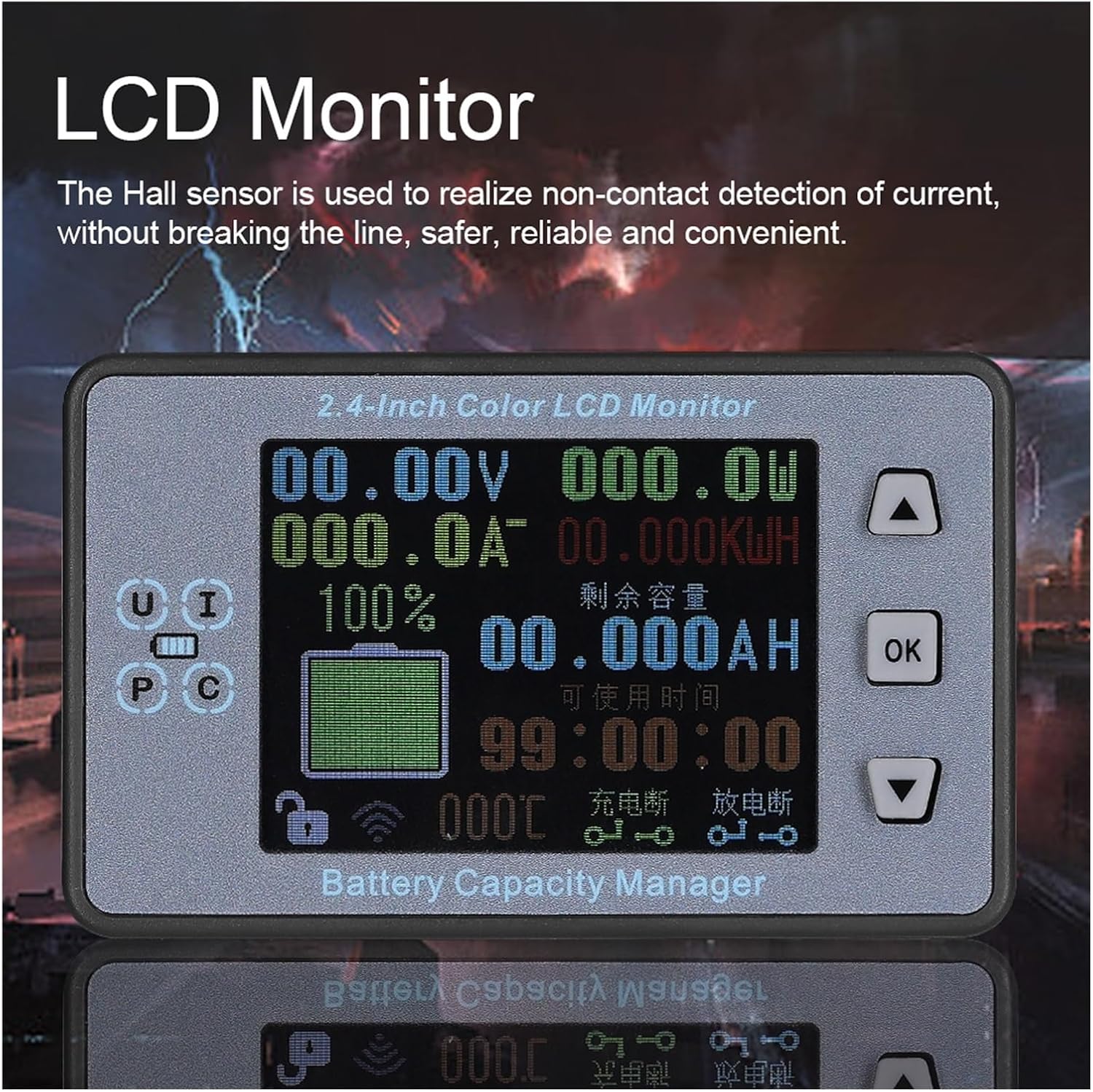
Figure 2.2: A detailed view of the 2.4-inch color LCD monitor, emphasizing the Hall sensor technology for non-contact current detection, which enhances safety and convenience.
3. Package Contents
Please verify that all items listed below are included in your package. If any items are missing or damaged, please contact customer support.
- VAC8810F Display Module
- VAC8810F Measuring Plate (Shunt Module)
- USB Cable (for power)
- Temperature Sensor
- Wiring Harness
- Mounting Accessories (e.g., screws, terminals)

Figure 3.1: Overview of the VAC8810F package contents, showing the display unit, measuring plate, USB cable, temperature sensor, and wiring accessories.
4. Setup
Follow these steps to set up your VAC8810F Wireless Battery Tester:
- Mounting the Measuring Plate: Secure the measuring plate (shunt module) in a suitable location near the battery or power source. The plate features hidden mounting clips on both sides for easy installation.
- Connecting Power to Measuring Plate: The measuring plate can be powered via a 5V USB port or an 8-12V external power supply wiring port. Connect the appropriate power source.
- Current Sensing: Position the Hall sensor for non-contact current detection around the positive or negative cable of the circuit you wish to monitor. Ensure the cable passes through the sensor's opening without direct contact.
- Connecting Temperature Sensor: Plug the temperature sensor into the designated port on the measuring plate.
- Powering the Display Module: Connect the display module to a 5V USB power source using the provided USB cable.
- Wireless Pairing: The display module and measuring plate should automatically pair via 2.4G wireless communication upon power-up. Verify that data is being transmitted and displayed correctly.
- Relay Connections (Optional): If using the relay control functions, connect your charging/discharging relays to the designated interfaces on the measuring plate according to your application's requirements.

Figure 4.1: The rear view of the VAC8810F measuring plate, indicating the 8-12V external power supply wiring port, 5V USB powered port, and hidden mounting clips.
5. Operating Instructions
Once the VAC8810F is set up and powered, you can begin monitoring and configuring its functions:
- Display Overview: The 2.4-inch LCD screen will show real-time values for voltage (V), current (A), power (W), energy (KWH), capacity (AH), remaining capacity percentage, and running time.
- Navigation Buttons: Use the 'UP' and 'DOWN' arrow buttons to navigate through menus or adjust values. The 'OK' button is used to confirm selections or enter settings.
- Accessing Settings: Press and hold the 'OK' button to enter the main settings menu. Here you can configure various parameters such as protection thresholds, relay modes, language, and display color.
- Protection Settings: Within the settings menu, configure the desired thresholds for over-voltage, under-voltage, over-current, and temperature protections. When a threshold is exceeded, the buzzer will alarm, and the relay can be triggered if configured.
- Relay Control: Select from the 5 available relay working modes to automate charging and discharging processes based on set parameters.
- Language and Color: Change the display language between Chinese and English, and switch between the two available display color schemes in the settings.
- Power-off Memory: The device automatically saves accumulated AH and WH data before power loss, ensuring accurate long-term monitoring.
- Charging Indication: Observe the dynamic percentage progress bar and breathing light effect on the display during charging cycles.
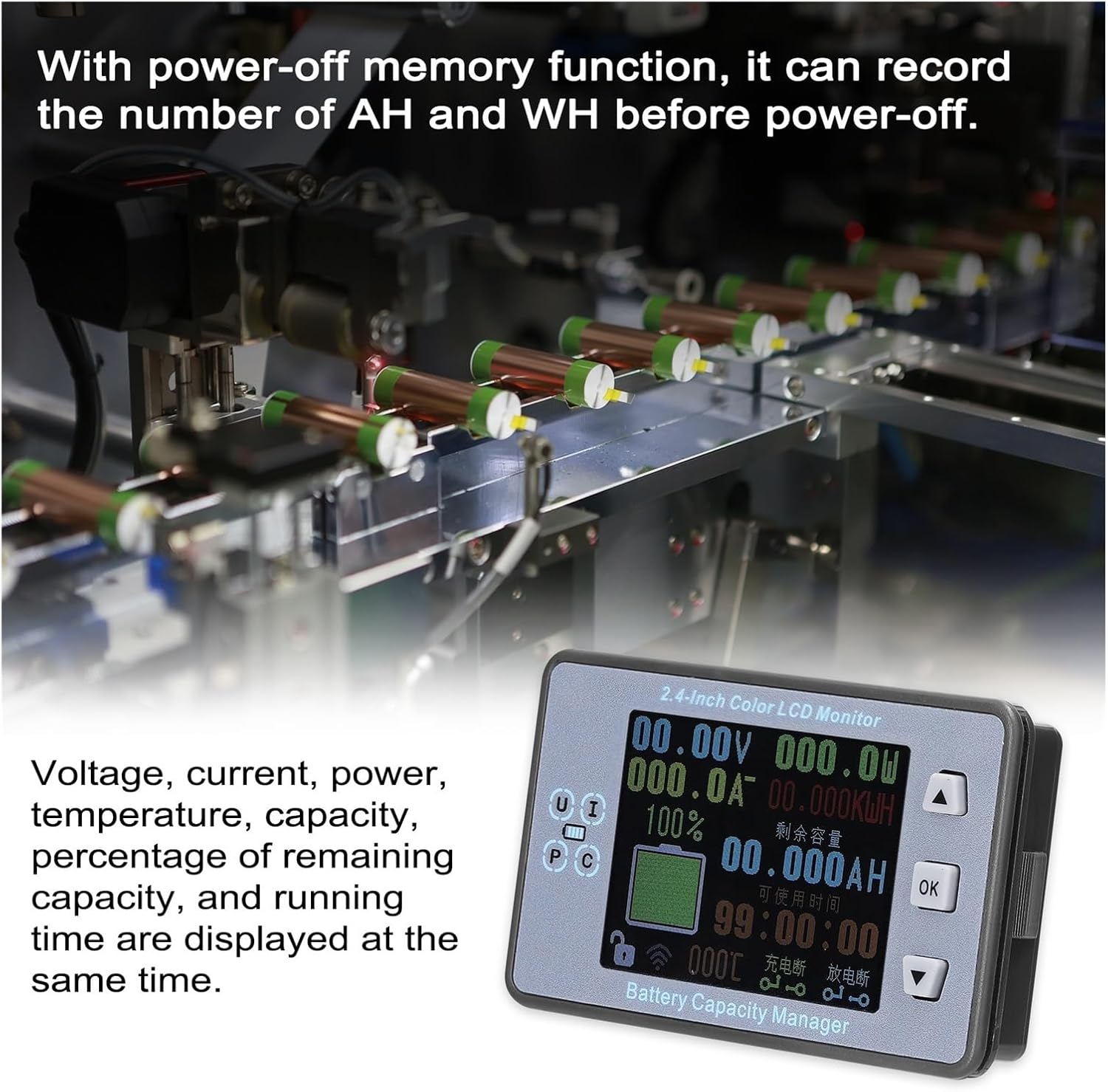
Figure 5.1: The VAC8810F display demonstrating simultaneous readings of voltage, current, power, capacity, and running time, along with the power-off memory function.
6. Maintenance
To ensure the longevity and accurate performance of your VAC8810F Battery Tester, follow these maintenance guidelines:
- Cleaning: Gently wipe the display screen and device surfaces with a soft, dry cloth. Avoid using abrasive cleaners or solvents that could damage the plastic or screen.
- Storage: When not in use for extended periods, store the device in a cool, dry place away from direct sunlight and extreme temperatures.
- Environmental Conditions: Avoid exposing the device to excessive moisture, dust, or corrosive environments.
- Cable Inspection: Periodically check all cables and connections for any signs of wear, damage, or loose contacts.
7. Troubleshooting
If you encounter issues with your VAC8810F, refer to the following common troubleshooting steps:
- No Display/Power:
- Ensure both the display module and measuring plate are correctly powered.
- Check USB cable connections and power adapters.
- No Data on Display:
- Verify that the measuring plate is powered and within wireless range of the display module.
- Ensure the Hall sensor is correctly positioned around the current-carrying wire.
- Check for any obstructions or strong interference sources between the modules.
- Inaccurate Readings:
- Confirm that the Hall sensor is properly installed and the wire is centered.
- Ensure the device is operating within its specified temperature range.
- Check for any strong magnetic fields nearby that could affect the Hall sensor.
- Buzzer Alarms Constantly:
- Review your protection settings (over-voltage, under-voltage, over-current, temperature) and adjust them if necessary.
- Check the actual battery parameters to see if they are indeed exceeding the set thresholds.
If the problem persists after attempting these steps, please contact customer support for further assistance.
8. Specifications

Figure 8.1: Physical dimensions of the VAC8810F display board (80x48x17mm) and measuring plate.
| Parameter | Value |
|---|---|
| Input Current Measurement Range | 0.4 - 300A |
| Language Options | Chinese / English |
| Screen Size | 2.4 inches |
| Capacity Measurement Range | 0 - 99999.9AH |
| Electric Energy Measurement Range | 0 - 5999.9KWH |
| Time Measurement Range | 0 - 100H |
| Power Measurement Range | 0 - 999KW |
| Temperature Measurement Range | 0 - 150°C |
| Measurement Rate | 20 times/second |
| Relay Delay Time | 0 - 100S |
| Display Board Size | 80 x 48 x 17mm (3.1 x 1.9 x 0.7in) |
| Measuring Plate Size | 114 x 54 x 28mm (4.5 x 2.1 x 1.1in) |
| Manufacturer | KGKGK |
| Item Model Number | 1005004774590163 |
9. Warranty and Support
This product is covered by a standard manufacturer's warranty. For specific warranty terms and conditions, please refer to the documentation provided with your purchase or contact the retailer.
For technical support, troubleshooting assistance, or inquiries regarding product functionality, please contact KGKGK customer service through the retailer's platform or the official brand website.