
Introduction
This manual provides essential instructions for the safe and effective installation, operation, and maintenance of your FGJDFD 14.4V 6800mAh replacement battery. This battery is designed to restore optimal performance to compatible Xiaomi Roborock robot vacuum cleaner models. Please read this manual thoroughly before use and retain it for future reference.
Product Features
- High Capacity Power Supply: 6800mAh for extended cleaning cycles.
- Durable and Reliable: Engineered for stable and consistent performance.
- Efficient Replacement: Designed to restore the original cleaning power of your vacuum cleaner.
- Easy Installation: Simple to install, allowing your vacuum cleaner to be ready for use quickly.

Image: The FGJDFD 14.4V replacement battery, highlighting its voltage and various capacity options available, including the 6800mAh model.
Compatibility
This FGJDFD 14.4V 6800mAh replacement battery is compatible with the following Xiaomi Roborock robot vacuum cleaner models:
- Xiaomi Roborock S50
- Xiaomi Roborock S51
- Xiaomi Roborock S55
- Xiaomi Roborock S60
- Xiaomi Roborock S65
- Xiaomi Roborock S5 MAX
- Xiaomi Roborock S6

Image: Visual representation of the battery's compatibility with different Xiaomi Roborock robot vacuum models, including S50, S51, S55, S60, S65, S5 MAX, and S6 series.
Installation Guide
Safety First: Before beginning installation, ensure your robot vacuum cleaner is powered off and unplugged from its charging dock. Disconnect any power sources to prevent electric shock or damage.
- Prepare the Vacuum: Turn your robot vacuum cleaner upside down on a clean, soft surface to avoid scratching the device.
- Locate Battery Compartment: Identify the battery compartment cover, usually secured by screws. Use a suitable screwdriver to remove the screws and open the cover.
- Remove Old Battery: Carefully disconnect the old battery's connector from the vacuum cleaner's port. Lift out the old battery.
- Insert New Battery: Place the new FGJDFD replacement battery into the compartment. Ensure it fits snugly and correctly.
- Connect Battery: Align the new battery's connector with the vacuum cleaner's port and firmly plug it in. Ensure a secure connection.
- Close Compartment: Replace the battery compartment cover and secure it with the screws.
- Initial Charge: Place the robot vacuum back on its charging dock and allow it to fully charge before its first use.
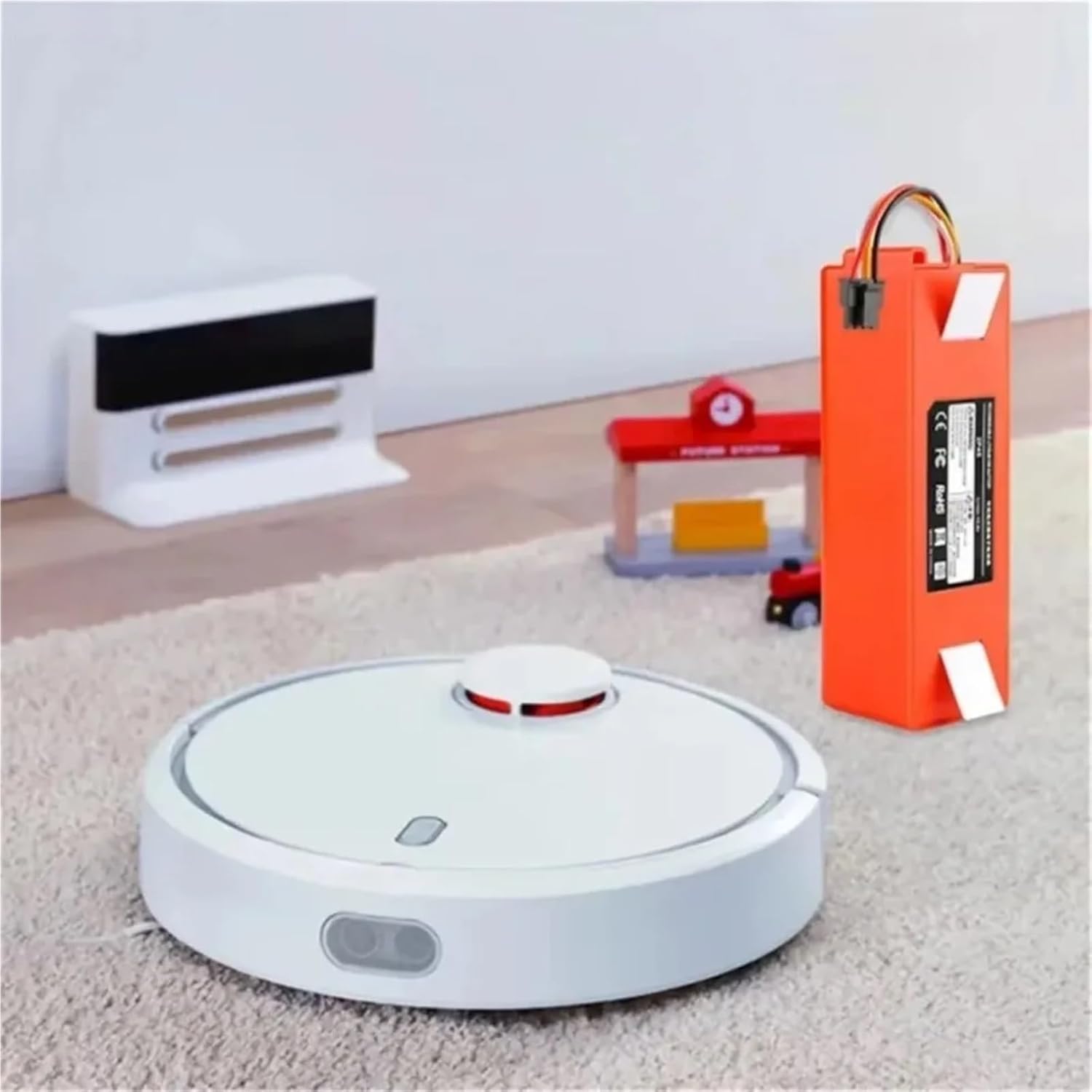
Image: The FGJDFD replacement battery positioned alongside a Xiaomi Roborock robot vacuum, illustrating the battery's form factor for installation.

Image: An installation fit comparison showing the FGJDFD battery securely installed in a robot vacuum versus an ordinary battery with a loose fit, emphasizing proper installation.
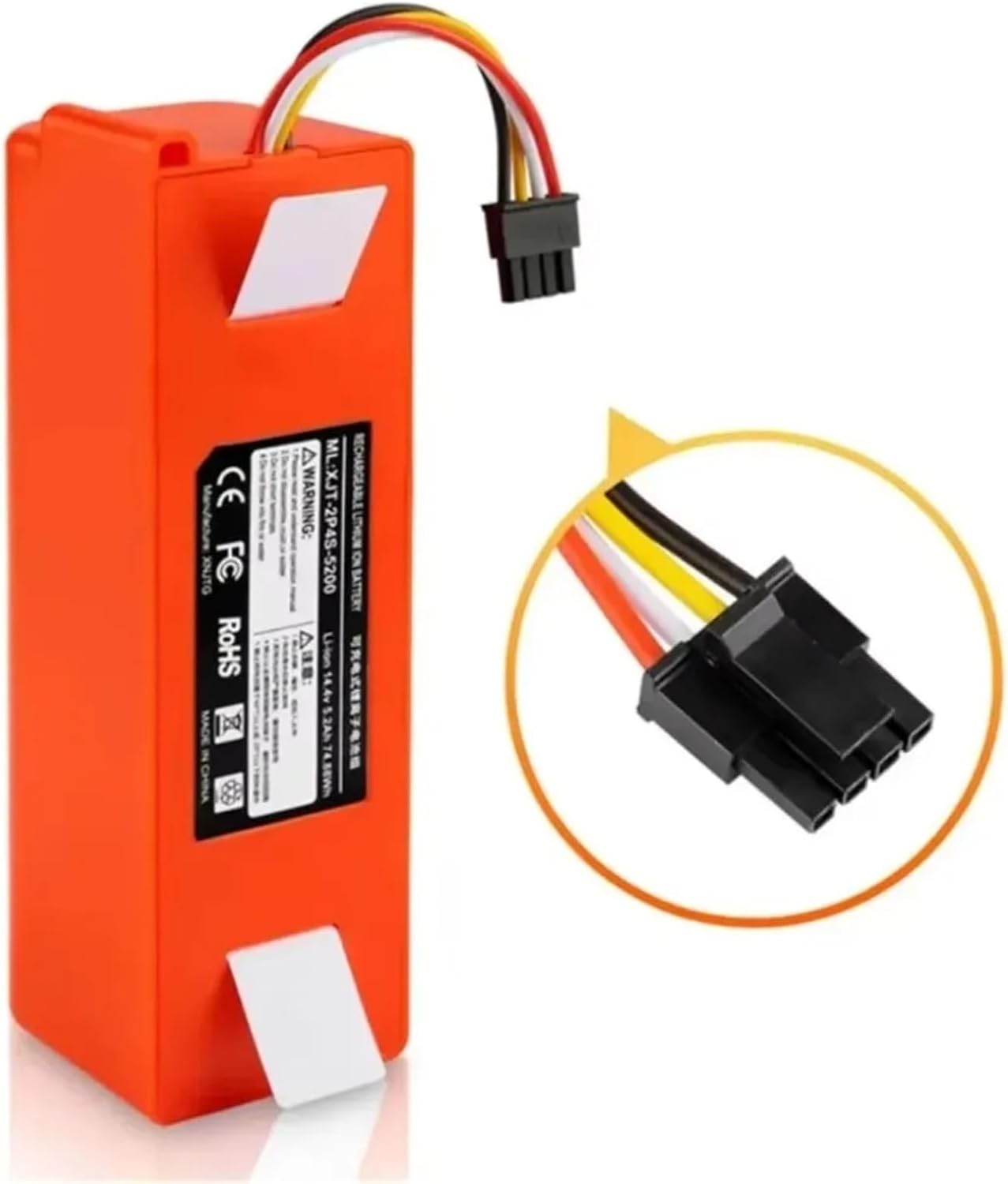
Image: A detailed view of the battery's multi-pin connector, crucial for proper electrical connection during installation.
Initial Use and Operation
After installing the new battery, it is recommended to fully charge the robot vacuum cleaner before its first cleaning cycle. This helps to calibrate the battery and optimize its performance and lifespan.
- First Charge: Place the vacuum on its charging dock and allow it to charge uninterrupted until the charging indicator shows a full charge.
- Regular Use: For optimal battery health, allow the vacuum to complete its cleaning cycles and return to the charging dock. Avoid frequently interrupting charging or discharging cycles.
Battery Maintenance
Proper maintenance can extend the life of your replacement battery.
- Regular Charging: Always return the robot vacuum to its charging dock after use. Do not leave the battery completely discharged for extended periods.
- Storage: If storing the vacuum for an extended period (e.g., several months), ensure the battery is charged to approximately 50-60% capacity. Store in a cool, dry place away from direct sunlight and extreme temperatures.
- Avoid Extreme Temperatures: Do not expose the battery or vacuum to very high or very low temperatures, as this can degrade battery performance and lifespan.
- Cleaning: Keep the battery contacts and compartment clean and free of dust or debris.
Troubleshooting
If you encounter issues with your new battery, refer to the following common problems and solutions:
| Problem | Possible Cause | Solution |
|---|---|---|
| Battery not charging | Loose connection, faulty charging dock, or battery issue. | Ensure battery connector is firmly seated. Clean charging contacts on vacuum and dock. Test with original charger if possible. |
| Short runtime after full charge | Battery not fully calibrated, or environmental factors. | Perform a few full charge/discharge cycles to calibrate. Ensure vacuum is not operating in extreme conditions. |
| Vacuum not powering on | Battery not installed correctly, or completely discharged. | Recheck battery installation and connection. Place on charging dock for several hours. |
Product Specifications
| Specification | Detail |
|---|---|
| Brand | FGJDFD |
| Model | 6800ah (Replacement Battery) |
| Voltage | 14.4V |
| Capacity | 6800mAh |
| Compatible Models | Xiaomi Roborock S50, S51, S55, S60, S65, S5 MAX, S6 |
| ASIN | B0DRZBF47Y |
Safety Information
Observe the following safety precautions to prevent injury or damage:
- Do not disassemble, crush, or puncture the battery.
- Do not expose the battery to fire, water, or extreme temperatures.
- Keep the battery away from children and pets.
- If the battery shows signs of damage, swelling, or leakage, discontinue use immediately and dispose of it properly.
- Only use the battery with compatible Xiaomi Roborock robot vacuum cleaners as specified.
- Dispose of old batteries according to local regulations. Do not discard with household waste.
Warranty and Support
Specific warranty details for this FGJDFD replacement battery are not provided in this manual. Please refer to the product packaging or contact the manufacturer directly for warranty information and customer support. For technical assistance or inquiries, please visit the FGJDFD official website or contact their customer service department.