
Hipoke YX-IV10A-DEW-US
Hipoke 1000W 6-Port Pure Sine Wave Power Inverter User Manual
Model: YX-IV10A-DEW-US
Brand: Hipoke
1. Introduction
This manual provides essential information for the safe and efficient operation of your Hipoke 1000W 6-Port Pure Sine Wave Power Inverter. This device is designed to convert DC power from compatible lithium-ion batteries into AC power, suitable for a wide range of electronic devices and small appliances. It also features multiple USB and DC ports for charging and powering various gadgets, along with an integrated LED light for illumination.
The inverter is compatible with DeWalt 20V MAX and 60V Flex lithium-ion batteries, including models such as DCB102, DCB102BP, DCB104, DCB118, DCB115, DCB107, and others.
2. Important Safety Instructions
Please read and understand all safety instructions before using this product. Failure to follow these instructions may result in electric shock, fire, or serious injury.
- Battery Compatibility: Use only with specified DeWalt 20V MAX and 60V Flex lithium-ion batteries. Using incompatible batteries may cause damage or fire.
- Ventilation: Ensure adequate ventilation around the inverter during operation to prevent overheating. Do not cover the ventilation openings.
- Environment: Do not expose the inverter to rain, moisture, or extreme temperatures. Operate in a dry, well-ventilated area.
- Overload Protection: Do not exceed the rated power output of 1000W. Overloading can damage the inverter and connected devices.
- Children and Pets: Keep the inverter and all connected devices out of reach of children and pets.
- Maintenance: Do not attempt to disassemble or modify the inverter. Refer all servicing to qualified personnel.
- Emergency: In case of smoke, unusual odors, or excessive heat, immediately disconnect the power source and all connected devices.
3. Product Overview
Familiarize yourself with the components and features of your Hipoke 1000W Power Inverter.
3.1 Front Panel and Ports

Figure 1: Front Panel with Output Ports
- Digital Display: Shows real-time voltage and power output.
- USB-A Ports (x3): For charging smartphones, tablets, and other USB-powered devices.
- USB-C Ports (x3): For faster charging of compatible USB-C devices.
- DC Ports (x3): 12V/5A output for compatible DC devices.
- AC Outlet (120V): Standard household outlet for powering small appliances and tools.
- Power Button: Activates/deactivates the inverter's power output.
- Light Button: Controls the integrated LED light.
- Indicator Light: Provides status feedback (e.g., AC power active).
3.2 Battery Slots and Handle

Figure 2: Inverter with Battery Slots and Handle
- Battery Slots (x6): Accommodates up to six DeWalt 20V MAX or 60V Flex Li-ion batteries for extended runtime.
- Carrying Handle: Integrated handle for easy portability.
3.3 Safety Features

The inverter incorporates multiple safety features to protect both the device and connected electronics:
- Over-load Protection
- Low-load Protection
- Over-heat Protection
- Over-drain Protection
- Short-circuit Protection
- Under-voltage Protection
- Good Heat Protection (integrated fan)
4. Setup
To begin using your power inverter, follow these steps:
- Charge Batteries: Ensure your DeWalt 20V MAX or 60V Flex lithium-ion batteries are fully charged using a compatible DeWalt charger (not included).
- Insert Batteries: Align the charged batteries with the battery slots on the inverter and slide them in until they click securely into place. You can insert one or up to six batteries for operation.
- Placement: Place the inverter on a stable, flat surface in a well-ventilated area, away from direct sunlight, heat sources, and moisture.
4.1 Battery Insertion Demonstration
Video 1: Demonstrates how to insert batteries into the power inverter and activate its functions.
5. Operating Instructions
5.1 Powering On/Off
- To Power On: Press and hold the "POWER" button for approximately 1.5 seconds until the digital display illuminates. The display will show the current voltage and power output.
- To Power Off: Press and hold the "POWER" button again for approximately 1.5 seconds. The display will turn off.
5.2 Using USB and DC Ports
The inverter provides multiple USB-A, USB-C, and DC ports for charging and powering various low-power devices.
- Connect your device's charging cable to the appropriate USB-A, USB-C, or DC port.
- Ensure the inverter is powered on. Your device should begin charging or operating.
5.3 Using the AC Outlet
The 120V AC outlet provides pure sine wave power, which is ideal for sensitive electronics and a wide range of small appliances.
- Ensure the inverter is powered on.
- Plug your appliance or tool into the AC outlet.
- The digital display will show the power consumption of the connected device.
- Note: Do not exceed the maximum continuous power output of 1000W.
5.4 Powering Multiple Devices

Figure 4: Inverter Powering Multiple Devices
The inverter is capable of powering multiple devices simultaneously, provided the total power consumption does not exceed 1000W. This makes it suitable for various outdoor and emergency scenarios.
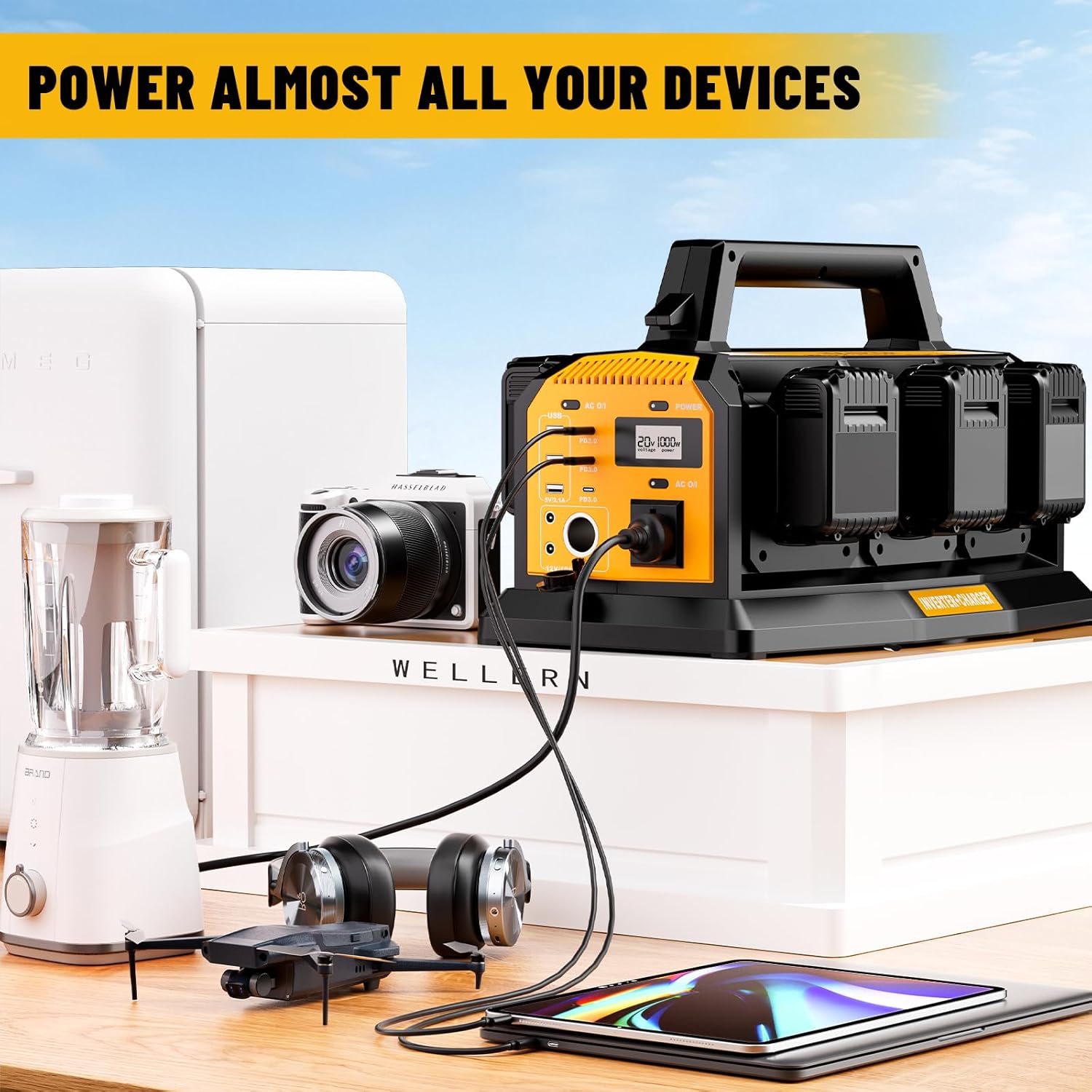
Figure 5: Wide Range of Applications
5.5 Using the LED Light
The integrated 300LM LED light offers four modes for different lighting needs:
- Low: Press the "LIGHT" button once.
- Medium: Press the "LIGHT" button a second time.
- High: Press the "LIGHT" button a third time.
- SOS Flashing: Press the "LIGHT" button a fourth time for emergency signaling.
- To Turn Off: Press the "LIGHT" button a fifth time, or hold it down for 1.5 seconds from any mode.
5.6 General Usage Demonstration
Video 2: Shows the inverter powering various devices and demonstrating the LED light function.
6. Maintenance
- Cleaning: Use a dry, soft cloth to clean the exterior of the inverter. Do not use liquid cleaners or solvents.
- Storage: When not in use, store the inverter in a cool, dry place, away from direct sunlight and extreme temperatures. Remove batteries before long-term storage.
- Battery Care: Follow the manufacturer's instructions for charging and storing your DeWalt batteries.
7. Troubleshooting
| Problem | Possible Cause | Solution |
|---|---|---|
| Inverter does not power on. | Batteries are not inserted correctly or are depleted. | Ensure batteries are fully charged and securely inserted. |
| No power output from AC outlet. | Overload protection activated, or device draws too much power. | Reduce load on the AC outlet. Disconnect and reconnect the device. Check appliance wattage. |
| USB/DC ports not charging. | Inverter not powered on, or device cable is faulty. | Ensure inverter is on. Try a different cable or device. |
| LED light not working. | Light function not activated or battery low. | Press the "LIGHT" button to cycle through modes. Check battery charge. |
8. Specifications
- Model Number: YX-IV10A-DEW-US
- Input: Compatible with DeWalt 20V MAX & 60V Flex Li-ion Batteries
- AC Output: 120V, 1000W (Pure Sine Wave)
- USB-A Output: 5V/2.1A (x3)
- USB-C Output: PD3.0 (x3)
- DC Output: 12V/5A (x3)
- LED Light: 300 Lumens, 4 Modes (Low, Medium, High, SOS Flashing)
- Item Weight: 10.23 pounds
- Package Dimensions: 17 x 11 x 10.65 inches
- Manufacturer: Dongguan Yexun Electronic Technology Co., Ltd
9. Warranty and Support
For warranty information or technical support, please refer to the documentation included with your purchase or contact Hipoke customer service directly. Keep your purchase receipt as proof of purchase.
Ask a question about this manual
Ask about setup, troubleshooting, compatibility, parts, safety, or missing instructions. Manuals+ will review the question and use this page’s manual context to help answer it.