
Wellspeed DC1154-8B/72
Wellspeed 72 Inch Ceiling Fan with Lights and Remote
Model: DC1154-8B/72 - Instruction Manual
Important Safety Information
Read all instructions carefully before beginning installation. Failure to follow these instructions could result in electric shock, fire, or serious personal injury. Ensure all wiring is in accordance with national and local electrical codes.
- Disconnect power at the circuit breaker before installation or servicing.
- All electrical connections must be made by a qualified electrician.
- The mounting structure must be capable of supporting the fan's weight (approximately 27.7 pounds).
- Do not operate the fan with damaged blades.
- Ensure proper clearance between fan blades and any obstacles.
Package Contents
Verify that all components are present before beginning assembly. If any parts are missing or damaged, contact Wellspped customer service.

Image: Overview of all included components, including fan motor, blades, downrods, remote control, and hardware.
- Fan Motor Assembly
- Fan Blades (8x)
- Blade Brackets (8x)
- Downrods (6-inch, 12-inch, 24-inch options)
- Canopy and Mounting Bracket
- LED Light Kit
- Remote Control with Wall Mount
- Hardware Pack (screws, washers, wire nuts)
- Instruction Manual
Setup and Installation
Follow these steps for proper assembly and installation of your Wellspped ceiling fan. A detailed installation video is available for visual guidance.
1. Blade Assembly
- Attach each fan blade to a blade bracket using the provided screws and washers. Ensure screws are tightened securely.
- Attach the assembled blade and bracket to the fan motor housing. Repeat for all 8 blades.

Image: Assembly of fan blade to its mounting bracket.

Image: Securing a fan blade assembly to the motor unit.
2. LED Light Kit Installation
- Connect the LED light panel wires to the corresponding wires from the fan motor.
- Secure the LED light panel to the bottom of the fan motor housing with screws.
- Attach the light diffuser cover by twisting it into place.
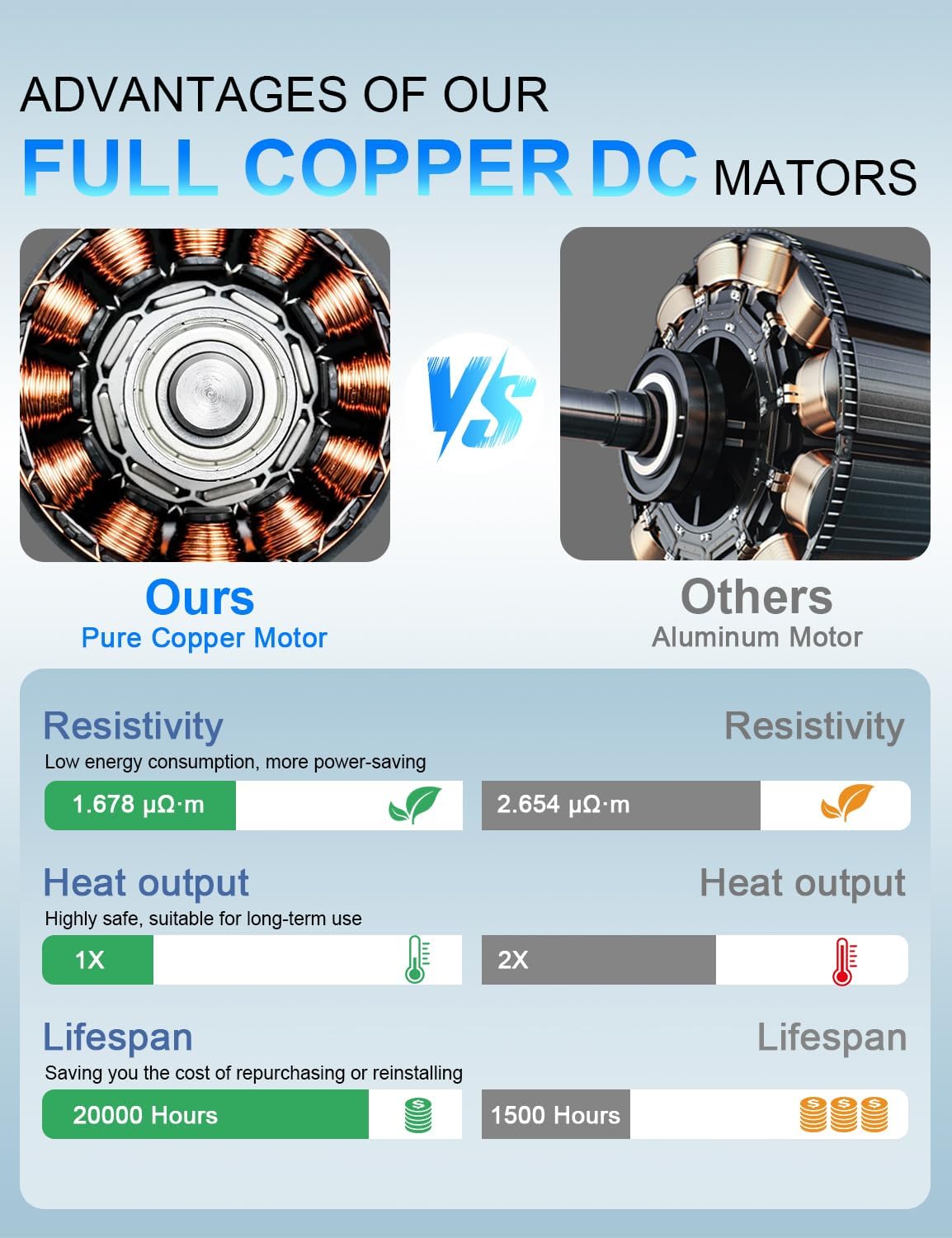
Image: Installation of the LED light panel and diffuser.
3. Downrod and Canopy Assembly
- Select the appropriate downrod length (6, 12, or 24 inches) for your ceiling height.
- Thread the fan wires and safety cable through the chosen downrod.
- Secure the downrod to the fan motor assembly using the provided pin and screws.
- Slide the canopy over the downrod.

Image: Downrod options and ceiling mounting types.
4. Mounting and Wiring
- Install the mounting bracket to your ceiling junction box. Ensure it is securely fastened to a structural beam.
- Hang the fan assembly onto the mounting bracket.
- Connect the electrical wires (Live, Neutral, Ground) from the fan to your household wiring using wire nuts. Connect the safety cable to the mounting bracket.
- Tuck all wires neatly into the junction box and slide the canopy up to cover the wiring and mounting bracket. Secure the canopy with screws.

Image: Electrical wiring connections for the ceiling fan.
Video: Detailed installation guide for the Wellspped large ceiling fan. This video demonstrates the unboxing, blade assembly, light kit installation, downrod attachment, and final wiring and mounting steps.
Operating Instructions
Your Wellspped ceiling fan is controlled by the included remote. Ensure the remote has 2 AAA batteries installed (included).
Remote Control Functions:

Image: Remote control layout and function guide.
- Fan ON/OFF: Press the power button to turn the fan on or off.
- Fan Speed (1-6): Use buttons 1-6 to select desired fan speed. 1 is the lowest, 6 is the highest.
- Light ON/OFF: Press the light bulb button to turn the LED light on or off.
- Color Temperature (WW/NW/DW): Cycle through Warm White (3000K), Natural White (4000K), and Daylight White (6500K) settings.
- Brightness (+/-): Adjust the light brightness from 20% to 100%.
- Forward/Reverse: Change the direction of fan rotation for summer (downward airflow) or winter (upward airflow) modes.
- Timer (1H/3H/6H): Set the fan to turn off automatically after 1, 3, or 6 hours.
Airflow Modes:

Image: Summer and Winter airflow modes explained.
- Summer Mode (Downward Airflow): Blades rotate counter-clockwise, pushing cool air down. Ideal for cooling.
- Winter Mode (Upward Airflow): Blades rotate clockwise, drawing cool air up and circulating warm air down the walls. Ideal for distributing heat.
Maintenance
Regular maintenance ensures optimal performance and longevity of your ceiling fan.
- Cleaning: Use a soft, damp cloth to clean the fan blades and motor housing. Do not use abrasive cleaners or solvents.
- Blade Tightness: Periodically check all blade screws for tightness. Loose screws can cause noise and wobble.
- Light Source: The integrated LED light source is designed for long life. If replacement is needed, contact Wellspped customer service for compatible parts.
Troubleshooting
| Problem | Possible Cause | Solution |
|---|---|---|
| Fan does not start | No power to the fan; loose wiring; remote control issue. | Check circuit breaker. Ensure all wire connections are secure. Replace remote batteries. |
| Fan wobbles | Loose blade screws; unbalanced blades; loose mounting bracket. | Tighten all blade screws. Ensure blades are installed correctly. Check mounting bracket for secure installation. |
| Light does not work | Loose wire connection; LED panel failure; remote control issue. | Check light kit wiring connections. Replace remote batteries. Contact customer service if LED panel is faulty. |
| Noisy operation | Loose screws; motor issue; blades hitting an obstruction. | Check and tighten all screws. Ensure no obstructions are near the blades. If noise persists, contact customer service. |
Specifications
- Model Name: DC1154-8B/72
- Size: 72 inch
- Motor Type: Pure Copper DC Motor
- Air Flow Capacity: 6900 Cubic Feet Per Minute (CFM)
- Speeds: 6 (Remote Controlled)
- Light Source: 18W LED, Dimmable (20%-100%)
- Color Temperatures: 3000K (Warm White), 4000K (Natural White), 6500K (Daylight White)
- Control Method: Remote Control
- Indoor/Outdoor Usage: Indoor (Suitable for covered outdoor patios, avoid direct rain exposure)
- Item Weight: 27.7 pounds
- Product Dimensions: 62"D x 62"W x 18.9"H (Note: 72-inch fan diameter, dimensions might refer to a specific configuration or packaging)
- Batteries: 2 AAA batteries required for remote (included)
Warranty and Support
Wellspeed offers a comprehensive warranty for its products. If you experience a malfunction of accessories during use, such as lampshades, LED panels, or remote controls, Wellspped will replace your parts in brand new condition without any cost.
For further assistance, troubleshooting, or warranty claims, please contact Wellspped customer service. You can find contact information on the official Wellspped website or through your purchase platform.
Visit the official Wellspped Store for more information: Wellspeed Store
Related documentsDC1154-8B/72


Ask a question about this manual
Ask about setup, troubleshooting, compatibility, parts, safety, or missing instructions. Manuals+ will review the question and use this page’s manual context to help answer it.