
1. Introduction
This manual provides essential information for the safe and effective operation of your Generic 14R 295W Beam Moving Head Light. Please read this manual thoroughly before installation, operation, or maintenance to ensure proper usage and to prevent damage or injury.
The 14R 295W Beam Moving Head Light is a professional stage lighting fixture designed for various applications including DJ events, discos, KTVs, bars, clubs, parties, shows, weddings, birthdays, and Christmas celebrations. It features a powerful 295W light source, a versatile color wheel, multiple gobos, and advanced prism effects.
2. Safety Information
- Electrical Safety: Ensure the power supply matches the specified voltage (AC100-240V, 50/60HZ). Always connect to a grounded outlet. Disconnect power before any service or maintenance.
- Installation: Install the fixture in a well-ventilated area, away from flammable materials. Ensure secure mounting to prevent accidental falls. Maintain a minimum distance of 1 meter from illuminated objects.
- Operation: Do not look directly into the light source. Avoid operating the fixture in extreme temperatures or high humidity. Do not open the housing; there are no user-serviceable parts inside.
- Maintenance: Refer to the maintenance section for cleaning instructions. Only qualified personnel should perform repairs.
3. Package Contents
Verify that all components are present upon unpacking:
- 1x 14R 295W Beam Moving Head Light
- 1x Power Cord
- 1x Signal Line (DMX Cable)
- 2x Linker (Mounting Brackets)
- 1x Instruction Manual

Figure 3.1: Product and Included Accessories
4. Setup
4.1 Physical Installation
- Unpacking: Carefully remove the fixture from its packaging. Inspect for any shipping damage.
- Mounting: The fixture can be floor-mounted or truss-mounted using the provided linkers. Ensure the mounting surface or truss can support the fixture's weight (approximately 30 pounds). Secure all clamps and bolts tightly.
- Positioning: Ensure adequate ventilation around the fixture. Do not block air vents.
4.2 Electrical Connection
- Connect the power cord to the fixture's power input and then to a suitable grounded power outlet.
- The fixture operates on AC100-240V, 50/60HZ.
4.3 DMX Connection (Optional)
- For DMX control, connect a DMX cable from your DMX controller's output to the DMX IN port of the first fixture.
- For multiple fixtures, daisy-chain them by connecting the DMX OUT of the first fixture to the DMX IN of the next, and so on.
- Set the DMX address for each fixture using the LCD display and control buttons. Refer to the DMX channel chart in the full manual for specific channel assignments.

Figure 4.1: Front View of the Moving Head Light
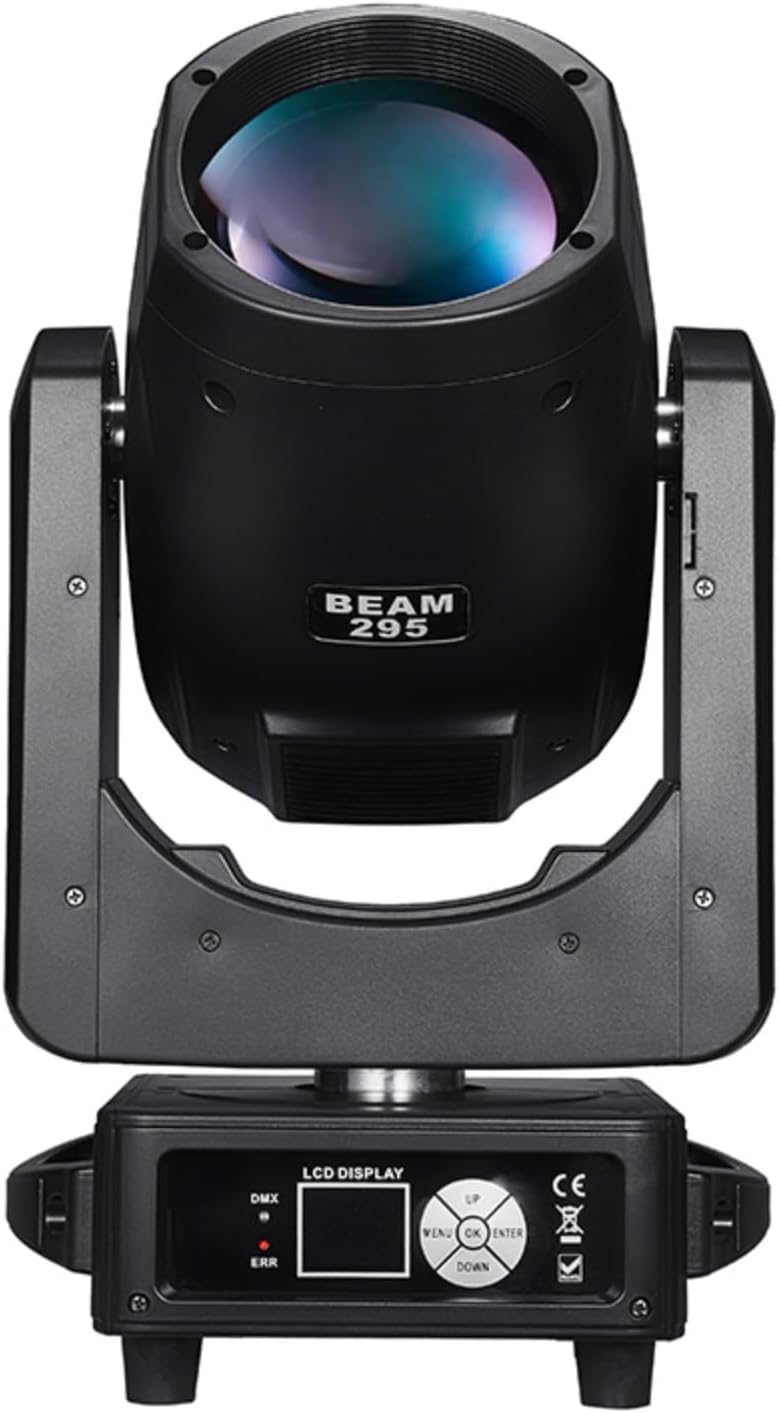
Figure 4.2: Straight Front View of the Moving Head Light

Figure 4.3: Rear View of the Moving Head Light
5. Operating Modes
The 14R 295W Beam Moving Head Light supports multiple control modes:
- DMX512 Control: Allows precise control over all functions (colors, gobos, movement, etc.) via a DMX controller. The fixture supports 16 channels.
- Auto Mode: The fixture runs through pre-programmed light shows automatically.
- Sound Control Mode: The light effects react to ambient sound or music detected by a built-in microphone.
- Master/Slave Mode: One fixture acts as the master, controlling other linked fixtures (slaves) to synchronize effects without a DMX controller.
5.1 LCD Display and Control
The fixture features an LCD display with four touch switches (MENU, UP, OK, DOWN) for navigating settings and selecting operating modes. The display can be reversed 180 degrees for convenience.
Video 5.1: Demonstration of the LCD display and control buttons, showing menu navigation and language selection.
6. Features
6.1 Light Source and Color
The fixture utilizes a 14R 295W light source with a color temperature of 8500K. It includes a color wheel with 14 distinct colors plus white, allowing for a wide range of atmospheric effects.

Figure 6.1: Color Wheel with 14 Colors + White
6.2 Gobo Wheel
The fixture is equipped with a fixed gobo wheel featuring 17 gobos plus white. These patterns can be projected to create dynamic visual textures and shapes.

Figure 6.2: Fixed Gobo Wheel with 17 Gobos + White
6.3 Prism Effects
The light features a double prism system, including an 8+8+8 honeycomb prism and a 16-facet stackable prism. Both offer bi-directional independent rotation, creating complex and multi-layered beam effects.

Figure 6.3: Prism Effects
6.4 Movement and Focus
- Pan/Tilt: The fixture offers a horizontal rotation (Pan) of 540° and a vertical rotation (Tilt) of 270°, allowing for broad coverage and dynamic movement.
- Focus: Features linear focus for sharp projection of gobos and beams.
6.5 Additional Effects
- Atomization Function: Allows for a soft wash effect, with adjustable atomization speed.
- Strobe: Adjustable strobe speed from 0-25 flashes per second.
- Photoelectric Reset System: Automatically retrieves and resets the fixture in case of accidental misoperation.
7. Specifications
| Feature | Specification |
|---|---|
| Model | 295W |
| Power Supply | AC100-240V, 50/60HZ |
| Power Consumption | 450W |
| Light Source | 14R 295W |
| Color Temperature | 8500K |
| Color Wheel | 14 Colors + White |
| Gobo Wheel | 17 Gobos + White |
| Prism | 8+8+8 Honeycomb prism, 16-facet stackable (bi-directional rotation) |
| Control Modes | DMX512, Auto, Sound Control, Master/Slave |
| DMX Channels | 16 Channels |
| Pan Movement | 540° |
| Tilt Movement | 270° |
| Focus | Linear Focus |
| Strobe | 0-25T/S |
| IP Protection Level | IP20 |
| Product Dimensions | 11.4"L x 9.44"W x 20"H (29cm x 24cm x 51cm) |
| Item Weight | 30 Pounds (13.6 kg) |

Figure 7.1: Product Dimensions
8. Maintenance
Regular maintenance ensures optimal performance and extends the lifespan of your fixture.
- Cleaning: Periodically clean the lenses and exterior housing with a soft, lint-free cloth. For stubborn dirt, use a mild glass cleaner. Ensure the fixture is powered off and cool before cleaning.
- Ventilation: Keep all ventilation openings clear of dust and debris to prevent overheating.
- Inspection: Regularly check power cables, DMX cables, and mounting hardware for any signs of wear or damage. Replace damaged components immediately.
- Internal Cleaning: Internal cleaning should only be performed by qualified service personnel.
9. Troubleshooting
This section addresses common issues you might encounter. For problems not listed here, contact customer support.
| Problem | Possible Cause | Solution |
|---|---|---|
| Fixture does not power on | No power, faulty cable, internal fuse | Check power connection, test cable, check fuse (qualified personnel only) |
| No DMX control | Incorrect DMX address, faulty DMX cable, DMX termination issue | Verify DMX address, check DMX cable connections, ensure proper DMX termination |
| Light output is weak or inconsistent | Dirty lens, lamp nearing end of life, internal issue | Clean lens, consider lamp replacement (qualified personnel only), contact support |
| Fixture overheats | Blocked ventilation, operating in high ambient temperature | Clear vents, ensure adequate airflow, operate within recommended temperature range |
10. Warranty and Support
For warranty information and technical support, please refer to the documentation provided with your purchase or contact the seller directly. Keep your proof of purchase for warranty claims.


