
Introduction
Thank you for choosing the Impress Life Duck String Lights. This product features 40 warm white LED lights shaped like colorful ducks, spanning 10 feet. Designed for indoor use, these lights offer versatile decoration options and come with a remote control for convenient operation. This manual provides detailed instructions for setup, operation, and maintenance to ensure optimal performance and enjoyment of your string lights.
Product Features
- Creative Duck Design: 10-foot string with 40 cute LED duckling lights, providing a soft, warm, and romantic glow.
- Quality Construction: Made with high-quality silver-plated copper wire for excellent conductivity and tangle prevention.
- Dual Power Options: Operates with 3 AA batteries (not included) or via USB power supply for flexibility.
- Remote Control Functionality: Includes a remote for easy control of on/off, timer settings (2/4/6/8 hours), multiple flashing modes, and brightness adjustment.
- Versatile Application: Ideal for decorating bedrooms, parties, gardens, Christmas trees, windows, walls, and tents.
Package Contents
- 1 x Impress Life Duck String Lights (10FT, 40 LEDs)
- 1 x Remote Control
- 1 x USB Power Cable
Note: 3 AA batteries are required for battery operation and are not included.
Setup Instructions
1. Power Source Selection
Your Impress Life Duck String Lights can be powered by either 3 AA batteries or a USB connection.
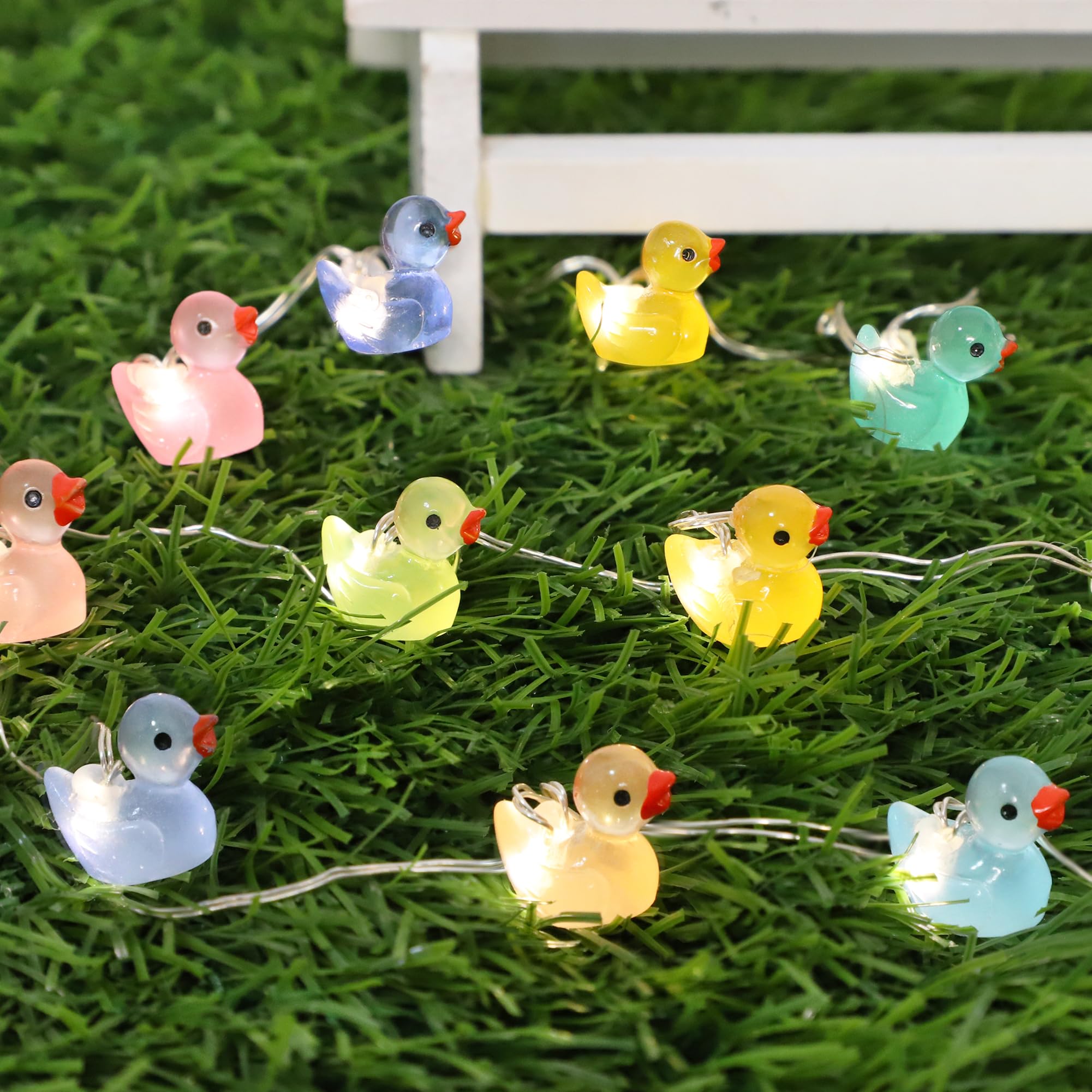
Image: The Impress Life Duck String Lights, showing the remote control and the battery box with a switch. Dimensions are indicated for the duck lights.
Battery Operation:
- Locate the battery box.
- Open the battery compartment cover.
- Insert 3 new AA batteries, ensuring correct polarity (+/-).
- Close the battery compartment cover securely.

Image: Detailed view of the battery casing, highlighting the waterproof rubber strip for the interface, the power button, and the strong buckle for secure closure.
USB Operation:
- Connect the provided USB cable to the USB port on the battery box.
- Plug the other end of the USB cable into a compatible USB power source (e.g., USB wall adapter, power bank, computer USB port).

Image: Demonstrates various USB power supply options, including connecting to a laptop, a wall adapter, and a power bank.
2. Placement
Carefully uncoil the string lights. Arrange them as desired for your indoor decoration. The flexible copper wire allows for easy shaping around objects or along surfaces.

Image: The colorful duck string lights are artfully arranged amidst green foliage, showcasing their decorative appeal.
Operating Instructions
Using the Remote Control
The included remote control provides full functionality for your string lights. Ensure the remote has a working battery and is pointed towards the battery box for optimal signal reception.

Image: A 17-key remote control is displayed next to a decorated fireplace mantel with the duck string lights, illustrating the various functions like turn on/off, flicker modes, timer, and brightness adjustment.
Remote Control Functions:
- ON/OFF: Press to turn the lights on or off.
- MODE Buttons (Flicker, Flash, Chasing, Fade, etc.): Cycle through 9 different lighting effects and speeds.
- TIMER Buttons (2H, 4H, 6H, 8H): Activate the timer function. The lights will stay on for the selected duration and then automatically turn off. They will turn on again at the same time the next day.
- DIM Buttons (+/-): Adjust the brightness level of the lights.
Manual Operation (Battery Box Switch)
The battery box also features a simple switch for basic on/off control if the remote is not available or preferred.
Maintenance
Cleaning
To clean the string lights, gently wipe the duck figures and wire with a soft, dry cloth. Do not immerse the battery box or any part of the lights in water.
Storage
When not in use, carefully coil the string lights to prevent tangling. Store them in a cool, dry place, away from direct sunlight and extreme temperatures. If using batteries, remove them from the battery box before long-term storage to prevent leakage.
Troubleshooting
- Lights Not Turning On:
- Check if batteries are inserted correctly with proper polarity.
- Replace old batteries with new ones.
- Ensure the USB cable is securely connected to both the lights and a working power source.
- Verify the ON/OFF switch on the battery box is in the 'ON' position.
- Remote Control Not Working:
- Ensure the remote's battery is functional and correctly inserted.
- Point the remote directly at the battery box.
- Remove any obstacles between the remote and the battery box.
- Lights Are Dim:
- Batteries may be low; replace them.
- Adjust brightness using the DIM+ button on the remote.
Specifications
| Brand | Impress Life |
| Model Number | U521 |
| Style | Colorful Duck |
| Light Source Type | LED |
| Number of Light Sources | 40 |
| Item Length | 10 Feet |
| Light Color | Warm White |
| Power Source | Battery Powered (3 AA, not included) or USB |
| Indoor/Outdoor Usage | Indoor |
| Special Feature | Twinkling, Remote Control, Timer |
| Material | Plastic |
| Item Weight | 4.6 ounces |
Safety Information
- This product is designed for indoor use only. Do not expose to rain or moisture.
- Do not attempt to modify or repair the string lights. Contact customer support if issues arise.
- Keep batteries out of reach of children. If swallowed, seek immediate medical attention.
- Remove batteries if the product will not be used for an extended period to prevent leakage.
- Ensure proper ventilation when using USB power for extended periods.
Product Video
Video: A short demonstration of the Impress Life Duck String Lights, showcasing their appearance and the warm glow they emit when illuminated.
Warranty and Support
For any questions, concerns, or support regarding your Impress Life Duck String Lights, please refer to the retailer's return and warranty policy or contact Impress Life customer service directly. Contact information can typically be found on the product packaging or the official Impress Life website.