1. Introduction
This manual provides comprehensive instructions for the XIEFEI Smartwatch G28. Please read this manual carefully before using the device to ensure proper operation and maintenance.

Figure 1.1: XIEFEI Smartwatch G28 (Black)
The image displays the XIEFEI Smartwatch G28 in black, featuring a round screen. The watch face shows the current time (10:09), date (April 22), daily steps (20453), calories burned (2045 Kcal), and heart rate (107 BPM). Battery level and Bluetooth connection indicators are also visible. The watch has two physical buttons on the right side and is attached to a black silicone strap with a metal buckle.
2. What's in the Box
Upon opening the package, verify that all items are present and in good condition:
- XIEFEI Smartwatch G28 (with Watch Band)
- Charging Cable
- User Manual (this document)
3. Setup Guide
3.1 Charging the Smartwatch
Before first use, fully charge your Smartwatch G28. Connect the magnetic charging cable to the charging contacts on the back of the watch and plug the USB end into a compatible power adapter (not included) or a computer's USB port.

Figure 3.1: Smartwatch G28 Rear View with Charging Contacts
This image shows the back of the XIEFEI Smartwatch G28, highlighting the optical heart rate sensor in the center (glowing green) and the two metallic charging contacts. The watch casing is a rose gold color, and the strap is light pink. Text around the sensor indicates "LOW POWER CONSUMPTION" and "WATERPROOF SMART WATCH".
- Ensure the charging contacts on the watch and cable are clean and dry.
- The watch screen will indicate charging status.
- A full charge typically takes approximately 2 hours.
3.2 Powering On/Off
- Power On: Press and hold the top button on the side of the watch until the screen illuminates.
- Power Off: From the watch face, swipe down to access quick settings, then tap the power icon, or navigate to Settings > System > Power Off. Confirm your selection.
3.3 Pairing with Your Smartphone
To unlock the full potential of your Smartwatch G28, pair it with your smartphone via Bluetooth:
- Download the companion application (e.g., "WearFit Pro" or similar, check packaging for exact app name) from your smartphone's app store (App Store for iOS, Google Play Store for Android).
- Ensure Bluetooth is enabled on your smartphone.
- Open the companion application and follow the on-screen instructions to add a new device.
- Select "G28" from the list of available devices.
- Confirm the pairing request on both your smartphone and the smartwatch.
Once paired, the watch will synchronize time, date, and notifications from your phone.
4. Operating Instructions
4.1 Navigating the Interface
- Swipe Up: Access notifications.
- Swipe Down: Access quick settings (e.g., brightness, battery saver, DND).
- Swipe Left/Right: Cycle through widgets/information screens (e.g., activity data, heart rate, weather).
- Tap: Select an item or open an application.
- Press Top Button: Return to the watch face or open the app menu.
- Press Bottom Button: Customizable shortcut, often defaults to sports modes.

Figure 4.1: Vibrant Display and Interface
This image provides a close-up view of the XIEFEI Smartwatch G28's round screen, showcasing its high-definition display. The watch face shows the current time and date, with a focus on the clarity and detail of the screen. Text overlays emphasize "Full screen, open up new horizons" and describe the "HD display, HD density brings shock, Clear and delicate display of vision, broad vision, And richer picture details."
4.2 Health Monitoring Features
The Smartwatch G28 is equipped with sensors to track various health metrics:
- Heart Rate Tracking: Continuously monitors your heart rate throughout the day. View real-time data on the watch or detailed trends in the app.
- Sleep Analysis: Tracks your sleep patterns, including deep sleep, light sleep, and awake times. Provides insights into sleep quality.
- Step Counting: Records your daily steps, distance covered, and calories burned.
4.3 Multi-Sport Modes
Select from various pre-set sport modes to accurately track your workouts:
- Access sports modes from the app menu or via the customizable button.
- Modes include Outdoor Run, Indoor Run, Walking, Mountaineering, and more.
- During a workout, the watch displays real-time data such as duration, distance, heart rate, and calories burned.

Figure 4.2: Multi-Sport Mode Tracking
This image shows a person's arm wearing the XIEFEI Smartwatch G28 during what appears to be a basketball activity, with a basketball visible in the foreground. The watch screen displays workout metrics such as time, calories, and heart rate. Below the main image, three circular graphics illustrate different stages of a workout: "Sports list" showing icons for various activities, "In motion" displaying real-time data like time, calories, and BPM, and "End of movement" summarizing the workout with total time, BPM, and calories.
4.4 Bluetooth Talk Capability
With Bluetooth Talk, you can make and receive calls directly from your wrist:
- Ensure your watch is connected to your smartphone via Bluetooth.
- When a call comes in, the watch will display the caller ID. Tap to answer or decline.
- You can also initiate calls from the watch's dial pad or contact list (synced from your phone).
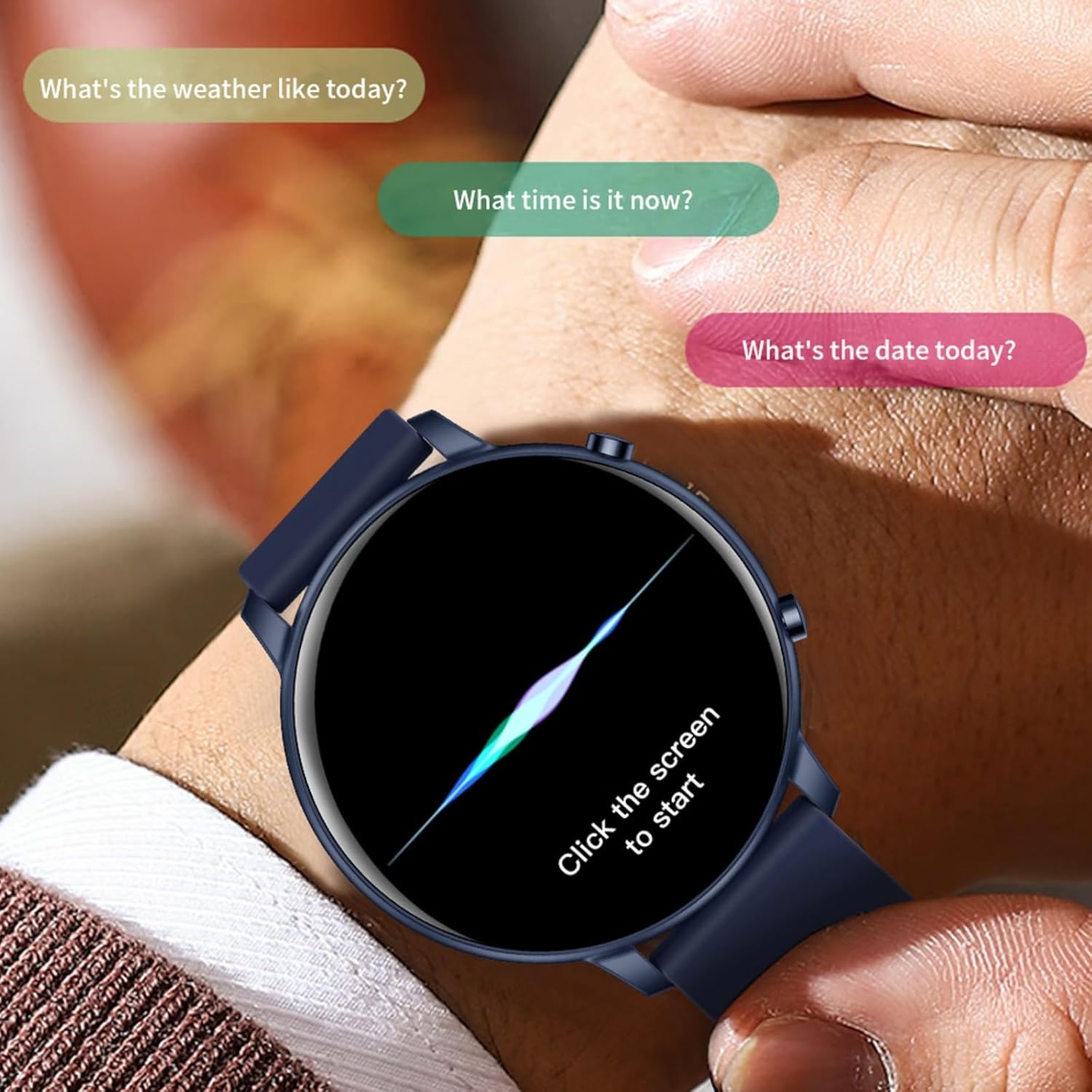
Figure 4.3: Bluetooth Talk and Voice Interaction
This image depicts a person's hand holding the XIEFEI Smartwatch G28, with the screen displaying a dynamic visual effect and the text "Click the screen to start". Above the watch, speech bubbles suggest common voice commands or queries: "What's the weather like today?", "What time is it now?", and "What's the date today?". This illustrates the watch's capability for voice interaction and quick information retrieval.
5. Maintenance and Care
- Cleaning: Wipe the watch and strap regularly with a soft, damp cloth. Avoid harsh chemicals or abrasive materials.
- Water Resistance: The Smartwatch G28 is designed to be water-resistant (check specifications for exact rating, typically splash-proof or suitable for shallow water). Avoid prolonged submersion or hot water. Dry thoroughly after exposure to water.
- Storage: Store the watch in a cool, dry place when not in use. Avoid extreme temperatures.
- Battery Care: To prolong battery life, avoid fully discharging the battery frequently. Charge the watch regularly.
6. Troubleshooting
| Problem | Possible Cause | Solution |
|---|---|---|
| Watch does not power on. | Low battery. | Charge the watch for at least 30 minutes. |
| Cannot pair with smartphone. | Bluetooth off; App not running; Watch not discoverable. | Ensure Bluetooth is on. Restart the app and watch. Try re-pairing from the app. |
| Notifications not received. | App permissions not granted; DND mode active. | Check app notification permissions on your phone. Disable Do Not Disturb mode on watch/phone. |
| Inaccurate health data. | Watch fit too loose; Sensor dirty. | Ensure watch is snug on wrist. Clean the sensor on the back of the watch. |
7. Specifications
- Model: G28
- Screen Size: 1.39 inches (Round)
- Operating System: Android Wear 2.9
- Connectivity: Bluetooth
- Battery Type: Lithium Polymer (1 x 12V battery included)
- Features: Activity Tracker, Alarm Clock, Camera Control, Contactless Payments (if supported by app/hardware), Daily Workout Memory, GPS (via smartphone), Music Player Control, Phone Call (Bluetooth Talk)
- Dimensions (Package): 6.5 x 2.8 x 1.14 inches
- Weight (Item): 5.6 ounces
- Manufacturer: migou
- Color: Black (for this specific variant)
8. Warranty and Support
For warranty information and technical support, please refer to the contact details provided on the product packaging or the official XIEFEI website. Keep your purchase receipt as proof of purchase.
Manufacturer: migou
Brand: XIEFEI