
Introduction
The SONICWARE CyDrums is an expressive drum synthesizer designed for dynamic sound creation. It features Wavetable x Velocity & Pressure Modulation for evolving 4D drum sounds, 22 unique sound structures, and an 8-track drum sequencer for intuitive beat making. This manual provides essential information for setting up, operating, and maintaining your CyDrums unit.

Image: The CyDrums unit with its display showing waveform information, highlighting its expressive drum synthesis capabilities.
Setup
Unboxing and Initial Inspection
Carefully remove all components from the packaging. Ensure the following items are present:
- SONICWARE CyDrums Unit
- 32GB SDHC card (preloaded with preset programs)
- Power Supply Unit
- Warranty Information
Powering On/Off
The CyDrums can be powered via the included Power Supply Unit or by batteries for portable use. Connect the power supply to the DC 12V input port. To power on, press and hold the power button until the display illuminates. To power off, press and hold the power button until the unit shuts down.
Connections
The CyDrums features 1/4 TRS Phone connector types for audio input and output, as well as MIDI IN/OUT for external synchronization and control. Connect your audio cables to the appropriate IN/OUT ports as needed for your setup.
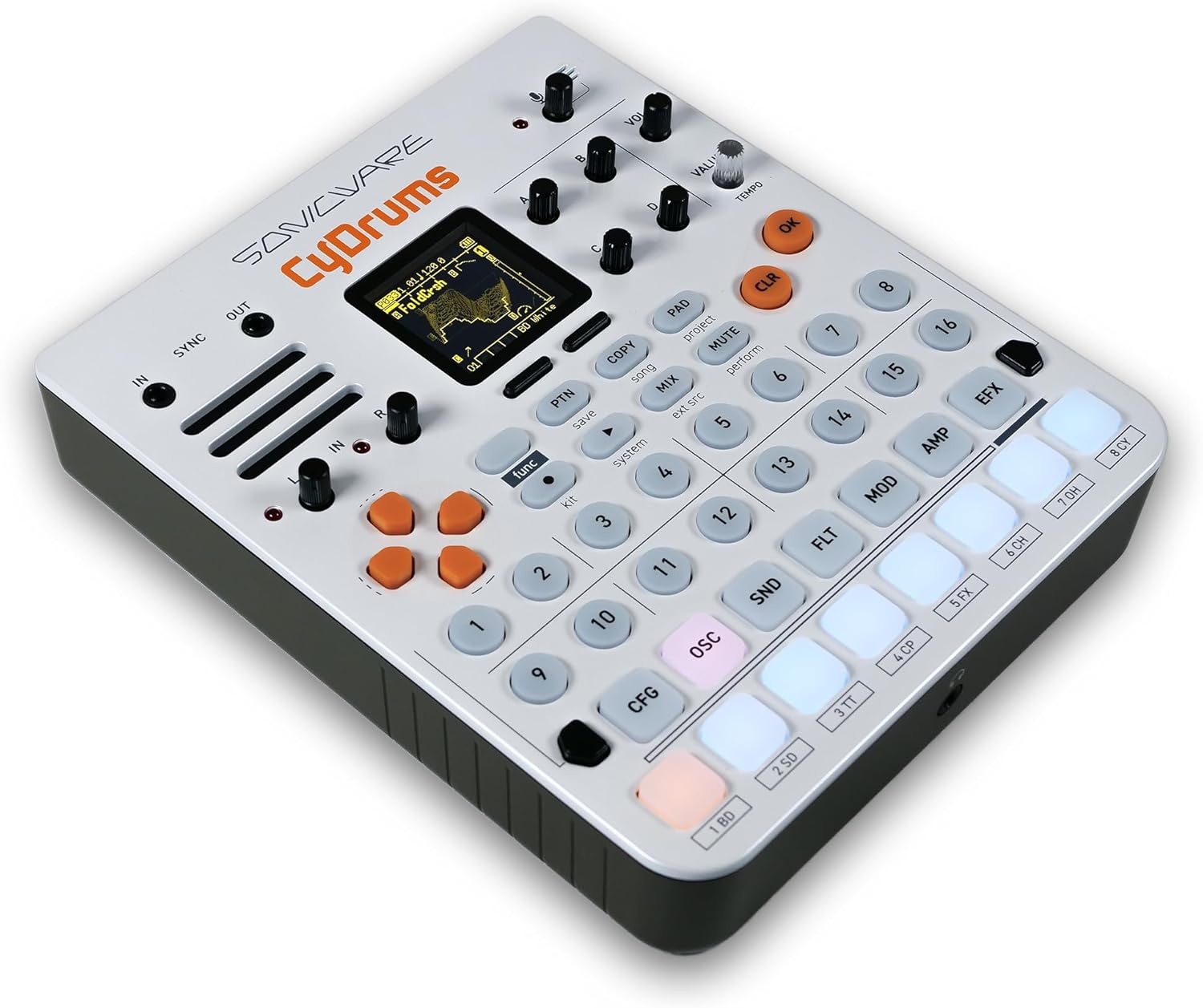
Image: Rear view of the CyDrums showing various input and output ports, including sync, audio, and MIDI connections.
Operating Instructions
Basic Operation and Sound Creation
The CyDrums allows for intuitive sound creation through its unique Wavetable x Velocity & Pressure Modulation. This enables 4D drum sounds that react, transform, and evolve based on your input.

Image: Hands pressing the illuminated pads of the CyDrums, demonstrating the expressive control over drum sounds.
Sound Structures
Explore 22 custom-built sound structures tailored to each instrument. These structures provide a foundation for endless sonic possibilities, allowing you to sculpt unique drum and percussion sounds.

Image: The CyDrums display showcasing four different sound structure diagrams, indicating the depth of sound design available.
Sequencing and Beat Making
Utilize the powerful 8-track drum sequencer for non-stop, intuitive beat making. The sequencer supports generative patterns with randomization and probability, offering dynamic and evolving rhythmic possibilities.
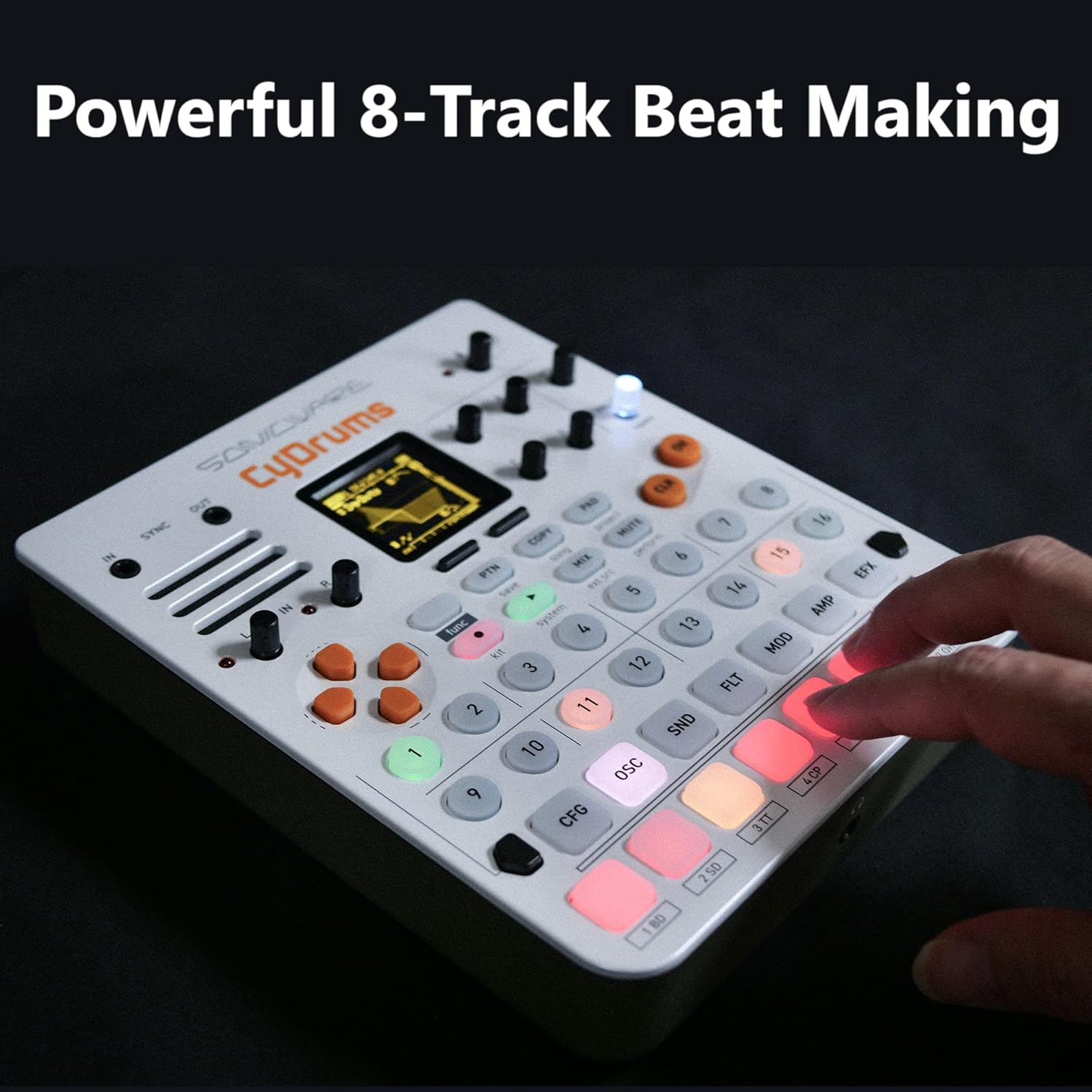
Image: Hands interacting with the sequencer pads on the CyDrums, illustrating the process of creating beats.
Effects Processing
Enhance your sounds with two insert effects, reverb, and master effects. Flexible routing options allow for versatile sound processing, enabling you to add depth and character to your drum patterns.
Performance Features
The CyDrums includes numerous performance features such as VariSpeed and Snip Loop, allowing for real-time manipulation and dynamic changes during live performances or studio sessions.
Official Product Videos
CyDrums Groovebox Performance - No Other Gear
Video: A demonstration of the CyDrums performing a groovebox set without any additional external gear, showcasing its standalone capabilities.
CyDrums DEMO JAM
Video: A demo jam session featuring the CyDrums, highlighting its rhythmic and sonic versatility in a performance context.
ELZ_1 play V2 + CyDrums | Stegonaute Live Composition
Video: A live composition demonstrating the integration of CyDrums with the ELZ_1 play V2, showcasing its use in a broader musical setup.
CyDrums DEMO JAM with Ambient 0
Video: A demo jam featuring the CyDrums alongside Ambient 0, illustrating how it can be used to create rich, layered soundscapes.
CyDrums Drum Synth
Video: A performance video showcasing the CyDrums as a drum synthesizer, highlighting its unique sound capabilities and rhythmic potential.
CyDrums - Drum Machine Performance by Kuba Sojka
Video: A drum machine performance by Kuba Sojka using the CyDrums, demonstrating advanced techniques and musical applications.
Maintenance
Cleaning
The CyDrums unit is constructed from plastic. To clean, gently wipe the surface with a soft, dry cloth. Avoid using abrasive cleaners or solvents, as these may damage the finish.
Storage
Store the unit in a cool, dry place away from direct sunlight and extreme temperatures. When not in use for extended periods, remove batteries to prevent leakage.
Troubleshooting
No Power
Ensure the power supply is securely connected and the outlet is functional. If using batteries, check that they are correctly inserted and have sufficient charge.
No Sound Output
Verify that audio cables are properly connected to the output ports and to your audio system. Check the volume levels on both the CyDrums and your audio system. Ensure no tracks are muted.
Unexpected Behavior
If the unit behaves unexpectedly, try performing a factory reset (refer to the full digital manual for instructions). If issues persist, contact customer support.
Specifications
| Feature | Detail |
|---|---|
| Model Name | CyDrums |
| Item Model Number | TRK-020 |
| Brand | SONICWARE |
| Body Material | Plastic |
| Item Weight | 550 Grams (1.21 pounds) |
| Product Dimensions | 5.79 x 6.89 x 1.81 inches |
| Connector Type | 1/4 TRS Phone |
| Included Components | 32GB SDHC card, Power Supply Unit, Warranty |
Warranty
Your SONICWARE CyDrums comes with a manufacturer's warranty. Please refer to the included Warranty document for detailed terms and conditions, including coverage period and claim procedures.
Support
For further assistance, technical support, or service inquiries, please contact SONICWARE customer support. Visit the official SONICWARE website or refer to the contact information provided in your product packaging.


