
Introduction
This manual provides comprehensive instructions for the GAIGAICHONG Replacement Remote Control, designed for use with various Maxxair MaxxFan Deluxe Roof Vent Fan models. Please read this manual thoroughly before using the remote control to ensure proper operation and longevity of the device. Keep this manual for future reference.
Product Overview
The GAIGAICHONG Replacement Remote Control is an infrared device engineered to operate Maxxair MaxxFan Deluxe Roof Vent Fans. It features a compact design and intuitive button layout for convenient control of your fan's functions.
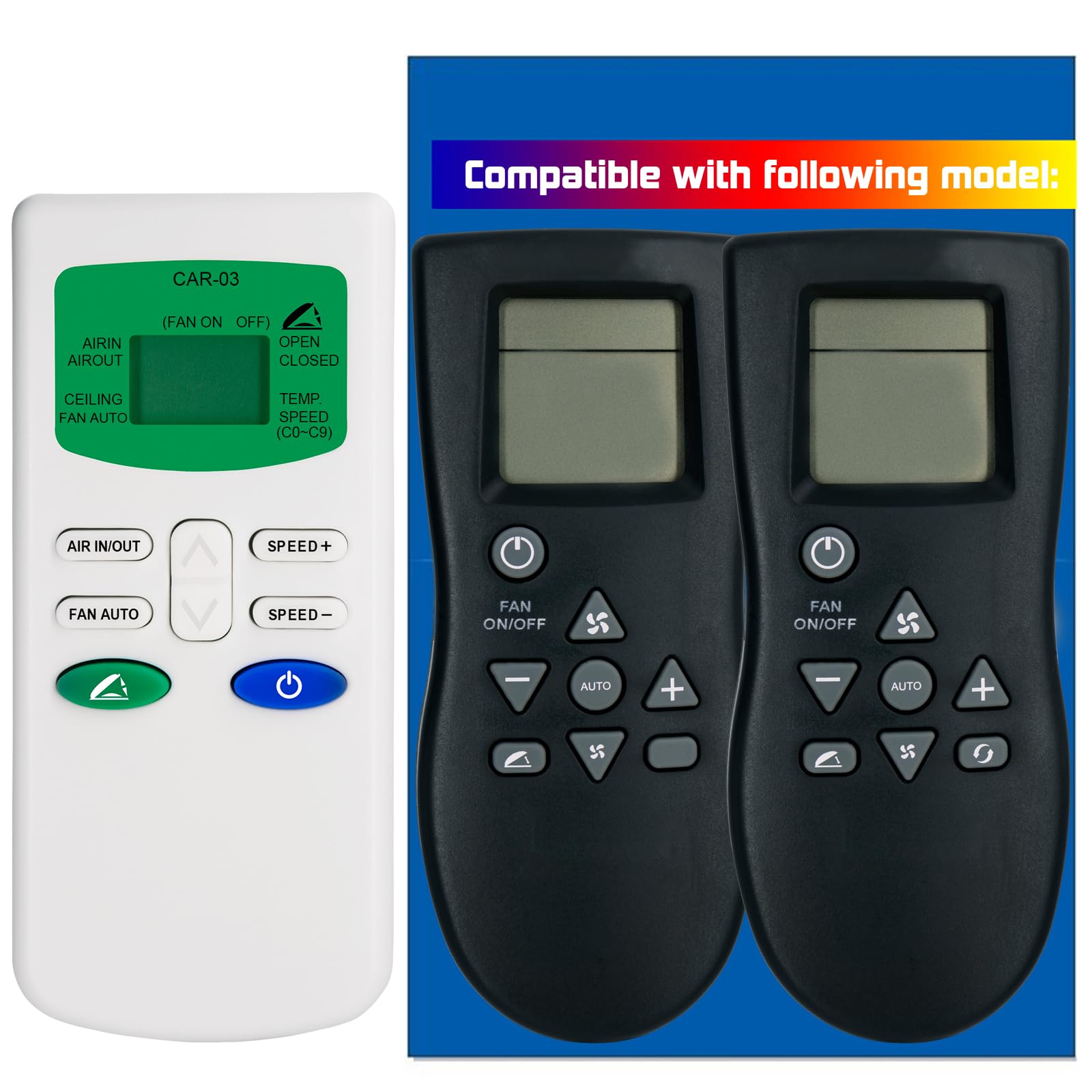
Image: The GAIGAICHONG Replacement Remote Control, featuring a black casing and multiple control buttons.
Compatible Maxxair MaxxFan Deluxe Models:
- 7000KI, 7500KI, 7500KIT, 7000KI40, 7500KI40, 7500KI40T
- 00-07000KI, 00-07500KI, 00-07500KIT, 00-07000KI40, 00-07500KI40, 00-07500KI40T
- 4500K, 4700K, 4800K, 4900K, 4501K, 4541K, 4801K
- 7000K, 7500K, 8000K, 8500K, 8700K, 8900K
- 7001K, 7501K, 8001K, 8501K, 00-08900K
- 00-07001K, 00-07501K, 00-08001K, 00-08501K
- 4000KI, 4500KI, 4540KI, 00A01151K, 00A01150K
- 00-01100K, 00-04500K, 00-04700K, 00-04800K, 00-04900K
- 00-04501K, 00-04541K, 00-04801K
- 00-07000K, 00-07500K, 00-08000K, 00-08500K, 00-08700K
Please verify that your original remote control matches the appearance of the remote shown in the product image for compatibility.
Setup
Battery Installation
The remote control requires two (2) AAA 1.5V alkaline batteries (not included).
- Locate the battery compartment cover on the back of the remote control.
- Slide the cover downwards or press the latch and lift to open the compartment.
- Insert two AAA batteries, ensuring the positive (+) and negative (-) terminals align correctly with the markings inside the compartment.
- Replace the battery compartment cover, sliding it back into place until it clicks securely.
Note: Always use new batteries and replace both batteries at the same time. Do not mix old and new batteries or different types of batteries.
Operating Instructions
To operate your Maxxair MaxxFan Deluxe Roof Vent Fan with this remote control, point the remote directly at the fan's receiver. Ensure there are no obstructions between the remote and the fan.
Basic Functions:
- Power Button: Turns the fan ON or OFF.
- Fan Speed Buttons: Adjusts the fan speed (e.g., increase/decrease, or specific speed settings).
- Temperature Control Buttons: Sets the desired temperature for automatic fan operation.
- Vent Open/Close Buttons: Controls the opening and closing of the fan's vent lid.
- Mode Button: Cycles through different operating modes (e.g., intake, exhaust, auto).
Refer to your Maxxair MaxxFan Deluxe Roof Vent Fan's original manual for detailed explanations of each function and button specific to your fan model.
Maintenance
Cleaning
To clean the remote control, wipe it with a soft, dry cloth. Do not use liquid cleaners, abrasive pads, or chemical solvents, as these may damage the remote's surface or internal components.
Battery Replacement
Replace batteries when the remote's range decreases or if it stops responding. Follow the battery installation steps outlined in the "Setup" section. Dispose of used batteries responsibly according to local regulations.
Troubleshooting
If you experience issues with your remote control, refer to the table below for common problems and solutions.
| Problem | Possible Cause | Solution |
|---|---|---|
| Remote not responding | Dead or incorrectly installed batteries. Obstruction between remote and fan. Remote out of range. | Replace batteries with new ones, ensuring correct polarity. Remove any obstructions. Move closer to the fan (within 10 meters). |
| Short operating range | Weak batteries. Interference. | Replace batteries. Ensure no strong light sources or other infrared devices are interfering. |
| Specific button not working | Button malfunction. | Ensure the remote is compatible with your specific fan model and that the button function is supported. If other buttons work, the specific button might be faulty. |
Specifications
| Feature | Specification |
|---|---|
| Brand | GAIGAICHONG |
| Model Name | Remote Control |
| Model Number | D124123002E04 |
| Connectivity Technology | Infrared |
| Controller Type | Button Control |
| Number of Buttons | 4 |
| Compatible Devices | Maxxair MaxxFan Deluxe Roof Vent Fan |
| Maximum Range | 10 Meters |
| Battery Type | AAA (2 required) |
| Special Feature | With wall mounting bracket |
Warranty Information
This GAIGAICHONG Replacement Remote Control comes with a 1-Year Warranty from the date of purchase. This warranty covers manufacturing defects under normal use. It does not cover damage caused by misuse, accidents, unauthorized modifications, or battery leakage. Please retain your proof of purchase for warranty claims.
Support
For further assistance, troubleshooting not covered in this manual, or warranty inquiries, please contact the seller or manufacturer through the platform where the product was purchased. Provide your product model number (D124123002E04) and a detailed description of the issue for efficient support.