
1. Introduction
This manual provides instructions for the installation, maintenance, and care of your Generic replacement foam and felt filters for Shark vacuum cleaners. These filters are designed to maintain the performance of your vacuum by effectively capturing dust and debris, protecting the motor, and contributing to cleaner exhaust air.
2. Product Features
- High-Quality Filtration: Crafted from durable materials to enhance vacuum performance.
- Effective Dust Capture: Designed to trap dust particles and debris, ensuring cleaner exhaust air.
- Motor Protection: Helps protect the vacuum's motor from fine particles, extending its lifespan.
- Washable and Reusable: Filters can be rinsed with water and air-dried for multiple uses.
- Comprehensive Set: Each package includes multiple sets of foam and felt filters for extended use.
3. Compatibility
These replacement filters are compatible with the following Shark vacuum cleaner models:
- Shark HZ600, HZ600C, HZ602
- Shark HZ700, HZ702
- Shark QS700HBJ, QS700HBK, QS700HGN, QS700HMR, QS700HMV, QS700QBK, QS700QBL, QS700QRD
- Shark HZ251, HZ2000, HZ2002, HZ3002, HZ3000
- Shark QS3002H, QS3002HEG, QS3002HBL, QS3002HEM, QS3002QBK, QS3002QRD
- Shark HH200, HH202
- Replaces part numbers XFFKHZ2000 / XFFKHZ3000.
4. Package Contents
Each package contains 4 sets of filters. Each set typically includes:
- Foam Filter
- Felt Filter
- Post-Motor Filter (if applicable to your specific model's filter configuration)

Figure 1: Contents of the 4-set filter package. Each set includes foam and felt filters.
5. Installation Instructions
Follow these steps to replace the filters in your Shark vacuum cleaner. Always refer to your specific vacuum cleaner's user manual for exact filter locations and removal procedures.
- Power Off and Unplug: Before attempting any maintenance, ensure your vacuum cleaner is turned off and unplugged from the power outlet to prevent electrical hazards.
- Locate Filter Compartment: The pre-motor foam and felt filters are typically located in the dust cup assembly. The post-motor filter may be in a separate compartment, often at the base or side of the vacuum.
- Remove Old Filters: Open the filter compartment(s) and carefully remove the old foam and felt filters. Note their orientation for correct installation of the new filters.
- Insert New Filters: Place the new felt filter first, followed by the foam filter, ensuring they are seated correctly. Some filters may have a "Put in first This Side Up" label; follow these instructions.
- Close Compartment: Securely close the filter compartment(s).

Figure 2: Example of filter orientation with "Put in first This side up" label.
6. Maintenance and Cleaning
Regular cleaning and timely replacement of your filters are crucial for maintaining optimal vacuum performance and air quality.
6.1. Cleaning Instructions
- Remove Filters: Follow the installation steps to remove the foam and felt filters from your vacuum.
- Rinse with Water: Rinse the filters under running tap water until the water runs clear. Do not use soap or detergents.
- Squeeze Excess Water: Gently squeeze out any excess water from the foam filter.
- Air Dry Completely: Lay the filters flat to air dry for at least 24 hours, or until they are completely dry. Do not use a dryer or heat source, as this can damage the filter material. Ensure they are completely dry before reinserting them into the vacuum.
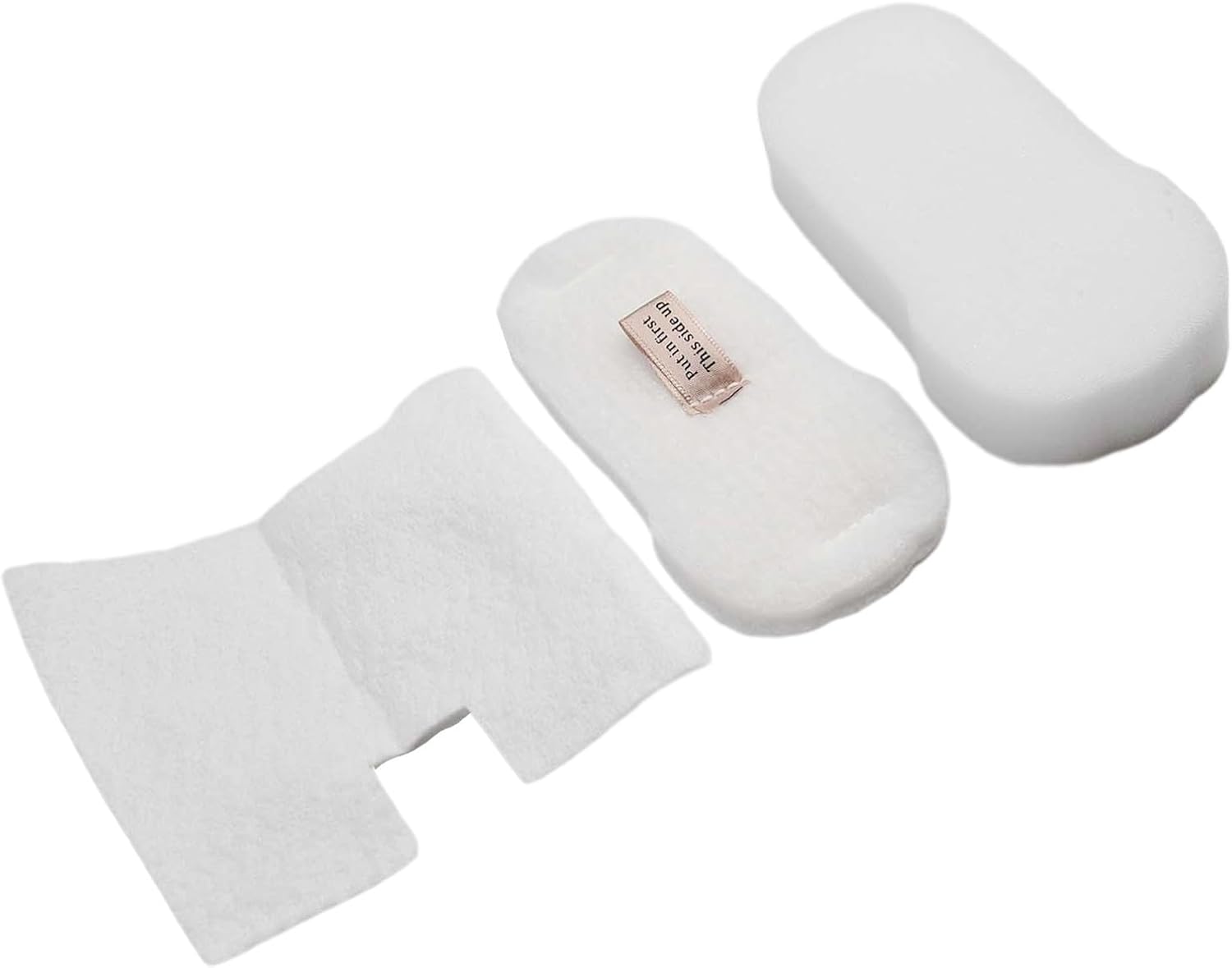
Figure 3: Clean and dry foam and felt filters.
6.2. Replacement Schedule
- For optimal performance, it is recommended to clean the foam and felt filters every 3 months.
- Replace the foam and felt filters entirely every 3 to 6 months, depending on usage.
- The post-motor filter (if applicable) should be replaced annually or as needed.
7. Troubleshooting
If you experience issues after replacing your filters, consider the following:
- Reduced Suction: Ensure filters are installed correctly and are completely dry. Clogged filters are a common cause of reduced suction.
- Unusual Odor: If filters were not completely dry before reinstallation, they might develop an odor. Re-clean and ensure thorough drying.
- Filter Not Fitting: Double-check the compatibility list to ensure you have the correct filters for your specific Shark model.
8. Specifications
| Product Type | Replacement Vacuum Filters (Foam & Felt) |
| Compatibility | Shark HZ600, HZ602, HZ700, HZ702, QS700 series, HZ2000 series, QS3002H series, HH200 series (Replaces XFFKHZ2000 / XFFKHZ3000) |
| Material | Foam, Felt |
| Color | White |
| Dimensions | Approximately 12 x 10 x 3 cm (per set) |
| Weight | Approximately 49 g (total package) |
| Package Quantity | 4 sets of filters |
9. Warranty and Support
As a Generic brand product, specific warranty details may vary. For any questions regarding product compatibility, installation, or performance, please contact the seller directly through your purchase platform. Ensure to provide your order number and product details for efficient assistance.