
1. Introduction
This manual provides instructions for the safe and efficient use of your Lenyes PW139D 10000 mAh Power Bank. This device offers both wired (20W Type-C) and wireless (15W) charging capabilities for various compatible electronic devices. Please read this manual thoroughly before using the product and retain it for future reference.
2. Safety Information
- Do not expose the power bank to extreme temperatures (above 45°C or below 0°C).
- Avoid dropping, disassembling, or attempting to repair the device yourself.
- Keep the power bank away from water, moisture, and flammable materials.
- Use only certified charging cables and adapters.
- Do not place metal objects on the wireless charging surface.
- Keep out of reach of children.
- Dispose of the power bank according to local regulations; do not discard with household waste.
3. Package Contents
Please check the package for the following items:
- Lenyes PW139D 10000 mAh Power Bank
- USB Type-C Charging Cable
- User Manual
4. Product Overview
Familiarize yourself with the components of your power bank.

Image: Front view of the Lenyes PW139D Power Bank, showcasing its compact design and magnetic wireless charging area.
- Wireless Charging Surface: Area for wireless charging compatible devices.
- Magnetic Ring: Assists in secure alignment for wireless charging, especially for Android devices.
- Type-C Port (Input/Output): Used for charging the power bank and for wired charging of devices.
- LED Indicator Lights: Display the remaining battery capacity and charging status.
- Power Button: Activates the power bank and checks battery level.
5. Setup
5.1 Initial Charging of the Power Bank
- Connect the provided USB Type-C cable to the power bank's Type-C port.
- Connect the other end of the cable to a compatible USB wall adapter (not included) or a computer's USB port.
- The LED indicator lights will illuminate to show the charging progress. All lights will be solid when fully charged.
- A full charge typically takes approximately 5 hours.
5.2 Connecting Devices for Wired Charging
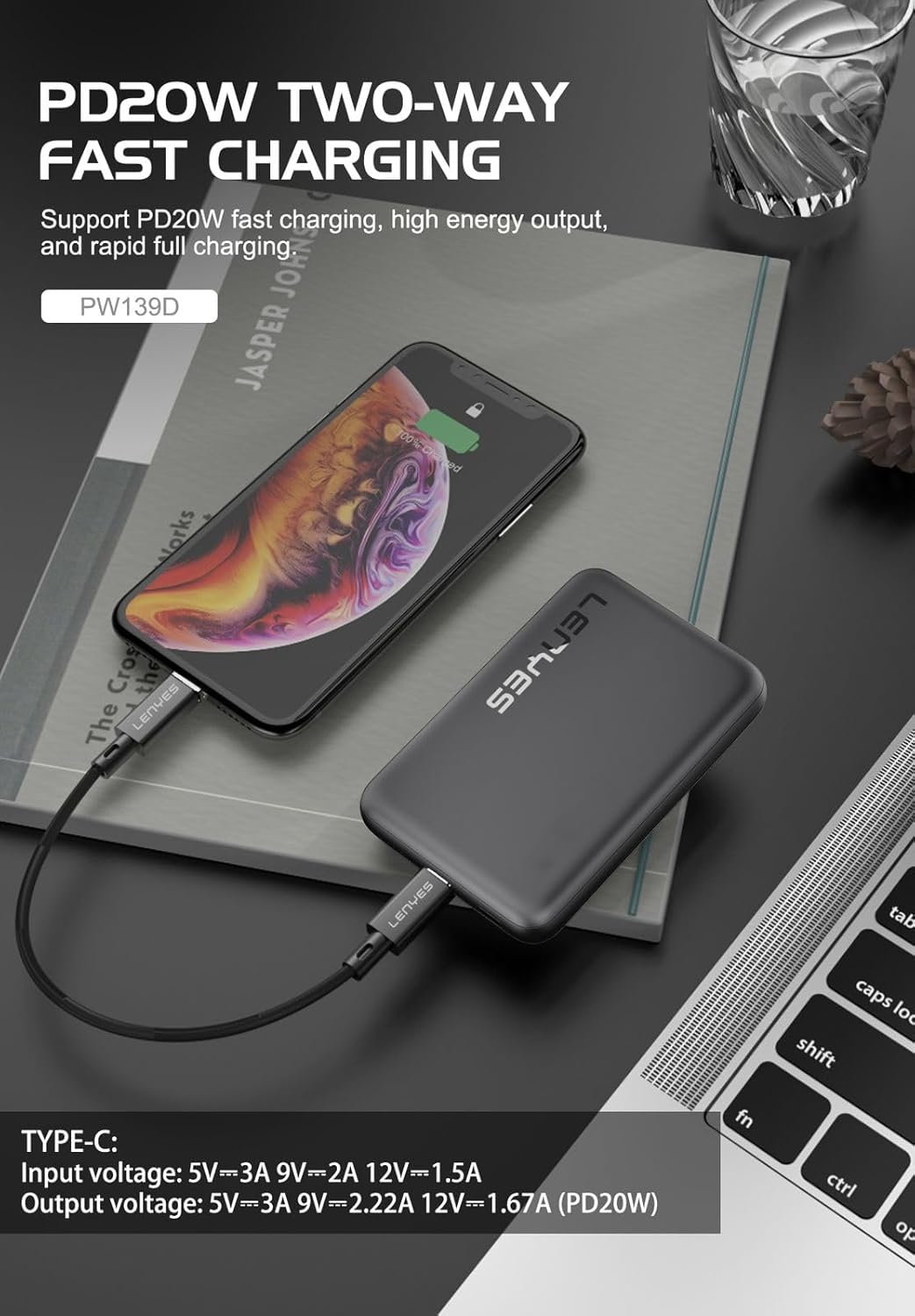
Image: The Lenyes PW139D Power Bank connected via a Type-C cable to an iPhone for wired charging.
- Use a compatible charging cable (USB Type-C to Type-C, or Type-C to Lightning) for your device.
- Connect one end of the cable to the Type-C port on the power bank.
- Connect the other end to your device's charging port.
- The power bank will automatically begin charging your device. If not, press the power button once.
5.3 Using Wireless Charging

Image: A smartphone placed on the Lenyes PW139D Power Bank, demonstrating wireless charging with magnetic alignment.
- Ensure your device is compatible with Qi wireless charging.
- Press the power button on the power bank once to activate wireless charging.
- Place your device centrally on the wireless charging surface of the power bank.
- For devices with magnetic charging capabilities (e.g., iPhone 12 series and newer, or Android phones with magnetic rings), the power bank's magnetic ring will help align your device for optimal charging.
- The device's screen will indicate that charging has begun.
6. Operating Instructions
6.1 Checking Battery Level
Press the power button once. The LED indicator lights will illuminate to show the remaining battery capacity:
- 4 Lights: 75-100% charged
- 3 Lights: 50-75% charged
- 2 Lights: 25-50% charged
- 1 Light: 0-25% charged (recharge soon)
6.2 Charging Multiple Devices
The Lenyes PW139D supports charging multiple devices simultaneously:
- You can charge one device wirelessly and another device via the Type-C port at the same time.
- Note that simultaneous charging may affect the charging speed for each device.
7. Maintenance
7.1 Cleaning
- Ensure the power bank is turned off and disconnected from all devices and power sources before cleaning.
- Wipe the surface with a soft, dry, lint-free cloth.
- Do not use harsh chemicals, abrasive cleaners, or sprays.
7.2 Storage
- Store the power bank in a cool, dry place, away from direct sunlight and extreme temperatures.
- If storing for an extended period, charge the power bank to approximately 50-75% every three months to maintain battery health.
8. Troubleshooting
| Problem | Possible Cause | Solution |
|---|---|---|
| Power bank not charging | Cable or adapter issue; power bank fully charged; faulty port. | Try a different cable or adapter. Check if LED indicators show full charge. Contact support if port is faulty. |
| Device not charging via wired connection | Cable issue; device not compatible; power bank low on battery; power bank not activated. | Ensure cable is securely connected and functional. Check device compatibility. Recharge power bank. Press power button once. |
| Device not charging wirelessly | Device not Qi-compatible; improper alignment; foreign objects; power bank low on battery; power bank not activated. | Verify device supports Qi wireless charging. Realign device on charging surface. Remove any metal objects. Recharge power bank. Press power button once. |
| Slow charging speed | Using non-fast charging cable/adapter; charging multiple devices; device not supporting fast charging. | Use a fast-charging compatible cable and adapter. Charge one device at a time for maximum speed. Ensure device supports 20W Type-C or 15W wireless charging. |
9. Specifications
| Feature | Detail |
|---|---|
| Model Name | PW139D |
| Battery Capacity | 10000 mAh |
| Type-C Input/Output | 20W (Max) |
| Wireless Charging Output | 15W (Max) |
| Battery Cell Type | Lithium Ion |
| Battery Charge Time | Approx. 5 hours |
| Dimensions (L x W x T) | 10.2L x 7.1W x 1.7Th Centimeters |
| Weight | 300 Grams |
| Special Features | Wireless Charging, Magnetic Ring |
10. Warranty and Support
10.1 Warranty Information
The Lenyes PW139D Power Bank comes with a 1-Year Limited Warranty. This warranty is non-transferable and valid for 1 year from the original date of purchase. It covers manufacturing defects under normal use. The warranty does not cover damage caused by misuse, accidents, unauthorized modifications, or external causes.
10.2 Customer Support
For technical support, warranty claims, or any inquiries regarding your Lenyes PW139D Power Bank, please contact your retailer or visit the official Lenyes website for contact information.
Manufacturer: Lenyes, Shenzhen Xinzhiyue Technology Co., Ltd.
Importer: Shenzhen Xinzhiyue Technology Co., Ltd.