
Introduction
This manual provides essential information for the safe and efficient operation, maintenance, and troubleshooting of your Bella-PRO Barista Elite Espresso Station. Please read this manual thoroughly before first use and retain it for future reference.
Safety Information
Always follow basic safety precautions when using electrical appliances to reduce the risk of fire, electric shock, and injury to persons. This appliance is for household use only.
- Do not immerse the appliance, power cord, or plug in water or other liquids.
- Ensure the voltage indicated on the appliance corresponds to your local mains voltage before connecting.
- Unplug from the outlet when not in use and before cleaning. Allow to cool before putting on or taking off parts, and before cleaning the appliance.
- Do not operate any appliance with a damaged cord or plug, or after the appliance malfunctions or has been damaged in any manner.
- Use only manufacturer-recommended accessories.
- Keep hands and cords away from hot parts of the appliance during operation.
Product Overview
The Bella-PRO Barista Elite Espresso Station is designed to deliver high-quality espresso and milk-based coffee beverages. Familiarize yourself with its components and controls.
Components
- Main Unit
- Portafilter
- Single & Double-Cup Stainless Steel Filters
- 2-in-1 Scoop and Tamper
- Removable Water Reservoir (1.7L)
- Steam Wand
- Removable Drip Tray
- Cleaning Pin

Figure 1: Front view of the Bella-PRO Barista Elite Espresso Station, showcasing its compact design and control panel.
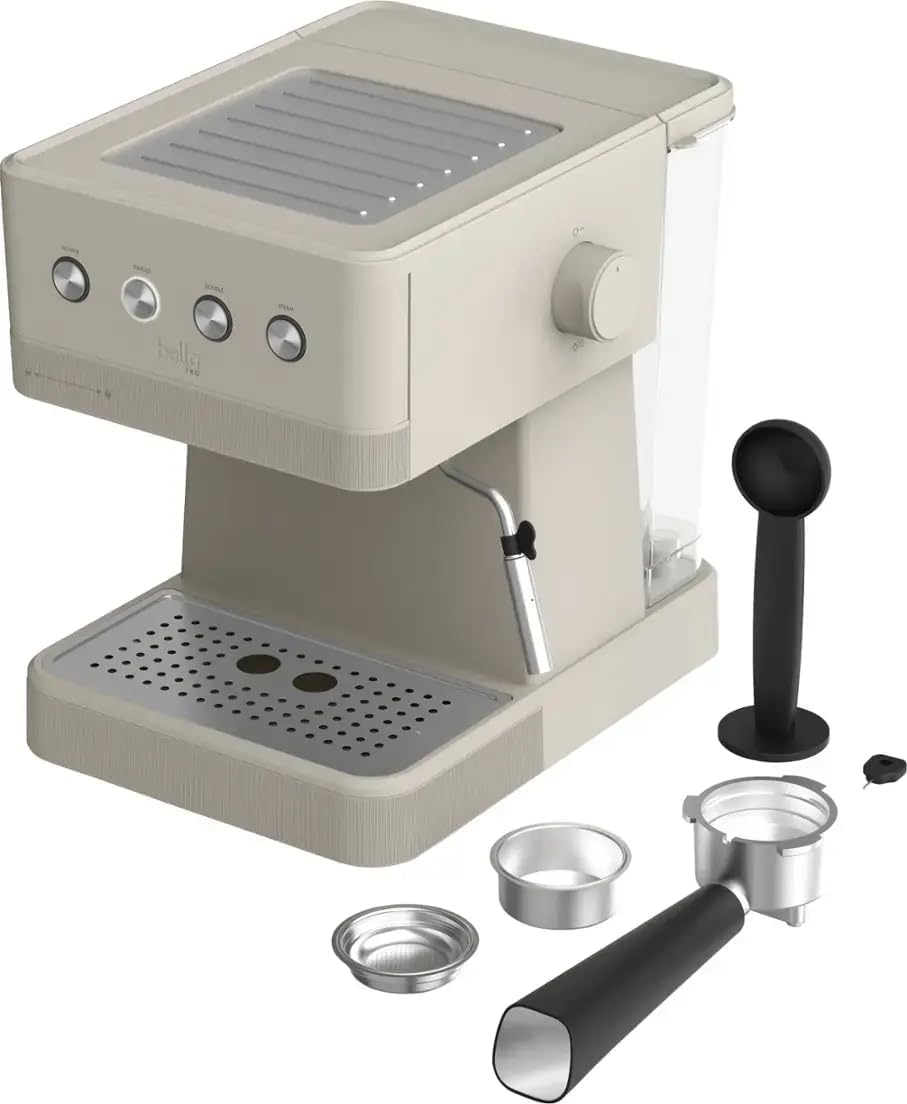
Figure 2: All included components of the espresso machine, including the main unit, portafilter, filters, scoop/tamper, and cleaning pin.
Control Panel
- POWER Button: Turns the machine on/off.
- SINGLE Button: Brews a single shot of espresso.
- DOUBLE Button: Brews a double shot of espresso.
- STEAM Button: Activates the steam function for frothing milk.
- Steam Control Dial: Adjusts steam intensity.

Figure 3: Close-up view of the machine's control panel, showing the four main function buttons.
Setup
Before first use, ensure all packaging materials are removed and clean all removable parts according to the cleaning instructions.
- Place the machine on a stable, flat, heat-resistant surface.
- Fill the removable water reservoir with fresh, cold water. Do not exceed the MAX fill line.
- Insert the water reservoir back into its position on the machine.
- Plug the power cord into a grounded electrical outlet.
- Press the POWER button to turn on the machine. The indicator lights will illuminate.
- Perform an initial rinse cycle: Place a large cup under the portafilter and steam wand. Press the SINGLE button to run water through the brewing head. Press the STEAM button and open the steam dial to release steam. Close the steam dial and press the STEAM button again to turn off. Repeat this process until the water reservoir is empty. This primes the system and cleans internal components.
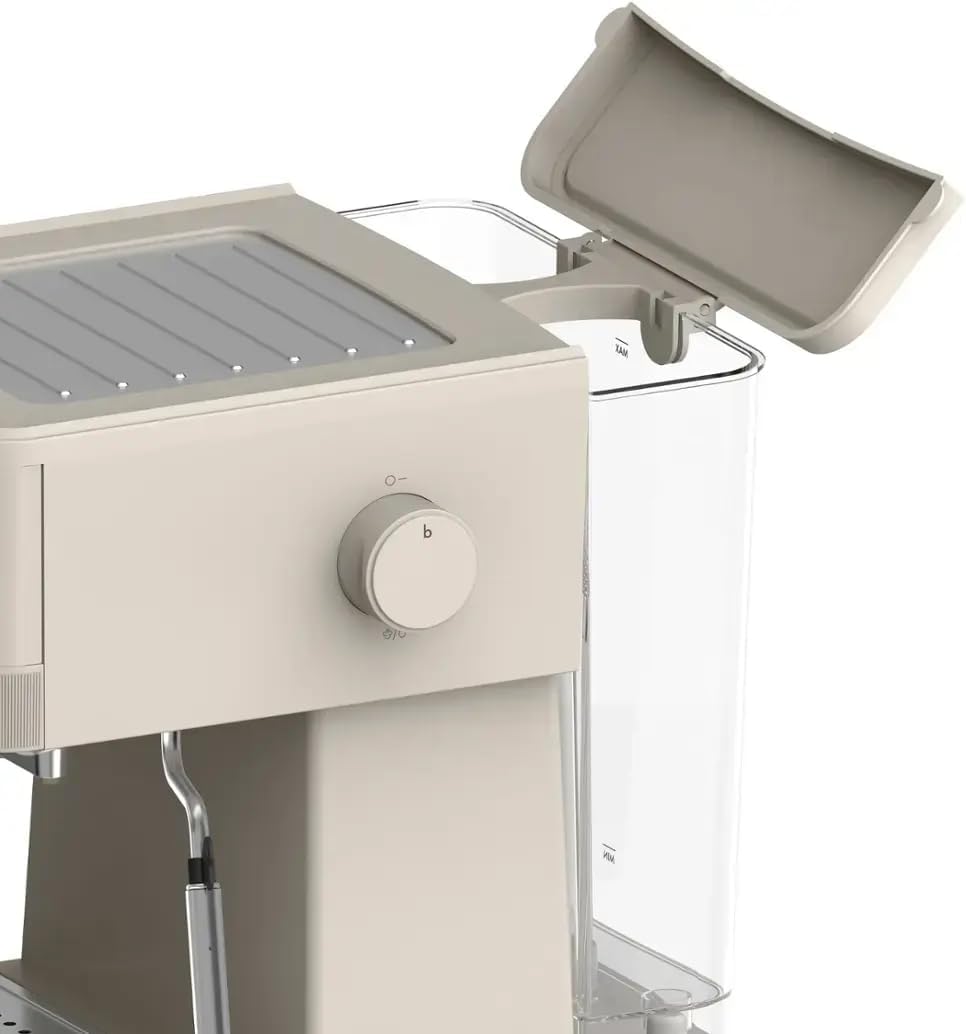
Figure 4: The water reservoir with its lid open, ready for filling.
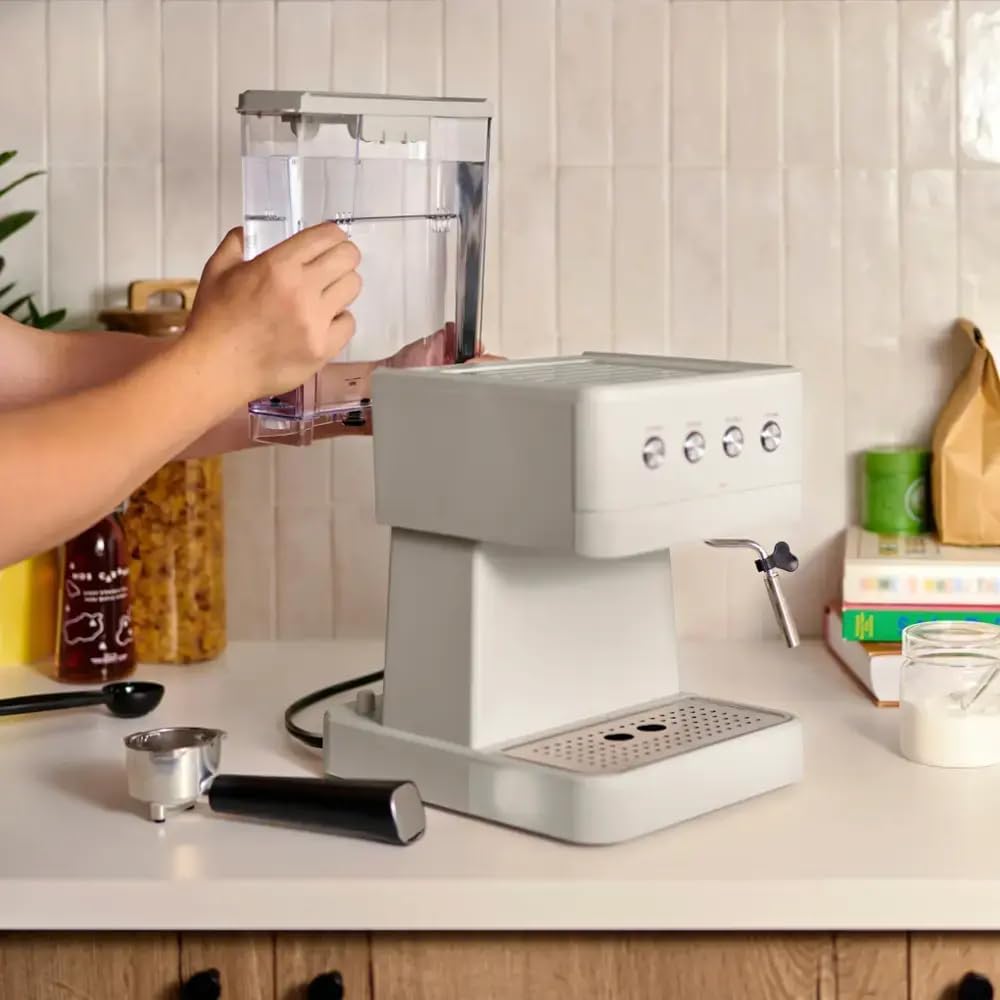
Figure 5: Demonstrates how to remove the water reservoir for easy filling and cleaning.
Operating Instructions
Brewing Espresso
- Ensure the machine is preheated (indicator lights are solid).
- Select the desired filter basket (single or double) and place it into the portafilter.
- Add finely ground espresso coffee to the filter basket. For a single shot, use approximately 7-8 grams; for a double shot, use 14-16 grams.
- Level the coffee grounds and tamp them firmly using the tamper end of the scoop. Ensure the surface is even.
- Wipe any excess coffee from the rim of the portafilter.
- Insert the portafilter into the brewing head and twist firmly to the right until it is securely locked.
- Place one or two espresso cups on the drip tray directly under the portafilter spouts.
- Press the SINGLE or DOUBLE button to begin brewing. The machine will automatically stop when the programmed volume is reached.
- Once brewing is complete, carefully remove the portafilter by twisting it to the left. Dispose of the used coffee grounds.
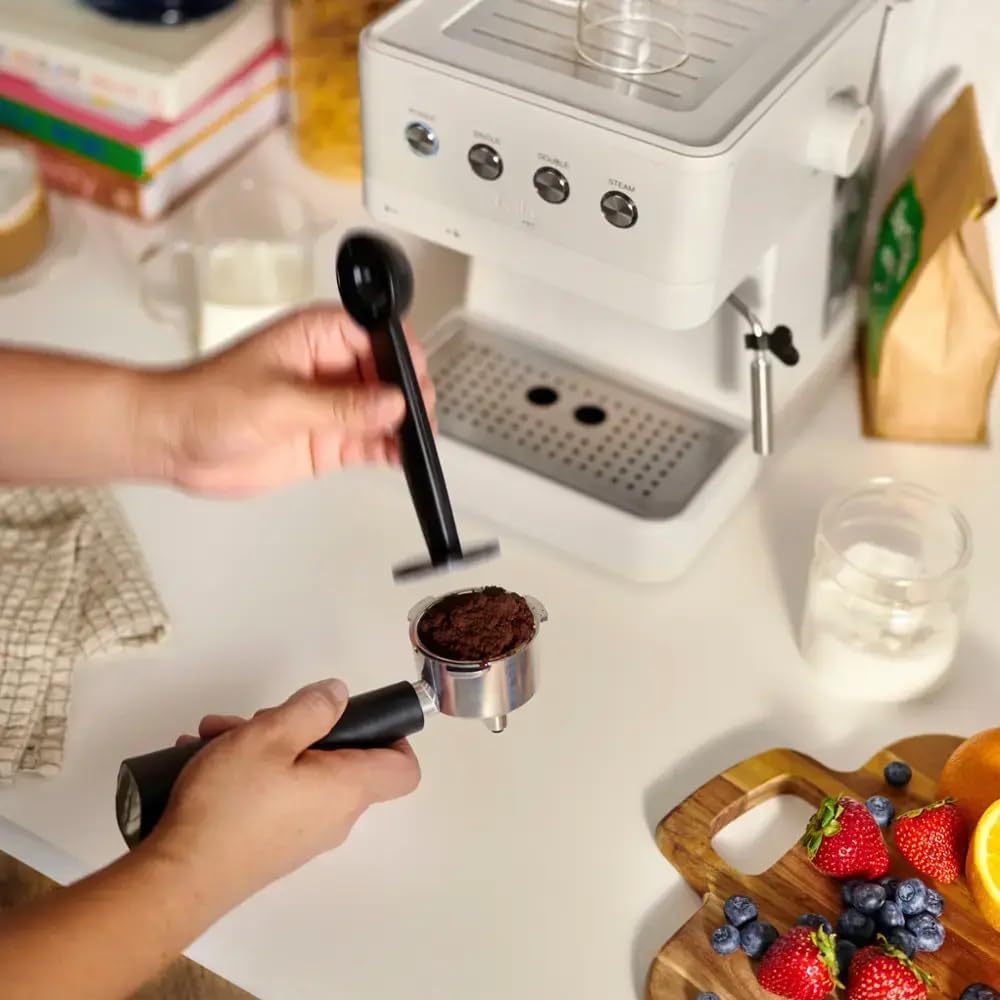
Figure 6: Proper technique for tamping coffee grounds into the portafilter for optimal extraction.
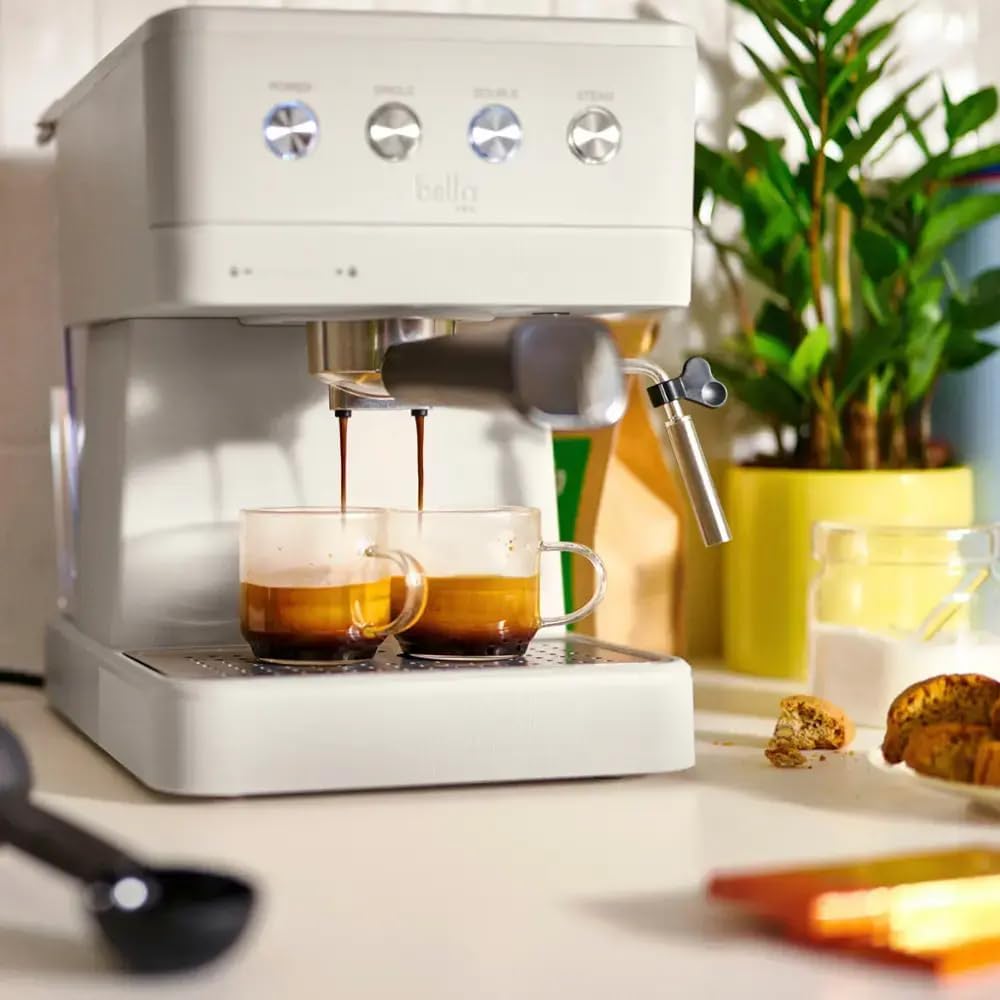
Figure 7: The espresso machine actively brewing two shots of espresso simultaneously into cups.
Frothing Milk
- Fill a stainless steel frothing pitcher with cold milk (dairy or non-dairy) up to one-third full.
- Press the STEAM button. Wait for the steam indicator light to illuminate steadily, indicating the machine has reached steaming temperature.
- Position the steam wand just below the surface of the milk in the pitcher.
- Slowly open the Steam Control Dial to release steam. Move the pitcher up and down to incorporate air and create foam.
- Once desired foam consistency is achieved, close the Steam Control Dial and press the STEAM button to turn off the steam function.
- Immediately wipe the steam wand with a damp cloth to prevent milk residue from drying.

Figure 8: A user demonstrating the use of the steam wand to froth milk in a pitcher.
Cleaning and Maintenance
Regular cleaning ensures optimal performance and extends the life of your espresso machine.
Daily Cleaning
- Portafilter and Filter Baskets: After each use, remove coffee grounds and rinse the portafilter and filter baskets under warm water.
- Steam Wand: Immediately after frothing, wipe the steam wand with a damp cloth. Purge the wand by briefly opening the steam dial to clear any milk residue from inside.
- Drip Tray: Empty and rinse the removable drip tray daily.
- Water Reservoir: Empty any remaining water and rinse the reservoir daily. Refill with fresh water before next use.
- Exterior: Wipe the exterior of the machine with a soft, damp cloth. Do not use abrasive cleaners or scouring pads.
Descaling
Descaling is necessary to remove mineral buildup that can affect machine performance and taste. The frequency depends on water hardness and usage, but generally every 2-3 months.
- Use a commercial descaling solution designed for espresso machines, following the product's instructions.
- Fill the water reservoir with the descaling solution mixed with water as per instructions.
- Place a large container under the portafilter and steam wand.
- Run several cycles of water through the brewing head (using the SINGLE/DOUBLE buttons) and steam wand (using the STEAM button and dial) until the reservoir is empty.
- Rinse the water reservoir thoroughly and refill with fresh water.
- Run several cycles of fresh water through the machine to rinse out any remaining descaling solution.
Troubleshooting
| Problem | Possible Cause | Solution |
|---|---|---|
| No water flow / Machine not brewing | Water reservoir empty; Machine not primed; Clogged filter/portafilter; Machine needs descaling. | Refill reservoir; Perform initial rinse cycle; Clean filter/portafilter; Descale machine. |
| Espresso brews too slowly or not at all | Coffee grounds too fine; Coffee tamped too hard; Filter basket clogged. | Use coarser grind; Tamp with less pressure; Clean filter basket. |
| Espresso brews too quickly / Weak espresso | Coffee grounds too coarse; Not enough coffee; Coffee not tamped firmly enough. | Use finer grind; Increase coffee amount; Tamp more firmly. |
| No steam from wand | Steam button not pressed; Steam wand clogged; Machine not at steaming temperature. | Press STEAM button and wait for light; Clean steam wand with cleaning pin; Allow machine to preheat. |
| Machine leaks water | Water reservoir not seated correctly; Drip tray full; Portafilter not secured. | Reseat water reservoir; Empty drip tray; Secure portafilter firmly. |
Specifications
| Feature | Detail |
|---|---|
| Model Name | Barista Elite Espresso Station |
| Model Number | 90210 |
| Pressure Pump | 20-Bar High Pressure |
| Water Reservoir Capacity | 1.7 Liters |
| Voltage | 120 Volts |
| Product Dimensions | 8.34"D x 11.1"W x 11.02"H |
| Item Weight | 7.27 pounds |
| Coffee Input Type | Ground Coffee |
| Special Features | Integrated Steam Wand, Programmable Single and Double Shots, Heated Cup Warming Plate, Removable Drip Tray |
Warranty and Support
For warranty information and customer support, please refer to the warranty card included with your product or visit the manufacturer's official website. Keep your proof of purchase for any warranty claims.
Note: No official product videos were provided in the source data to be embedded in this manual.


