
1. Introduction
This manual provides essential instructions for the safe installation, operation, and maintenance of your GAF Master Flow 1250 CFM Power Attic Fan with Smart Wi-Fi Control. This fan is designed to improve your home's comfort and energy efficiency by effectively managing excess heat and moisture in your attic space. Please read this manual thoroughly before installation and use, and retain it for future reference.
2. Safety Information
WARNING: Risk of Electric Shock. Disconnect power before servicing.
- Always disconnect power at the circuit breaker before installing, servicing, or cleaning the unit.
- Installation must be performed by a qualified electrician in accordance with all local and national electrical codes.
- Wear appropriate personal protective equipment, including gloves and eye protection, during installation and maintenance.
- Ensure all wiring connections are secure and properly insulated.
- Do not operate the fan with damaged wiring or if the unit appears to be malfunctioning.
- Keep hands and foreign objects away from the fan blades during operation.
- This product is intended for attic ventilation only. Do not use for other purposes.
3. Product Overview
The GAF Master Flow 1250 CFM Power Attic Fan is an advanced ventilation system featuring QuickConnect Wi-Fi Technology for smart control. It includes a powerful fan motor, durable housing, and a smart controller for remote management.

Figure 3.1: Internal view of the fan assembly, highlighting the motor and fan blades. This image shows the robust construction designed for efficient airflow.

Figure 3.2: Exterior view of the GAF Master Flow attic fan in beige. This image displays the dome-shaped housing that sits on the roof, protecting the internal components from weather.
4. Setup & Installation
4.1 Pre-Installation Checks
- Verify that the attic space is suitable for fan installation and that there is adequate clearance.
- Ensure proper intake ventilation is present for a balanced attic ventilation system.
- Confirm that the electrical supply meets the fan's requirements (120V AC).
4.2 Mounting the Fan
The fan is designed for attic mount installation. Follow the manufacturer's instructions provided with the physical product for specific roof penetration and sealing procedures. Ensure the fan is securely fastened to the roof structure to prevent movement and leaks.

Figure 4.1: The GAF Master Flow attic fan installed on a shingled roof. This image demonstrates the typical appearance of the fan once mounted, blending with the roofline.
4.3 Electrical Connection and QuickConnect Controller
Connect the fan to a dedicated 120V AC electrical circuit. The QuickConnect controller facilitates smart functionality. Mount the controller in an accessible location within the attic, ensuring it is protected from moisture and extreme temperatures. Do not install the controller with openings facing down.

Figure 4.2: The GAF Master Flow QuickConnect Wi-Fi controller mounted on a wooden surface. This image shows the controller unit with status lights and important caution labels, indicating its role in managing the fan's smart features.
5. Operating Instructions
5.1 Downloading the App
To utilize the smart Wi-Fi control features, download the Master Flow QuickConnect Ventilation Control App. It is available on the App Store for iOS devices (iOS 13 & above) and Google Play Store for Android devices (Android 5.0 & above).
5.2 Connecting to Wi-Fi
- Ensure your smartphone or tablet is connected to a 2.4 GHz Wi-Fi network.
- Open the Master Flow QuickConnect app and follow the on-screen instructions to add a new device.
- The app will guide you through the process of connecting your QuickConnect controller to your home Wi-Fi network.
5.3 Using the App for Control
Once connected, the app allows you to:
- Monitor current attic temperature and humidity levels.
- Adjust the humidistat and thermostat settings to control fan operation.
- Set schedules for fan operation.
- Receive alerts and notifications regarding attic conditions.
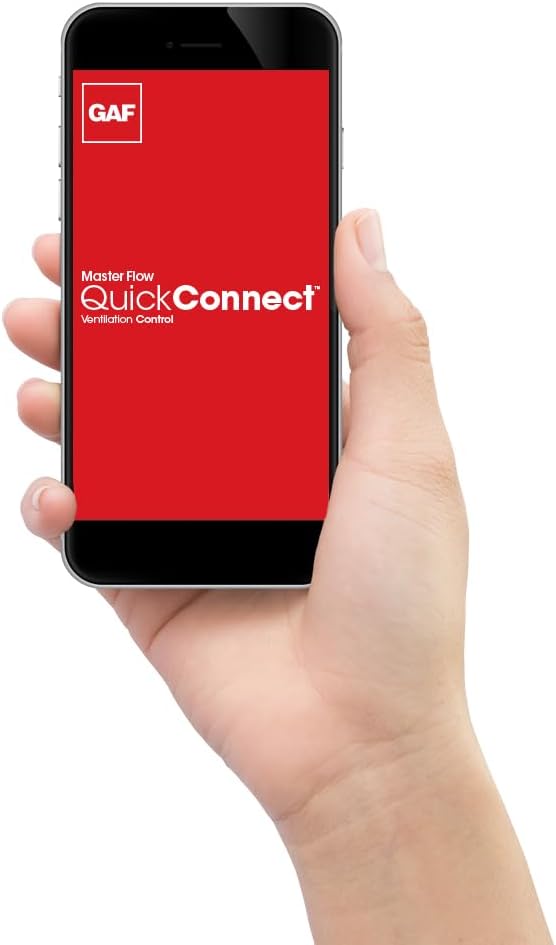
Figure 5.1: A smartphone displaying the GAF Master Flow QuickConnect app interface. This image illustrates the user-friendly design of the app, allowing for easy control and monitoring of the attic fan.
6. Maintenance
Regular maintenance ensures optimal performance and longevity of your attic fan.
6.1 Cleaning
- Annually: Disconnect power to the fan at the circuit breaker. Carefully remove any debris (leaves, dust, insect nests) from the fan blades and protective screen. Use a soft brush or vacuum cleaner.
- Do not use water or harsh chemicals to clean electrical components.
6.2 Inspection
- Annually: Inspect the fan housing and roof flashing for any signs of damage or leaks. Repair as necessary.
- Check electrical wiring for fraying, loose connections, or damage.
- Ensure the fan blades spin freely without obstruction.
7. Troubleshooting
| Problem | Possible Cause | Solution |
|---|---|---|
| Fan does not turn on. | No power supply. Circuit breaker tripped. Incorrect thermostat/humidistat settings. | Check power supply. Reset circuit breaker. Adjust settings in the app or on the controller. |
| Fan runs continuously. | Thermostat/humidistat settings too low/high. | Increase thermostat setting or decrease humidistat setting in the app. |
| Fan is noisy. | Debris in fan blades. Loose mounting. Damaged motor. | Disconnect power and clear debris. Check mounting screws. If motor is damaged, contact support. |
| Wi-Fi connection issues. | Incorrect Wi-Fi password. Router too far. 5 GHz network used. | Verify password. Move router closer or use a Wi-Fi extender. Ensure connection to a 2.4 GHz network. Reset controller and re-pair with app. |
8. Specifications
| Feature | Detail |
|---|---|
| Brand | Master Flow (GAF Master Flow) |
| Model Number | ERV5WWQCT |
| Airflow Capacity | 1250 Cubic Feet Per Minute (CFM) |
| Ventilates Area Up To | 2,200 square feet |
| Power Source | Electric |
| Voltage | 120V AC (Standard Household) |
| Mounting Type | Attic Mount |
| Special Features | Smart Wi-Fi Control, Humidistat, Thermostat, Exhaust, Ventilation |
| Product Dimensions | 10"D x 27"W x 27"H |
| Item Weight | 19 Pounds |
| Color | Beige |
| UPC | 050206104712 |
9. Warranty & Support
For warranty information, please refer to the documentation included with your product or visit the official GAF Master Flow website. Keep your proof of purchase for warranty claims.
If you encounter any issues not covered in this manual or require technical assistance, please contact GAF Master Flow customer support. Contact details can typically be found on the manufacturer's website or on the product packaging.
Online Resources:
- GAF Master Flow Official Website: Visit Master Flow Store on Amazon
- App Store (iOS): Search for "Master Flow QuickConnect Ventilation Control"
- Google Play Store (Android): Search for "Master Flow QuickConnect Ventilation Control"