
Introduction
This manual provides essential instructions for the safe and effective use of your TrustCell BL-651A replacement battery, designed for Crosscall devices. Please read this guide thoroughly before installation and operation to ensure optimal performance and safety.
Important Safety Information
Failure to follow these safety instructions may result in fire, electric shock, injury, or damage to the battery or device. Keep this manual for future reference.
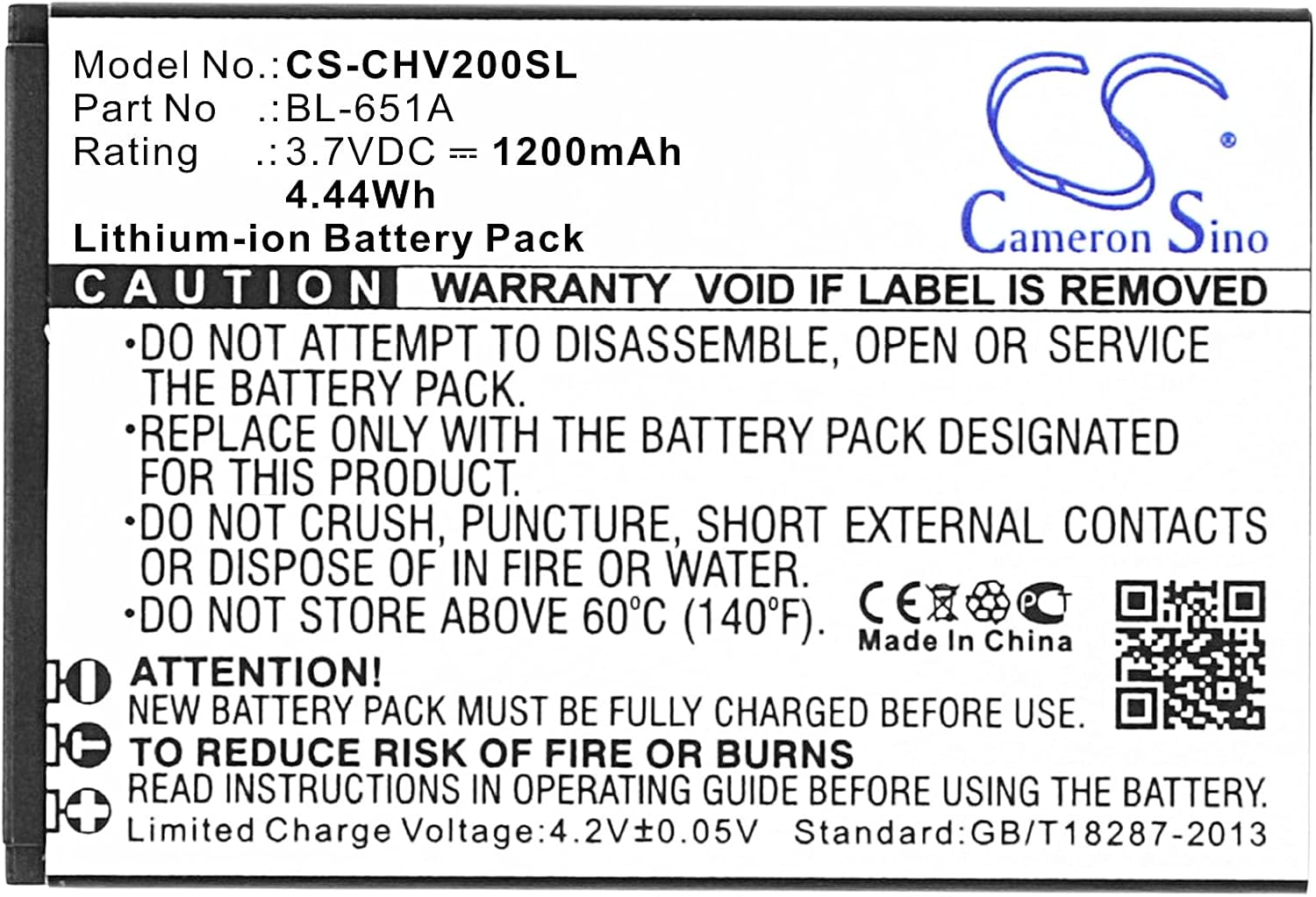
- Do not disassemble: Attempting to open or service the battery pack is prohibited.
- Do not dispose of in fire or water: Exposure to fire or water can cause explosion or leakage.
- Do not store above 60°C (140°F): High temperatures can degrade battery performance and pose a safety risk.
- Do not crush, puncture, or short external contacts: Physical damage can lead to internal short circuits and hazards.
- Replace only with the battery pack designated for this product: Using an incompatible battery may cause damage or injury.
- New battery pack must be fully charged before use: Ensure initial full charge for optimal performance.
- Read instructions in operating guide before using the battery: Always refer to the device's operating guide for specific battery usage instructions.
Product Specifications
| Model Number | CS-CHV200SL |
| Part Number | BL-651A |
| Battery Type | Lithium-ion (Li-ion) |
| Capacity | 1200mAh |
| Voltage | 3.7VDC |
| Energy Rate | 4.44Wh |
| Limited Charge Voltage | 4.2V ± 0.05V |
| Dimensions (L x W x H) | 58.70 x 39.90 x 7.20 mm (approx. 2.31 x 1.57 x 0.28 inches) |
| Weight | Approx. 57.0g (2.01 ounces) |
| Certifications | ISO9001, RoHS, CE, UN38.3, MSDS |

Setup and Installation
- Verify Compatibility: Before installation, carefully check the model number of your device and the part number of your original battery to ensure compatibility with the BL-651A battery. The compatible part number is BL-651A, and the model number is CS-CHV200SL.
- Prepare Device: Power off your device completely and remove any external power sources.
- Remove Old Battery: Open the battery compartment of your device according to its specific instructions and carefully remove the old battery.
- Insert New Battery: Insert the TrustCell BL-651A battery into the compartment, ensuring the connector is properly aligned and securely connected to your device. Refer to the "Insert this direction" marking on the battery if present.
- Secure Compartment: Close the battery compartment securely.


Operating Instructions
- Initial Charge: For optimal performance, a new battery will achieve its best performance after 2 or 3 complete cycles of charge and discharge. Ensure the battery is fully charged before its first use.
- Charging: Use only the original or a high-quality, compatible charger designed for your device. Avoid using low-quality third-party adapter chargers, as they can shorten the battery's life. The limited charge voltage for this battery is 4.2V ± 0.05V.
- Usage: Operate your device within its recommended temperature range. Extreme temperatures can affect battery life and performance.
Maintenance
- Storage: If storing the battery for an extended period, ensure it is charged to approximately 50% and stored in a cool, dry place, away from direct sunlight and extreme temperatures. Do not store above 60°C (140°F).
- Cleaning: Keep the battery contacts clean and free from dust or debris. Use a dry, soft cloth to gently wipe the contacts if necessary.
- Disposal: Dispose of old or damaged batteries responsibly according to local regulations. Do not dispose of in household waste or fire.
Troubleshooting
If you experience issues with your battery, such as rapid discharge or failure to charge, please ensure:
- The battery is correctly installed and the connector is secure.
- You are using a compatible and functional charger.
- The device itself is functioning correctly.
For persistent issues, please refer to the "Warranty and Support" section for contact information.
Warranty and Support
This TrustCell BL-651A battery comes with a 1-year refund or replacement warranty. We are committed to providing prompt after-sales service 24 hours a day, 7 days a week.
If you have any problems or questions regarding your battery, please do not hesitate to contact us via email. We aim to reply to all inquiries within 24 hours.
For more information about Cameron Sino products, you may visit their website: www.cameronsino.com