
TrustCell CS-MKT185PH
TrustCell Replacement Battery User Manual
Model: CS-MKT185PH
Introduction
This user manual provides essential information for the safe and effective use of your TrustCell replacement Lithium-Ion battery. This battery is designed as a high-capacity replacement for various Makita power tools, ensuring reliable performance and extended runtime.
Please read this manual thoroughly before using the battery to ensure proper operation, maximize battery life, and prevent potential hazards.
Product Overview

Image 1: Front view of the TrustCell replacement battery, showing its compact design and connection terminals.

Image 2: Side view of the TrustCell replacement battery, highlighting the release button and overall form factor.
The TrustCell replacement battery is a high-performance Lithium-Ion power source designed to seamlessly integrate with compatible Makita power tools. It offers a robust 7500mAh capacity, providing extended operational time for your devices.
Compatibility
This replacement battery is compatible with the following Makita battery part numbers:
- BL1840
- BL1840B
- BL1845
- BL1850
- BL1850B
- BL1860
It is also compatible with various Makita power tool models, including but not limited to:
- BTD142RHE
- BTD142SHE
- BTD142Z
- BTD144
- BTD144RFE
- BTD144Z
- BTD145RFE
- And other compatible 18V Makita LXT series tools.
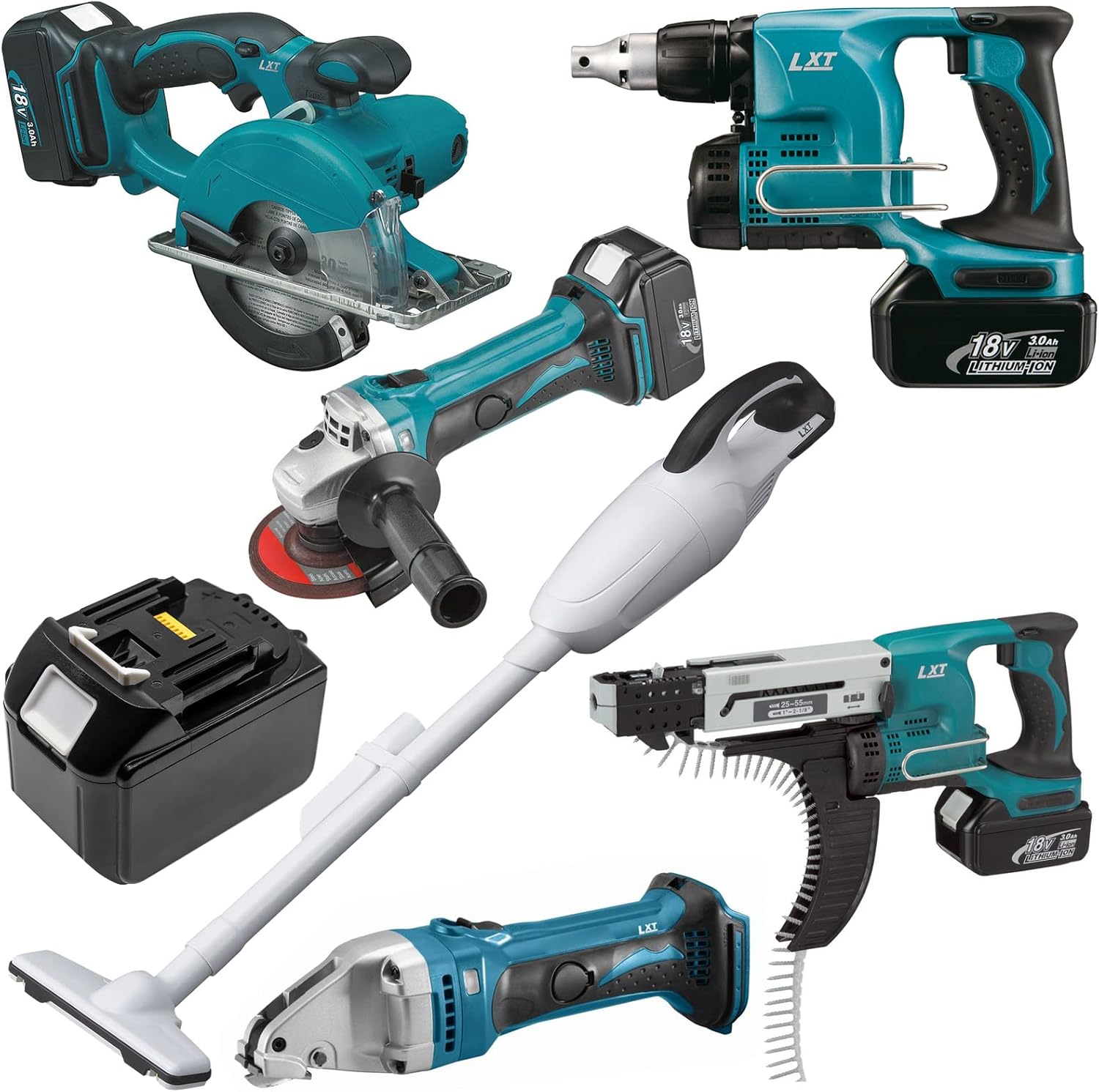
Image 3: The TrustCell battery shown alongside various compatible Makita power tools, illustrating its versatility.
Before purchase, carefully verify the model number of your device and the part number of your original battery to ensure compatibility.
Specifications
| Feature | Specification |
|---|---|
| Battery Type | Lithium-Ion (Li-ion) |
| Voltage | 18V |
| Capacity | 7500mAh (7.5Ah) |
| Energy Rate | 135Wh |
| Dimensions (L x W x H) | 116.00 x 75.00 x 86.60 mm (approx. 4.57 x 2.95 x 3.41 inches) |
| Gross Weight | 1053.5g (approx. 2.32 pounds) |
| Certifications | ISO9001, RoHS, CE, UN38.3, MSDS |

Image 4: Close-up view of the battery's information label, detailing model number, part numbers, voltage, capacity, and safety warnings.
Setup and Initial Use
Charging the Battery
- Initial Charge: A new battery will achieve its best performance after 2 or 3 complete cycles of charge and discharge. It is recommended to fully charge the battery before its first use.
- Use a Compatible Charger: Always use a charger specifically designed for 18V Lithium-Ion Makita batteries. Using low-quality third-party adapter chargers may shorten the battery's life or cause damage.
- Charging Process: Insert the battery into the compatible charger. The charger's indicator lights will typically show the charging status. Refer to your charger's manual for specific instructions.
- Full Charge: Ensure the battery is fully charged before disconnecting it from the charger.
Installing the Battery
- Align the Battery: Align the battery with the battery slot on your Makita power tool.
- Insert Firmly: Slide the battery into the tool until it clicks securely into place. Ensure the connector has been properly connected to your device.
- Verify Connection: Gently tug on the battery to ensure it is firmly seated and will not accidentally detach during operation.
Operating Instructions
Once the battery is fully charged and securely installed in your compatible Makita power tool, the tool is ready for operation according to its own user manual. The high capacity of this battery provides extended runtime, reducing the frequency of recharges during prolonged use.
Battery Level Indicator
Many Makita tools and some batteries feature a battery level indicator. Refer to your tool or original battery's documentation for details on how to check the remaining charge.
Removing the Battery
To remove the battery from the tool, press the release button(s) on the battery pack and slide the battery out of the tool's slot.
Maintenance and Storage
General Care
- Keep the battery clean and dry. Wipe it with a soft, dry cloth if necessary.
- Avoid exposing the battery to extreme temperatures, direct sunlight, or moisture.
- Do not allow metal objects to come into contact with the battery terminals, as this can cause a short circuit.
Long-Term Storage
- For long-term storage, it is recommended to store the battery at approximately 50% charge.
- Store the battery in a cool, dry place, away from direct sunlight and heat sources.
- If storing for extended periods (more than 6 months), periodically charge the battery to about 50% to prevent deep discharge, which can damage the battery.
Safety Precautions
WARNING: Failure to follow these safety instructions may result in fire, electric shock, or serious injury.
- Do NOT Disassemble: Never attempt to disassemble, open, or service the battery pack. There are no user-serviceable parts inside. Disassembly voids the warranty and can lead to dangerous situations.
- Proper Replacement: Replace only with the battery pack designated for this product. Using incompatible batteries can be hazardous.
- Avoid Physical Damage: Do not crush, puncture, short external contacts, or dispose of in fire or water. Physical damage can cause the battery to explode or leak.
- Temperature Limits: Do not store above 60℃ (140℉). High temperatures can degrade battery performance and pose a fire risk.
- Disposal: Dispose of used batteries according to local regulations. Do not dispose of batteries with household waste.
- Children: Keep batteries out of reach of children.
- Charging Environment: Charge batteries in a well-ventilated area, away from flammable materials.
Troubleshooting
| Problem | Possible Cause | Solution |
|---|---|---|
| Battery not charging | Battery not properly seated in charger; Charger malfunction; Battery too hot/cold; Battery fault. | Ensure battery is fully inserted. Check charger for error lights. Allow battery to reach room temperature. If problem persists, contact support. |
| Tool not operating with battery | Battery not fully charged; Battery not properly installed; Tool malfunction; Battery fault. | Charge battery fully. Ensure battery clicks into place. Test with another known good battery if available. If problem persists, contact support. |
| Reduced runtime | Battery not fully charged; Battery nearing end of life; Operating in extreme temperatures. | Ensure battery is fully charged. Battery capacity naturally degrades over time. Operate within recommended temperature ranges. |
Warranty and Support
Warranty Information
This TrustCell replacement battery comes with a 1-year refund or replacement warranty from the date of purchase. This warranty covers manufacturing defects and issues arising from normal use.
The warranty is void if the product has been disassembled, physically damaged, or used improperly.
Customer Support
If you have any questions, concerns, or require assistance with your TrustCell battery, please do not hesitate to contact our customer support team. We offer 24/7 prompt after-sales service.
Contact: Please refer to your purchase platform or packaging for specific contact details (e.g., email address for support).