
TrustCell CS-SMP200BL
TrustCell 2ICP5/58/84 Replacement Battery User Manual
Model: CS-SMP200BL
Introduction
This manual provides comprehensive instructions for the TrustCell 2ICP5/58/84 Lithium-Polymer Replacement Battery, designed for Sunmi P2 and T6900 devices. Please read this manual carefully before using the battery to ensure safe operation and optimal performance. This battery is manufactured to precise specifications, ensuring compatibility and reliable power for your device.
Important Safety Information
Failure to follow these safety instructions could result in fire, electric shock, injury, or damage to the battery or device.
- DO NOT ATTEMPT TO DISASSEMBLE, OPEN OR SERVICE THE BATTERY PACK. Unauthorized tampering can lead to severe damage and safety hazards.
- REPLACE ONLY WITH THE BATTERY PACK DESIGNATED FOR THIS PRODUCT. Using an incompatible battery may cause damage to your device or pose a safety risk.
- DO NOT CRUSH, PUNCTURE, SHORT EXTERNAL CONTACTS OR DISPOSE OF IN FIRE OR WATER. These actions can cause the battery to overheat, explode, or leak.
- DO NOT STORE ABOVE 60°C (140°F). High temperatures can degrade battery performance and pose a safety risk.
- NEW BATTERY PACK MUST BE FULLY CHARGED BEFORE USE. This ensures the battery is ready for its first operation and helps in calibration.
- TO REDUCE RISK OF FIRE OR BURNS, READ INSTRUCTIONS IN OPERATING GUIDE BEFORE USING THE BATTERY. Always refer to the device's manual for specific battery handling instructions.
- Do not use low quality third-party adapter chargers to charge your device, as this can shorten the battery's life.
Product Specifications
| Specification | Detail |
|---|---|
| Battery Type | Li-Polymer |
| Capacity | 2500mAh |
| Voltage | 7.6V |
| Rate | 19.00Wh |
| Part Number | 2ICP5/58/84 |
| Model Number | CS-SMP200BL |
| Dimensions | 2.36 x 0.39 x 2.72 inches |
| Item Weight | 3.63 ounces |
| Limited Charge Voltage | 8.7 V ± 0.05V |
| Standard | GB 31241-2014 |
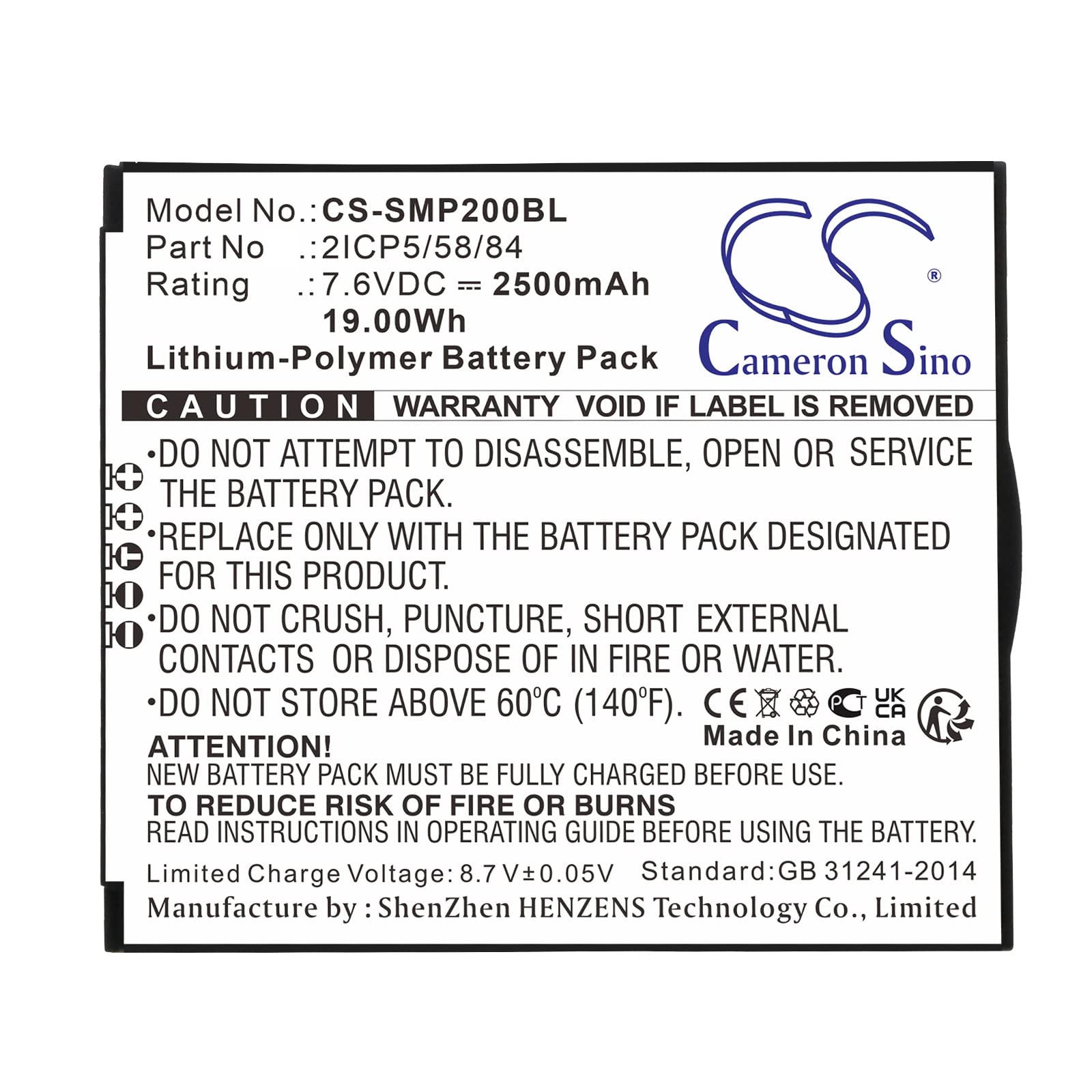
This image displays the TrustCell Lithium-Polymer Battery Pack, model CS-SMP200BL, with part number 2ICP5/58/84. It shows the battery's specifications including 7.6VDC, 2500mAh, and 19.00Wh. Important safety warnings are visible on the label, such as 'DO NOT ATTEMPT TO DISASSEMBLE, OPEN OR SERVICE THE BATTERY PACK' and 'DO NOT STORE ABOVE 60°C (140°F)'. The battery is manufactured by ShenZhen HENZENS Technology Co., Limited.
Setup and Installation
Before installing the new battery, ensure your device is powered off and disconnected from any power source. Carefully compare the model number of your device and the part number of your original battery with the specifications of this replacement battery to confirm compatibility.
- Locate the battery compartment on your device. Refer to your device's user manual for specific instructions on how to open it.
- Carefully remove the old battery.
- Insert the new TrustCell battery into the compartment, ensuring the connector is properly aligned and securely connected to your device. Do not force the battery into place.
- Close the battery compartment securely.
After installation, it is recommended to fully charge the new battery before its first use.
Operating Instructions
To achieve the best performance from your new TrustCell battery, follow these operating guidelines:
- Initial Charge: A new battery will achieve its best performance after 2 or 3 complete cycles of charge and discharge. Fully charge the battery before its first use.
- Charging: Use only the original or a certified compatible charger for your device. Avoid using low-quality third-party adapter chargers, as they can shorten the battery's lifespan.
- Discharge: For optimal battery health, avoid completely draining the battery frequently. It is generally better to recharge before the battery level drops too low.
Maintenance and Care
Proper maintenance can extend the life and performance of your battery:
- Temperature: Store and operate the battery within recommended temperature ranges. Avoid exposing the battery to extreme heat or cold, as this can degrade its performance and lifespan. Do not store above 60°C (140°F).
- Cleaning: Keep the battery contacts clean and free from dust or debris. Use a dry, soft cloth to wipe them if necessary.
- Storage: If storing the battery for an extended period, ensure it is charged to about 50-70% capacity. Store it in a cool, dry place away from direct sunlight.
- Disposal: Do not dispose of the battery in household waste. Follow local regulations for proper disposal of lithium-polymer batteries, which often involves recycling centers.
Troubleshooting
If you encounter issues with your battery, consider the following common solutions:
- Battery Not Charging: Ensure the charger is properly connected to both the device and a power outlet. Verify that the charger is functional and compatible. Check for any debris in the charging port.
- Short Battery Life: Ensure the battery has completed 2-3 full charge/discharge cycles. Check for excessive background applications or high power consumption settings on your device. Avoid extreme temperatures during use.
- Device Not Powering On: Confirm the battery is correctly installed and fully charged. If the issue persists, it may indicate a problem with the device itself rather than the battery.
If troubleshooting steps do not resolve the issue, please contact customer support for further assistance.
Warranty and Support
TrustCell is committed to providing high-quality products and excellent customer service.
- Warranty: This battery comes with a 1-year refund or replacement warranty.
- Customer Support: We offer 24/7 prompt after-sales service. If you have any problems or questions regarding your battery, please feel free to contact us via email. We aim to reply within 24 hours.
For support, please refer to the contact information provided at your point of purchase or on the official TrustCell website.